
Key Takeaways
- Microsoft Entra Global Secure Access now BYOD supports devices using Entra Registered Devices.
- Personal devices no longer need full management or enrollment to access work apps.
- Access is protected using identity-based security and Conditional Access.
- Works across Windows, Android, and macOS platforms.
Microsoft has announced a new update to Microsoft Entra Global Secure Access (GSA) that makes it easier for organizations to support Bring Your Own Device (BYOD) scenarios. With this update, employees can securely access company resources using their personal devices without needing full device management.
Table of Contents
Table of Contents
Microsoft Entra Global Secure Access Adds BYOD Support Using Entra Registered Devices
This new capability is made possible through Microsoft Entra Registered Devices. These devices are linked to a user’s Entra ID but are not fully enrolled or controlled by the organization. This allows companies to balance strong security with user privacy, especially in hybrid and remote work environments.
- Expansion of Entra Global Secure Access Advanced Threat Protection
- Entra Source IP Anchoring with Global Secure Access to Improve the Security Management of SaaS Apps
- Microsoft Entra Enhances Security with New AI face Check Feature
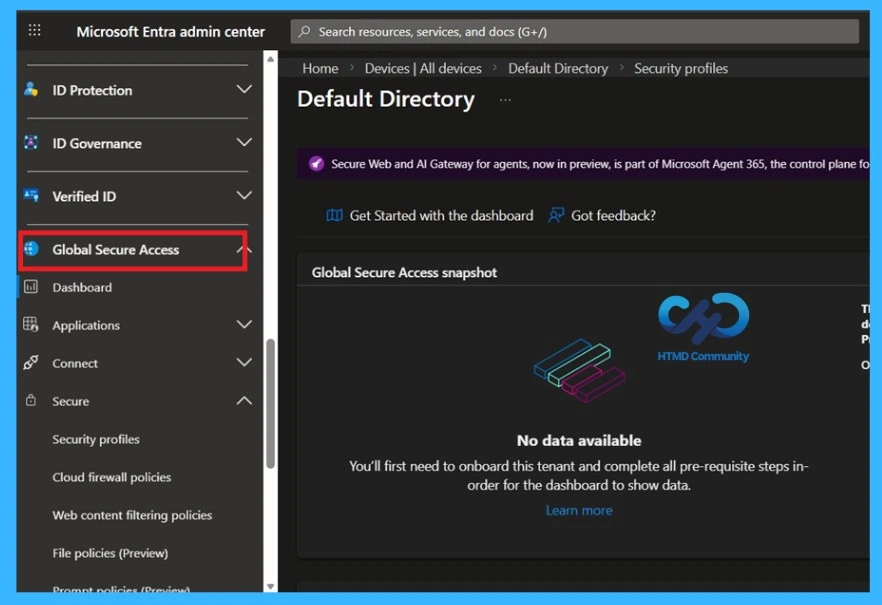
BYOD with Global Secure Access
BYOD access is enabled through Microsoft Entra device registration. Device registration creates a trusted identity for the device but does not give the organization full control over it. This allows secure access while keeping personal devices unmanaged.
See More: What is Entra Global Secure Access?

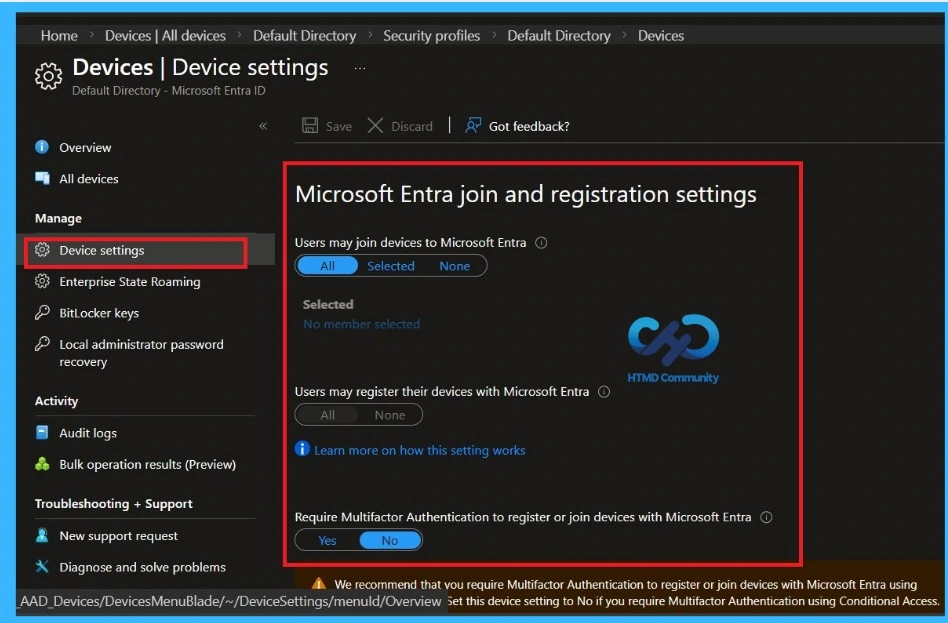
Device Registration Settings in Microsoft Entra
The administrators control whether users can register or join devices. For BYOD scenarios, this page is important because device registration must be allowed for personal devices to access company resources through Global Secure Access.
How it Works in Windows
On Windows, Global Secure Access supports Microsoft Entra registered devices that aren’t domain-joined, but only Private Access traffic is allowed, so administrators must enable the Private Access profile. If a device isn’t registered or joined, it will automatically register to the tenant at first sign-in, and if multiple registrations exist without a join, the user must choose the tenant during sign-in.
- For devices that are Entra joined or hybrid joined, the client always connects to the joined tenant, and tenant switching is not supported.
- For non-joined devices, multiple registrations allowed, no switching between registered tenants for now. Allows user to switch to a resource tenant using B2B collaboration.
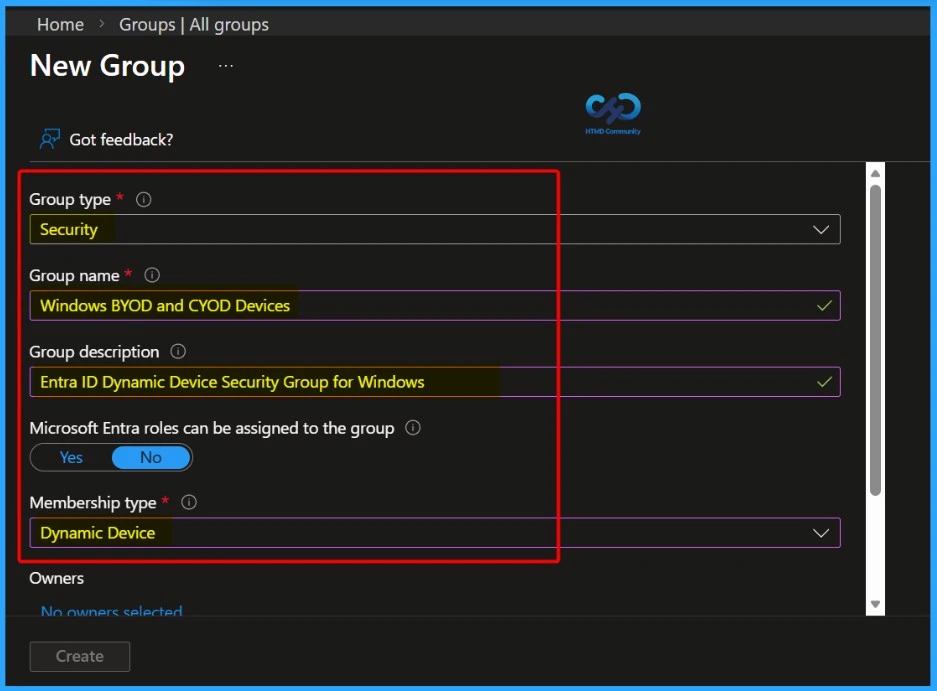
- The screenshot depicts the New Group setup in Microsoft Entra (Azure AD), where an administrator is creating a Security group named Windows BYOD and CYOD Devices.
BYOD in Android Devices
On Android, BYOD access is available without device enrollment by using Microsoft Entra device registration. Users can register their device using Microsoft Authenticator or the Intune Company Portal app.
After registration, users must install the Microsoft Defender app and sign in. A device-wide VPN profile is created, but the Global Secure Access connection is turned off by default. Users must manually turn it on to send Private Access traffic.
- It applies to enrolled devices with Company Portal and unmanaged devices with Company portal and Authenticator app.
macOS BYOD Support
On macOS BYOD support is also available without device enrollment. Users register their device using the Company Portal, which creates a Microsoft Entra registered device identity. Once registered, administrators can enable the required traffic profiles to allow secure access. This applies to both enrolled and unmanaged macOS devices.
- Applies to enrolled and unmanaged devices with Company Portal.
| Tenant Selection and Switching | Connection target |
|---|---|
| Windows | Always connects to the joined tenant. For non-joined tenants, user selects a tenant at first sign-in; remains connected to that tenant |
| macOS | User selects a tenant at first sign-in; remains connected to that tenant |
| Android | User selects a tenant at first sign-in; remains connected to that tenant |
Need Further Assistance or Have Technical Questions?
Join the LinkedIn Page and Telegram group to get the step-by-step guides and news updates. Join our Meetup Page to participate in User group meetings. Also, Join the WhatsApp Community and WhatsApp Channel to get the latest news on Microsoft Technologies. We are there on Reddit as well.
Author
Anoop C Nair has been Microsoft MVP for 10 consecutive years from 2015 onwards. He is a Workplace Solution Architect with more than 22+ years of experience in Workplace technologies. He is a Blogger, Speaker, and Local User Group Community leader. His primary focus is on Device Management technologies like SCCM and Intune. He writes about technologies like Intune, SCCM, Windows, Cloud PC, Windows, Entra, Microsoft Security, Career, etc.