
Key Takeaways
- SOC Efficiency with AI Driven Incident Ranking
- AI powered incident prioritization is now available in public preview.
- Each incident receives a score from 0 to 100.
- The system explains why an incident is ranked at a certain level.
Today we are discussing How Color Coded Priority Levels Improve Threat Identification in Microsoft Defender. On January 8, 2026, Microsoft announced that AI powered incident prioritization is now available in public preview for all Microsoft Defender customers. The feature was first introduced at Microsoft Ignite last November. It helps security operations center (SOC)teams to handle alerts more easily.
Table of Contents
Table of Contents
How Color Coded Priority Levels Improve Threat Identification in Microsoft Defender
You know the SOC is the one who monitoring, detecting, analyzing and responding to cybersecurity incidents across an organization. SOC analysts often deal with too many alerts at the same time. Many of these alerts look equally serious, even though they come from different tools or systems. When everything seems urgent, it becomes confusing to decide which issue should be checked first. This can slow down response time and add more stress to the team.
- How Entra Agent IDs and UEBA Updates Improve Threat Detection in Microsoft Defender
- Enable Notify Unsafe App Policy for Enhanced Phishing Protection in Defender Smart Screen using Intune
- Sysmon Built into Windows for Easy Setup and Better Threat Detection
New Capability to Solve the Issue
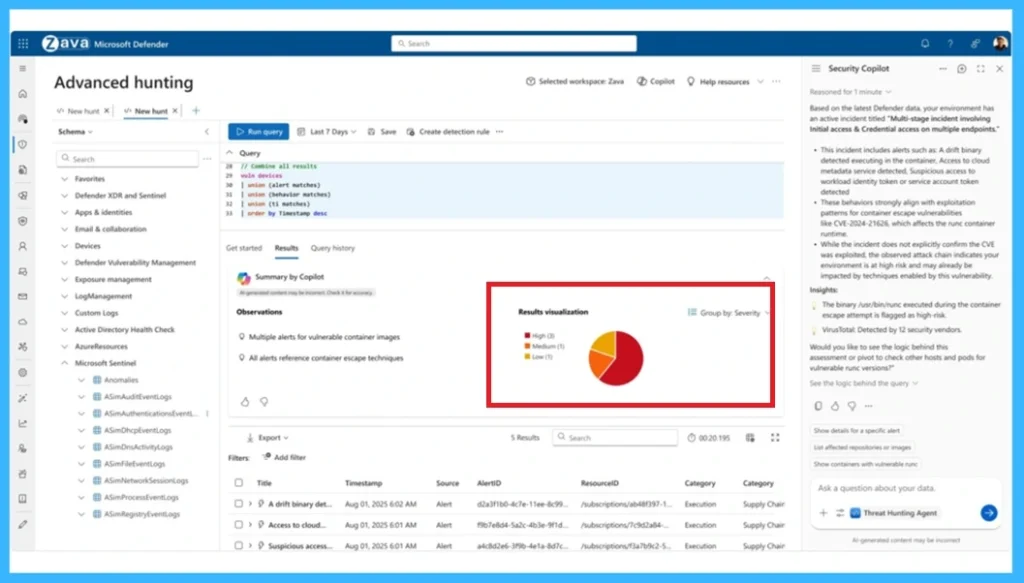
To fix this Issue, Microsoft Defender now uses artificial intelligence to solve and rank incidents by importance. Instead of checking every alert one by one, analysts can quickly see which issues need immediate attention. This makes their work easier and faster.
- Microsoft Defender now includes AI-powered incident prioritization, available in public preview.
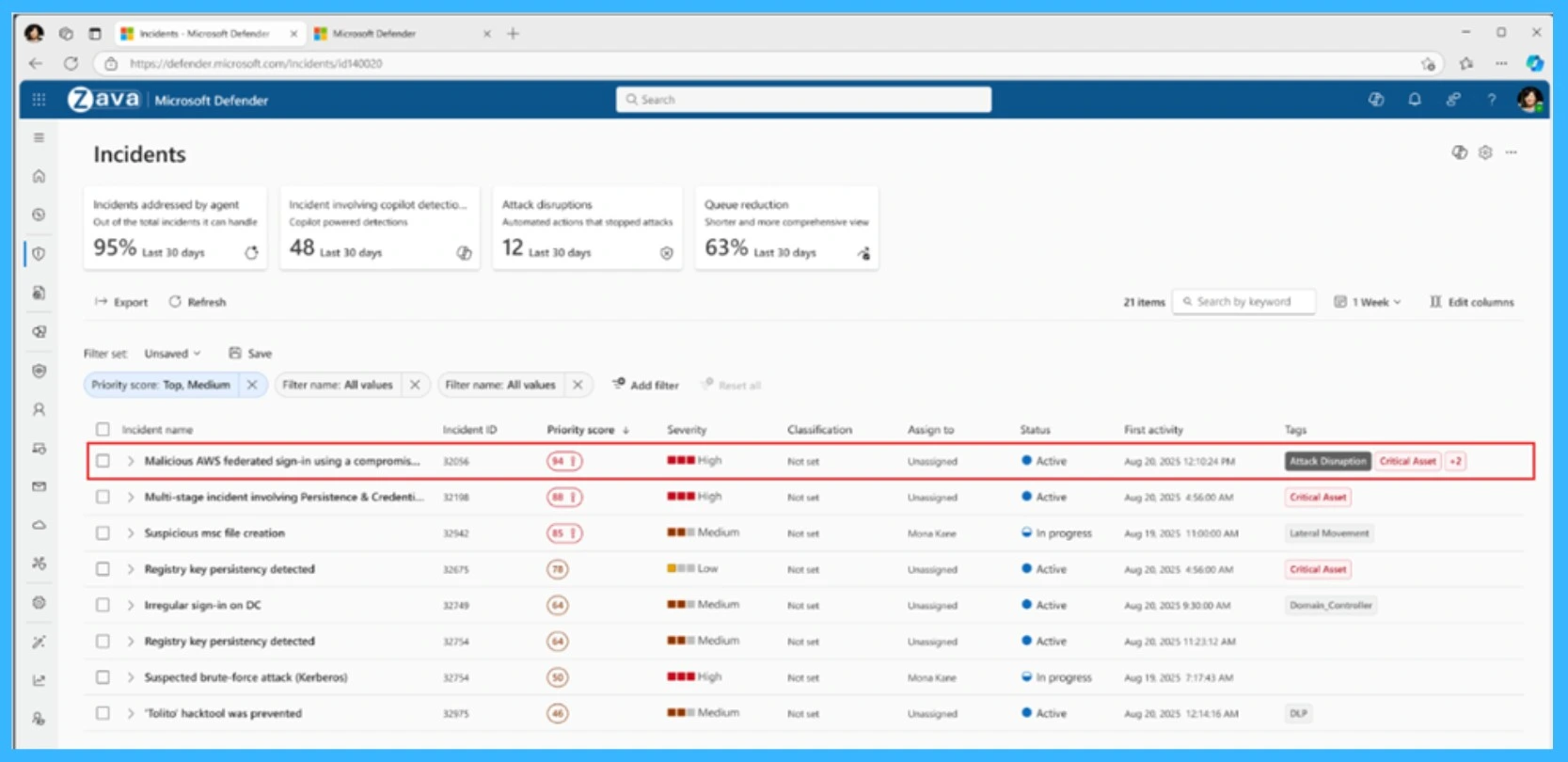
- The AI system assigns every incident a score between 0 and 100.
- A higher score means the incident is more important and should be handled first.
- To make things even easier, the scores are color coded.
- This color coed allows analysts to immediately focus on the most critical incidents while still keeping medium and low priority incidents visible
| Color Coded Priority Levels | Info |
|---|---|
| Red | Top priority (> 85%) |
| Orange | Medium priority (15–85%) |
| Grey | Low priority (< 15%) |
Need Further Assistance or Have Technical Questions?
Join the LinkedIn Page and Telegram group to get the step-by-step guides and news updates. Join our Meetup Page to participate in User group meetings. Also, Join the WhatsApp Community and WhatsApp Channel to get the latest news on Microsoft Technologies. We are there on Reddit as well.

Author
Anoop C Nair has been Microsoft MVP for 10 consecutive years from 2015 onwards. He is a Workplace Solution Architect with more than 22+ years of experience in Workplace technologies. He is a Blogger, Speaker, and Local User Group Community leader. His primary focus is on Device Management technologies like SCCM and Intune. He writes about technologies like Intune, SCCM, Windows, Cloud PC, Windows, Entra, Microsoft Security, Career, etc.