
Key Takeaways
- Devices must be onboarded to prevent ransomware and other attacks.
- The onboarding process is now simpler and consistent across systems.
- Administrators can track onboarding progress in real time.
- New controls allow secure management with package naming and expiry settings.
Hey, let’s discuss about MDE Introduces a More Predictable Transparent Secure and Enterprise Ready Onboarding Experience for Windows Devices. Onboarding all devices in your organization is essential for maintaining a strong security posture. Research from Microsoft Threat Intelligence shows that in most ransomware attacks, the machine that spread the attack was not yet onboarded. However, customers often struggle with complex onboarding steps that vary by operating system, leading to confusion, duplicate devices, or failures due to incorrect initial configuration settings.
Table of Contents
Table of Contents
MDE Introduces a More Predictable Transparent Secure and Enterprise Ready Onboarding Experience for Windows Devices
To address these challenges, we’re introducing an improved onboarding experience through the Defender deployment tool for Windows. This update enhances visibility into onboarding progress and adds new controls such as package naming and configurable expiry, helping administrators manage device onboarding more securely and efficiently at scale.
- Microsoft Now Allows Up to 25 Apps in Intune Autopilot Deployment Profile Policy Including Windows 365
- How to Configure New Windows App Settings for Windows 365 using Intune
- How to Configure AI-Enabled Features for Windows 365 Cloud PCs
Streamlined Onboarding Process
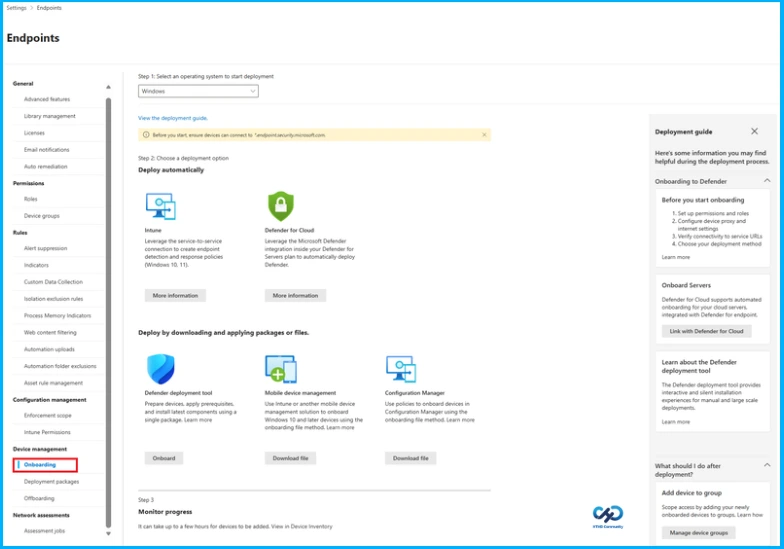
The Defender deployment tool makes onboarding Windows devices simple and reliable by automatically adjusting to the operating system. It ensures strong security across both modern and legacy devices and eliminates the need for separate files by embedding all onboarding information in a single .exe file. This makes the process more predictable, transparent, and gives administrators better control over their devices.
The tool also supports large-scale deployments with silent, non-interactive options using tools like Group Policy or Configuration Manager. Administrators can track onboarding packages with custom identifiers, set package expiry for up to a year, and use customizable names and keys for better visibility. New portal entry points make it easier to find the right onboarding or offboarding method, helping administrators manage devices efficiently while reducing risks if packages are accidentally shared outside the organization.

Controlled Access Packages
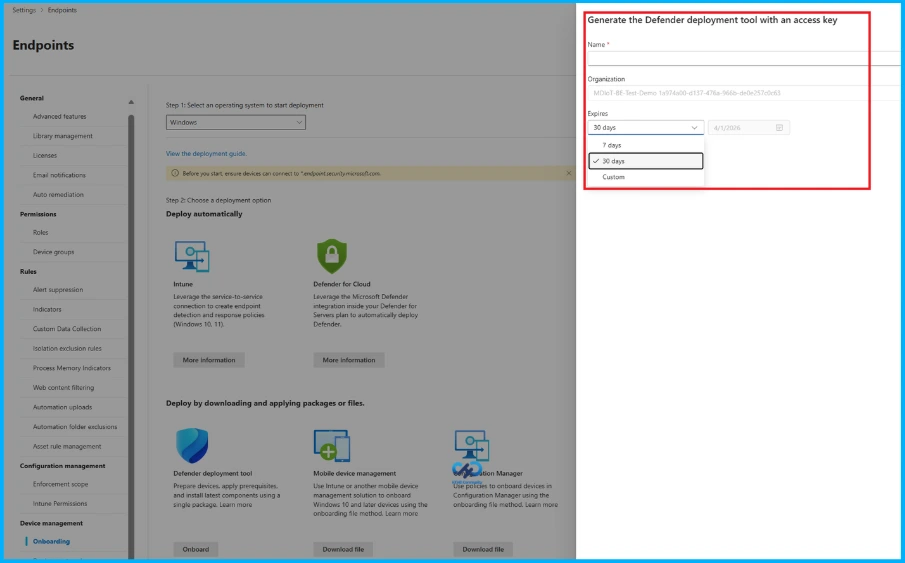
This new approach replaces scripts and loose blobs, making it harder for unauthorized users to onboard and reducing security risks from blobs that don’t expire. Now, onboarding packages can have custom expiration dates 1 day, 7 days, or up to a year. This ensures packages aren’t misused, protects against compliance issues, and requires a portal-generated key to complete onboarding, further preventing unauthorized access.
Onboarding Telemetry in Detail
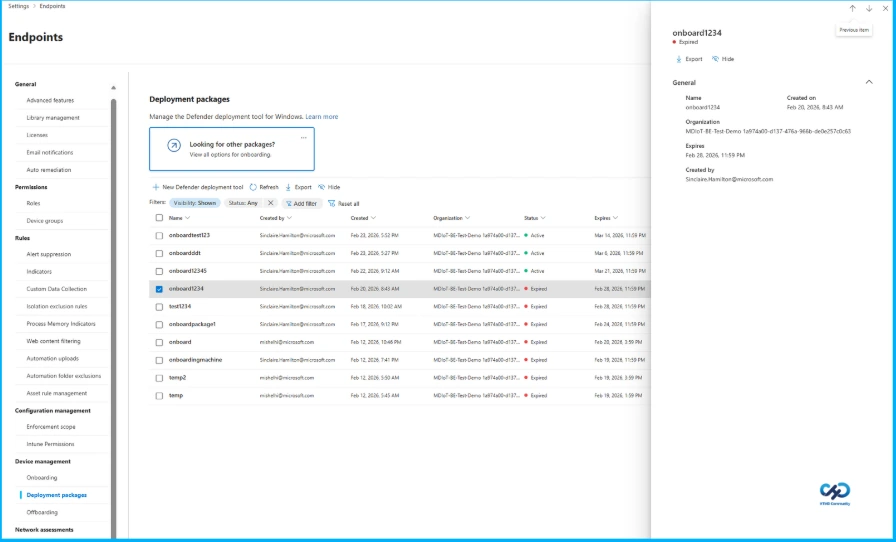
Deployment tool events now appear in the device timeline and advanced hunting tabs, giving you better insight into onboarding progress and errors so issues can be resolved quickly. The new deployment packages page lets you view all your organization’s onboarding packages at a glance, explore package details, and improve visibility and traceability. You can filter packages by active or expired status and hide ones you no longer need, laying the groundwork for future per-device onboarding telemetry.
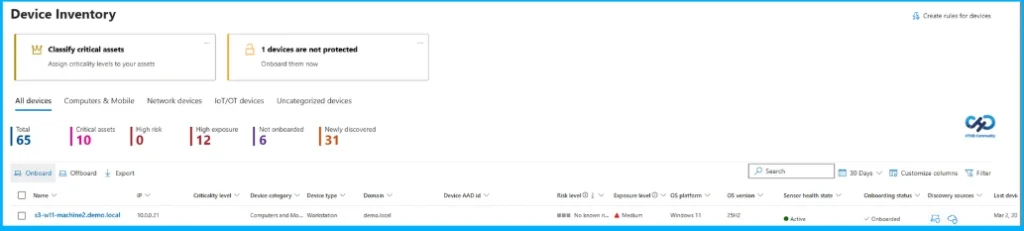
To try the new version of the Defender deployment tool for Windows, go to Settings > Endpoints > Onboarding > Windows, or go directly from the device inventory page. You’ll find the redesigned onboarding page in the Defender portal with guides for onboarding and offboarding. Then, choose the Defender deployment tool from the list of options.
Need Further Assistance or Have Technical Questions?
Join the LinkedIn Page and Telegram group to get the latest step-by-step guides and news updates. Join our Meetup Page to participate in User group meetings. Also, Join the WhatsApp Community and Whatsapp channel to get the latest news on Microsoft Technologies. We are there on Reddit as well.
Author
Anoop C Nair has been Microsoft MVP from 2015 onwards for 10 consecutive years! He is a Workplace Solution Architect with more than 22+ years of experience in Workplace technologies. He is also a Blogger, Speaker, and Local User Group Community leader. His primary focus is on Device Management technologies like SCCM and Intune. He writes about technologies like Intune, SCCM, Windows, Cloud PC, Windows, Entra, Microsoft Security, Career, etc.