
Key Takeaways
- The updated guidance from Microsoft improves transparency of compliance reporting
- Reports show the last known device status, not real-time updates
- Shared devices may display compliance based on the last user
- Devices can appear as pending if they haven’t checked in
In this post we are discussing Updated Guidance for Interpreting Microsoft Intune Compliance Policy Reports. Recently, Microsoft Intune received a new update focused on improving compliance policy reporting. This update helps IT admins better understand how device compliance results are shown in reports.
Table of Contents
Table of Contents
Updated Guidance for Interpreting Microsoft Intune Compliance Policy Reports
The update explains that even though device compliance is checked continuously, the reports in Intune only show the status based on the last device check-in. Because of this, there can be slight differences between the actual device state and what appears in the admin center. With this change, Microsoft aims to make compliance reporting clearer and easier to interpret, especially for organizations using features like Conditional Access that depend on accurate compliance data.
- Create Custom Dashboards Alerts and 30-Day Compliance Trends using MS Intune and Azure Log Analytics
- Intune Device Compliance Reports | Endpoint Manager
- Managing Windows Bitlocker Compliance Policy Using Intune | MS Graph | Grace Period
What’s New
Recently Microsoft introduced Known reporting behaviors which helps admins understand common scenarios like delayed updates, shared device reporting, and pending compliance states. Microsoft has provided clearer guidance on how compliance reports work in Microsoft Intune. Overall, this update is aimed at helping admins interpret compliance reports more accurately and avoid confusion.
- The update is not a new feature, but a better explanation that reports are not real-time.
- Instead, they show the last known status of a device based on its most recent check-in.
- This helps users understand that what they see in reports may be outdated and should not be a live data.
| Status | Meaning |
|---|---|
| Compliant | Device meets all requirements |
| Noncompliant | Device does not meet requirements |
| In Grace Period | Device not compliant but within allowed time |
| Not Evaluated | Device not checked yet |
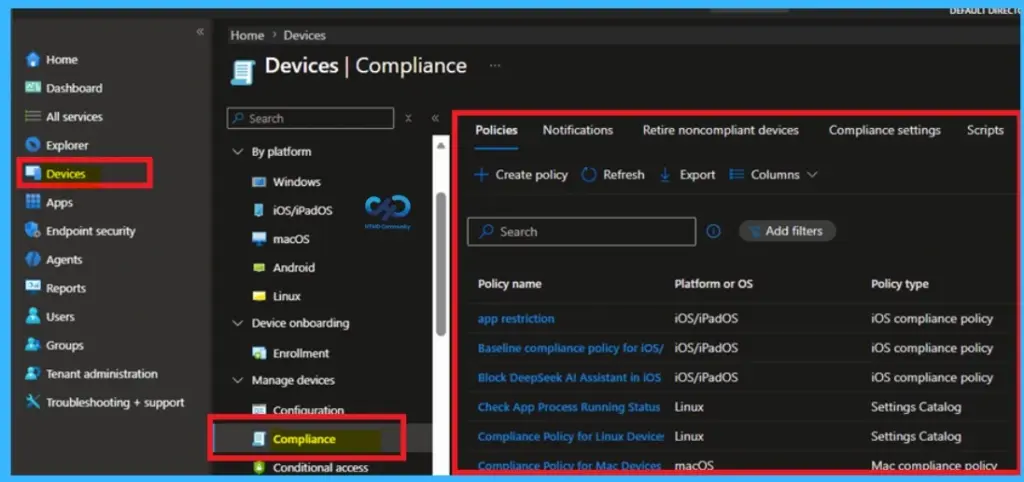
Device Check-In Affects Reporting
In Microsoft Intune, compliance reports are updated only when a device checks in. This means even if a device becomes compliant or noncompliant, the change will not appear immediately in reports until the next check-in happens. Because of this, admins may sometimes see outdated information.

Device Check-In and Reporting Delays
Compliance reporting depends on when a device checks in to Microsoft Intune. Even though compliance is evaluated continuously, reports are only refreshed during check-in or policy sync cycles. As a result, recent changes like new policy assignments or updates may not appear immediately, it shows to temporary delays or outdated information in reports.
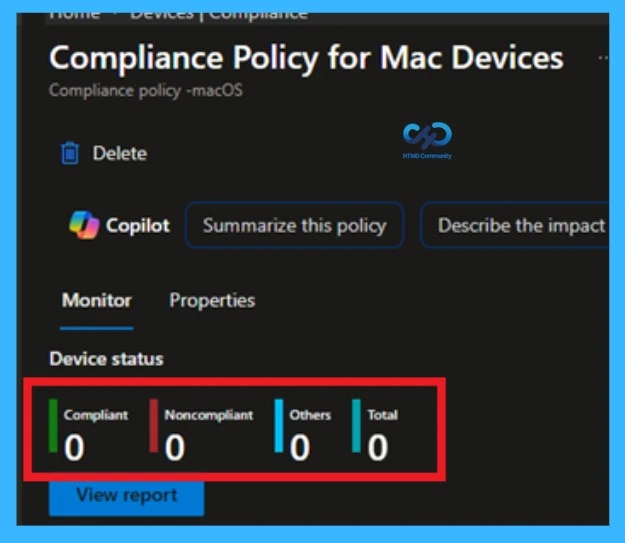
Report Differences
Compliance reports are also based on by the last user who signed in on a device. On shared or multi-user devices, this can cause reports to reflect a previous user’s compliance state. Additionally, devices may show as pending if they haven’t checked in, and reports can display multiple entries for the same device due to different user.
Need Further Assistance or Have Technical Questions?
Join the LinkedIn Page and Telegram group to get the latest step-by-step guides and news updates. Join our Meetup Page to participate in User group meetings. Also, join the WhatsApp Community and the Whatsapp channel to get the latest news on Microsoft Technologies. We are there on Reddit as well
Author
Anoop C Nair is a Workplace Technology solution architect with 25+ years of experience. Microsoft Certified Trainer. Microsoft MVP from 2015 onwards for consecutive 11+ years! He is a blogger, Speaker, and Founder of HTMD Community and HTMD Conference. His main focus is on Device Management technologies like Intune, Windows, and Cloud PC. He writes about technologies like Intune, SCCM, Windows, Cloud PC, Entra, and Microsoft Security