
Download the PPTs of HTMD Community Conference 2025! We are really excited to share that the HTMD Conference on December 6th, 2025, exceeded our expectations and was a grand success! This is an event focused on modern device management, security, and cloud technologies.
It brings together IT professionals, community experts, and industry leaders to share knowledge, explore the latest innovations, and discuss real-world best practices in areas like Intune, SCCM, Windows Management, Azure, and Endpoint Security.
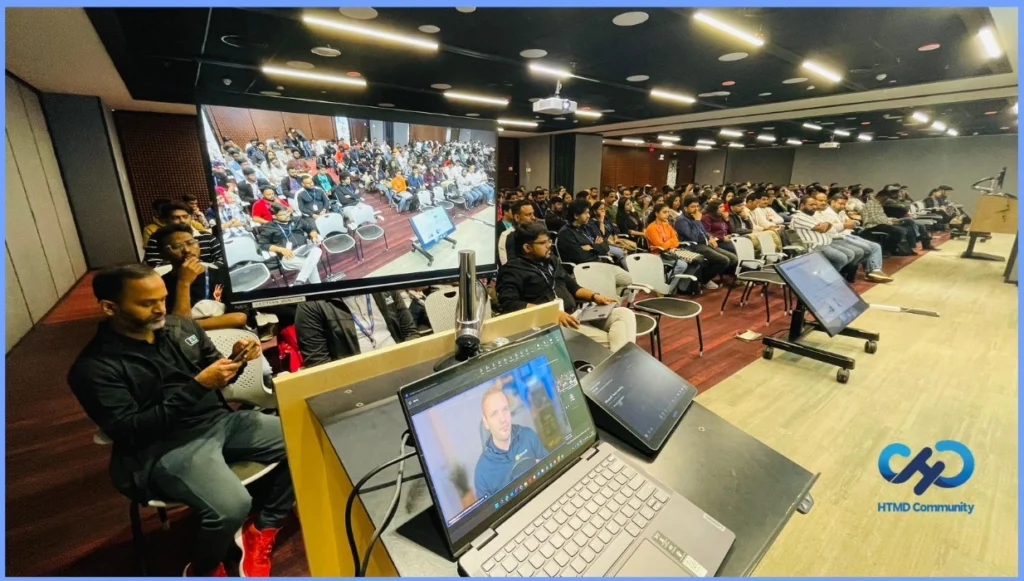
We were happy to have Christiaan Brinkhoff as our keynote speaker! He shared valuable knowledge about AI and cloud technologies, making the event even better for everyone who attended. HTMD Community Conference featured an exciting lineup of sessions covering the future of modern device and security management.
These PPTs are most useful for people who attended the sessions. Without attending, it may be hard to fully understand the real meaning or context behind each slide. The slides support the session, but the complete understanding comes from being there and listening to the explanation.

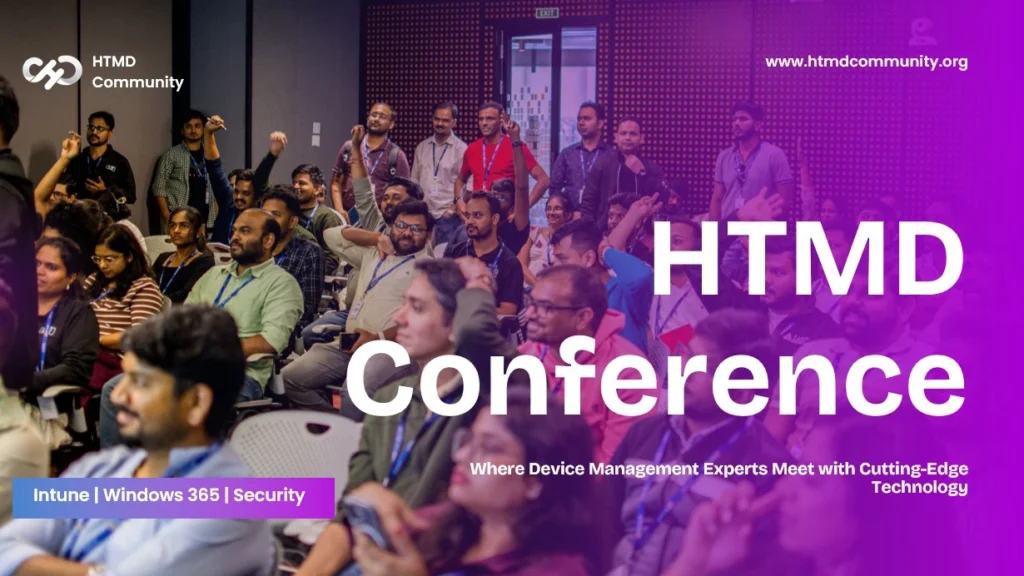
Download the PPTs of HTMD Community Conference 2025
A big thank you to our sponsors Microsoft, Patch My PC, and ZeroTouch.ai for helping us make the HTMD Community Conference 2025 a success. We had great sessions with many IT experts. We are happy to share the main highlights in a PowerPoint that you can easily open and download.
| Confrence Highlights |
|---|
| 200+ participants (from different parts of India – Chennai, Mumbai, Pune, Delhi, and Gujarat) |
| 10+ More Technical Deep Dive Sessions |
| Incredible support from Microsoft, PatchMyPc and Zero Touch |
- Download the PPT of HTMD Community Conference 2024
- HTMD Community Conference 2025 Updated Agenda
- HTMD Community Conference 2025 – December 6th Saturday
Intune MAM on Windows Story
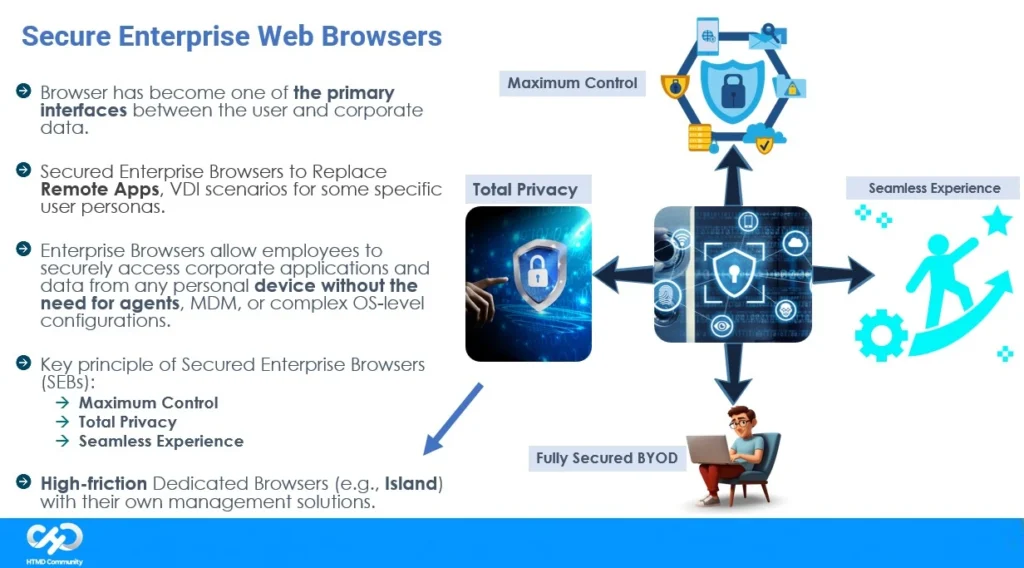
This session was presented by me. I talked about the upcoming Intune features planned for 2026 and how Microsoft is focusing on securing BYO (Bring Your Own) devices. He explained the role of secure enterprise web browsers, the benefits of using MAM for Windows, and how it helps protect company data without fully managing personal devices.
In my Intune MAM session – i have explained about Intune MAM on Windows failure back in 2025 and how do he got a chance to bounce back with same topic in 2025 !
Download the PPT- Click Here
Architecture and Design updates of Windows 365 Cloud PC
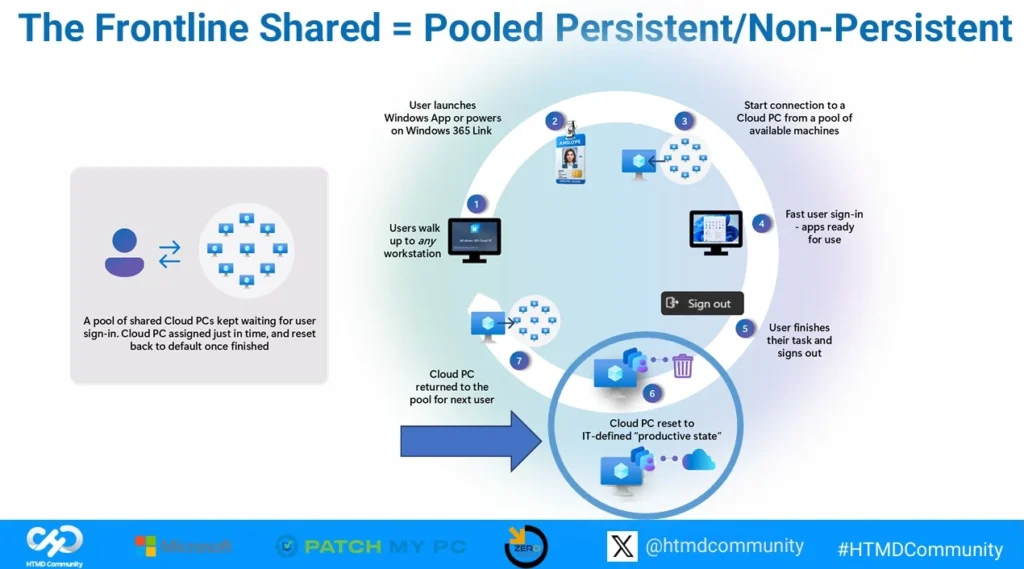
This session was presented by Vaishnav and I. We talked about industry trends and shared a SWOT analysis comparing self-assembled solutions with vendor-managed cloud PC setups. The session included an updated architecture overview of Windows 365, covering Enterprise, Frontline Dedicated, Shared Mode, and Cloud Apps.
Download the PPT- Click Here
Management Capabilities & Reporting of Windows 365 Cloud PC
Jitesh presented this session. He explained how IT admins can remotely manage Windows 365 Cloud PCs, including resizing, backup, restore, and moving Cloud PCs when needed. He also covered useful features like email alerts, reporting options, and Cloud PC recommendation reports that help improve device performance and user experience.
Download the PPT- Click Here
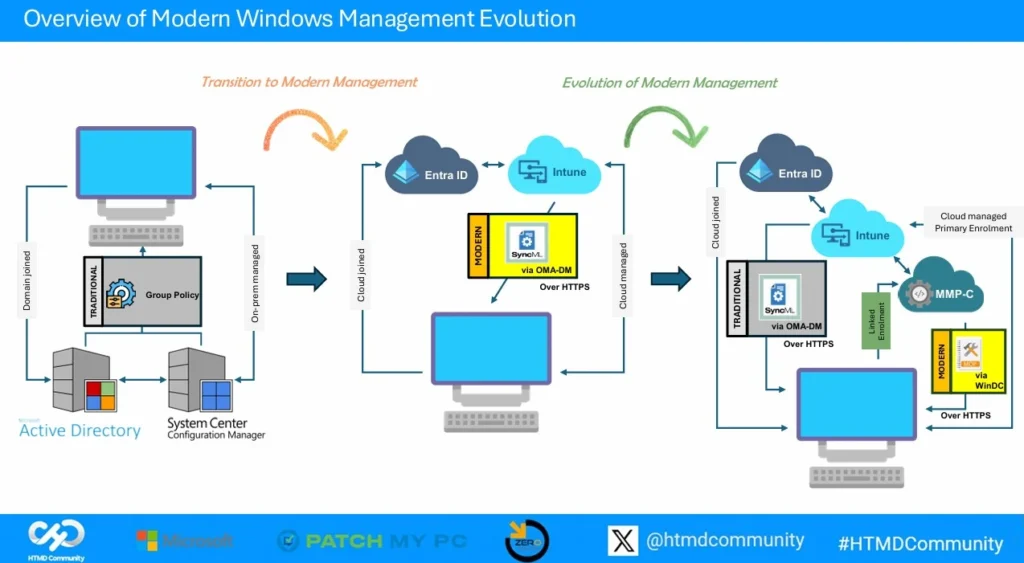
The Evolution of Modern Windows Management: From OMA-DM to MMP-C:
This session was presented byJoy and Me. They explained how Windows device management has improved over the years. The session covered what OMA-DM is, how it works, and its limitations. They then introduced MMP-C and WinDC, showing how they bring better control and new benefits for managing Windows devices.
They also shared a comparison between OMA-DM and MMP-C + WinDC, and discussed what the future of Windows management will look like. The session ended with a Q&A for the audience.
Download the PPT- Click Here
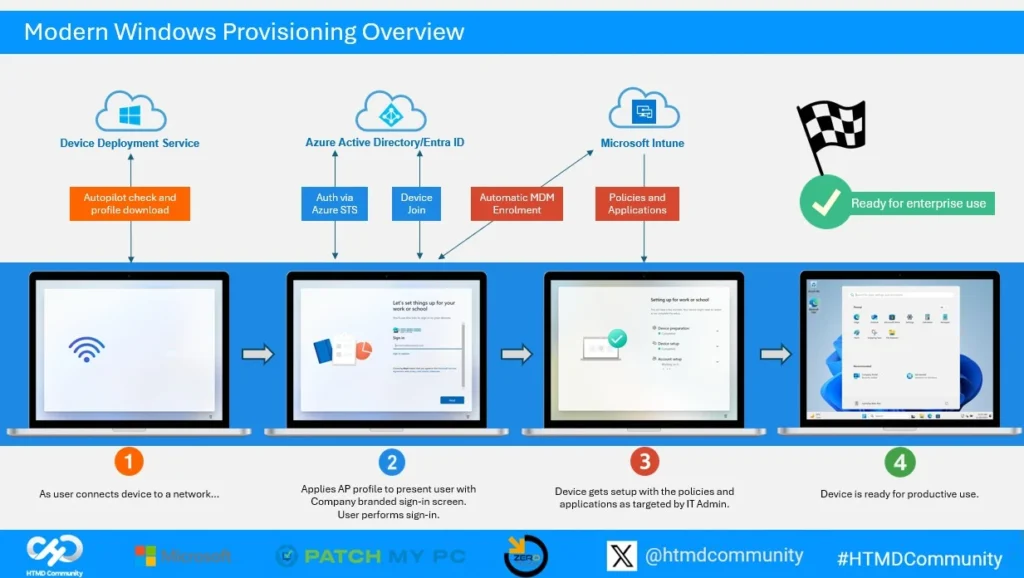
Lets Unveil The Magic Behind Modern Windows Provisioning
This session was led by Joy. He provided a deep dive into how modern Windows provisioning works behind the scenes. The session helped the audience understand the internal processes and features that make Windows provisioning faster, easier, and more efficient for IT teams.
Download the PPT- Click Here
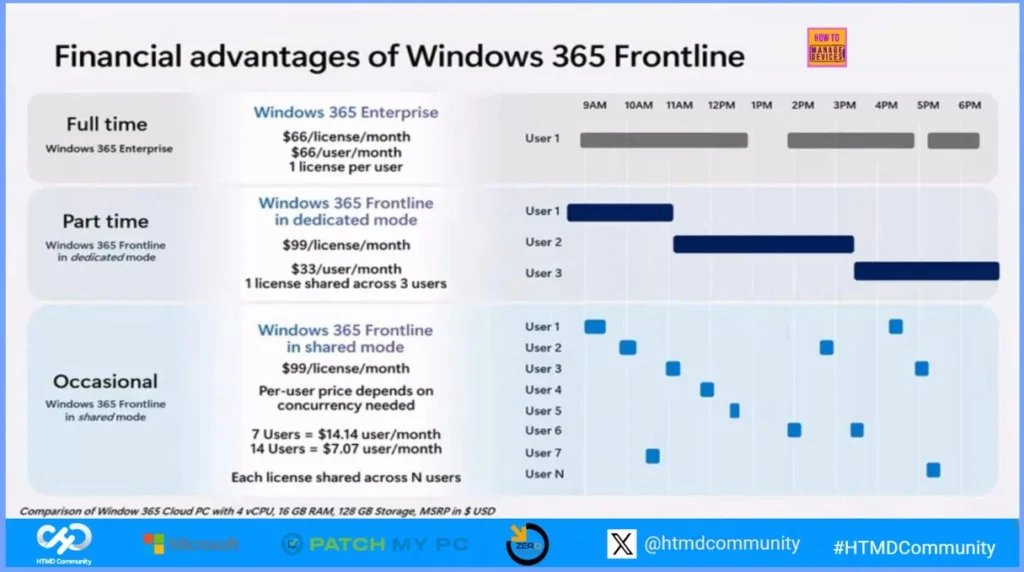
Dive Into the Future: Exploring the Power of Windows 365 Cloud Apps using Intune
Dive Into the Future: Exploring the Power of Windows 365 Cloud Apps using Intune Vaishnav presented this
session. He explained what Windows 365 Cloud Apps are and the requirements to use them. He also talked about Windows 365 Frontline licensing, app publishing, editing, and the current limitations. The session included troubleshooting tips, a look at how the user experience stays in sync, followed by a helpful demo.
Download the PPT- Click Here
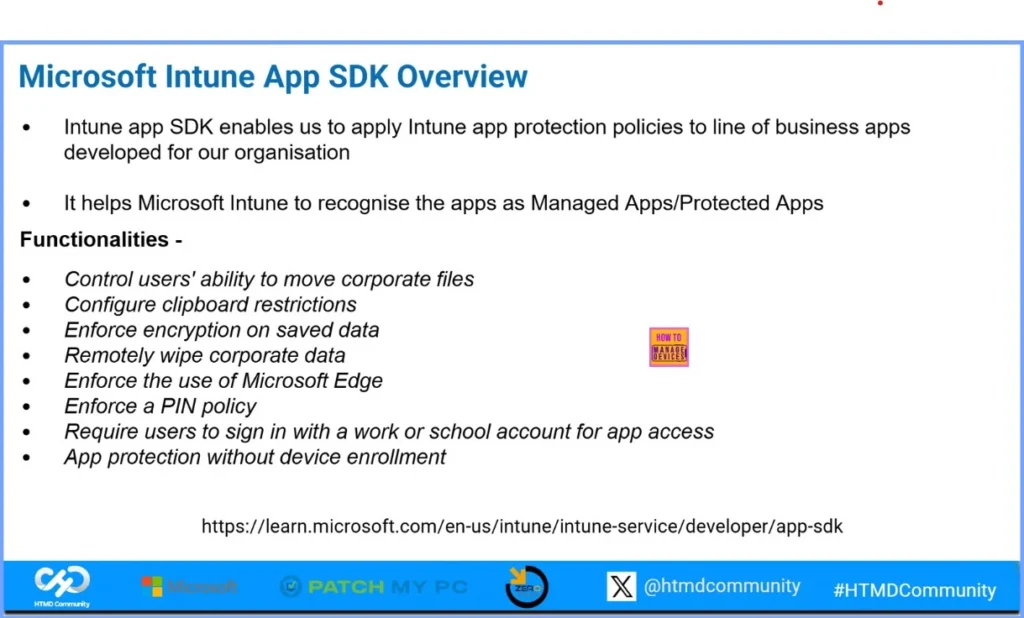
Empowering Mobile Security: Integrating Intune App SDK with Android and iOS Applications
Empowering Mobile Security: Integrating Intune App SDK with Android and iOS Applications session was delivered by Ankit Sharma. He talked about Application Protection Policies in Microsoft Intune and how they help secure mobile apps. He also explained the benefits of using these policies for both Android and iOS. The session covered an introduction to the Intune App SDK and Managed Google Play, followed by a short demo.
Download the PPT- Click Here
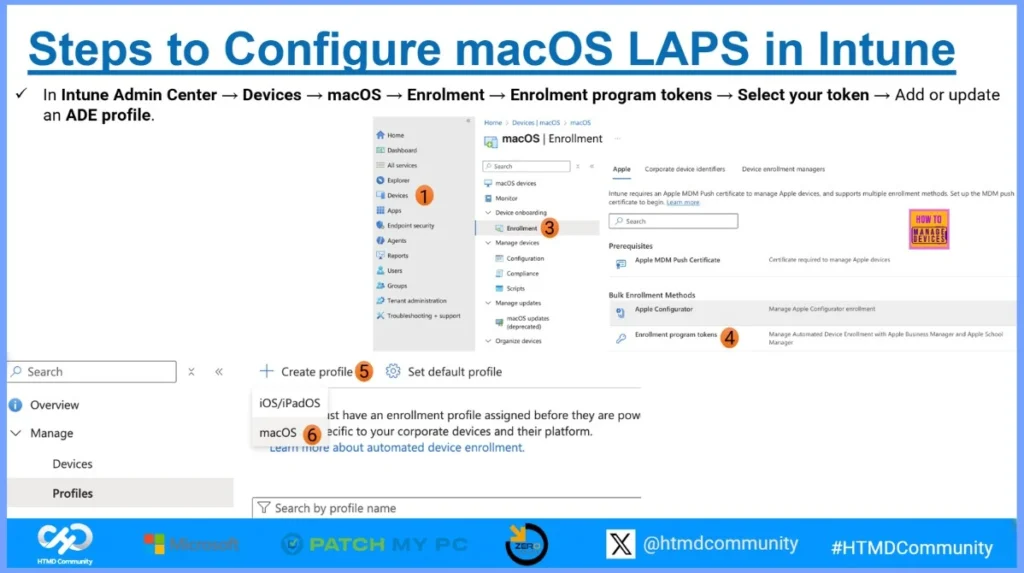
How to configure and manage LAPS on macOS using intune
How to Configure and Manage LAPS on macOS Using Intun session was handled by Snehasis. He explained why a local admin account is needed on macOS devices and introduced the new LAPS feature. He showed how the new LAPS works, along with the requirements to set it up in Intune. The session also covered step-by-step configuration, how to view account and password details, and important security and governance points.
Download the PPT- Click Here
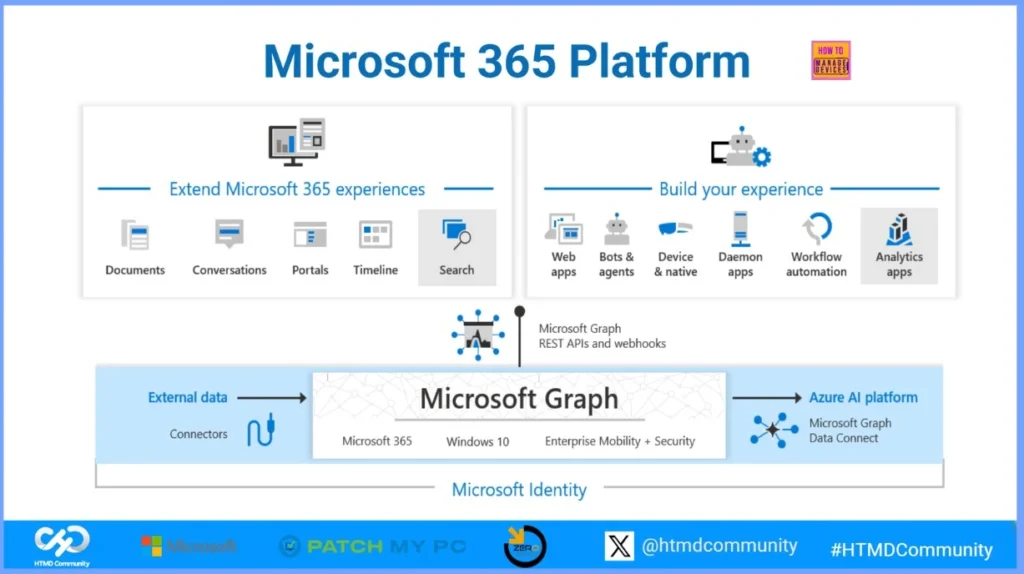
Graph the Future: Automating Intune with Power Automate & Microsoft Graph
Sujin presented this session. He explained the key concepts of Microsoft Graph and how it connects with the Microsoft 365 platform. He also talked about why Power Automate is useful for automating Intune tasks and how security is built into these automation flows.
Download the PPT- Click Here
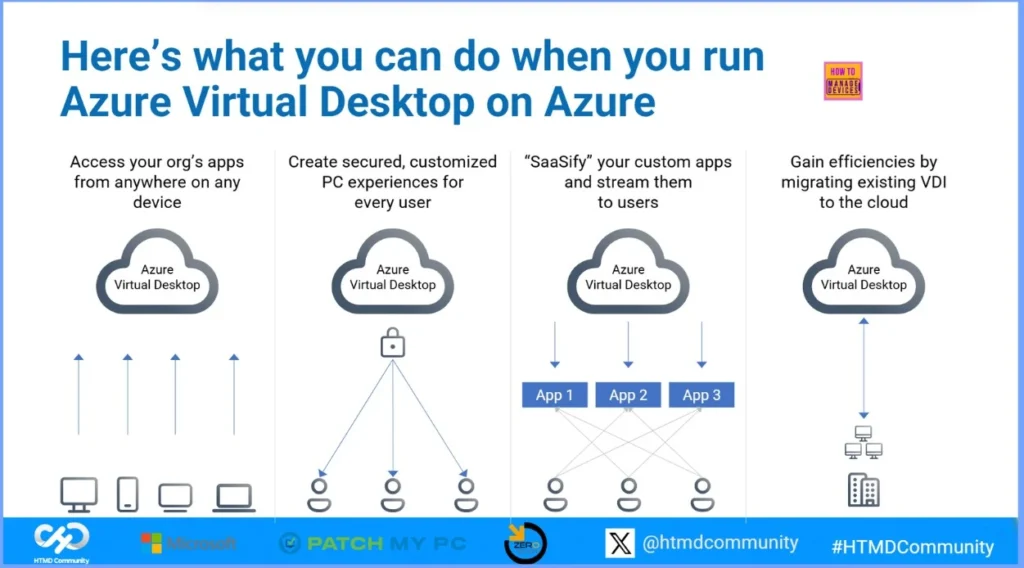
Securing Azure Virtual Desktop with Intune Defender and Conditional Access
Rajul presented this session. He gave an overview of Azure Virtual Desktop (AVD), its key features, and how its core architecture works. He explained the difference between pooled and personal host pools, along with the secure RDP reverse-connect model and connection flow. The session focused on important security and compliance settings such as data protection, watermarking, screen guard, and clipboard controls.
Download the PPT- Click Here
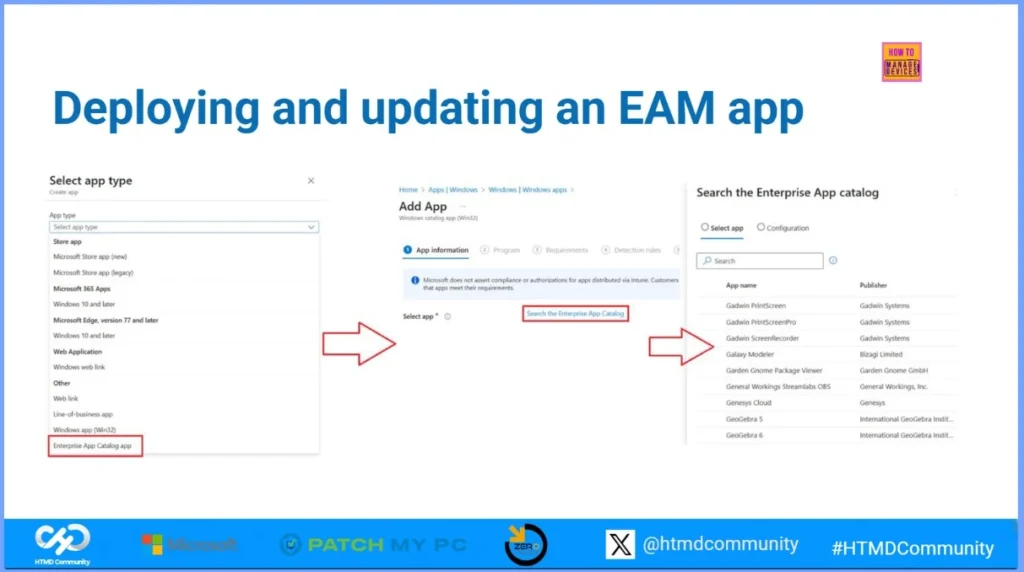
Enterprise App Management- Streamlining app deployment via Intune
Saurabh presented this session. He explained why Enterprise App Management (EAM) is needed and how it helps simplify app deployment and updates using Intune. He also gave an overview of how EAM works in the background and how to check logs for better monitoring and troubleshooting.
Download the PPT- Click Here
Track 2 – Modern Security AI and Cloud Innovation
Track 2 included powerful sessions focused on AI advancements, Zero Trust security, and the future of Windows and cloud management. Attendees learned about Security Copilot, Intune Copilot, Zero Touch AI, and key updates in Windows 365 Cloud PC architecture and reporting. The track also covered modern provisioning, enterprise browser security, and the growing importance of Intune MAM for Windows.
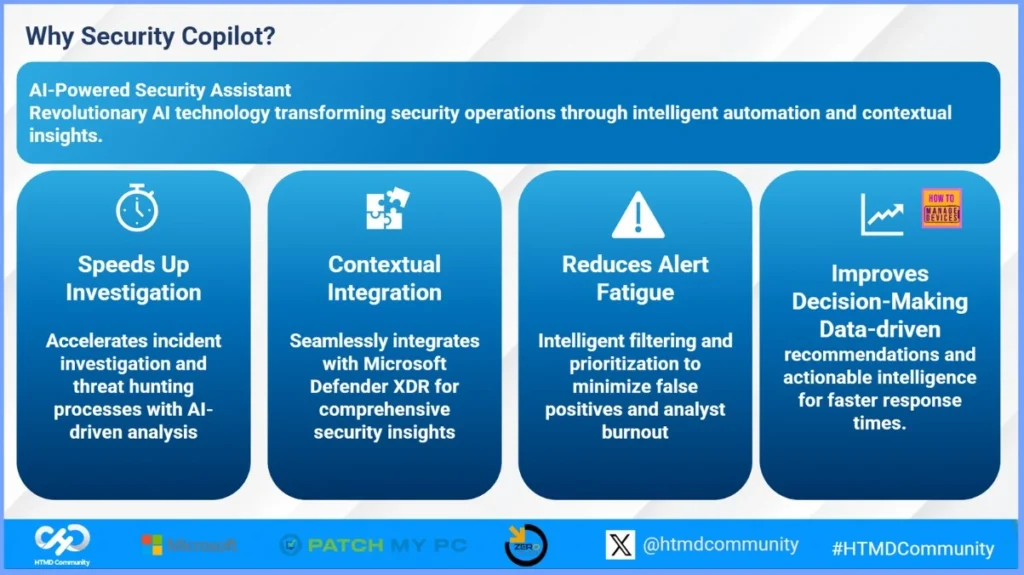
Build Security Copilot Prompt Book for Microsoft Defender XDR
Samik presented this session. He explained how Security Copilot works with Microsoft Defender XDR to improve security operations. The session focused on learning the basics of Security Copilot, understanding prompt engineering, and creating useful prompt templates for incident response and threat hunting.
Download the PPT- Click Here
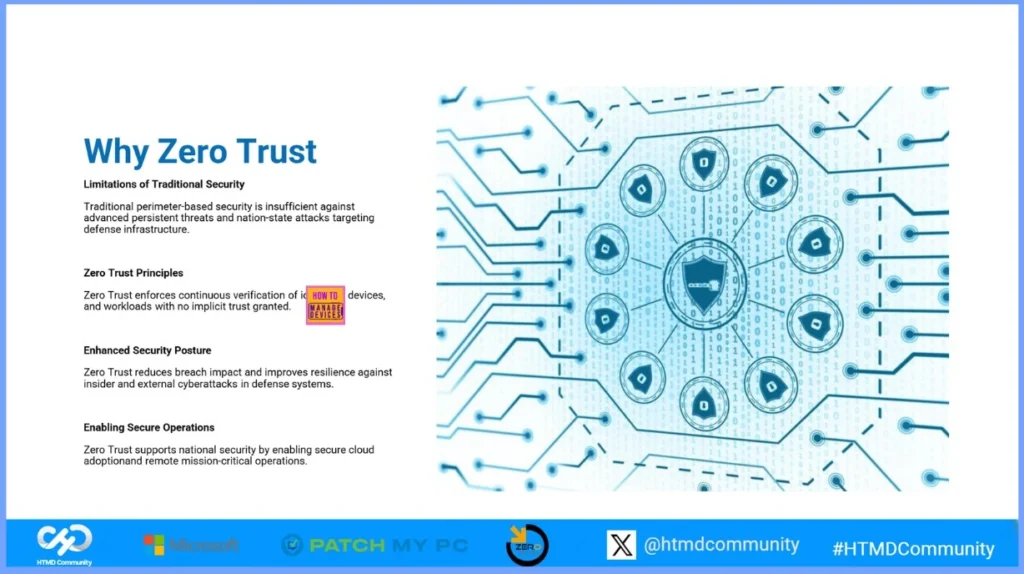
Securing the Mission: Zero Trust Architecture with Azure for Defense
This session was delivered by Lalit. He explained how Zero Trust security works and why it is important for defense environments. He also showed how Azure helps organizations protect identities, devices, data, and applications using Zero Trust principles.
Download the PPT- Click Here
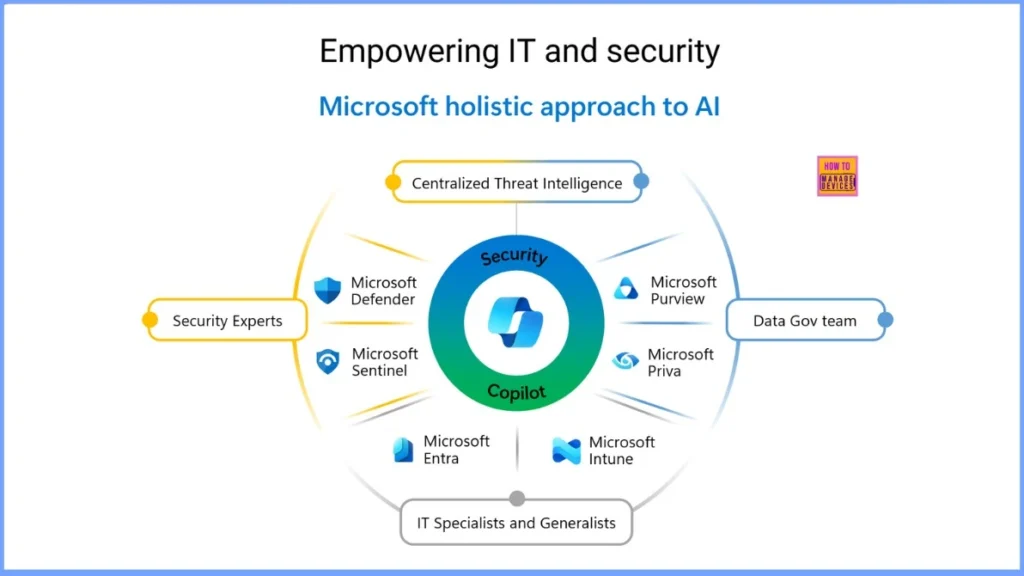
Revolutionizing IT Management with Intune Copilot
This session was delivered by Saurabh Sarkar. He introduced the background of Security Copilot and explained the different ways to access it. He also showed how Intune Copilot can help improve endpoint security and compliance by giving admins smart insights and recommendations.
Download the PPT- Click Here
The Revolution of Computers in the Age of AI
Christiaan Brinkhoff presented this keynote session. He explained how AI is changing the way we use computers and how Windows is becoming smarter with new cloud and AI-powered features. His session helped everyone understand the future of devices and the important role AI will play in our daily work.
The PPT is not available yet. I’ll update the post once it’s available from Christiaan!
Need Further Assistance or Have Technical Questions?
Join the LinkedIn Page and Telegram group to get the latest step-by-step guides and news updates. Join our Meetup Page to participate in User group meetings. Also, Join the WhatsApp Community to get the latest news on Microsoft Technologies. We are there on Reddit as well.
Author
Anoop C Nair has been Microsoft MVP from 2015 onwards for 10 consecutive years! He is a Workplace Solution Architect with more than 22+ years of experience in Workplace technologies. He is also a Blogger, Speaker, and Local User Group Community leader. His primary focus is on Device Management technologies like SCCM and Intune. He writes about technologies like Intune, SCCM, Windows, Cloud PC, Windows, Entra, Microsoft Security, Career, etc.