
Key Takeaways
- Resiliency is a top priority alongside security.
- Designed to support millions of daily users globally.
- Delivered across three main areas.
- Enhances VM availability and reliability.
- Helps maintain a consistent user experience.
3 Key Areas of Resiliency in Windows 365 and AVD Connectivity Management and Workload! Service resiliency is delivered through 3 main areas: the connectivity platform, the management platform and workload resiliency. The connectivity platform ensures users can securely connect through the best path to their resources, the management platform supports administrative and configuration operations, and workload resiliency focuses on the virtual machines running inside Azure Virtual Desktop and Windows 365 to maintain availability and performance.
Table of Content
Table of Contents
3 Key Areas of Resiliency in Windows 365 and AVD Connectivity Management and Workload
The session “3 Key Areas of Resiliency in Windows 365 and AVD – Connectivity, Management and Workload” was presented during the Microsoft Technical Takeoff by Tom Hickling, Principal Product Manager at Microsoft. In this session, he explained how resiliency is built into Windows 365 and Azure Virtual Desktop across three core layers: the global connectivity platform, the management platform and workload resiliency at the virtual machine level, highlighting how these investments ensure reliable and consistent service delivery for enterprises worldwide.
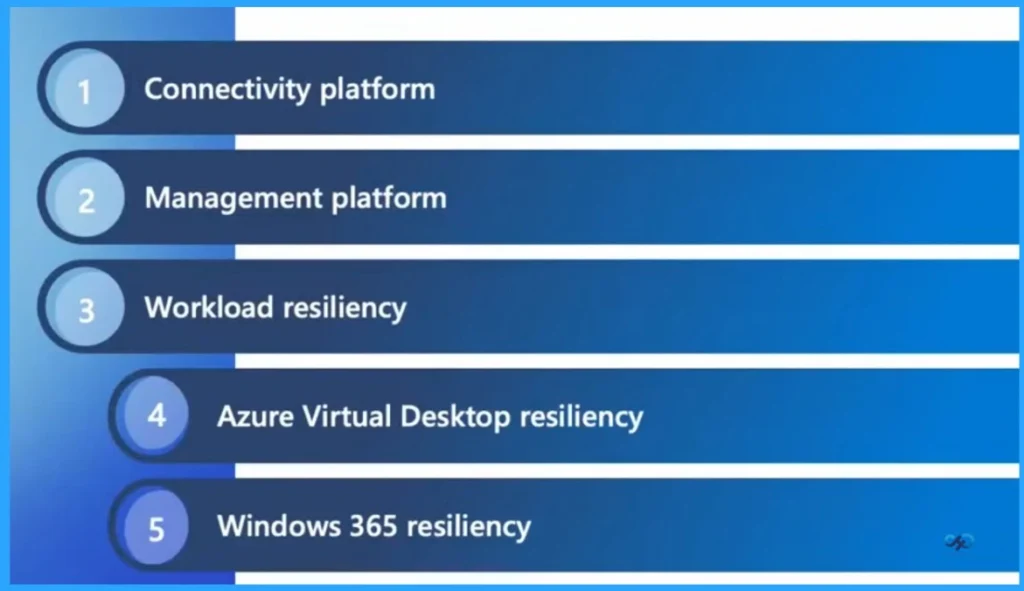
- Connectivity platform
- Management platform
- Workload resiliency
- Azure Virtual Desktop resiliency
- Windows 365 resiliency
- How to Configure New Windows App Settings for Windows 365 using Intune
- Explore the Windows 365 Cloud PC Overview Reports in Intune
- Seamless Provisioning of Windows 365 Cloud PCs for External Identities with Intune
- Cloud PC Zero to Hero Journey DaaS solution Windows 365
Resiliency as a Core Priority in the Windows Cloud
Resiliency, alongside security, is a top priority within Microsoft’s Windows Cloud organization. With millions of users relying on these services every day, Microsoft is committed to delivering highly reliable and resilient solutions that ensure consistent performance, availability and a dependable experience for customers worldwide.
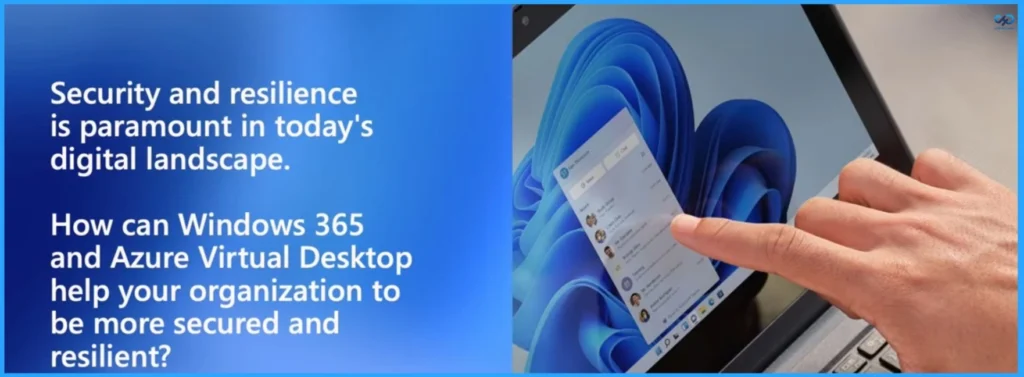
- Security and resilience are paramount in today’s digital landscape.
- How can Windows 365 and Azure Virtual Desktop help your organisation to be more secure and resilient?
Secure Your Environment with Three Core Resiliency Pillars
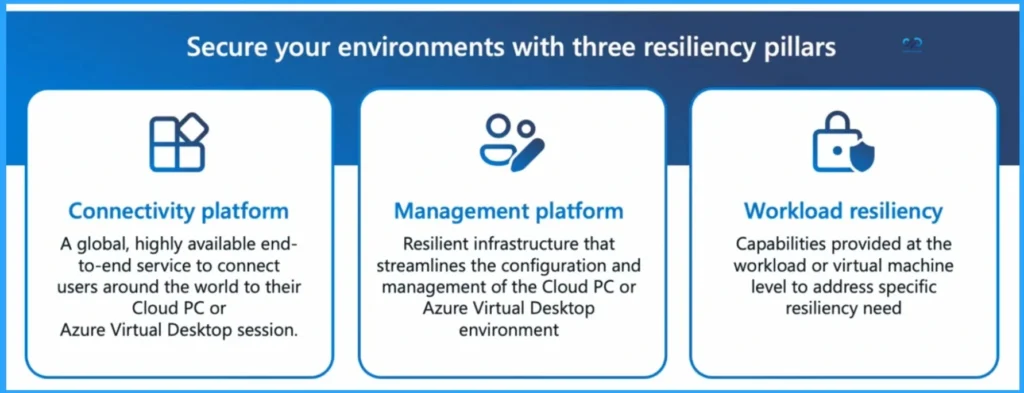
Building a secure and reliable cloud environment requires resiliency at every layer of the service. This approach is centered around three key pillars: the connectivity platform, which delivers a globally available end-to-end service to connect users securely to their Cloud PC or virtual desktop.

The management platform, which provides resilient infrastructure to simplify configuration and administration; and workload resiliency, which strengthens the virtual machine layer to address specific availability and performance needs. Together, these pillars ensure consistent, secure and dependable experiences across Windows 365 and Azure Virtual Desktop environments.
| Connectivity platform | Management platform | Workload resiliency |
|---|---|---|
| A global, highly available end- to-end service to connect users around the world to their Cloud PC or Azure Virtual Desktop session. | Resilient infrastructure that streamlines the configuration and management of the Cloud PC or Azure Virtual Desktop environment. | Capabilities provided at the workload or virtual machine level to address specific resiliency need |
Need Further Assistance or Have Technical Questions?
Join the LinkedIn Page and Telegram group to get the latest step-by-step guides and news updates. Join our Meetup Page to participate in User group meetings. Also, join the WhatsApp Community and the Whatsapp channel to get the latest news on Microsoft Technologies. We are there on Reddit as well.
Author
Anoop C Nair has been Microsoft MVP for 10 consecutive years from 2015 onwards. He is a Workplace Solution Architect with more than 22+ years of experience in Workplace technologies. He is a Blogger, Speaker, and Local User Group Community leader. His primary focus is on Device Management technologies like SCCM and Intune. He writes about technologies like Intune, SCCM, Windows, Cloud PC, Windows, Entra, Microsoft Security, Career, etc.