
Key Takeaways
- Windows 365 Cloud PC can run AI agents to do tasks automatically.
- Cloud PCs are shared and used only when needed, which saves cost.
- AI agents can see and understand the screen, so they work even if apps change.
- Humans can step in when needed, keeping important tasks safe.
- Each AI agent has its own identity, making actions secure and easy to track.
Hey, let’s discuss about 6 AI Agentic Features within Windows 365 Cloud PC. Windows 365 Cloud PC is not just a virtual desktop anymore. With AI agentic capabilities, it can host intelligent software agents that work autonomously, interact with applications, and perform complex tasks securely. These features make Cloud PCs a powerful platform for automation, improving efficiency, reducing manual work, and giving organizations better control over operations.
Table of Contents
Table of Contents
Six AI Agentic Features within Windows 365 Cloud PC
AI agents in Windows 365 are designed to work safely, adapt to changing environments, and collaborate with humans when needed. They combine automation, vision-based reasoning, and secure identity management, providing both productivity and compliance benefits.
| Feature | Description |
|---|---|
| Cloud PC Pools | Shared desktops organized by team/workload with elastic scaling Cost-efficient, ready-to-use resources. |
| Check-in / Check-out | Task-based borrowing of Cloud PCs Optimized utilization, pay-for-use billing. |
| Programmatic Interfaces | APIs for creating, controlling, and observing Cloud PCs Supports large-scale automation and integration. |
| Computer-Using Agents (CUAs) | Vision-based agents that adapt to UI changes Reliable automation without breaking workflows. |
| Human-in-the-Loop | Manual intervention for complex tasks Combines AI efficiency with human judgment. |
| Agent Identity | Unique ID with passwordless authentication Enhanced security, auditability, and compliance. |
- Top 10 Best Features of Intune Released in 2025
- 3 Layers of Protection in Entra Internet Access Network Identity and AI Security
- Understanding Entra Agentic AI in Security From Manual Work to Fully Autonomous Agents
Shared Cloud PC Pools for Flexible AI Workloads
Cloud PC Pools allow organizations to group virtual desktops by team or workload, instead of assigning a single PC to each user. These pools support elastic scaling, meaning they can automatically adjust based on demand. They also offer pre-provisioned setups for fast checkout and scheduled provisioning to minimize idle resources. This approach helps organizations save costs while ensuring users and agents always have access to ready-to-use Cloud PCs.
Task-Based Check-in and Check-out for Efficient Usage
The Check-in/Check-out model enables agents to borrow a Cloud PC for a specific task and return it after completion. This ephemeral, task-based model ensures efficient resource usage and allows billing based on actual consumption. By reducing idle time, organizations can maximize performance and cost-effectiveness of their Cloud PC environment.

Programmatic Access for AI Automation and Integration
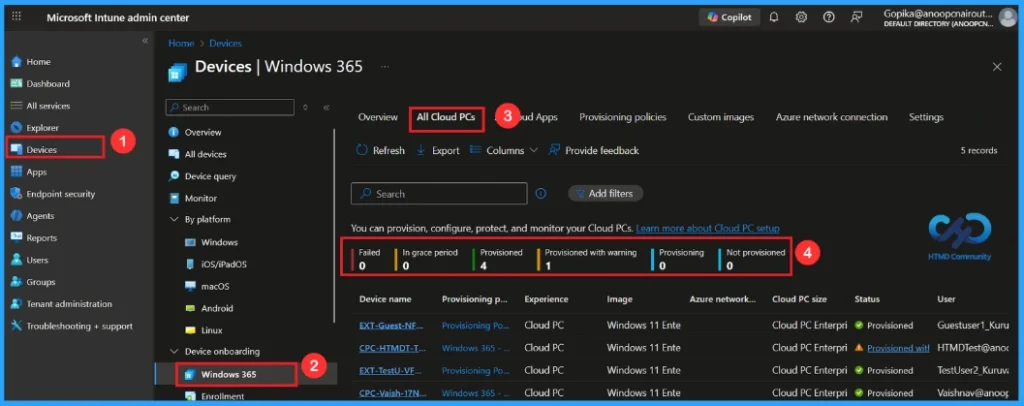
Windows 365 offers programmatic interfaces through Agent 365 tooling servers, allowing developers to create, control, and observe Cloud PCs. These APIs make it easier for third-party agents to integrate with enterprise systems, automate workflows, and manage large-scale deployments. Organizations can build custom automation while keeping Cloud PCs secure and efficient.
Screen Aware Computer-Using AI Agents
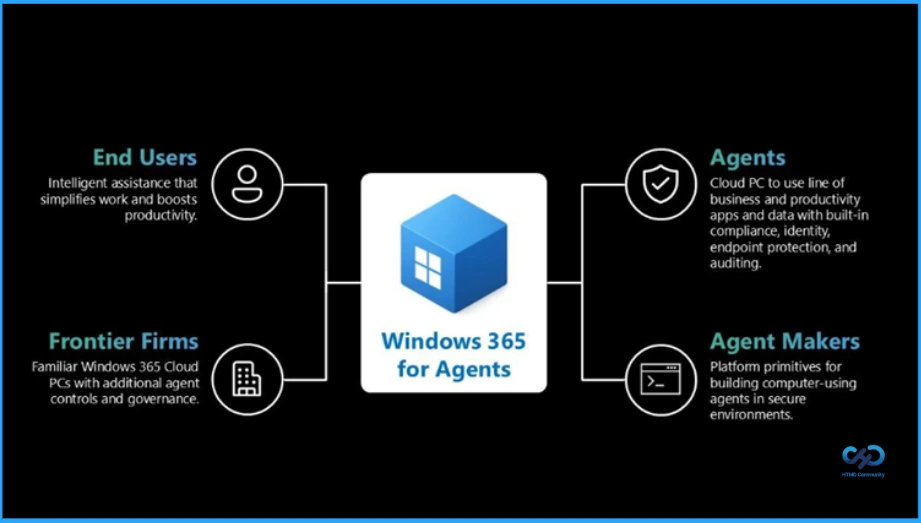
CUAs are vision-based AI agents that can interpret the screen, understand application interfaces, and reason about actions. They can adapt to UI changes without breaking workflows, operate in isolated environments, and use local MCP servers for code execution. This ensures that agents can perform tasks reliably even when software updates or UI changes occur, reducing errors and improving productivity.
Human Control with Human-in-the-Loop Support
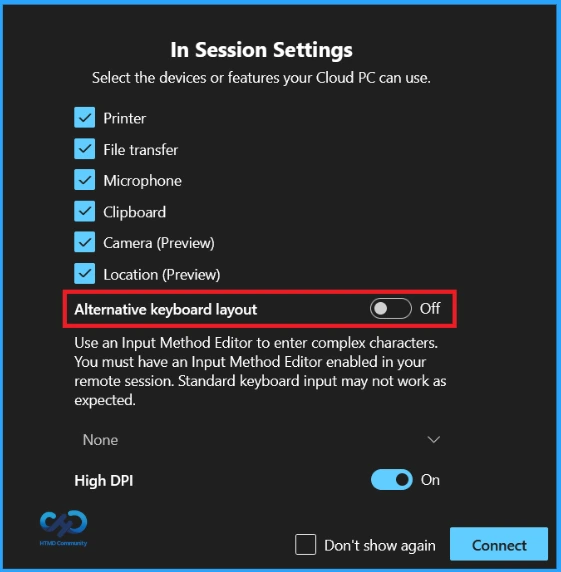
Some tasks require human judgment or credentials. The Human-in-the-Loop feature allows users to intervene manually during agent execution and take control when needed. Once the task is complete, control can be returned to the agent. This combination of human oversight and AI automation ensures both accuracy and security in complex workflows.
Secure Agent Identity with Full Audit Visibility
EveryAI agent in Windows 365 is assigned a unique Microsoft Entra Agent ID. Authentication is passwordless and cryptographically secured, ensuring high-level security. Agent Identity also enables granular observability, clearly distinguishing agent actions from human actions in audit logs. This makes Cloud PCs highly secure, compliant, andauditable for enterprise environments.
Need Further Assistance or Have Technical Questions?
Join the LinkedIn Page and Telegram group to get the step-by-step guides and news updates. Join our Meetup Page to participate in User group meetings. Also, Join the WhatsApp Community and WhatsApp Channel to get the latest news on Microsoft Technologies. We are there on Reddit as well.
Author
Anoop C Nair has been Microsoft MVP for 10 consecutive years from 2015 onwards. He is a Workplace Solution Architect with more than 22+ years of experience in Workplace technologies. He is a Blogger, Speaker, and Local User Group Community leader. His primary focus is on Device Management technologies like SCCM and Intune. He writes about technologies like Intune, SCCM, Windows, Cloud PC, Windows, Entra, Microsoft Security, Career, etc.