
Key Takeaways
- All Guided Scenarios are removed from Microsoft Intune except Windows 365 Boot
- You can’t use Guided Scenario wizards anymore
- Existing configurations will continue to work normally
- Windows 365 Boot scenario is still available
Guided Scenario Wizards Removed from MS Intune only Windows 365 Boot Remains Active! All Guided Scenarios, except Windows 365 Boot, have been removed from the Microsoft Intune admin center. The administrators can no longer access or use the guided scenario wizards for new configurations. Any Intune objects that were previously created using these guided scenarios remain fully available and can still be managed without any impact. Existing configurations will continue to function as expected.
Table of Content
Table of Contents
Guided Scenario Wizards Removed from MS Intune only Windows 365 Boot Remains Active
The Windows 365 Boot guided scenario is still available and can be accessed from the Windows 365 overview page in the Intune admin center. No action or remediation is required for current setups. This update in Microsoft Intune applies across multiple device platforms. It impacts how administrators manage configurations regardless of the operating system used within the environment.
| Platform | Status |
|---|---|
| Windows 10/11 | Supported |
| iOS/iPadOS | Supported |
| Android | Supported |
- Understanding Intune Architecture with Device Check-ins Payload Delivery and the Fast Lane
- New Intune Cloud PKI Architecture and Features
- How to use Intune Filter cpuArchitecture Device Property for App and Policy Assignments
Alternative Step-by-Step Guidance Resources
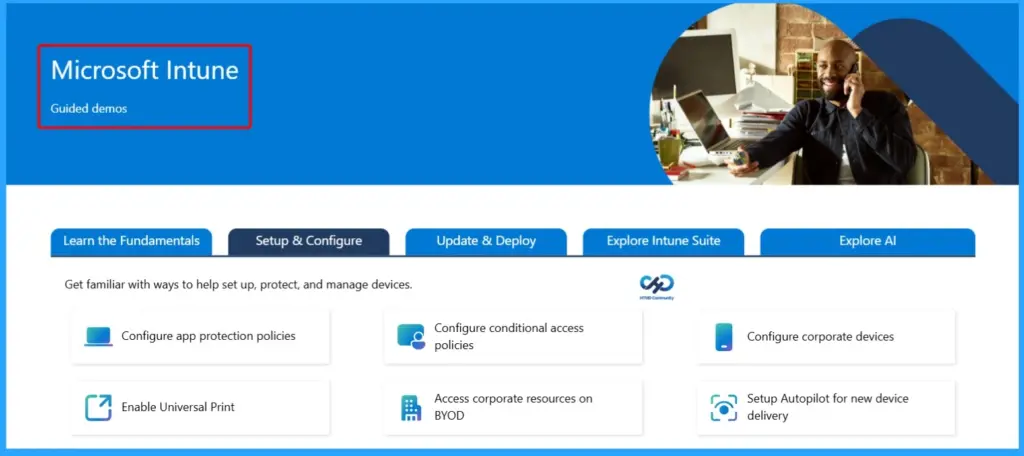
For administrators looking for alternative guidance after the removal of Guided Scenarios in Microsoft Intune, Microsoft provides several detailed resources to help you configure and manage your environment effectively.
These include official Microsoft Intune documentation, prescriptive guides, and administration guides available via the Microsoft 365 Accelerator. You can also explore platform-specific security guidance for Android and iOS, co-management setup with SCCM, Windows device management and security practices, as well as insights on using Microsoft Copilot within Intune to simplify administrative tasks. The table below shows more details.

Need Further Assistance or Have Technical Questions?
Join the LinkedIn Page and Telegram group to get the latest step-by-step guides and news updates. Join our Meetup Page to participate in User group meetings. Also, join the WhatsApp Community and the Whatsapp channel to get the latest news on Microsoft Technologies. We are there on Reddit as well.
Author
Anoop C Nair is a Workplace Technology solution architect with 25+ years of experience. Microsoft Certified Trainer. Microsoft MVP from 2015 onwards for consecutive 11+ years! He is a blogger, Speaker, and Founder of HTMD Community and HTMD Conference. His main focus is on Device Management technologies like Intune, Windows, and Cloud PC. He writes about technologies like Intune, SCCM, Windows, Cloud PC, Entra, and Microsoft Security.