
Key Takeaways
- GhostLock abuses legitimate Windows file access behavior
- The technique can block access to files on SMB network shares
- No administrator privileges are required to launch the attack
- Files are not encrypted or deleted, making it different from ransomware
In this post we are discussing New GhostLock Technique Exploits Windows API to Block File Access. Recently, security researchers introduced a new proof of concept tool called GhostLock that demonstrates how legitimate Windows file handling features can be abused to block access to files stored locally or on SMB network shares.
Table of Contents
Table of Contents
New GhostLock Technique Exploits Windows API to Block File Access
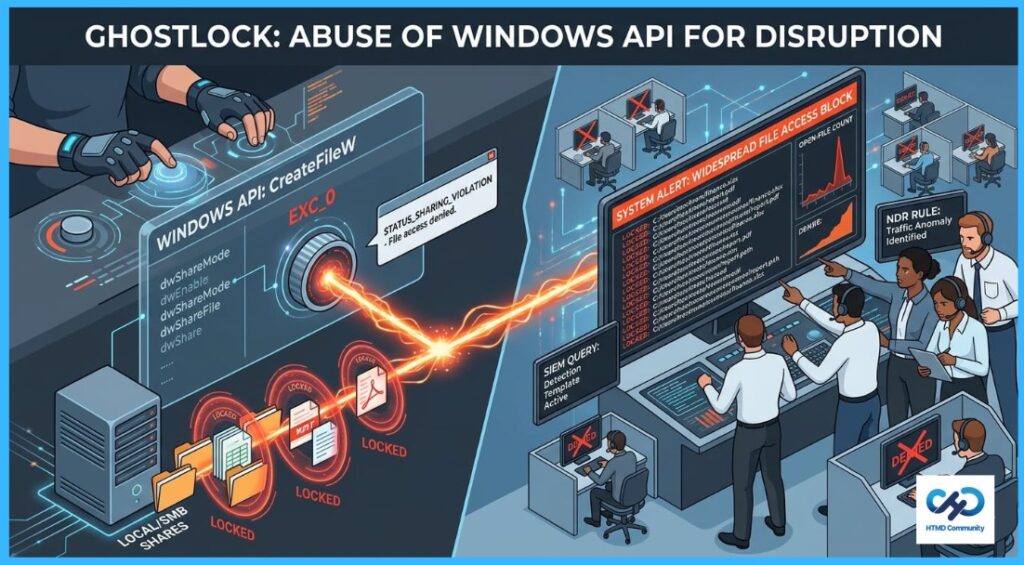
The technique works by using the Windows CreateFileW API to open files with exclusive access permissions. Once a file is locked this way, other users and applications cannot open it and instead receive sharing violation errors. However, it can still cause major operational disruption in enterprise environments by temporarily preventing access to important shared documents and resources.
- Configure Windows 11 SMB compression improvements to Compress File Aggressively
- Securing SMB Communication with Intune using Digitally Sign Communications Policy
- Microsoft 365 E5 Security Add-on Now Available to Enhanced Cybersecurity for SMBs
What Is the Issue?
GhostLock exploits a legitimate Windows file access feature to temporarily block users and applications from opening files. It works by opening files in a special exclusive mode that prevents anyone else from accessing them while the process remains active.
The technique can target files stored locally or on SMB network shares, and it does not require administrator privileges. Although the files are not encrypted or deleted, organizations may still experience disruption because employees cannot open or use important shared files until the file locks are removed.

| Component | Details |
|---|---|
| Technique Name | GhostLock |
| Target | Local files and SMB shared files |
| Primary Impact | File access disruption |
| File Encryption | No |
| Recovery Method | End SMB session, terminate process, or reboot system |
Blocking Access to SMB Shared Files
GhostLock can target files stored on SMB network shares by opening them with exclusive access permissions. Once the files are opened in this mode, other users and applications attempting to access them receive sharing violation errors and are unable to open the files.
Need Further Assistance or Have Technical Questions?
Join the LinkedIn Page and Telegram group to get the latest step-by-step guides and news updates. Join our Meetup Page to participate in User group meetings. Also, join the WhatsApp Community and the WhatsApp channel to get the latest news on Microsoft Technologies. We are there on Reddit as well.
Author
Anoop C Nair is a Workplace Technology solution architect with 25+ years of experience. Microsoft Certified Trainer. Microsoft MVP from 2015 onwards for consecutive 11+ years! He is a blogger, Speaker, and Founder of HTMD Community and HTMD Conference. His main focus is on Device Management technologies like Intune, Windows, and Cloud PC. He writes about technologies like Intune, SCCM, Windows, Cloud PC, Entra, and Microsoft Security.