
key Takeaways:
- Started Maintenance Mode in Dev Box
- No new features or capabilities will be added to the Dev Box service
- Windows 365 is positioned as the future solution
- Previously planned features not proceeding to Generally Available
Let’s discuss about Microsoft Dev Box Moves to Maintenance Mode as Windows 365 Takes Lead for Developer Scenarios. Microsoft announced the Maintenance mode in Dev Box, and no additional features are planned. Microsoft’s investments for developer cloud environments are focused on Windows 365, which provides a unified, scalable solution for developer scenarios.
Table of Contents
Table of Contents
Microsoft Dev Box Moves to Maintenance Mode as Windows 365 Takes Lead for Developer Scenarios
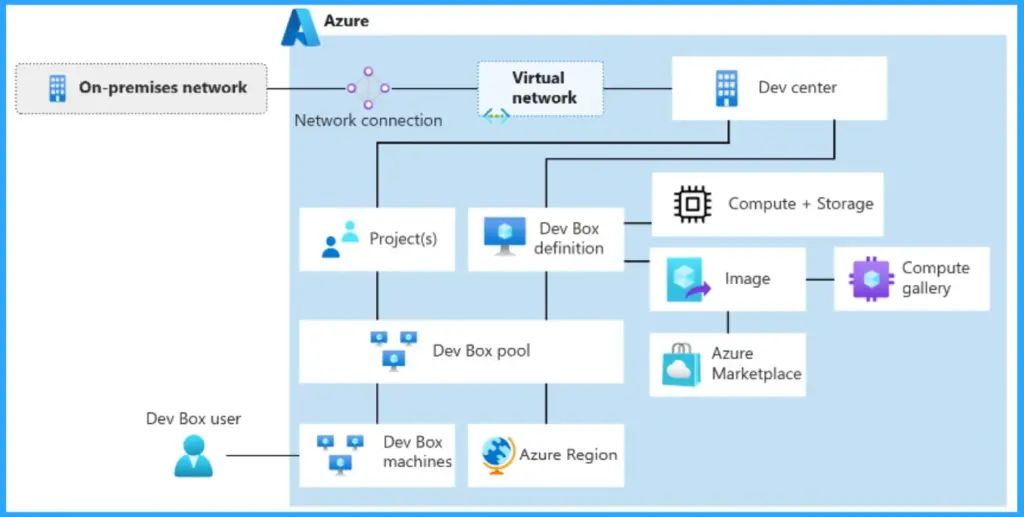
Due to this new change, Dev Box users’ planning will be affected. And Microsoft committed to supporting existing customers through this transition. Microsoft is recommending that Windows 365 is the new path to virtualise developer environments. Dev Box remains fully supported for current usage, and Microsoft will provide guidance and resources to help you evaluate and move to Windows 365 when users are ready.
- How RDP Multipath Improves Azure Virtual Desktop Connectivity Using Dynamic UDP Path Selection
- How to Protect and Recover your Infrastructure with Azure Site Recovery
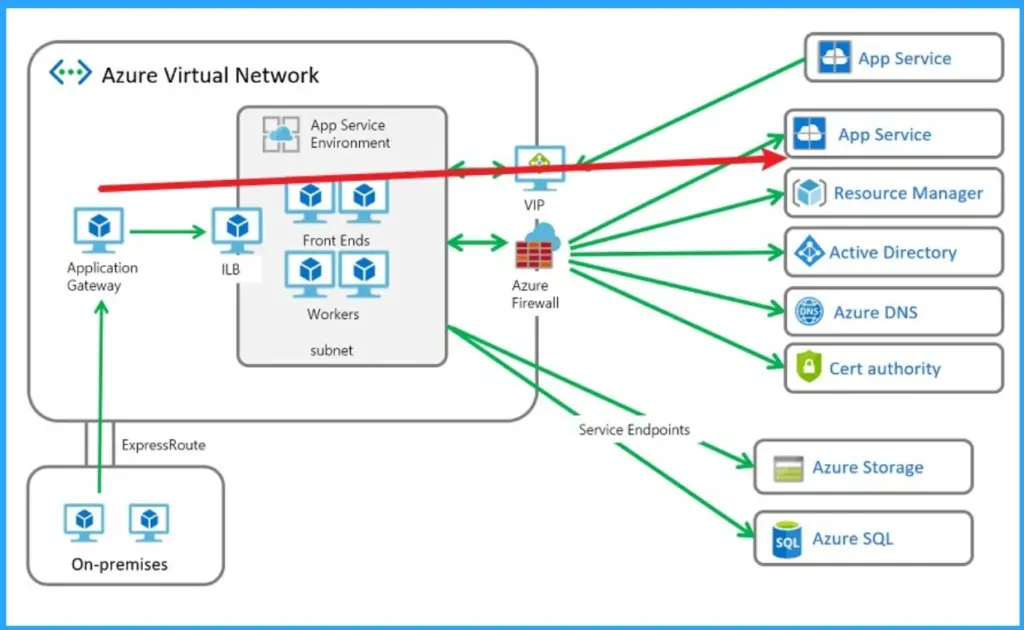
- Resilient Connectivity Architecture with Multiple Service Instances in Azure
New Changes in Dev Mode
As per the new shift no new features or capabilities introduced. Existing Dev Box deployments, pools, and configurations remain fully functional and supported. Microsoft will provide guidance and resources to help customers transition to Windows 365.
Previously Planned Features (Not Proceeding to GA)
Some features were on the Dev Box roadmap but are no longer being developed. The features included in Enterprise management and Performance & reliability. The table below shows the Previously Planned Features (Not Proceeding to GA). Guest user access to dev boxes via Microsoft Entra B2B collaboration, previously available in preview and are no longer available.

| Enterprise Management | Performance and Reliability |
|---|---|
| Provisioning Dev Box machines for other developers in your team. | Enabling SSO for already-existing Dev Box machines. |
| Configuring traffic rules by using Service Tags in your firewall setup. | Automatic remediation of connectivity issues to prevent connection blockers. |
| Automatic offloading of users from the service when they leave the organization or switch teams. | Reduced mouse latency with high-resolution monitors and other latency optimizations. |
Need Further Assistance or Have Technical Questions?
Join the LinkedIn Page and Telegram group to get the latest step-by-step guides and news updates. Join our Meetup Page to participate in User group meetings. Also, join the WhatsApp Community and the WhatsApp channel to get the latest news on Microsoft Technologies. We are there on Reddit as well.
Author
Anoop C Nair has been Microsoft MVP for 10 consecutive years from 2015 onwards. He is a Workplace Solution Architect with more than 22+ years of experience in Workplace technologies. He is a Blogger, Speaker, and Local User Group Community leader. His primary focus is on Device Management technologies like SCCM and Intune. He writes about technologies like Intune, SCCM, Windows, Cloud PC, Windows, Entra, Microsoft Security, Career, etc.