
Key Takeaways
- Microsoft announces full server management capabilities in Intune.
- Administrators can join servers to Microsoft Entra ID and enroll them into Intune.
- Manage server applications, patching, policies, scripts, and compliance from the cloud.
- Strengthen server security by applying compliance policies and Conditional Access.
- Reduce the need for separate management experiences for server and client devices
In this post we are discussing the Microsoft Introduces Intune for Servers with Full Cloud-Based Management. Microsoft has announced full server management capabilities in Microsoft Intune, allowing organizations to manage Windows Servers directly from the cloud. The announcement was made during the Microsoft Ignite session, where Microsoft demonstrated how server management can be brought into the existing Intune management experience. The new Intune for Servers capability is currently available in Private Preview, allowing organizations to explore the expanded server management experience.
Table of Contents
Table of Contents
Microsoft Introduces Intune for Servers with Full Cloud-Based Management
With this announcement, administrators will be able to manage servers alongside their existing client devices through the Microsoft Intune admin center. Microsoft highlighted that this is not limited server support but a complete server management experience that includes application management, patching, policies, scripts, and compliance. The new capability also introduces Microsoft Entra ID-based server joining and Intune enrollment. Once a server is enrolled, administrators can access its management capabilities through Intune, similar to how they manage other enrolled Windows devices.
Jason Rozak, Vice President of Product Management for Microsoft Intune, introduced the new Intune for Servers capability during his Microsoft Ignite session, What’s New in Intune: Secure, Patch, and Scale.
- Windows Server 2022 Moves to Extended Support on 13th October 2026 | Plan Your Upgrade to Windows Server 2025
- Microsoft Intune Extends Device Management to Windows Servers with Policy App and Update Management
- Securing SMB Communication with Intune using Digitally Sign Communications Policy
What’s New in Microsoft Intune Server Management
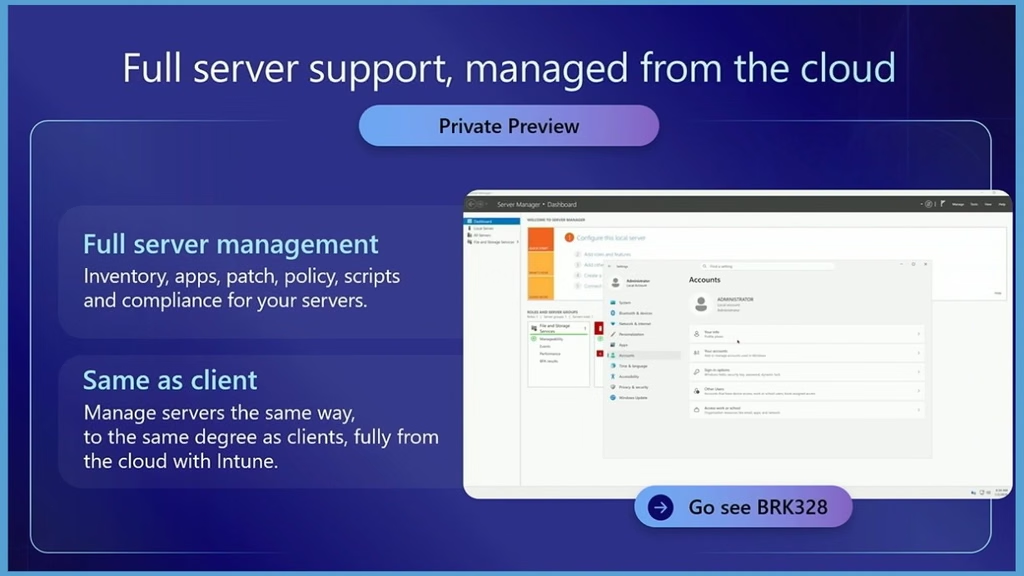
Microsoft is introducing full server management capabilities in Intune, extending its management experience beyond client devices to Windows Servers. The new capability brings server inventory, application management, patching, policies, scripts, and compliance into the Intune admin center. The following table highlights the key capabilities announced during the session.

| Full server management | Same as client |
|---|---|
| Inventory, apps, patch, policy, scripts and compliance for your servers. | Manage servers the same way, to the same degree as clients, fully from the cloud with Intune. |
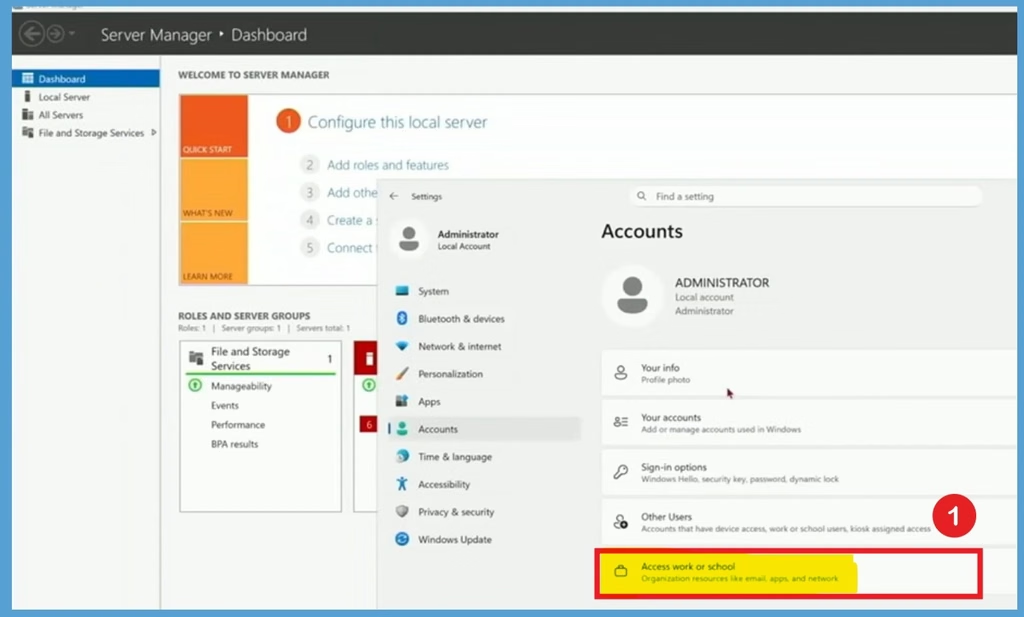
Connect Windows Server to a Work or School Account
The demonstration begins by showing the Windows Server connection process. The speaker explains that, instead of relying on traditional on-premises domain joining, administrators can now join servers to Microsoft Entra ID. In the Windows Settings app, the Accounts section provides the Access work or school option, which is used to connect the organization’s work account to the server.
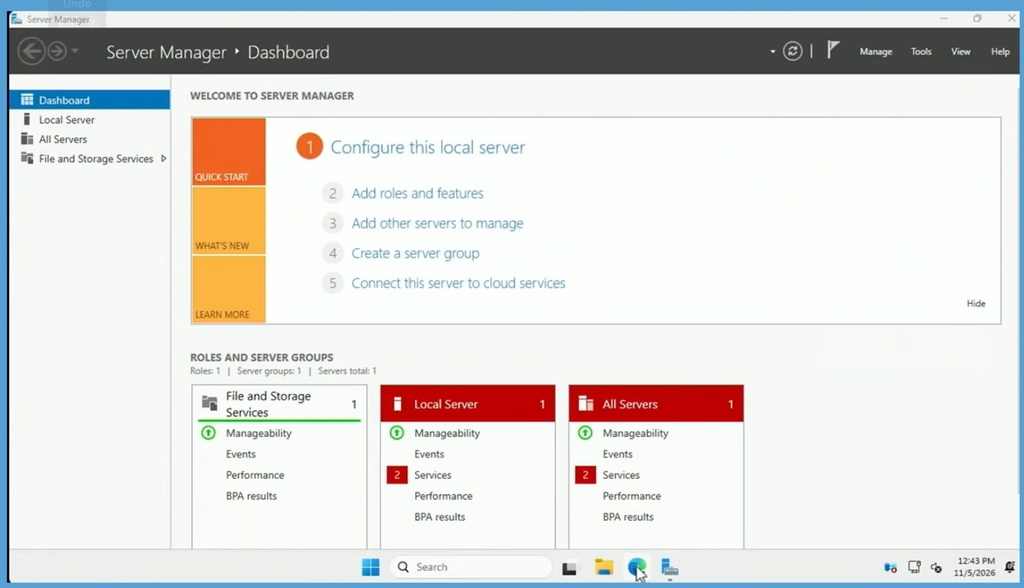
After connecting the work account, the speaker moves to the Windows Server environment. He explains that administrators can view the MDM server URL and Microsoft Entra tenant information. This demonstrates the server’s connection to the organization’s cloud management environment. The Server Manager dashboard is shown as part of this demo.
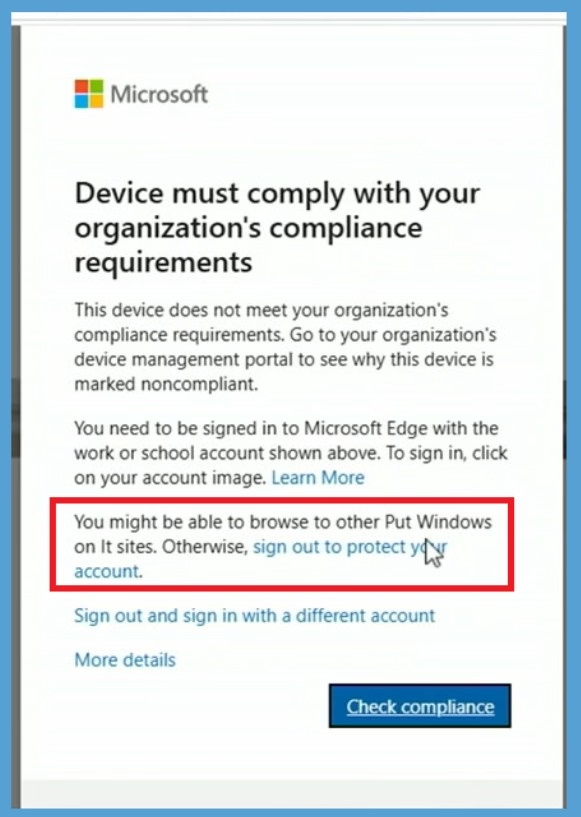
Next, how Conditional Access can be applied to servers, similar to existing client device scenarios. He attempts to access email from the server to demonstrate the access control experience. The displayed message indicates that the device does not meet the organization’s compliance requirements and asks the user to check the device’s compliance status. This demonstrates how device compliance can influence access to organizational resources.
View Managed Applications in Microsoft Intune Admin Center
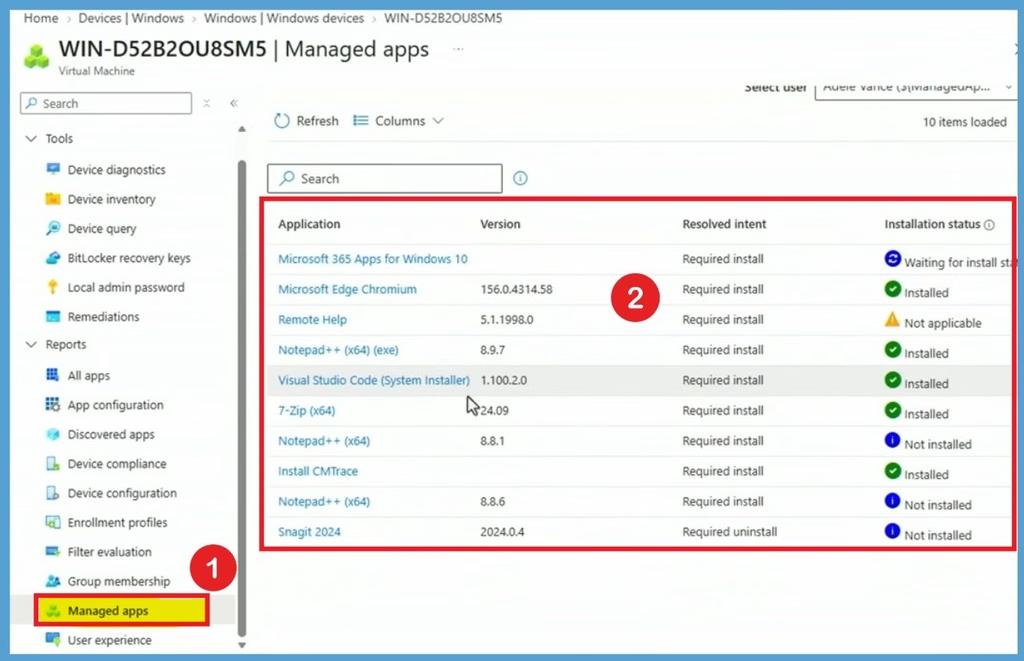
Now on to the to the Microsoft Intune admin center. He explains that enrolled servers appear alongside other managed devices. In the Managed apps section, administrators can view application names, versions, resolved installation intents, and installation statuses. The demonstration shows how administrators can monitor application deployment and installation status for managed servers through Intune.
View Server Configuration Policies in Microsoft Intune
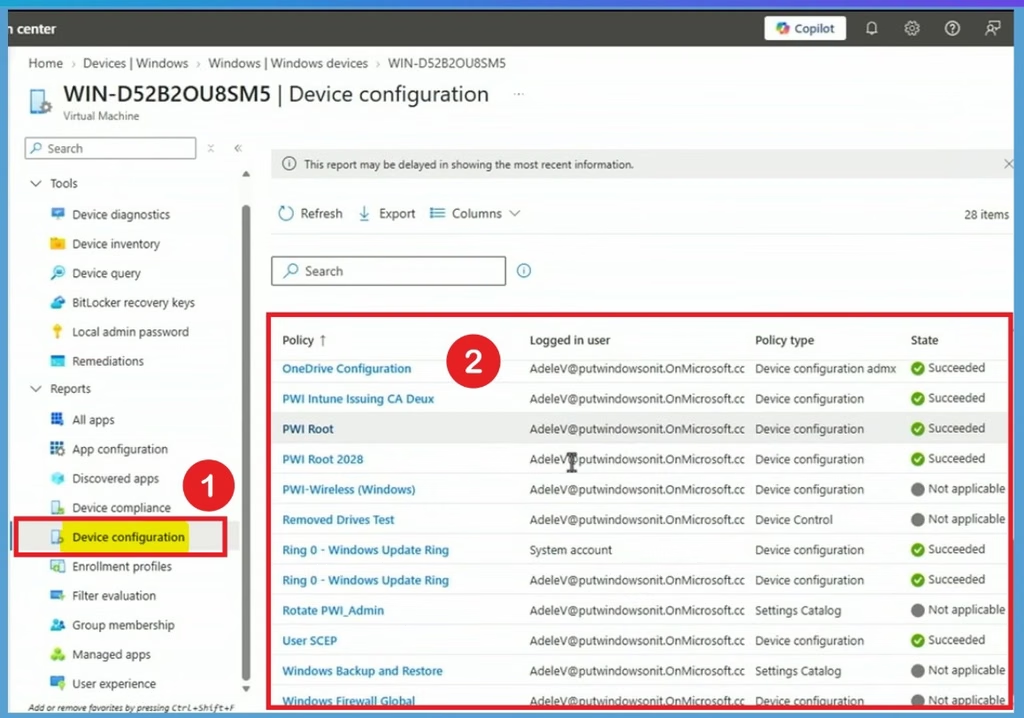
By opening the Device configuration section in the Intune admin center, administrators can view assigned configuration policies and their deployment states. The below screenshot shows policy names, logged-in users, policy types, and states such as Succeeded and Not applicable. The speaker further explains that supported resources, including Wi-Fi, VPN, certificates, and policies, are available for server management.
Need Further Assistance or Have Technical Questions?
Join the LinkedIn Page and Telegram group to get the latest step-by-step guides and news updates. Join our Meetup Page to participate in User group meetings. Also, join the WhatsApp Community and the Whatsapp channel to get the latest news on Microsoft Technologies. We are there on Reddit as well.
Author
Anoop C Nair is Workplace Technology solution architect with 25+ years of experience in global enterprise organizations such as JP Morgan, Capgemini, etc. He is Microsoft Certified Trainer. Microsoft MVP from 2015 onwards for consecutive 11 years! He also conducts Intune and modern workplace tech training for enterprise organizations. He is Blogger, Speaker, and Founder of HTMD Community and HTMD Conference. His focus is on Device Management technologies such as Intune, Windows, Cloud PC. He writes about technologies like Intune, SCCM, Windows, Cloud PC, Windows, Entra, Microsoft Security.