
Key Takeaways
- Microsoft Intune now offers enhanced API-driven automation through Microsoft Graph
- Legacy tools are being replaced with modern, unified modules
- Organizations can automate device, app, and policy management at scale
- Developers gain stronger app protection capabilities via SDKs
- Advanced APIs support security integrations and enterprise workflows
In this post, we are discussing Microsoft Intune Announces New API Capabilities to Simplify Automation and Enhance Device Management. Microsoft has introduced new improvements in Microsoft Intune, focusing on making device and application management easier through automation. Mr. Dave Randall highlighted in the technical takeoff sessions that APIs are becoming a key part of how IT teams and managed service providers handle daily operations, helping reduce manual effort and improve efficiency.
Table of Contents
Table of Contents
Microsoft Intune Announces New API Capabilities to Simplify Automation and Enhance Device Management
This update is an integration with the Microsoft Graph API. This allows users to manage devices, users, apps, and policies from a single platform. With this approach, organizations can perform tasks like deploying apps, managing groups, and tracking device status automatically instead of doing everything step by step in the console.
- Automate the Process of Removing Primary User from Intune Device using Microsoft Graph API
- Best way to Deploy Shell Scripts using Intune
- Run Remediation Script on-demand for Windows Devices using Intune
- PowerShell Script to Create a Local Admin Account using Intune
What’s New in Intune APIs
Microsoft Intune APIs, focusing on improved integration, developer tools, and automation. The new update integration with the Microsoft Graph API, which connects Intune with services like Microsoft OneDrive and Microsoft Exchange, so admins can manage everything from one place. Microsoft has also improved its SDKs, including the MAM SDK, which helps developers add security policies directly into mobile apps.
- Microsoft is asking users to switch to the newer Microsoft Graph PowerShell module instead of older tools, and has provided updated scripts to help automate tasks like moving policies, backing up settings, and managing different environments.
| Expanded Automation Capabilities |
|---|
| Managing user and device group memberships |
| Viewing detailed device inventory (hardware, software, and status) |
| Performing remote actions like device wipe, sync, or scan |
| Deploying applications and compliance policies automatically |
| Monitoring deployment status for apps, devices, and policies |
Intune API and PowerShell Options for Automation
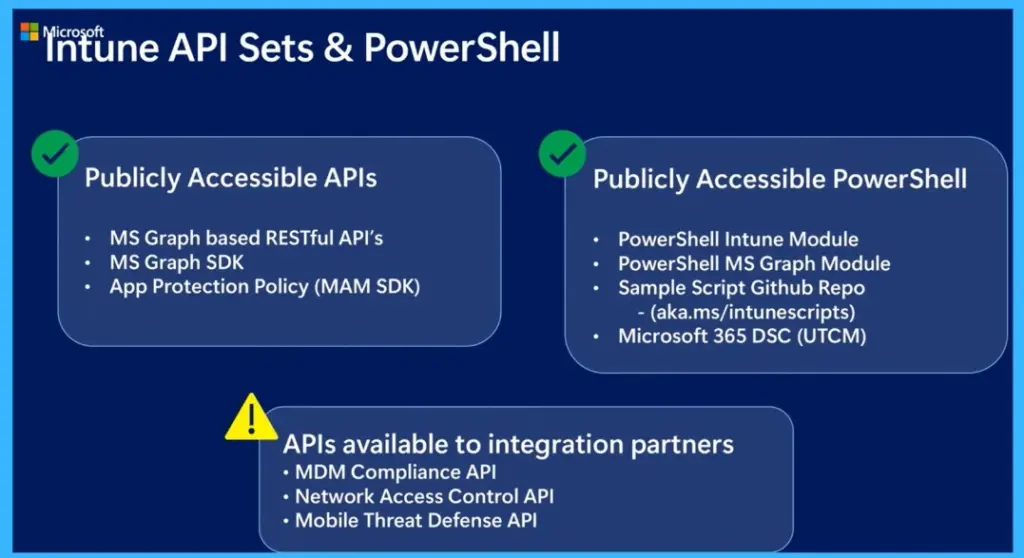
In the below slide Microsoft explains that Microsoft Intune provides several API options to help automate and manage devices, apps, and policies. The main set of APIs is based on the Microsoft Graph API, which connects Intune with other Microsoft services like Microsoft OneDrive and Microsoft Exchange. Developers can also use the Graph SDK to build applications and the MAM SDK to add app protection policies directly into mobile apps.

- For scripting, Microsoft provides PowerShell tools, including the newer Microsoft Graph module (recommended over the older Intune module), along with GitHub scripts and Microsoft 365 DSC for automation, backup, and configuration management.
- In addition, there are special APIs for integration partners, such as compliance, network access control, and mobile threat defense APIs, which help connect external security and network solutions with Intune.
| Publicly Accessible APIs | Publicly Accessible PowerShell | APIs available to integration partners |
|---|---|---|
| MS Graph based RESTful API’s | PowerShell Intune Module | MDM Compliance API |
| MS Graph SDK | PowerShell MS Graph Module | Network Access Control API |
| App Protection Policy (MAM SDK) | Sample Script Github Repo (aka.ms/intunescripts) | Mobile Threat Defense API |
| · Microsoft 365 DSC (UTCM) |
Automating Administrative Actions in Intune
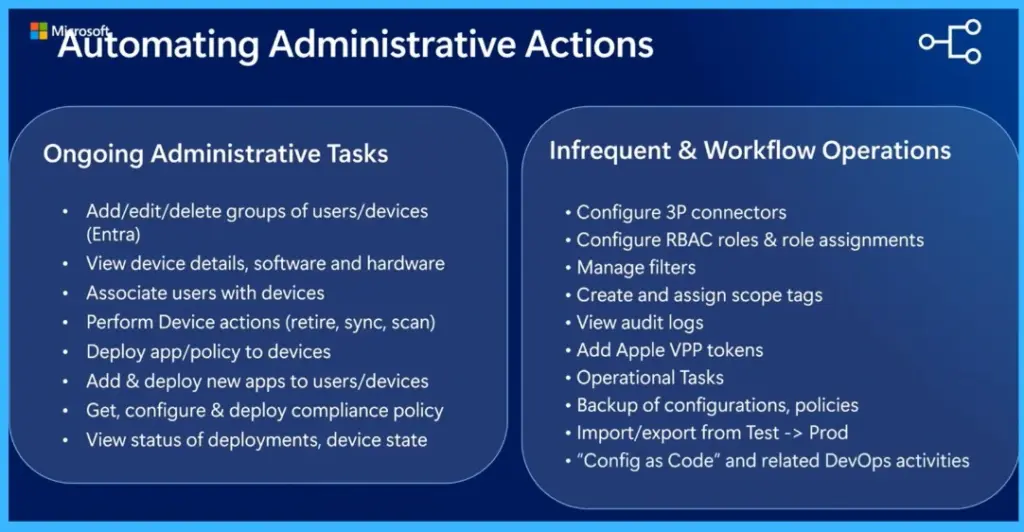
This slide explains what you can do using APIs in Microsoft Intune to automate daily and advanced administrative tasks. For ongoing tasks, APIs allow you to manage users and devices, such as adding or removing them from groups, viewing device details like hardware and installed software, and associating users with devices. You can also perform device actions like retire, sync, or scan, deploy apps and policies, configure compliance settings, and track the status of deployments and device health.
In addition to these regular activities, APIs also support less frequent but important operations like configuring role-based access (RBAC), managing filters and scope tags, viewing audit logs, adding Apple VPP tokens, and handling operational tasks.
- They also enable advanced workflows such as backing up configurations, moving policies from test to production environments, and supporting DevOps scenarios like configuration as code.
| Ongoing Administrative Tasks | Infrequent & Workflow Operations |
|---|---|
| Add/edit/delete groups of users/devices (Entra) | Configure 3P connectors |
| View device details, software and hardware | Configure RBAC roles & role assignments |
| Associate users with devices Perform Device actions (retire, sync, scan) | Manage filters |
| Deploy app/policy to devices | Create and assign scope tags |
| Add & deploy new apps to users/devices | View audit logs |
| Get, configure & deploy compliance policy | Add Apple VPP tokens |
| View status of deployments, device state | Operational Tasks |
| Backup of configurations, policies | |
| Import/export from Test -> Prod | |
| “Config as Code” and related DevOps activities |
Microsoft Graph Architecture and Integration
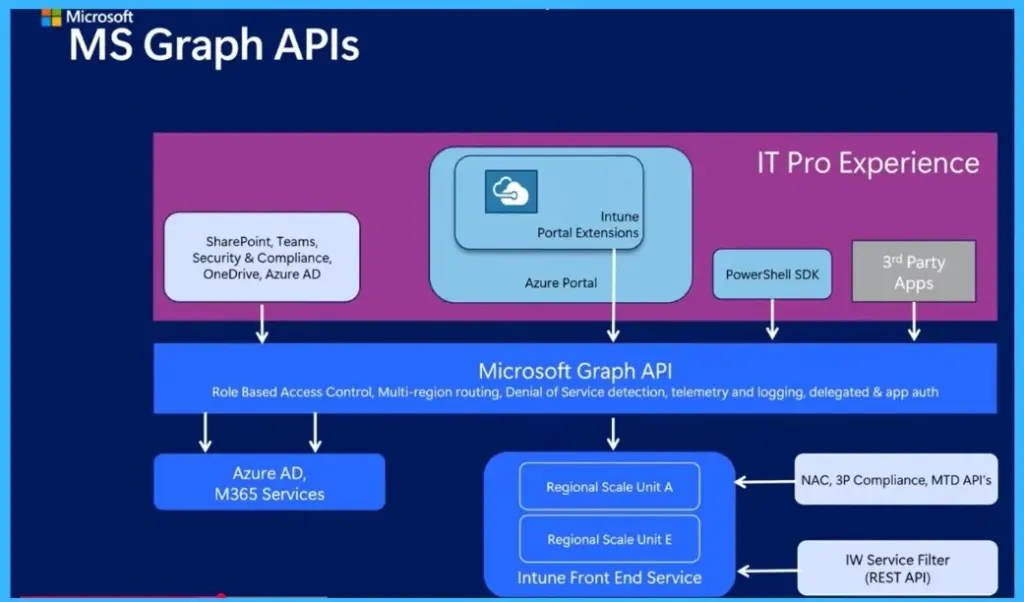
The below chart showing how Microsoft Graph acts as the important layer connecting all tools and services. IT admin tools like the Intune portal, PowerShell SDK, and third-party applications all communicate through Microsoft Graph, which then routes requests to backend services such as Intune and other Microsoft 365 services. Graph also manages key functions like authentication, role-based access control, logging, and request routing.
To explore and use these APIs, users can Depend on tools like Graph Explorer, PowerShell, browser network tracing, and Power Apps. This setup ensures a unified, secure, and scalable way to manage and automate operations across environments.
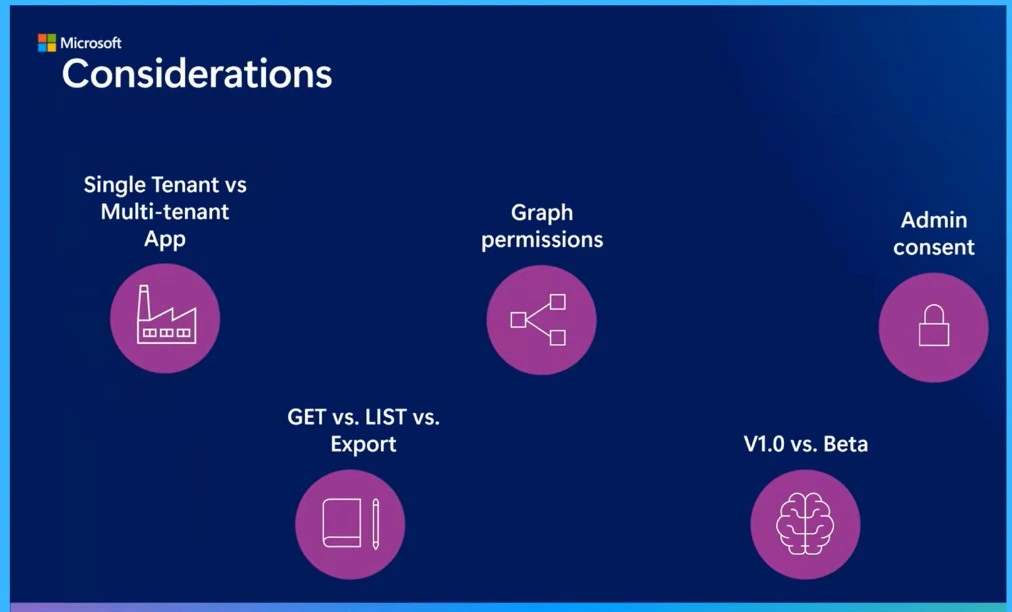
Considerations for Using Intune APIs
When working with APIs in Microsoft Intune, there are several important factors to consider. Organizations need to decide whether to use a single-tenant or multi-tenant application, especially if managing multiple customers. Proper Microsoft Graph API permissions must be configured based on the APIs being used, and admin consent is required from customers to allow access.
It is also important to understand different API methods such as GET, LIST, and Export for retrieving data efficiently. Additionally, users should be aware of the difference between v1.0 and beta APIs, where beta may include newer features but with changes.
| Considerations for Using Intune APIs |
|---|
| Single Tenant vs Multi-tenant App |
| GET vs. LIST vs. Export |
| Graph permissions |
| V1.0 vs. Beta |
| Admin consent |
Need Further Assistance or Have Technical Questions?
Join the LinkedIn Page and Telegram group to get the latest step-by-step guides and news updates. Join our Meetup Page to participate in User group meetings. Also, join the WhatsApp Community and the Whatsapp channel to get the latest news on Microsoft Technologies. We are there on Reddit as well.
Author
Anoop C Nair is a Workplace Technology solution architect with 25+ years of experience. Microsoft Certified Trainer. Microsoft MVP from 2015 onwards for consecutive 11+ years! He is a blogger, Speaker, and Founder of HTMD Community and HTMD Conference. His main focus is on Device Management technologies like Intune, Windows, and Cloud PC. He writes about technologies like Intune, SCCM, Windows, Cloud PC, Entra, and Microsoft Security