
Key Takeaways
- Surface Mouse support enhances iOS devices by turning them into more capable work tools
- Quick and secure access to Cloud PCs is possible with options like Link and Boot.
- Users can easily switch between local desktops and Cloud PCs without disruption.
- Optimizations improve the overall experience for apps like Microsoft Teams, making remote work smoother.
Hey, let’s discuss about Surface Mouse Support on iOS and Microsoft Teams Optimizations on Windows App. The Windows App on iOS now supports Surface Mouse, delivering a more precise and natural Windows experience on iPhone and iPad. This feature enables users to work more efficiently with Windows 365 Cloud PCs and Azure Virtual Desktop virtual machines, making interactions smoother and improving overall productivity on mobile devices.
Table of Contents
Table of Contents
Surface Mouse Support on iOS and Microsoft Teams Optimizations on Windows App
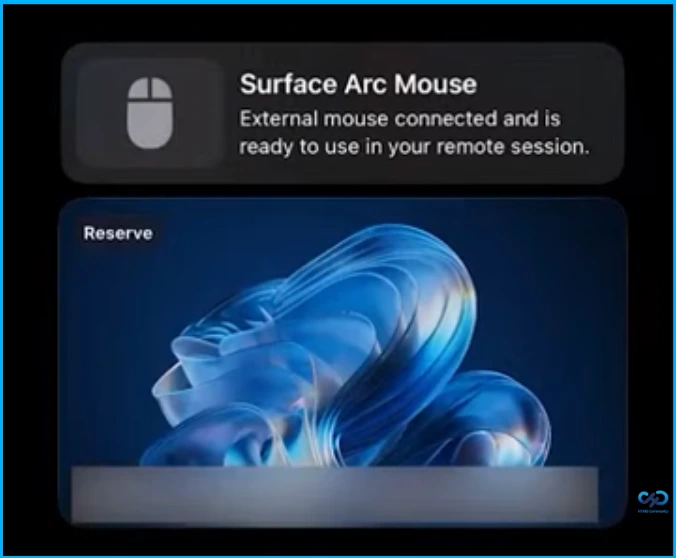
Surface Mouse support enhances iOS devices by turning them into more capable work tools. It allows for faster navigation, more accurate interactions, and a smoother handling of Windows workflows while on the go. With compatibility for select Surface Mouse models, users can enjoy a familiar and efficient desktop-like experience even when working remotely.
| Supported Mouse Models |
|---|
| Surface Arc Model |
| Surface Model |
- How to Create Screen Capture App Protection Policy for Windows 365 App using Intune
- How to Change Policy Assignments for Multiple Users using Microsoft Teams Admin Center
- Fix Remove Account Issue on Microsoft Teams for iPhone Enrolled Devices in Intune
Windows 365 Link and Windows 365 Boot Method for your Team
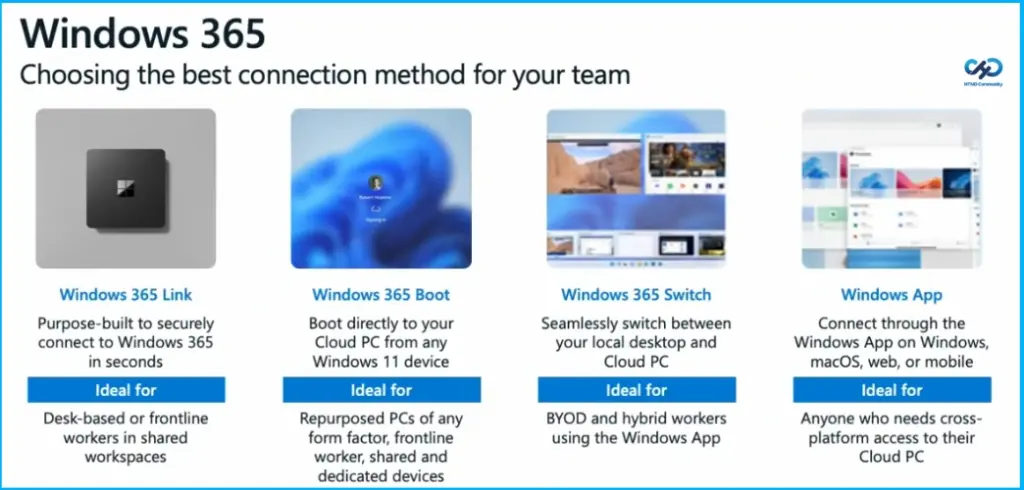
Windows 365 Link is designed to securely connect you to Windows 365 in just seconds. It works well for desk-based or frontline workers who use shared workspaces. Windows 365 Boot lets you go straight into your Cloud PC from any Windows 11 device. It’s a good option for repurposed PCs, frontline workers, and both shared and dedicated devices.
Windows 365 Switch and Windows App
Windows 365 Switch makes it easy to move between your local desktop and your Cloud PC without interruption. It’s especially useful for BYOD and hybrid workers using the Windows App. The Windows App lets you connect to your Cloud PC from Windows, macOS, the web, or mobile devices. It’s ideal for anyone who needs access across different platforms.

Microsoft Teams Optimizations on Windows App
Microsoft Teams optimizations on the Windows App are now generally available on iOS, iPadOS, and Android, and are also supported on native platforms, including Windows, macOS, and Link. These improvements help make meetings, calls, and collaboration smoother and more efficient, providing a more responsive and reliable experience when working remotely.
Need Further Assistance or Have Technical Questions?
Join the LinkedIn Page and Telegram group to get the latest step-by-step guides and news updates. Join our Meetup Page to participate in User group meetings. Also, join the WhatsApp Community and the Whatsapp channel to get the latest news on Microsoft Technologies. We are there on Reddit as well.
Author
Anoop C Nair is a Workplace Technology solution architect with 25+ years of experience. Microsoft Certified Trainer. Microsoft MVP from 2015 onwards for consecutive 11+ years! He is a blogger, Speaker, and Founder of HTMD Community and HTMD Conference. His main focus is on Device Management technologies like Intune, Windows, and Cloud PC. He writes about technologies like Intune, SCCM, Windows, Cloud PC, Entra, and Microsoft Security.