Skip to content
  • Home
  • Intune
    • ConfigMgr
    • App Deploy Guides
  • Security
  • Intune Training
  • Windows 11
  • Windows 365
  • Videos
HTMD Community Intune Windows Modern Workplace Device Management
Zero Touch AI
HTMD Community Intune Windows Modern Workplace Device Management
  • Home
  • Intune
    • ConfigMgr
    • App Deploy Guides
  • Security
  • Intune Training
  • Windows 11
  • Windows 365
  • Videos

Windows 365

Windows 365 cloud PC is the service offered by Microsoft. This solution is similar to the Desktop as a Service solution (DaaS).  However, Microsoft created a new category or market segment called Cloud PCs. It’s a very unique solution that only Microsoft can provide.

The main two categories of Windows 365 solutions are for commercial and consumer.

  • Consumer/Business version -> Windows 365 Business
  • Commercial version -> Windows 365 Enterprise

Windows 365 provisioning mechanism is an end-to-end automated, unlike Azure Virtual Desktop (AVD – ex. WVD) solution.

This is Cloud PC Service that Offers enterprise Virtualization (VDI solution) without Complexity.

All the admin-related activities related to the day-to-day operations of Cloud PC are designed to handle from the Endpoint Manager (Unifies Endpoint Manager – Intune) portal.
3-main-areas-where-we-deliver-resiliency-into-the-service

3 Key Areas of Resiliency in Windows 365 and AVD Connectivity Management and Workload

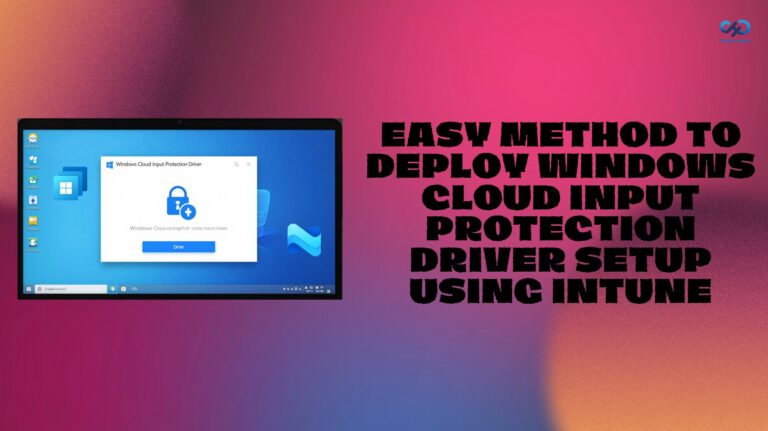
Easy Method to Deploy Windows Cloud Input Protection Driver Setup using Intune. Fig. 1

Easy Method to Deploy Windows Cloud Input Protection Driver Setup using Intune

How to Configure Windows Cloud Keyboard Input Protection on Entra Joined Devices. Fig. 1

How to Configure Windows Cloud Keyboard Input Protection on Entra Joined Devices

Faster Work Environment Recovery with Windows First Sign-In Restore for Entra and Hybrid Devices 1

Faster Work Environment Recovery with Windows First Sign-In Restore for Entra and Hybrid Devices

Zero-Touch Deployment and Instant Cloud PC Access with Windows 365 Boot and Reserve using Intune 2

Zero-Touch Deployment and Instant Cloud PC Access with Windows 365 Boot and Reserve using Intune

Microsoft Simplifies Cloud PC Recovery with New Restore Enhancements 3

Microsoft Simplifies Cloud PC Recovery with New Restore Enhancements

Easy Way to Update New Multi-Region Selection in Windows 365. Fig. 1

Easy Way to Update New Multi-Region Selection in Windows 365

How to Configure New Windows App Settings for Windows 365 using Intune. Fig. 1

How to Configure New Windows App Settings for Windows 365 using Intune

Explore the Windows 365 Cloud PC Overview Report in Intune. Fig. 1

Explore the Windows 365 Cloud PC Overview Reports in Intune

Windows 365 Cloud PC Top 5 Features Admins are Looking for in 2026

Windows 365 Cloud PC Top 5 Features Admins are Looking for in 2026

6 AI Agentic Features within Windows 365 Cloud PC

6 AI Agentic Features within Windows 365 Cloud PC

Windows 365 Introduces Three-Tier Region Selection for Smarter Cloud PC Deployment

Windows 365 Introduces Three-Tier Region Selection for Smarter Cloud PC Deployment

How to Configure AI-Enabled Features for Windows 365 Cloud PCs. Fig. 1

How to Configure AI-Enabled Features for Windows 365 Cloud PCs

How to Set Up Windows 365 Cloud Apps Using Microsoft Intune. Fig. 1

How to Set Up Windows 365 Cloud Apps Using Microsoft Intune

How Autopilot Device Preparation Improves Windows 365 Cloud PC Readiness 4

How Autopilot Device Preparation Improves Windows 365 Cloud PC Readiness

How to List all Windows 365 Cloud PCs in your Tenant using Microsoft Graph API. Fig-01

How to List all Windows 365 Cloud PCs in your Tenant using Microsoft Graph API

Older posts
Newer posts
← Previous Page1 … Page3 Page4 Page5 … Page13 Next →

loader
Subscribe To Our Newsletter

2026 How to Manage Devices ©
Next Page »
  • Privacy
  • Terms
  • About
  • Contact
  • Partners
  • Authors
  • Subscribe