
Key Takeaways
- Microsoft introduced improvements to passwordless authentication on Windows
- Passkey sign-in is now more intuitive with authenticator hints
- New plug-in credential manager support enables third-party integration
- Biometrics continue to enhance security and user convenience
- A new SDK supports high assurance and advanced authentication scenarios
In this post we are discussing on Windows Elevates Passkey Security with Plug-in Credential Manager Integration. Microsoft has introduced a series of improvements to its passwordless authentication experience on Windows, focusing on stronger security and a smoother user journey. These updates come as part of the company’s ongoing effort to reduce reliance on traditional passwords and address the growing risks of identity-based cyberattacks.
Table of Contents
Table of Contents
Windows Elevates Passkey Security with Plug-in Credential Manager Integration
Rakia Segue from Microsoft explains the new Windows security features like passkeys, easier sign-in, and credential manager integration. The latest enhancements include a more passkey sign-in experience and new support for plug-in credential managers. Together, these updates aim to simplify how users access applications while ensuring that authentication remains secure, fast, and phishing-resistant.
With cyber threats becoming more advanced, especially through AI-driven phishing and credential theft, Microsoft’s improvements highlight a shift toward device-based authentication methods such as biometrics and security keys.
- Native Authentication for Microsoft Entra External ID | Complete Control Over Login Experience
- How to Setup Passwordless Login for Microsoft Accounts
- Entra External ID Now Supports SMS as an MFA Option
Why Passwordless
Passwords remain one of the weakest links in cybersecurity. They can be reused, stolen, or exposed through phishing attacks. Even with multi-factor authentication, attackers are finding new ways to bypass protections.
By moving to passwordless authentication, Microsoft eliminates the need for passwords entirely. This reduces the risk of attacks and creates a safer login experience for users.

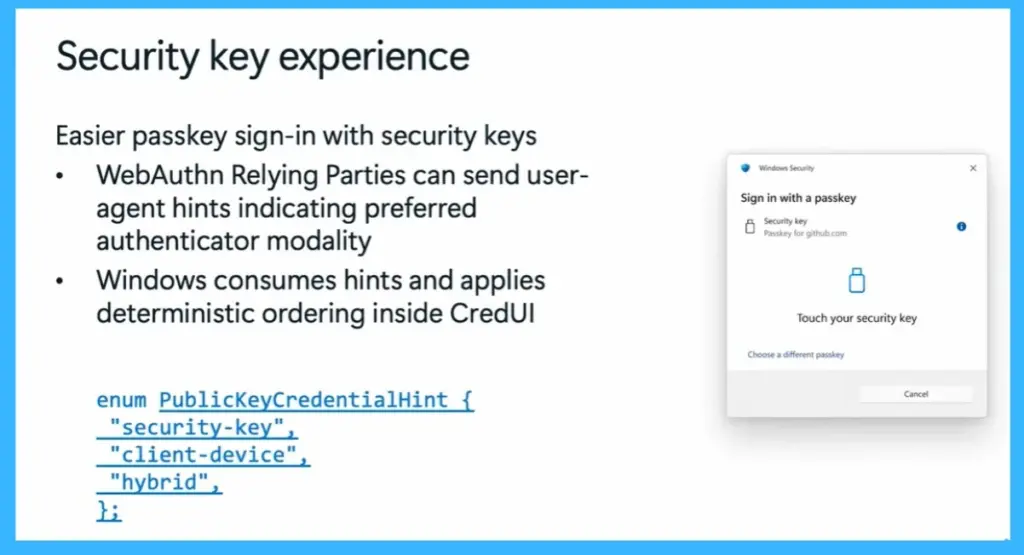
Easier Passkey Sign-In with Security Keys
Windows is improving the passkey sign-in experience by making it easier to use security keys. Websites and apps can now send hints about the preferred sign-in method, such as using a security key, device-based authentication, or hybrid options. Windows uses these hints to automatically arrange the sign-in options in the correct order. This helps users quickly choose the right method without confusion, making the login process faster and smoother.
- WebAuthn Relying Parties can send user-agent hints indicating preferredauthenticator modality
- Windows consumes hints and applies deterministic ordering inside CredUI
Plug-in Credential Manager Integration
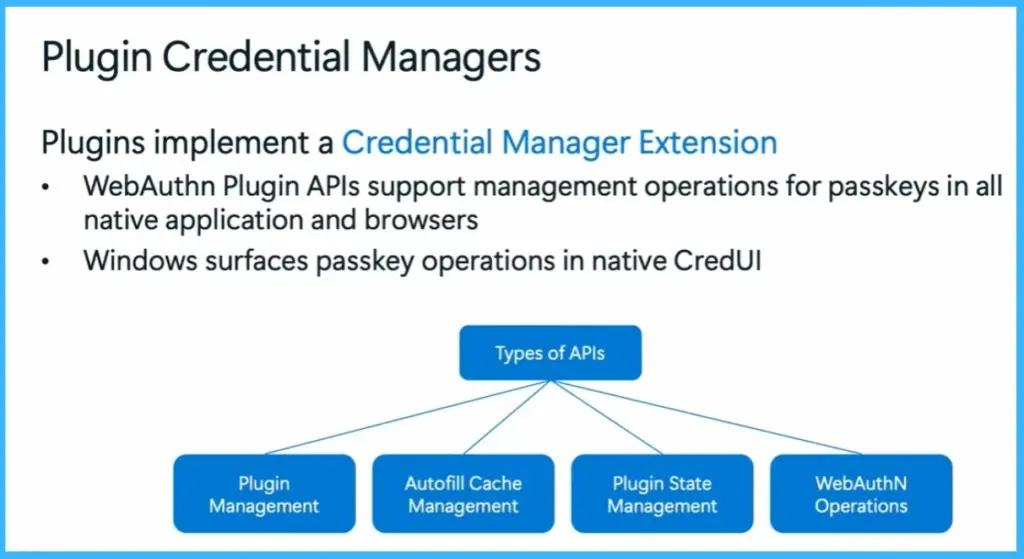
Windows now supports plug-in credential managers, allowing third-party providers to integrate directly into the system. This means users can manage their passkeys across both browsers and native applications in one place. With this integration, Windows displays passkey operations in its native interface, making credential management more seamless. Developers can also use APIs to support features like credential storage, autofill, and synchronization.
- Plugins implement a Credential Manager Extension
- WebAuthn Plugin APIs support management operations for passkeys in al native application and browsers
- Windows surfaces passkey operations in native CredUI
| Types of APIs |
|---|
| Plugin Management |
| Autofill Cache Management |
| Plugin State Management |
| WebAuthN Operations |
The Passwordless Advantage
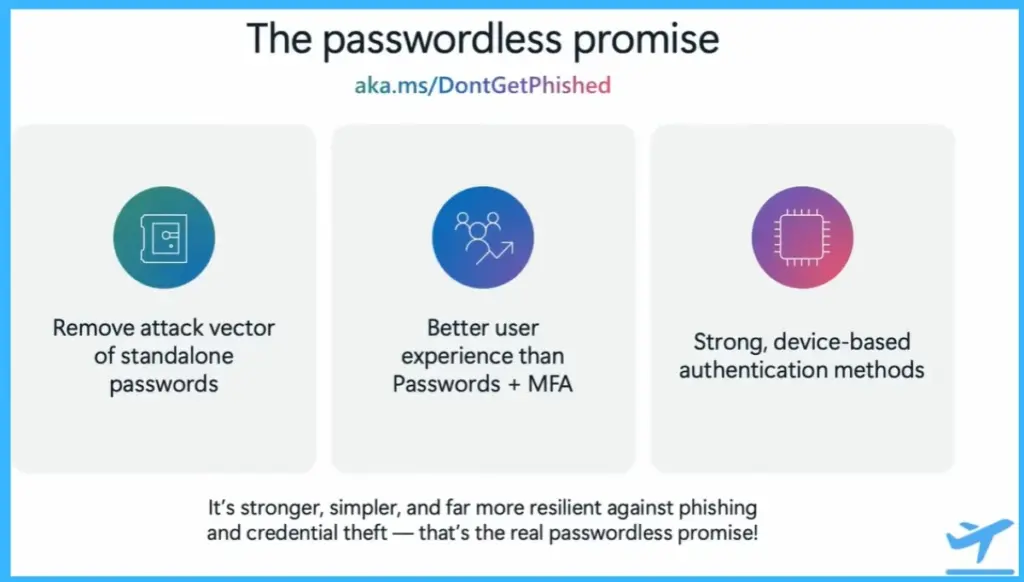
Passwordless authentication removes the risks associated with traditional passwords. Since there is no password to steal or reuse, it reduces the chances of phishing and credential-based attacks. It also improves the user experience by replacing passwords with faster and easier methods. Strong, device-based authentication ensures both security and convenience, making it a better alternative to passwords and MFA.
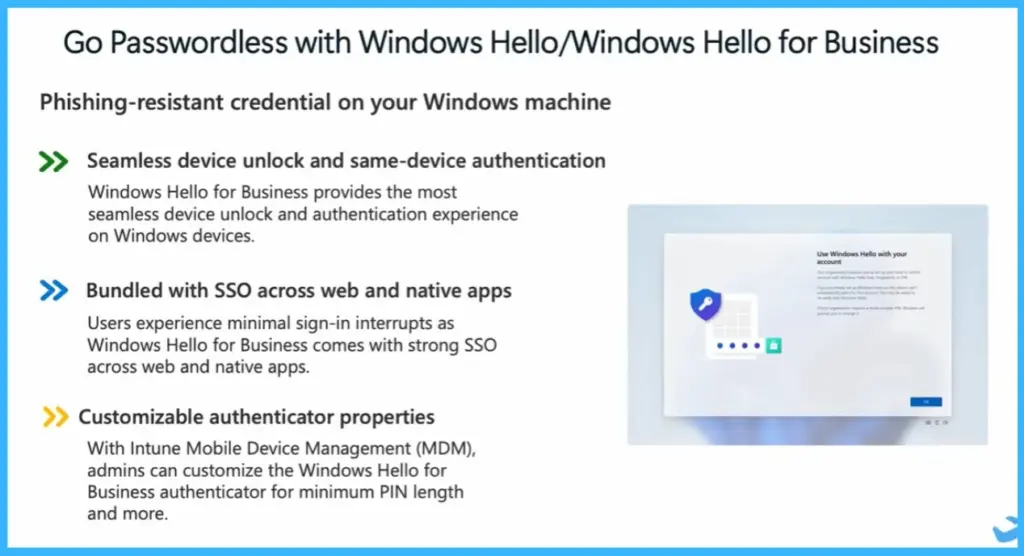
Passwordless with Windows Hello for Business
Windows Hello for Business enables secure and smooth passwordless authentication on Windows devices. Users can unlock their devices and sign in using biometrics like face recognition or fingerprint, or a PIN.
It also supports single sign-on (SSO), allowing users to access multiple apps and websites without repeated sign-ins. Additionally, organizations can customize authentication settings, such as PIN requirements, using device management tools.
- Phishing-resistant credential on your Windows machine
- Seamless device unlock and same-device authentication– Windows Hello for Business provides the most seamless device unlock and authentication experience on Windows devices.
- Bundled with SSO across web and native apps – Users experience minimal sign-in interrupts as Windows Hello for Business comes with strong SSO across web and native apps.
- Customizable authenticator properties – With Intune Mobile Device Management (MDM), admins can customize the Windows Hello for Business authenticator for minimum PIN length and more.
Need Further Assistance or Have Technical Questions?
Join the LinkedIn Page and Telegram group to get the latest step-by-step guides and news updates. Join our Meetup Page to participate in User group meetings. Also, join the WhatsApp Community and the Whatsapp channel to get the latest news on Microsoft Technologies. We are there on Reddit as well.
Author
Anoop C Nair is a Workplace Technology solution architect with 25+ years of experience. Microsoft Certified Trainer. Microsoft MVP from 2015 onwards for consecutive 11+ years! He is a blogger, Speaker, and Founder of HTMD Community and HTMD Conference. His main focus is on Device Management technologies like Intune, Windows, and Cloud PC. He writes about technologies like Intune, SCCM, Windows, Cloud PC, Entra, and Microsoft Security.