

Key Takeaways
- Microsoft follows a Modern Lifecycle Policy, where each Windows 11 feature update is supported for a limited period.
- Older versions such as Windows 11 21H2 and 22H2 (Home/Pro) have already reached the end of support.
- Windows 11 23H2 (Home/Pro) support has ended, while Enterprise and Education editions continue to receive extended support for a longer duration.
- After a version reaches its End-of-Life (EOL), Microsoft stops providing: Security updates, Bug fixes and Technical support
Updated Windows 11 End-of-Life Dates! Microsoft has recently updated the Windows 11 End-of-Life (EOL) dates. It focuses on how long various editions will continue to receive updates and support. As you already know, Windows 11 is Microsoft’s latest operating system, and it follows an annual feature update cycle with each version supported for a defined period. Windows 11 version 26H1 is made for a new generation of devices that use the latest processors and hardware. It offers better performance and improved battery life, but it is only available on select new devices launching in early 2026.
Table of Content
Table of Contents
What are End-of-Life Dates?
This is an important one in Microsoft updates. When a version gets this data, it means that after the date, it will not get any security updates. So the users can upgrade to the latest version.
Microsoft’s Modern Lifecycle Policy?
Modern Lifecycle Policy is essential for Windows versions. This policy always ensures users get the latest security updates and performance improvements. A version following this policy will receive ongoing updates and support.
Updated Windows 11 End-of-Life Dates – Windows 11 Version 26H1
The Windows 11 version 26H1 not be offered as an update for existing PCs running Windows 11 versions 24H2 or 25H2. Even though 26H1 includes the same features as version 25H2, it is built on a different Windows core. Devices running 26H1 will continue to receive regular monthly security and quality updates, but they will not upgrade to the next annual feature update planned for the second half of 2026. Instead, those devices will receive a future update path in a later Windows release.

Read More – Windows 11 26H1 vs 26H2 Explained Platform Update for New PCs and Feature Update for Everyone
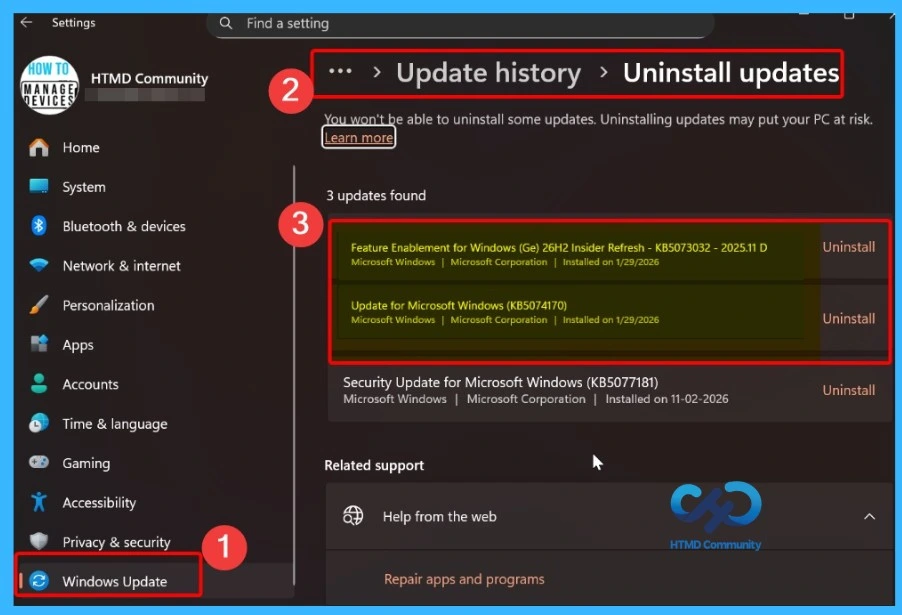
- How to Check Your Windows 11 Edition
- Easy Methods to Know the Version of Installed Apps in Windows 11
- Windows 10 Version Numbers Build Numbers Major Minor Build Rev
Windows 11 Home and Pro End-of-Life Cycle
Windows 11 Home and Pro editions follow Microsoft’s Modern Lifecycle Policy, where each feature update is supported for a limited period. Versions 21H2, 22H2, and 23H2 have all reached their end-of-support dates, meaning they no longer receive security updates, bug fixes, or technical support.
As per the announcement, Home and Pro version 21H2 is the first edition to end support. This is the first release of Windows 11. Microsoft recently reported the support date as October 10, 2023. When a user still uses this version, Microsoft suggests upgrading to 22H2. So, we can say that Home and Pro Editions have a servicing timeline.
- Windows 11 21H2 (Home & Pro) reached the end of support on October 10, 2023, and no longer receives security updates.
- Windows 11 22H2 (Home & Pro) reached the end of support on October 8, 2024, and stopped receiving updates after that date.
- Windows 11 23H2 (Home & Pro) reached its end of support on November 11, 2025, meaning security updates and fixes have ended for these consumer editions.
| Version | Start Date | End Date |
|---|---|---|
| 26H1 | Feb 10, 2026 | Mar 14, 2028 |
| 25H2 | Sep 30, 2025 | Oct 12, 2027 |
| 24H2 | Oct 1, 2024 | Oct 13, 2026 |
| 23H2 | Oct 31, 2023 | Nov 11, 2025 |
| 22H2 | Sep 20, 2022 | Oct 8, 2024 |
| 21H2 | Oct 4, 2021 | Oct 10, 2023 |

Windows 11 IoT Enterprise End-of-Life Cycle
Windows 11 IoT Enterprise (Internet of Things) was officially released on October 4, 2021, and follows Microsoft’s Modern Lifecycle Policy, receiving regular security, quality, and feature updates during its support period. Each version has a defined start date and end-of-support date. It helps organisations understand how long Microsoft will provide updates and servicing. This lifecycle information is important for IoT devices used in specialized environments, where long-term stability and security are critical.
| Release Version | Build | Start Date | End of Servicing |
|---|---|---|---|
| Windows 11 25H2 | 26200 | 2025‑09‑30 | 2028‑10‑10 |
| Windows 11 24H2 | 26100 | 2024‑10‑01 | 2027‑10‑12 |
| Windows 11 23H2 | 22631 | 2023‑10‑31 | 2026‑11‑10 |
| Windows 11 22H2 | 22621 | 2022‑09‑20 | 2025‑10‑14 |
| Windows 11 21H2 | 22000 | 2021‑10‑04 | 2024‑10‑08 |

Windows 11 Enterprise and Education End-of-Life Cycle
Windows 11 Enterprise and Education editions follow Microsoft’s Modern Lifecycle Policy, which means each version is supported for a fixed period of time. During this support period, Microsoft provides regular security updates, bug fixes, and quality improvements to keep devices secure and stable. This policy applies to the Education, Enterprise, and Enterprise multi-session editions that are commonly used by organizations, businesses, and schools.
| Version | Start Date | End Date |
|---|---|---|
| Version 26H1 | Feb 10, 2026 | Mar 13, 2029 |
| Version 25H2 | Sep 30, 2025 | Oct 10, 2028 |
| Version 24H2 | Oct 1, 2024 | Oct 12, 2027 |
| Version 23H2 | Oct 31, 2023 | Nov 10, 2026 |
| Version 22H2 | Sep 20, 2022 | Oct 14, 2025 |
| Version 21H2 | Oct 4, 2021 | Oct 8, 2024 |

Windows 11 KB5077181 KB5075941 February 2026 Patch and 6 Zero Day Vulnerabilities and 58 Flaws
In the February 2026 Patch Tuesday update, Microsoft released important fixes and enhancements to improve security, stability, and usability in Windows 11. The updates addressed multiple issues, including expanding language support for the Settings Agent to make the interface more accessible to global users, and fixing bugs such as the Windows Insider Program getting stuck when joining from Settings and cutoff shutdown warning messages in the Start menu when multiple users are signed in.
Read More – Windows 11 KB5077181 KB5075941 February 2026 Patch and 6 Zero Day Vulnerabilities and 58 Flaws

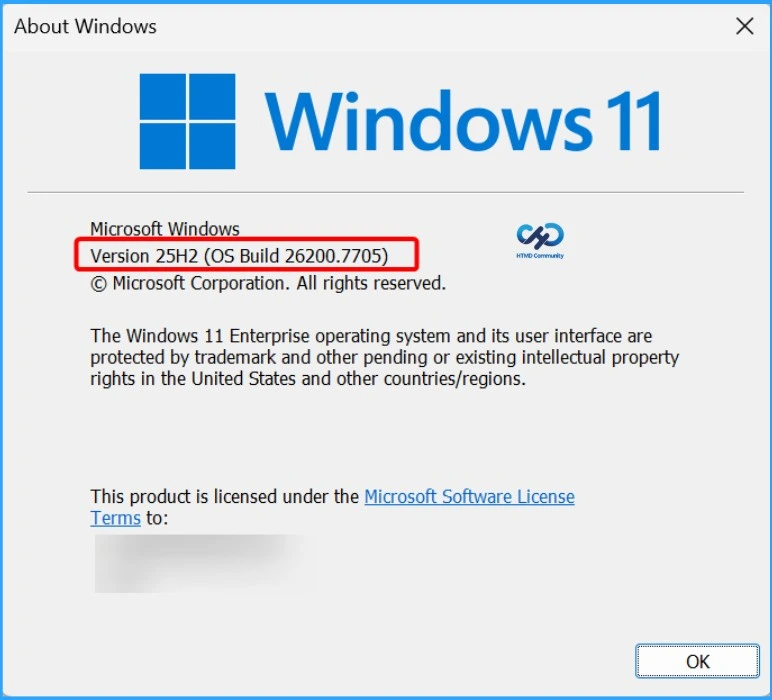
Updated Windows 11 Version Numbers Build Numbers Major Minor Build Rev
Windows 11 follows a four-part build number format: Major.Minor.Build.Revision (for example, 10.0.26200.7840). The major version (10) remains the same for both Windows 10 and Windows 11, while the minor version (0) typically stays unchanged and represents the internal operating system architecture.
Need Further Assistance or Have Technical Questions?
Join the LinkedIn Page and Telegram group to get the latest step-by-step guides and news updates. Join our Meetup Page to participate in User group meetings. Also, join the WhatsApp Community to get the latest news on Microsoft Technologies. We are there on Reddit as well.
Author
About the Author: Vidya is a computer enthusiast. She is here to share quick tips and tricks with Windows 11 or Windows 10 users. She loves writing about Windows 11 and related technologies. She is also keen to find solutions and write about day-to-day tech problems.
I always leave this blog feeling inspired and motivated to make positive changes in my life Thank you for being a constant source of encouragement