
Key Takeaways:
- Intune console currently lacks a dedicated status report for Secure Boot certificates within Autopatch
- IT admins face challenges in monitoring certificate expiry
- Incomplete tracking of Secure Boot certificates within Autopatch
Let’s discuss about Missing Intune Autopatch Secure Boot Certificate Status Report in Intune Console. Microsoft officially declared that, the Autopatch Secure Boot status report is temporarily unavailable in Microsoft Intune Console.
Table of Contents
Table of Contents
Missing Intune Autopatch Secure Boot Certificate Status Report in Intune Console
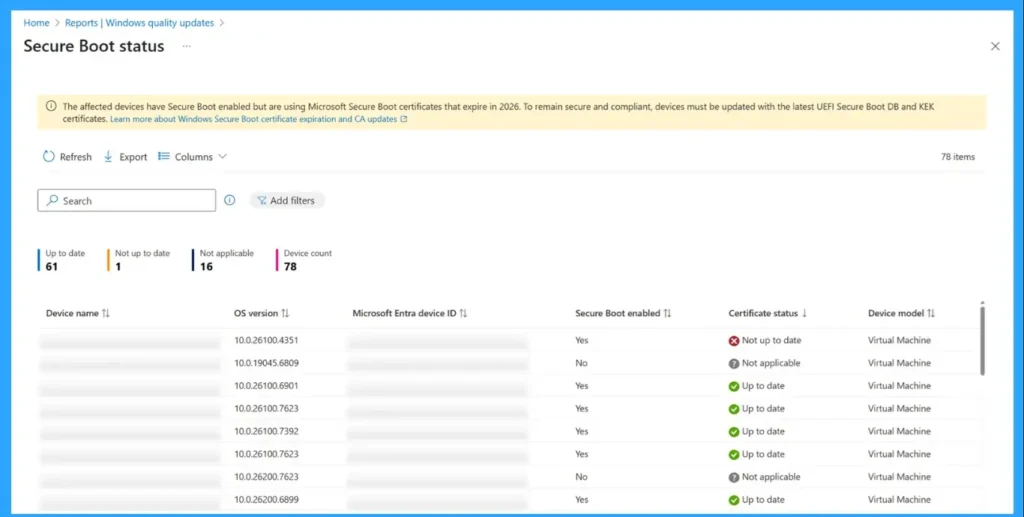
The current unavailability of Autopatch Secure Boot Certificate Status Report badly affect the IT Admins lose a centralized view of which devices have Secure Boot enabled and whether certificates are updated. So misconfigured or disabled secure boot cannot be quickly identified.
Admins who upgraded to 2601 noticed the report disappeared. This aligns with Microsoft’s statement that the report is unavailable in Autopatch for now, even though it was visible in earlier builds.
| Purpose of Autopatch Secure Boot Certificate |
|---|
| Shows which devices have Secure Boot enabled |
| Shows which devices have Secure Boot not enabled |
| Whether certificates are up to date. |
- MS Intune Secure Boot Certificate Status Report Now Shows Detailed Status For Each Certificate
- Understanding Windows 10 UEFI Secure Boot – How it helps to secure Pre-Boot Phase
- Windows Measured Boot – How it helps to secure Windows OS Platform
- What is Windows 365 Boot
Reasons of Autopatch Secure Boot Certificate Status Report
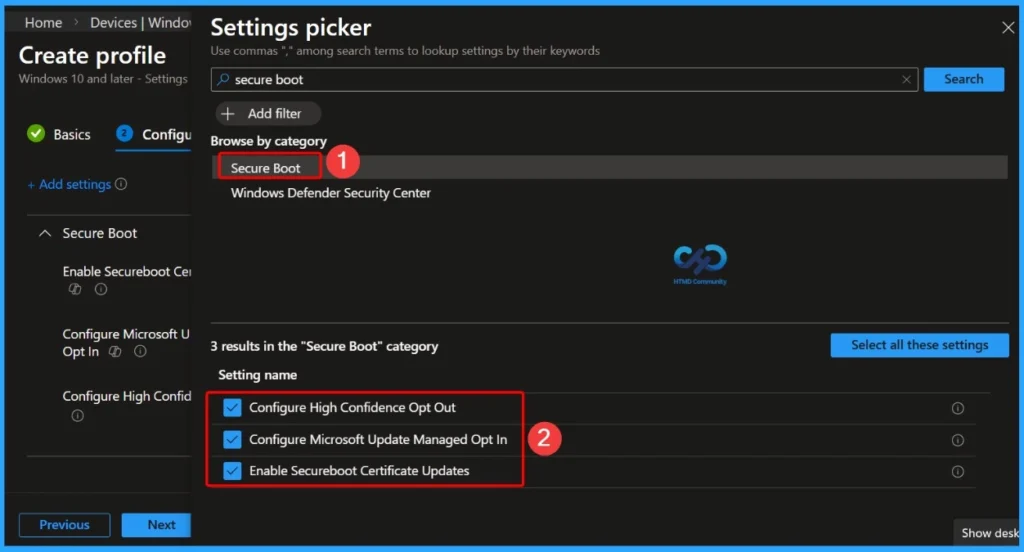
The real reason of Autopatch Secure Boot Certificate Status Report is unknown. But this is linked to ongoing work around Secure Boot certificate lifecycle updates.

Impact of Missing Autopatch Secure Boot Certificate Status Report
Without the report, diagnosing startup issues or certificate chain problems requires manual checks (scripts, endpoint queries, OEM firmware logs). on 2601, the Secure Boot Certificate Status report is not available in Autopatch, and admins must rely on alternative methods (scripts, endpoint queries, or OEM firmware checks) until Microsoft restores it.
Need Further Assistance or Have Technical Questions?
Join the LinkedIn Page and Telegram group to get the step-by-step guides and news updates. Join our Meetup Page to participate in User group meetings. Also, Join the WhatsApp Community and WhatsApp Channel to get the latest news on Microsoft Technologies. We are there on Reddit as well.
Author
Anoop C Nair has been Microsoft MVP for 10 consecutive years from 2015 onwards. He is a Workplace Solution Architect with more than 22+ years of experience in Workplace technologies. He is a Blogger, Speaker, and Local User Group Community leader. His primary focus is on Device Management technologies like SCCM and Intune. He writes about technologies like Intune, SCCM, Windows, Cloud PC, Windows, Entra, Microsoft Security, Career, etc.