
Key Takeaways
- All recent updates in Microsoft Intune, the enhanced sync experience clearly stands out as a major improvement.
- This is a capability Intune admins have been expecting for a long time, especially for day-to-day troubleshooting.
- Admins can now see what’s happening during sync, including completed tasks, in-progress actions, and potential bottlenecks.
- With better insights, identifying issues and validating deployments becomes significantly quicker.
- The new experience removes uncertainty when waiting for policies, apps, scripts, and compliance actions to apply.
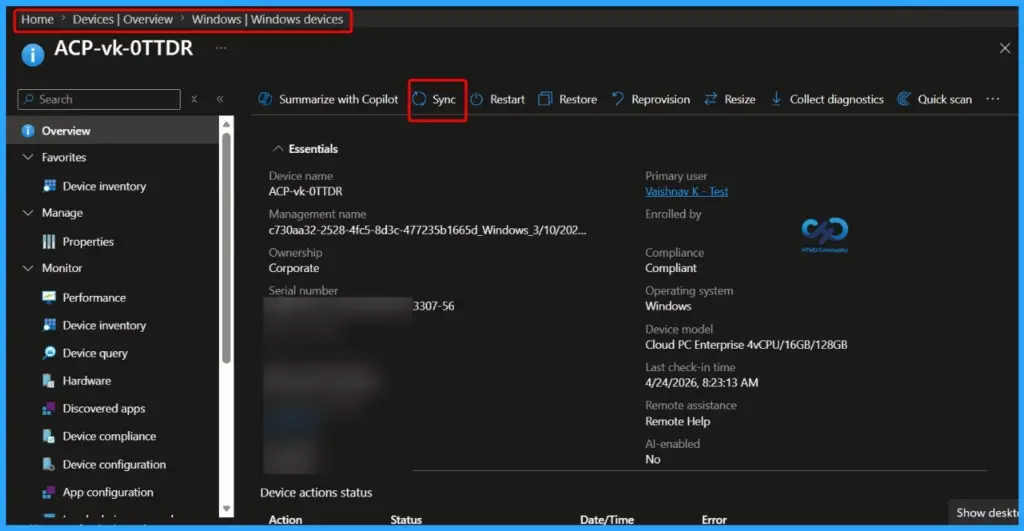
New Sync Button in Microsoft Intune Brings Visibility and Faster Troubleshooting! The new sync experience in Microsoft Intune significantly improves how IT admins troubleshoot and manage devices by providing clear, real-time visibility into the sync process. Instead of relying on guesswork, admins can now see exactly what has been processed, what is still pending, and where issues may be occurring.
Table of Content
Table of Contents
New Sync Experience in Microsoft Intune Brings Visibility and Faster Troubleshooting
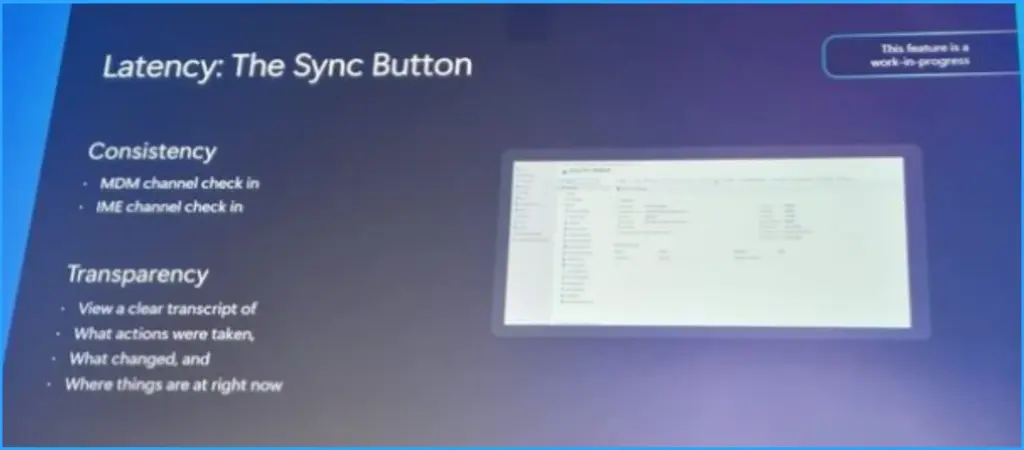
At MEM Summit, the keynote from Lior Bela and Sangeetha Visweswaran highlighted some exciting updates in Microsoft Intune. One of the key highlights was the new sync experience, which improves visibility and makes troubleshooting much easier for IT admins. With this update, admins can clearly see what is happening during a sync, helping them quickly identify issues, fix them faster, and manage devices with greater confidence.
Updated Windows Device Sync Experience Enhances Per-Device Troubleshooting
| Consistency | Transparency |
|---|---|
| MDM channel check in IME Channel check in | View a clear transcript of What actions were taken What changed and Where things are at right now |
- Microsoft Intune Introduces Faster Update Delivery With Improved Notifications
- 4 Key Investments In Microsoft Intune To Accelerate Critical Device Updates
- How to Control Offline Files Synchronization When Users Log Off using Intune Policy
- Configuring User Experience Sync with Windows 365 Frontline Provisioning Policies
- Expanding Windows 365 Frontline with Cloud Apps and User Experience Sync
This new feature reduces the time spent chasing delays or checking multiple logs, allowing faster identification of problems with policies, apps, scripts, or compliance actions.

As a result, admins can resolve issues more efficiently, validate deployments with confidence, and deliver a more reliable device management experience across their environment.
Need Further Assistance or Have Technical Questions?
Join the LinkedIn Page and Telegram group to get the latest step-by-step guides and news updates. Join our Meetup Page to participate in User group meetings. Also, join the WhatsApp Community and the Whatsapp channel to get the latest news on Microsoft Technologies. We are there on Reddit as well.
Author
Anoop C Nair is a Workplace Technology solution architect with 25+ years of experience. Microsoft Certified Trainer. Microsoft MVP from 2015 onwards for consecutive 11+ years! He is a blogger, Speaker, and Founder of HTMD Community and HTMD Conference. His main focus is on Device Management technologies like Intune, Windows, and Cloud PC. He writes about technologies like Intune, SCCM, Windows, Cloud PC, Entra, and Microsoft Security.