

Key Takeaways
- Configure Linux offline security intelligence updates directly from Defender and Intune portals.
- Manage update behavior for devices in isolated or restricted network environments.
- No need for complex manual configurations on individual Linux devices.
- Keep Microsoft Defender for Endpoint on Linux up to date with the latest security intelligence, even in offline scenarios.
- The feature is now generally available for production environments.
Manage Offline Security Updates for Linux using Microsoft Defender and Intune! Microsoft now allows admins to manage offline security intelligence updates for Linux devices directly from the Defender and Intune portals. Admins can configure how Linux devices receive Defender security updates without using manual command-line configurations on each device.
Table of Content
Table of Contents
Configure Offline Security Intelligence Update Settings for Linux from Microsoft Defender and Intune
This feature is useful for Linux devices that do not always have internet access. Admins can still make sure those devices receive the latest Defender security intelligence updates to stay protected against threats.
- Useful for Linux devices running in restricted or isolated network environments.
- Helps devices with limited or no internet connectivity receive security intelligence updates.
- Enables centralised management via the Microsoft Defender and Intune portals.
- Reduces the need for manual update configuration on Linux devices.
- Helps organisations maintain stronger security protection and compliance.
| Feature |
|---|
| Configure offline security intelligence update settings for Linux from the Defender and Intune portals |
- New Selective Response Actions Improve Safer Device Onboarding in Microsoft Defender for Endpoint
- Microsoft Security Update Guide for Information on Security Vulnerabilities
- Maester Microsoft Security Test Automation Framework
- How to Block Office Applications from Creating Executable Content in Microsoft Defender using Intune
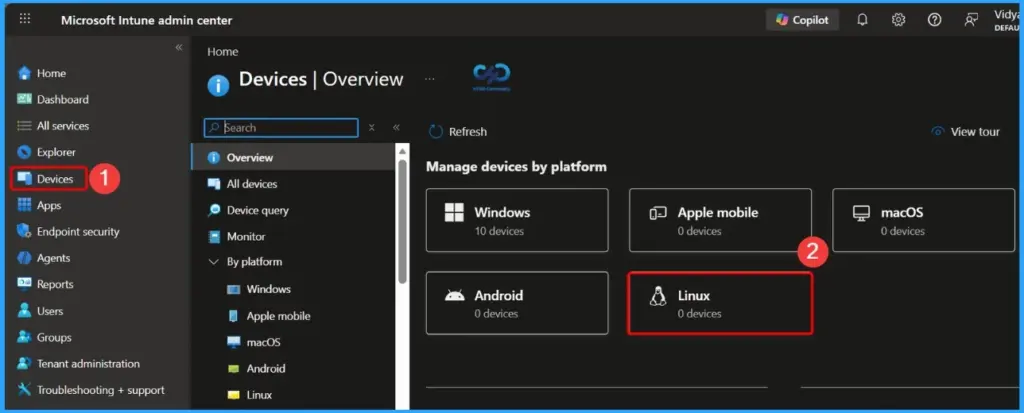
Configure offline security intelligence update settings for Linux from the Defender and Intune portals
This feature helps organisations manage Linux security updates more efficiently, especially for devices operating in offline, isolated, or restricted network environments. Administrators can now configure offline security intelligence update settings directly from the Microsoft Defender and Intune portals, reducing the need for manual configurations on individual Linux devices.

Need Further Assistance or Have Technical Questions?
Join the LinkedIn Page and Telegram group to get the latest step-by-step guides and news updates. Join our Meetup Page to participate in User group meetings. Also, join the WhatsApp Community and the Whatsapp channel to get the latest news on Microsoft Technologies. We are there on Reddit as well

Resources
Author
Anoop C Nair has been Microsoft MVP for 10 consecutive years from 2015 onwards. He is a Workplace Solution Architect with more than 22+ years of experience in Workplace technologies. He is a Blogger, Speaker, and Local User Group Community leader. His primary focus is on Device Management technologies like SCCM and Intune. He writes about technologies like Intune, SCCM, Windows, Cloud PC, Windows, Entra, Microsoft Security, Career, etc.