
Key Takeaways
- RDP Phishing Threats with Security alerts now available
- Microsoft added new security warning dialogs for .rdp files in Windows (April 2026 update).
- Unknown or unsigned .rdp files now trigger a “Caution: Unknown remote connection” alert.
- Resource sharing (clipboard, drives, printers, credentials) is disabled by default.
- Users must manually approve each permission before connecting.
In this post, we are discussing, New Windows Update Targets RDP Phishing Threats with Security Alerts. Microsoft’s April 2026 Patch Tuesday update introduces a major security change to the Remote Desktop Connection (MSTSC) application, aiming to reduce phishing attacks that exploit .rdp files. These files are commonly used to launch remote sessions, but they have attacked by attackers to silently redirect users to malicious systems.
Table of Contents
Table of Contents
New Windows Update Targets RDP Phishing Threats with Security Alerts
The new update introduces warning dialogs that appear when users open .rdp files, especially when the file publisher is unknown. This is designed to stop users from unknowingly connecting to attacker-controlled infrastructure through manipulated connection files.
- New way to Take RDP of Windows PC from Windows PC using Windows App
- How New TURN Relay IP Range Enhances RDP Shortpath for AVD and Windows 365
- RDP Port 3389 is Disabled by Default for All Newly Provisioned Windows 365 Cloud PCs
Important of this Update
Hackers were using .rdp files (Remote Desktop files) in phishing attacks. These files look normal, so users think they are safe and open them without suspicion. But when opened, these files can secretly connect the user to a fake remote computer controlled by attackers. While connected, they may also try to access sensitive things like your clipboard, files, or login details.
- So, Microsoft added this update to stop users from being tricked easily and to make sure people clearly see a warning before connecting to anything unsafe.
| New protections |
|---|
Shown once per account, explaining what .rdp files are and why they’re risky. |
Shown every time an .rdp file is opened, displaying the remote computer’s address, publisher verification, and requested resource redirections. |
| All resource redirections (drives, printers, smart cards, etc.) are disabled by default. Users must explicitly enable them. |
How this Helpful for Users
After the update, Windows now shows an initial education dialog the first time an .rdp file is opened. This explains what RDP files are and warns about potential risks. Every subsequent connection triggers a security dialog that displays the remote address, publisher status, and all requested resource redirections. By default, all redirection options are turned Off and must be manually enabled.

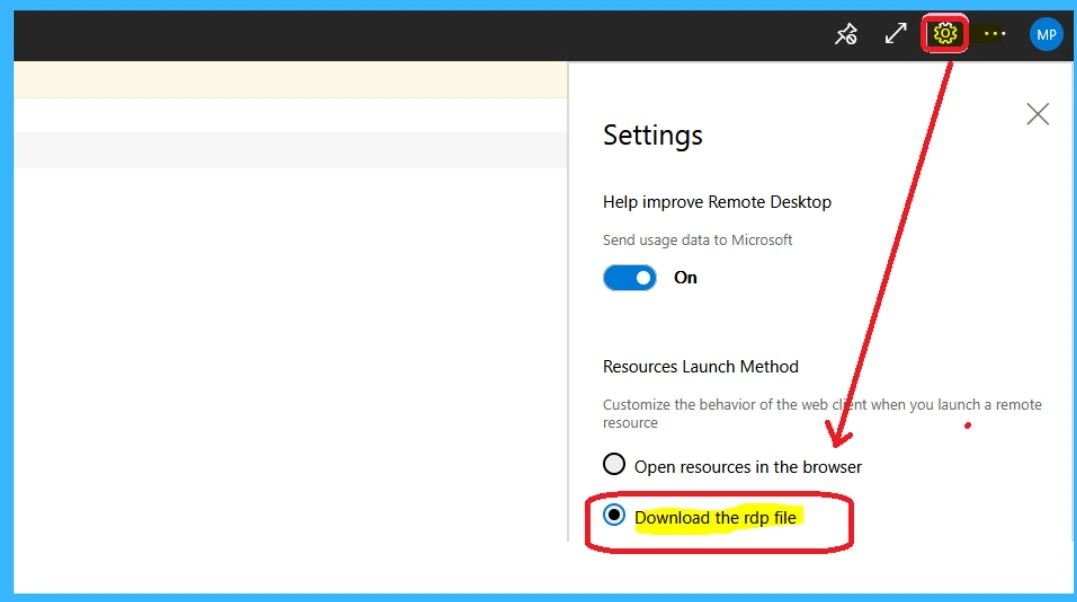
The below screenshot is from our post: Download AVD Session Desktop RDP File RDPW File to Check RDP Settings
Need Further Assistance or Have Technical Questions?
Join the LinkedIn Page and Telegram group to get the latest step-by-step guides and news updates. Join our Meetup Page to participate in User group meetings. Also, join the WhatsApp Community and the Whatsapp channel to get the latest news on Microsoft Technologies. We are there on Reddit as well
Author
Anoop C Nair is a Workplace Technology solution architect with 25+ years of experience. Microsoft Certified Trainer. Microsoft MVP from 2015 onwards for consecutive 11+ years! He is a blogger, Speaker, and Founder of HTMD Community and HTMD Conference. His main focus is on Device Management technologies like Intune, Windows, and Cloud PC. He writes about technologies like Intune, SCCM, Windows, Cloud PC, Entra, and Microsoft Security