
Key Takeaways
- The Windows App on iOS now supports the Surface mouse for better navigation and control
- Enables a more desktop-like experience when accessing Windows from an iPhone
- Improves productivity with precise pointer movement
- Supported devices include Surface Mouse and Surface Arc Mouse
Windows App on iOS now supports Surface Mouse for Enhanced Productivity! This update brings precise pointer control to the Windows App on iOS. It makes navigation smoother and makes it easier to work more efficiently when accessing Windows from your iPhone. It lets you transform your phone into a desktop-like experience, enhancing productivity wherever you are. Surface mouse support is now available in preview for both W365 and AVD.
Table of Content
Table of Contents
Windows App on iOS now Supports Surface Mouse for Enhanced Productivity
Before pairing your Surface mouse with an iPhone, make sure you meet a few basic requirements. You’ll need an iPhone 15 or later with Bluetooth enabled, along with a Windows PC that has the latest updates installed to ensure compatibility and smooth performance. Additionally, ensure you are using a supported Surface mouse for the best experience.
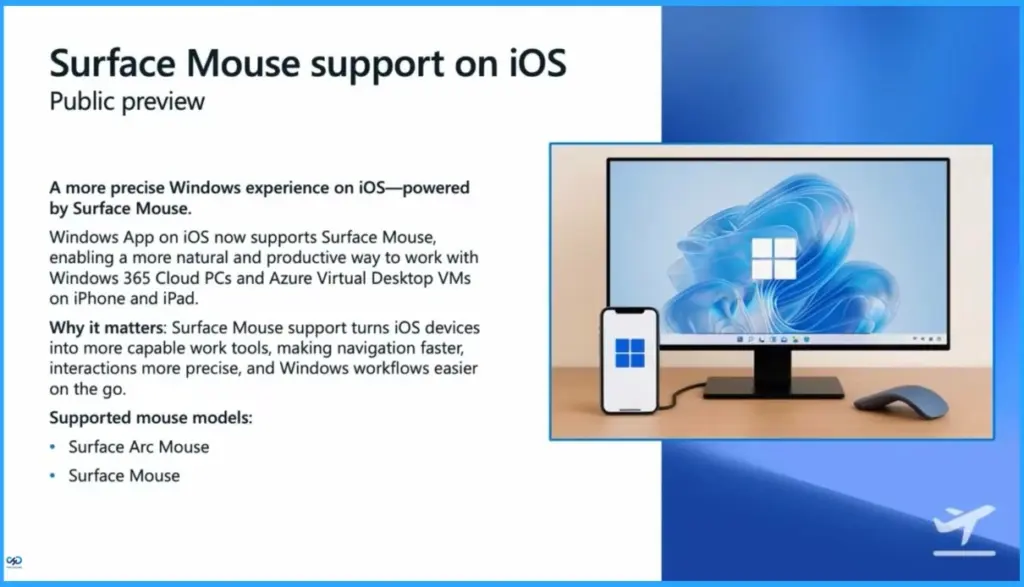
| A More Precise Windows Experience on iOS Powered by Surface Mouse | Why it Matters | Supported Mouse Models |
|---|---|---|
| Windows App on iOS now supports Surface Mouse, enabling a more natural and productive way to work with Windows 365 Cloud PCs and Azure Virtual Desktop VMs on iPhone and iPad. | Surface Mouse support turns iOS devices into more capable work tools, making navigation faster, interactions more precise, and Windows workflows easier on the go. | Surface Arc Mouse Surface Mouse |
- Easy Method to Deploy Windows App Mob for iOS and iPadOS using Intune
- Best Guide to Install Windows App from New Microsoft Store in Intune
- How to Set Up Windows 365 Cloud Apps Using Microsoft Intune
- Seamless Provisioning of Windows 365 Cloud PCs for External Identities with Intune
- How to Enhance Windows365 AI-Enabled Endpoint Management using Copilot in Intune
- Explore the Windows 365 Cloud PC Overview Reports in Intune
- Seamless Provisioning of Windows 365 Cloud PCs for External Identities with Intune
- Best Guide to Invite B2B Guest Users to Entra ID using Intune
- How to Enhance Windows365 AI-Enabled Endpoint Management using Copilot in Intune
- How Autopilot Device Preparation Improves Windows 365 Cloud PC Readiness
Resources
Use keyboard, mouse, touch, and pen in Windows App – Windows App | Microsoft Learn
Need Further Assistance or Have Technical Questions?
Join the LinkedIn Page and Telegram group to get the latest step-by-step guides and news updates. Join our Meetup Page to participate in User group meetings. Also, join the WhatsApp Community and the Whatsapp channel to get the latest news on Microsoft Technologies. We are there on Reddit as well.

Author
Anoop C Nair is a Workplace Technology solution architect with 25+ years of experience. Microsoft Certified Trainer. Microsoft MVP from 2015 onwards for consecutive 11+ years! He is a blogger, Speaker, and Founder of HTMD Community and HTMD Conference. His main focus is on Device Management technologies like Intune, Windows, and Cloud PC. He writes about technologies like Intune, SCCM, Windows, Cloud PC, Entra, and Microsoft Security.