
Key Takeaways
- Microsoft offers free learning you can do anytime
- Step-by-step courses that are easy to follow
- Good for beginners starting with Microsoft
- Learn by doing with practical examples
- Helps you grow skills and prepare for certifications
Learn New Skills and Unlock the Full Potential of Microsoft Products with Step-by-Step Guidance! Microsoft Learn gives you access to a wide range of courses designed to help you build new skills at your own pace. Whether you are just starting or looking to improve your existing knowledge, the platform provides structured learning paths and modules that guide you step by step. This makes it easy to understand different Microsoft products and technologies
Table of Content
Table of Contents
Learn New Skills and Unlock the Full Potential of Microsoft Products with Step-by-Step Guidance
With clear instructions and practical examples, you can explore topics that match your interests and career goals. Each learning path is designed to help you gradually grow your knowledge while gaining real-world skills.
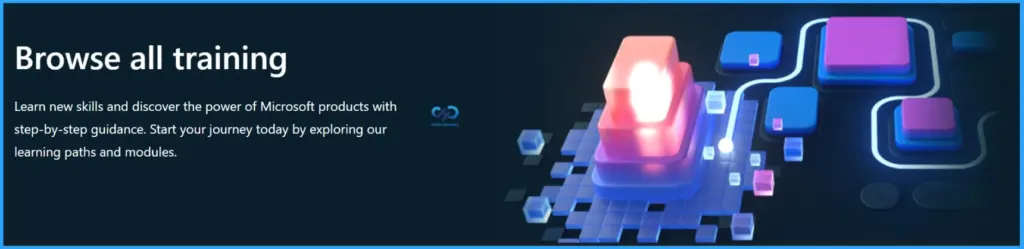
| Browse All Training |
|---|
| Learn new skills and discover the power of Microsoft Products with step by step guidance. Start your journey today by exploring our learning paths and modules. |
- Course AB-620T00-A Design and Build Integrated AI Agent Solutions in Copilot Studio
- Best 50 Apple iOS Device Management Interview Questions and Answers
- Top 50+ Latest SCCM Interview Questions and Answers
- Top 46 Azure Virtual Desktop AVD Interview Questions
- Generic Windows 11 Product Keys to test | How to Retrieve Windows 11 Product keys
Beginner-Friendly Microsoft Courses to Build AI and Business Skills
These training programs are used for various roles, including business users, administrators, data analysts, educators, and leaders. They focus on practical skills like working smarter with AI, preparing and visualizing data, implementing data engineering solutions, and adopting DevOps practices.
Educators and school leaders can also benefit from specialized bootcamps and workshops that show how to use AI tools in teaching and learning environments. Overall, these courses help individuals and organizations start their AI journey, improve productivity, and build strong foundational skills in Microsoft technologies.

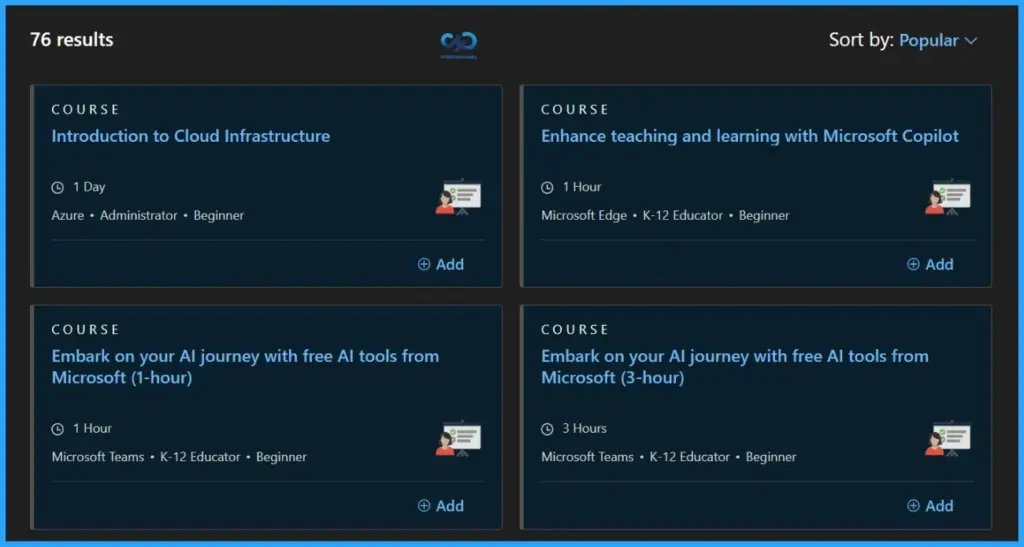
- Introduction to Cloud Infrastructure
- Enhance teaching and learning with Microsoft Copilot
- Embark on your AI journey with free AI tools from Microsoft (1-hour)
- Embark on your AI journey with free AI tools from Microsoft (3-hour)
- Introduction to AI in Azure
- Build cybersecurity resilience in K-12 classrooms with Microsoft tools
- Build reading fluency with Reading Coach
- Empower educators to explore the potential of artificial intelligence
- Microsoft AI Bootcamp for Educators – Azure AI Fundamentals
- Equip and support learners with AI tools from Microsoft
- Get started with Microsoft Teams for Education
- Empower every student with an inclusive classroom
- Get started with OneNote
- Accessibility: Build the foundation for inclusive learning
- AI for educators
- Microsoft Educator academy
- Flipped instruction with PowerPoint Recorder
- Begin Python coding in Minecraft with MakeCode
- Introduction to Microsoft Azure Data
- Enhance school communication and collaboration in Microsoft Teams
- Organize content, create assignments, and assess learners’ understanding in Teams
- Build a digital learning hub with class teams
- Collaborate with colleagues with staff and PLC teams in Microsoft Teams
- Introduction to Microsoft Power Platform
- Introduction to Microsoft Security, Compliance, and Identity
- Empower your workforce with Microsoft 365 Copilot Use Cases
- Transition to and prepare for fundamentals-level security, compliance, and identity course
- GitHub Foundations
- Introduce coding in Minecraft Education
- Support reading fluency practice with Reading Progress
- Query and modify data with Transact-SQL
- Hybrid learning: A new model for the future of learning
- Microsoft 365 Education teacher academy
- Develop confident presenters with Speaker Progress
- Use Power Automate to increase productivity
- Digital citizenship: Prepare today’s learners for online success
- Minecraft Trainer Academy: Train educators to teach with Minecraft Education in the classroom
- Transition to Python in Minecraft Education
- Support building mathematics skills with Math Progress
- GitHub fundamentals – Administration basics and product features
- Introduction to sales in Dynamics 365
- Introduction to supply chain management in Dynamics 365
- Introduction to AI in Azure
- Introduction to navigating the modern Contact Center
- Introduction to service in Dynamics 365
- Deepen educational experiences with the 21CLD ICT for learning dimension
- Develop critical thinking skills with the 21CLD knowledge construction dimension
- Develop learner executive function with the 21CLD self-regulation dimension
- Embed 21st century skills with 21st century learning design
- Improve communication skills with the 21CLD skilled communication dimension
- Innovate learning with the 21CLD real-world problem solving and innovation dimension
- Practice collaborative skills with the 21CLD collaboration dimension
- Transform learning with 21st century learning design
- Implement a data science and machine learning solution for AI with Microsoft Fabric
- Get started with Microsoft 365 Copilot (1-hour)
- Get started with Microsoft 365 Copilot (3-hour)
- Unlock the power of Microsoft agents (1-hour)
- Unlock the power of Microsoft agents (3-hour)
- Build a foundation to build AI agents and extend Microsoft 365 Copilot
- Copilot Immersion Experience
- Draft, analyze, and present with Microsoft 365 Copilot
- Drive AI transformation in your organization
- Transform Ideas into Action with Copilot Chat
- Transform business workflows with generative AI
- Transform your everyday business processes with agents
- Introduction to Microsoft 365 and AI administration
- Create instructional materials with Teach in Microsoft 365 Copilot
- Introduction to finance in Dynamics 365
- Work smarter with AI
- Implement a data engineering solution with Azure Databricks
- DevOps Foundations: The Core Principles and Practices
- Enhance security operations by using Microsoft Security Copilot
- Prepare and visualize data with Microsoft Power BI
- Microsoft Learn for Educators (MSLE) Foundational AI Bootcamp
- Microsoft Copilot Prompt-a-thon Workshop for School Leaders
- Microsoft Learn for Educators (MSLE) Generative AI for Teaching Bootcamp
Need Further Assistance or Have Technical Questions?
Join the LinkedIn Page and Telegram group to get the latest step-by-step guides and news updates. Join our Meetup Page to participate in User group meetings. Also, join the WhatsApp Community and the Whatsapp channel to get the latest news on Microsoft Technologies. We are there on Reddit as well.
Resources
Browse all training – Training | Microsoft Learn
Author
Anoop C Nair is a Workplace Technology solution architect with 25+ years of experience. Microsoft Certified Trainer. Microsoft MVP from 2015 onwards for consecutive 11+ years! He is a blogger, Speaker, and Founder of HTMD Community and HTMD Conference. His main focus is on Device Management technologies like Intune, Windows, and Cloud PC. He writes about technologies like Intune, SCCM, Windows, Cloud PC, Entra, and Microsoft Security.