
Key Takeaways:
- Windows 11 STIG Audits in Intune Security Baselines
- Assesses the current state of a device’s configuration
- generates detailed audit reports without changing any settings
- Prerequisites of STIG Audits
Let’s discuss managing Windows 11 Security Technical Implementation Guides (STIG) Audits in Intune Security Baselines to Elevate Endpoint Security. STIG Audit Baseline is a automated security evaluation tool in Intune to check whether your Windows devices follow the official Security Technical Implementation Guides (STIG) which are strict cybersecurity guidelines created by U.S Department of Defense (DoD).
Table of contents
Table of Contents
Managing Windows 11 STIG Audits in Intune Security Baselines to Elevate Endpoint Security
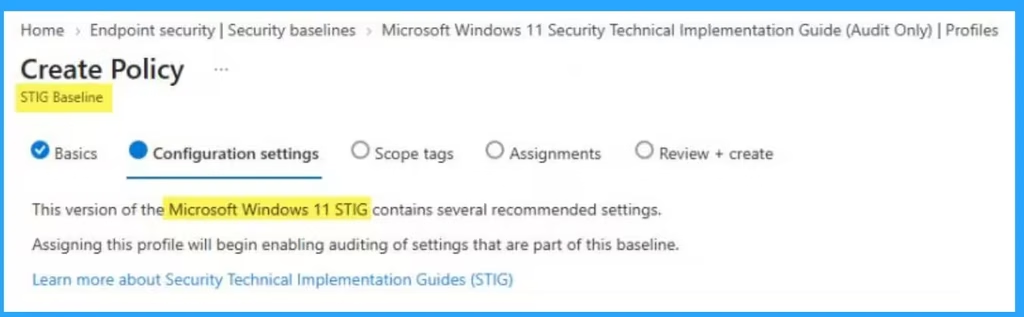
STIG Audit Baseline scan devices configurations for settings like password complexity, encryption status, privilege controls, and network security. This baseline is audit-only (check) the device. It will tell you where a computer fails to meet security rules without changing any settings, breaking software, or disrupting the user’s work.
- Deploy Windows 365 Security Baseline Policies to Cloud PCs
- Windows 11 Settings About Page Update With GPU And Storage Specifications
- Intune Security Baselines Policies for Windows 10 or Windows 11 Deployment Guide
- Intune Security Baseline Microsoft Defender Policy Troubleshooting Tips for Cloud PCs
Prerequisites of STIG Audit Baseline
There are some prerequisites must follow to access the STIG Audits in Intune Security Baseline. You should confirm that your environment meets the following requirements. Look at the following table.
| Requirements | Details |
|---|---|
| Cloud requirements | Your organization must use a US Government Community Cloud High (GCC High) tenant. The STIG audit baseline isn’t available in commercial cloud or GCC environments. |
| Licensing requirements | The STIG audit baseline requires Intune Advanced Analytics. This feature requires a subscription in addition to Microsoft Intune Plan 1 or Plan 2. For licensing options, see Microsoft Intune plans and pricing and Microsoft 365 Security Enterprise Plans. |
| Device platform requirements | This feature supports in Windows 10 and Windows 11 platforms. |
| Enrollment methods | Devices must be enrolled in Intune. For co-managed devices, the Device configuration workload slider must be set to Pilot Intune or Intune. The STIG audit baseline is delivered through Intune’s device configuration pipeline, so this workload must be owned by Intune for the audit policy to apply. |
| Roles requirements | To create and manage STIG audit baseline profiles, use an account with an Intune role that includes the Organization: Read, Security baselines: Assign, Create, Delete, Read, Update. The Endpoint Security Manager built-in role includes these permissions. You can also add them to a custom role. You also need scope tag permissions for the device groups you want to audit. |
Uses of STIG Audit Baseline
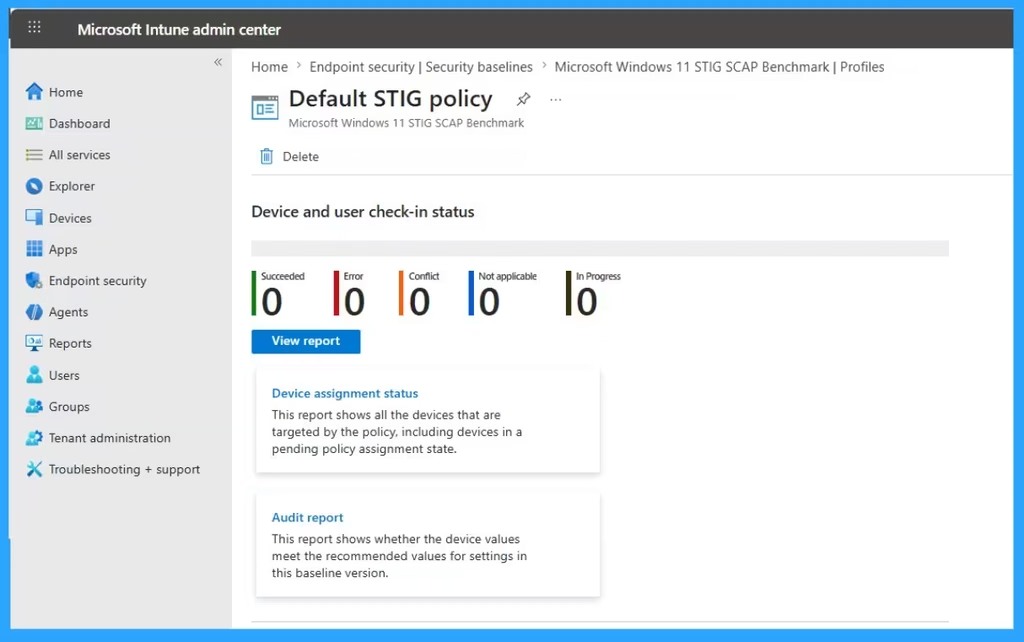
STIG Audit Baseline save time by automate instantly across thousands of devices. So you can avoid manually checking hundreds of security settings on every computer takes. With few clicks you can generate reports for auditors using STIG Audit Baseline in Intune. This feature does not automatically change settings. So IT team can identify security gaps safely before deciding how to fix them.

Need Further Assistance or Have Technical Questions?
Join the LinkedIn Page and Telegram group to get the latest step-by-step guides and news updates. Join our Meetup Page to participate in User group meetings. Also, join the WhatsApp Community and the WhatsApp channel to get the latest news on Microsoft Technologies. We are there on Reddit as well.
Author
Anoop C Nair is Workplace Technology solution architect with 25+ years of experience in global enterprise organizations such as JP Morgan, Capgemini, etc. He is Microsoft Certified Trainer. Microsoft MVP from 2015 onwards for consecutive 11 years! He also conducts Intune and modern workplace tech training for enterprise organizations. He is Blogger, Speaker, and Founder of HTMD Community and HTMD Conference. His focus is on Device Management technologies such as Intune, Windows, Cloud PC. He writes about technologies like Intune, SCCM, Windows, Cloud PC, Windows, Entra, Microsoft Security.