
Key Takeaways
- The October 2026 preview update introduces 41 improvements for Windows 11 versions 25H2 and 26H2.
- Improves the File Explorer context menu performance and makes customization easier.
- Users can choose which app extensions and commands appear in the File Explorer context menu and how they are organized.
- Allows Windows reinstallation without requiring USB media or a custom installation image.
- Windows Update Integration: Cloud rebuild downloads the required Windows image and drivers directly from Windows Update, even when Windows cannot start.
- KB5127936 is an optional, non-security preview update that allows users and IT admins to test improvements before the next month’s Patch Tuesday rollout.
Windows 11 KB5127936 Update: 41 Fixes and Improvements for 25H2 and 26H2! The Windows 11 update introduces an improved File Explorer context menu that opens faster, reduces clutter, and offers more customization options. Users can select Customise menu to enable or disable built-in commands such as Send to and Create shortcut, add commands like Print, manage app extensions, and change the menu layout. It also allows users to display Cut, Copy, Paste, Rename, Delete, and Share directly in the menu instead of using icons.
Table of Content
Table of Contents
Windows 11 KB5127936 Update: 41 Fixes and Improvements for 25H2 and 26H2
The update also brings a modernized AutoPlay experience with dark mode support, improved text scaling, and notifications available in Notification Center. In File Explorer, search results now display file information such as name, location, and date in a consistent layout. The address bar also supports the ~ shortcut for quick access to the user profile folder and its subfolders, while the Folder Options dialog now supports dark mode.
- October 2026 KB5127648 KB5126653 Windows 11 Patch | 3 Zero-Day Vulnerabilities and 1411 Flaws
- Windows 11 Version Numbers Build Numbers Major Minor Build Rev
- Updated Windows 11 End-of-Life Dates
- Top 83 Windows 11 Desktop Admin Interview Questions
- How to Check Your Windows 11 Edition
- Easy Methods to Know the Version of Installed Apps in Windows 11
41 New Features and Fixes, Faster File Explorer, and Improved Cloud Rebuild for 25H2 and 26H2
| New Features | Details |
|---|---|
| File Explorer Context Menu | Introduces a faster, simpler, and more customizable right-click context menu with reduced clutter. |
| Customize Menu | Allows users to enable or disable built-in commands such as Send to and Create shortcut, and add commands like Print. |
| App Extensions | Lets users choose which app extensions appear in the main menu or submenu, or hide the app extensions submenu. |
| Context Menu Layout | Allows Cut, Copy, Paste, Rename, Delete, and Share to appear directly in the menu instead of as icons. Users can also move Properties to the bottom. |
| Modernized AutoPlay | Updates the AutoPlay dialog with dark mode support, better text scaling, and improved display settings. AutoPlay notifications are also available in Notification Center. |
| File Explorer Search | Displays file information such as name, location, and date in a consistent layout, making search results easier to scan. |
| Address Bar | Supports the ~ shortcut to quickly navigate to the user profile folder and its subfolders, such as ~\AppData. |
| Folder Options | Adds dark mode support to the Folder Options dialog in File Explorer. |
| Xbox Mode | Introduces a refreshed Gaming Task View with a new navigation bar for quick access to Exit to Desktop and Power Options. |
| Privacy & Security Settings | Groups Camera, Microphone, and Location privacy controls on the main page and displays usage information more clearly. |
| Device Info Card | Expands the Device Info card on the Settings Home page to additional markets. Microsoft account users can quickly view key PC specifications and usage details. |
| Storage Settings | Includes visual refinements to the Temporary Files section under Settings > System > Storage. |
| Phone Link | Allows users to preview recent messages and notifications by hovering over them in the Start menu without opening them. This feature can be managed in Phone Link settings. |
| Taskbar Animations | Improves app window preview animations when users hover over app icons on the taskbar. |
| Multi-Monitor Taskbar Settings | Improves the persistence of taskbar settings when multiple monitors are connected or disconnected. |
| Magnifier – Contrast Theme | Adds a contrast theme toggle to reduce screen glare while preserving original colors in photos, videos, and charts. Users can select themes under Settings > Accessibility > Magnifier. |
| Magnifier – Per-Monitor Zoom | Allows each display to use a separate zoom level in an extended multi-monitor setup. Users can adjust zoom using the Magnifier toolbar, keyboard shortcuts, or mouse controls. |
| Live Captions | Adds an Include screen reader audio setting. When enabled, Live Captions can transcribe audio from screen readers such as Narrator, JAWS, and NVDA. It is turned off by default. |
| Narrator | Supports reading and navigating mathematical equations in supported Microsoft 365 apps, Microsoft Edge, Google Chrome, and web content. Users can press Narrator key + Alt + N to enable math navigation. |
| Family Safety | Improves messages displayed when applications are blocked by age-restricted parental controls. |
| Windows Recovery Environment (WinRE) | Automatically reuses eligible saved Wi-Fi profiles, including supported certificate-based networks, to connect to the internet during recovery scenarios. IT administrators can disable this capability. |
| Cloud Rebuild | Introduces a recovery option that reinstalls Windows 11 using a Windows image and drivers downloaded from Windows Update, even when Windows cannot start. USB media and custom images are not required. |
| Magnifier – Viewport Locking | Allows users to lock the magnified view on a specific display while moving the pointer to another monitor. Press Ctrl + Windows key + K to lock or unlock the view. Press Windows key + Esc to release all locked displays. |
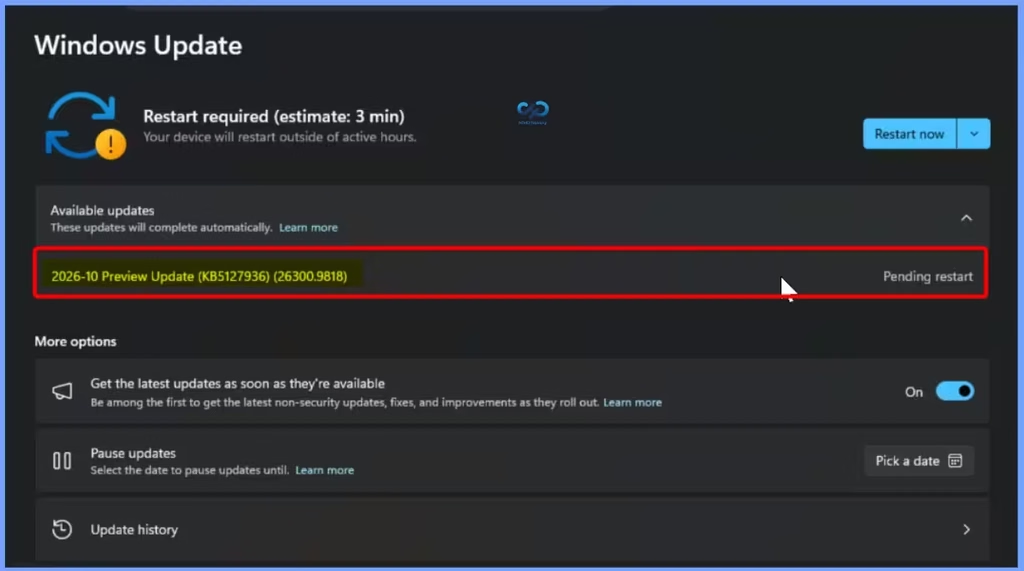
Windows 11 October 2026 Preview Update – KB5127936
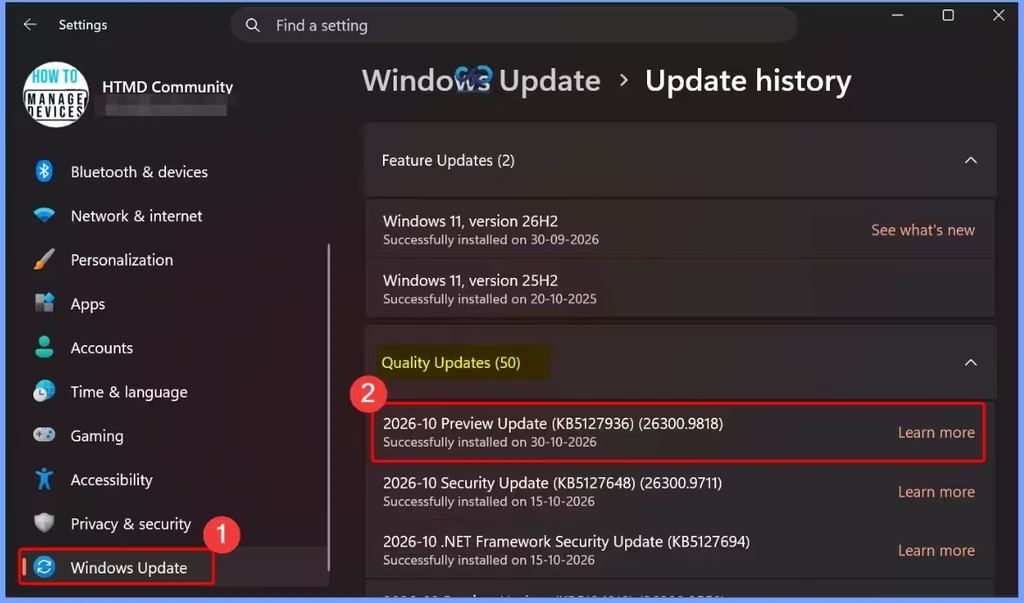
Microsoft released the October 2026 Preview Update (KB5127936) for Windows 11, bringing improvements and fixes to enhance the user experience. The below table helps you to show the OS build details.
| Quality Updates |
|---|
| 2026-10 Preview Update (KB5127936) (26300.9818) |
Need Further Assistance or Have Technical Questions?
Join the LinkedIn Page and Telegram group to get the latest step-by-step guides and news updates. Join our Meetup Page to participate in User group meetings. Also, join the WhatsApp Community and the Whatsapp channel to get the latest news on Microsoft Technologies. We are there on Reddit as well.

Author
Anoop C Nair is Workplace Technology solution architect with 25+ years of experience in global enterprise organizations such as JP Morgan, Capgemini, etc. He is Microsoft Certified Trainer. Microsoft MVP from 2015 onwards for consecutive 11 years! He also conducts Intune and modern workplace tech training for enterprise organizations. He is Blogger, Speaker, and Founder of HTMD Community and HTMD Conference. His focus is on Device Management technologies such as Intune, Windows, Cloud PC. He writes about technologies like Intune, SCCM, Windows, Cloud PC, Windows, Entra, Microsoft Security.