
Key Takeaways
- Out-of-Box (OOB) SaaS Integrations in Intune
- Built-in Integrations are Becoming More Automated & AI-Driven
- Cross-Platform & Enrollment Integrations are Rapidly Improving
- Third-Party Integrations are Being Replaced or Simplified
Understanding Intune Integration Scenarios (1st, 2nd, and 3rd party) is a critical part of making the right design decisions in modern endpoint management. Microsoft Intune now offers deeper out-of-box (OOB) SaaS integrations with services like Microsoft Entra ID, Microsoft 365, and Microsoft Defender for Endpoint, enabling seamless identity, compliance, and security workflows.
Table of Content
Table of Contents
What is Intune Integration?

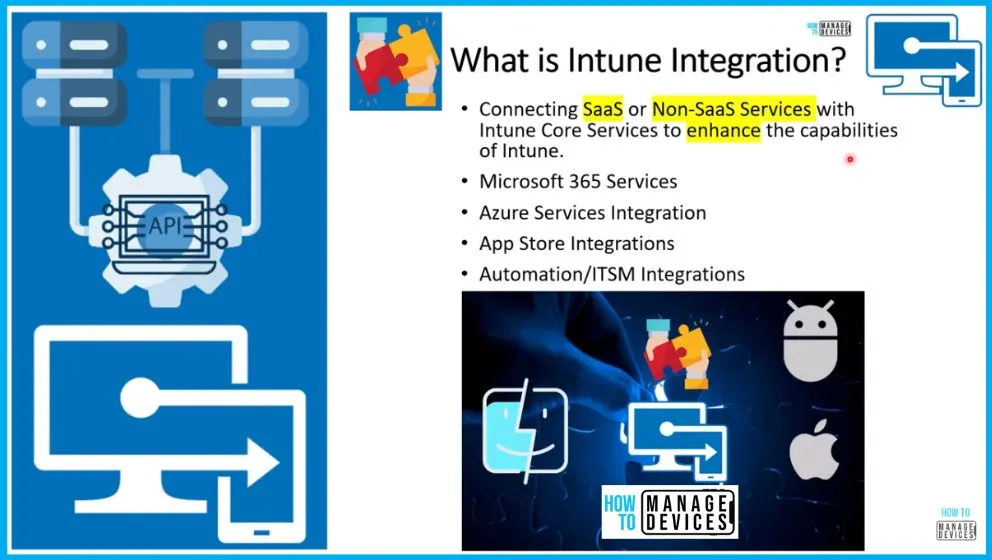
Intune integration is the process of connecting SaaS and non-SaaS services with Microsoft Intune core services to extend and enhance its capabilities. These integrations include Microsoft 365 services, Azure-based services like Microsoft Entra ID, app store integrations (Apple, Google, Microsoft), and automation or ITSM integrations.
What are Intune Integration Scenarios Topics?

Intune offers a variety of integration scenarios, each serving different purposes and providing unique capabilities. These types include Out of Box integration, 1st Party integration, and 3rd Party integration.
What are Intune Design Decisions or Intune Architecture Decisions?
When making architecture decisions for Intune, there are 3 fundamental pillars to consider: Existing Investments, Device Management, and Integration. Intune Architecture Considerations or Intune Design Considerations are important because they are based on the 6 pillars: Futuristic, Aligned with Org Priorities, Connectivity, Migration, Secured, and Agile.

Intune Integration Scenarios 1st 2nd 3rd Party Integration Experiences Explained
Hi, Let’s learn Intune Integration Scenarios 1st, 2nd, and 3rd party Integration Experiences as part of our Intune Design Decisions series. What are the Saas services or non-saas services integrated with Intune Out of Box, and what are the default options available for creating the integration between some of the Azure and Microsoft 365 services?
And let’s discuss third-party integrations as well. What are the different complexities of these integrations? This is very important to understand when you make an Intune design decision. This is part number 4 in the Intune design decision series.
- What are Intune Design Decisions | Why Intune Standalone Architecture? No Integration with SCCM
- What are Intune Supported Device Platforms – Custom Baselines – Intune Design Decisions Part 2
- Microsoft Adds Windows Quality Updates During OOBE for Faster Device Deployment
Video – Intune Integration Scenarios and 1st 2nd 3rd party Integration Experiences | Design Decisions
In the video, you will get a comprehensive overview of the integration options available in Intune, including complex scenarios and configuration possibilities with third-party SaaS solutions, third-party app stores, third-party enrollment solutions, and more.
The HTMD (How To Manage Devices) community has substantially contributed to creating a diverse range of cost-free educational resources to support administrators in effectively managing their devices with Intune. One such valuable resource is the “Intune Design Decisions Free Training Videos” series, which provides comprehensive insights into designing and implementing Intune solutions.
The Intune Design Decisions Free Training Videos series comprises 13 episodes, with the fourth part focusing on Intune Integration Scenarios. These videos are valuable for beginners and experienced administrators, offering practical guidance and best practices.
Intune Integration Scenarios and 1st 2nd 3rd Party Integration Experiences | Design Decisions
Intune can connect with many services to make device management easier and more powerful. It works closely with Microsoft Entra ID (formerly Azure Active Directory) for identity and access, and integrates with app platforms like Apple Business Manager, Apple School Manager, and Managed Google Play to manage apps across devices.
It also supports enterprise features such as Tenant Attach, Log Analytics, and Windows Autopilot. Out of these, Autopilot and Entra ID feel almost like built-in features because they provide a smooth, out-of-box experience helping devices get set up quickly and allowing users to sign in securely without complex steps.
- How to Set Up Multi Admin Approval for Three New Device Actions in Intune
- Best Method to Create Windows 11 System Image Backup
- New Windows 11 OOBE Restore Feature Helps Users Recover Apps and Settings Quickly
Azure and Microsoft 365 Integration
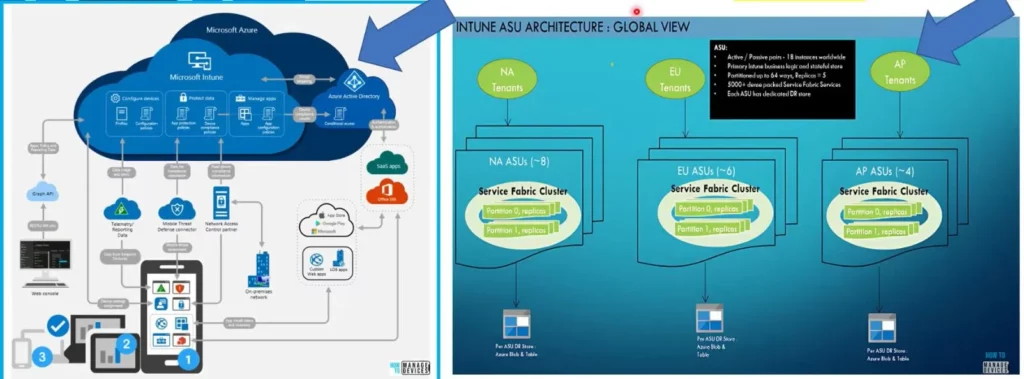
Intune is hosted in Microsoft Azure, leveraging its extensive capabilities and integration with various Azure services. As we explored in previous videos discussing Intune architecture, the integration between Intune and Azure spans multiple layers, providing organizations with a comprehensive and seamless device management solution.
- Intune is hosted within Azure Infrastructure.
- Intune is Integrated with many Azure Services
- Intune is Integrated with many Microsoft 365 Services
Microsoft Entra ID and Intune Integration Out-of-Box Experience
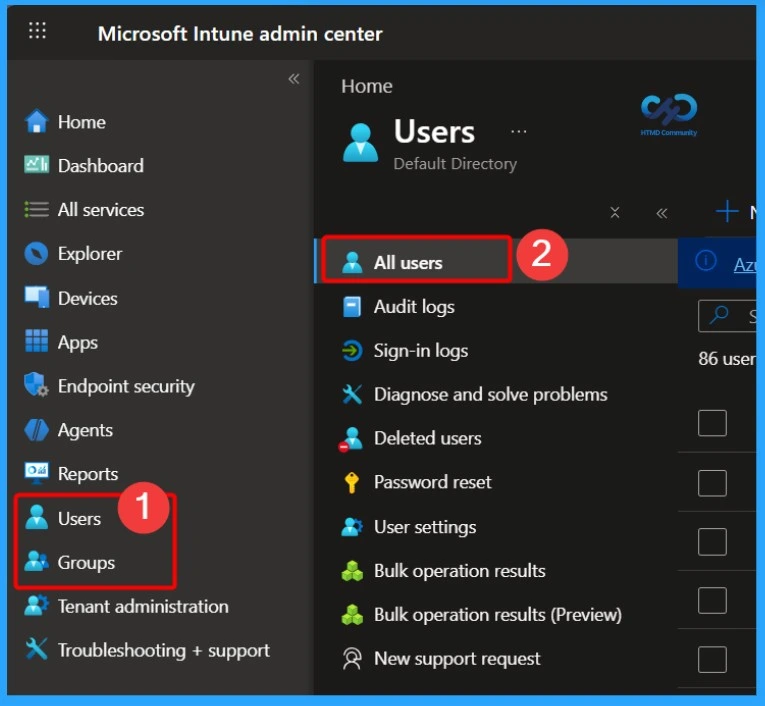
The integration between Microsoft Entra ID and Microsoft Intune is a core, out-of-box capability that requires no additional configuration. Entra ID handles authentication for all Intune services, admins sign in to the Intune portal using their Entra credentials, and every managed device is automatically registered and associated with identity records.
With recent updates, this integration has become even stronger through deeper Zero Trust alignment, improved Conditional Access, and enhanced device identity signals used across Microsoft security services. Entra ID and Intune work together by default providing a secure, identity-driven foundation for device management without any manual setup.
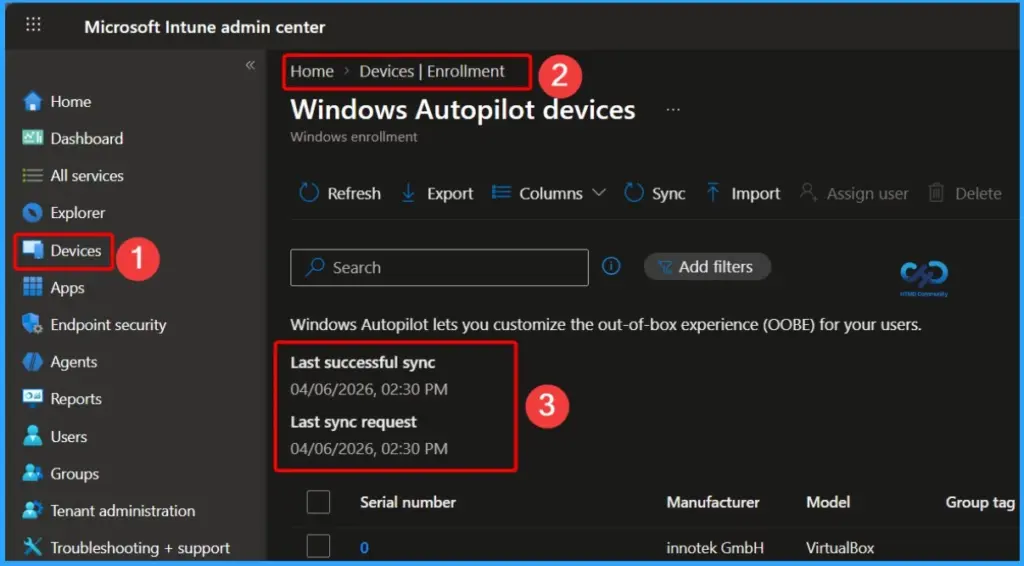
Windows Autopilot and Intune Integratio Out-of-Box Enrollment
The integration between Windows Autopilot and Microsoft Intune is built-in and works as an out-of-box experience, requiring no additional configuration. Autopilot enables automatic device enrollment into Intune, allowing users to set up new devices with minimal IT involvement. Autopilot simplifies device provisioning and ensures a smooth, modern onboarding experience from the moment the device is powered on.
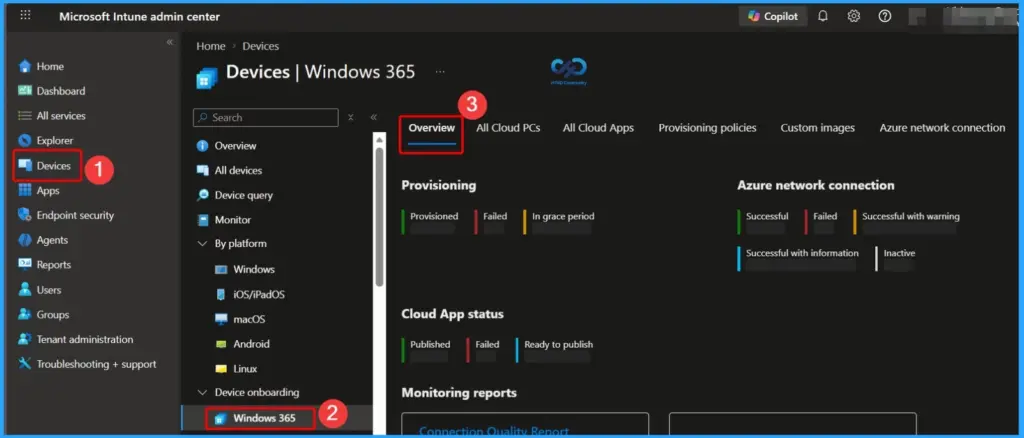
Windows 365 Cloud PC and Intune Integration – Out-of-Box
Windows 365 and Microsoft Intune are automatically connected, so no setup is required. Windows 365 provides Cloud PCs, and Intune helps manage and secure them just like regular devices. Admins can easily view and manage Cloud PCs from the Intune admin center under Devices > Windows 365. This integration makes it simple to use and manage cloud-based Windows devices.
- Windows 365 Integration is out of the box – You don’t need to configure anything.
- Log in to Intune admin center > Devices > Windows 365
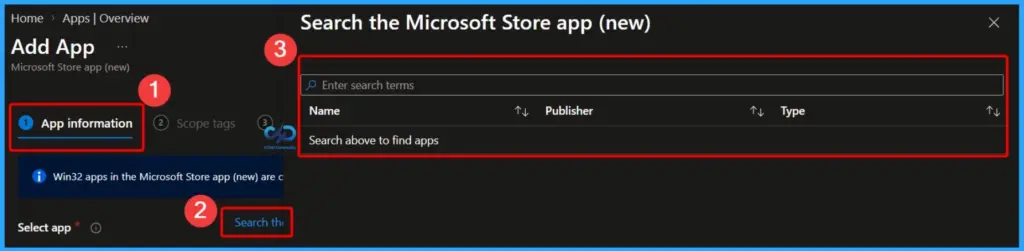
Windows Package Manager (WinGet) and Intune Integration
The integration between Windows Package Manager (WinGet) and Microsoft Intune is built in and requires no additional setup. WinGet acts as Microsoft’s app source, allowing admins to easily discover and deploy applications directly from the Microsoft Store within Intune. With recent updates, this experience has improved with better app search, enhanced deployment reliability, and broader app availability.
- Apps> Windows > Windows Apps
- Click the Create button and select the App type
- Start searching the applications available on Winget
- And deploy those applications to your users or devices
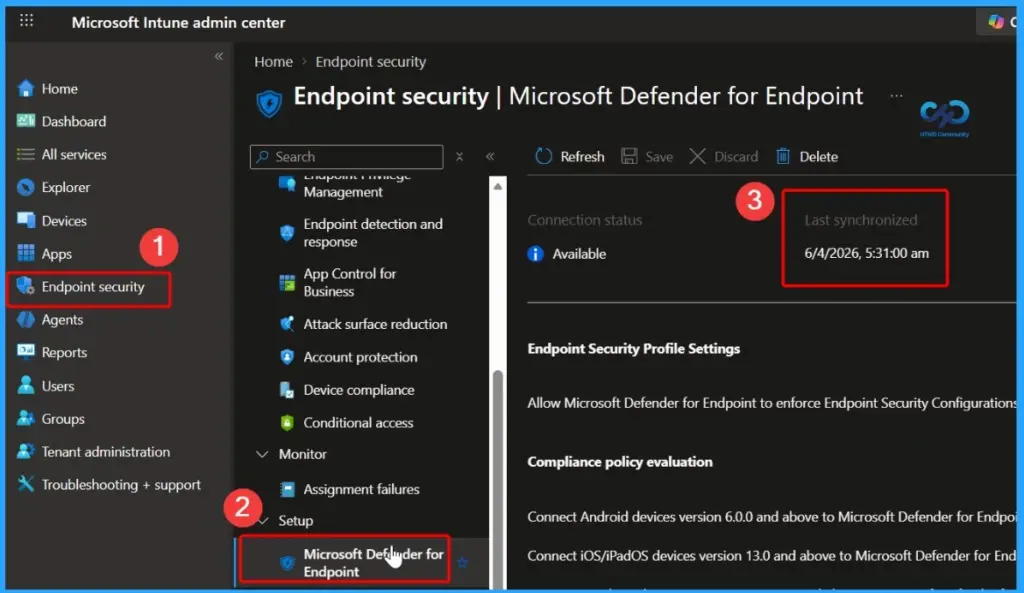
Microsoft Defender for Endpoint and Intune Integration – 1st Party
The integration between Microsoft Defender for Endpoint and Microsoft Intune is a 1st party integration. It is not enabled by default and requires manual configuration by admins. Once configured from the Intune portal, this integration provides deep visibility into device security, risk levels, and threat intelligence.
With recent updates, the integration is more advanced, offering improved threat detection, automated response actions, and tighter alignment with Microsoft Entra ID through Conditional Access and Zero Trust security. This helps organizations not only monitor their security posture but also take real-time actions to protect devices and data.
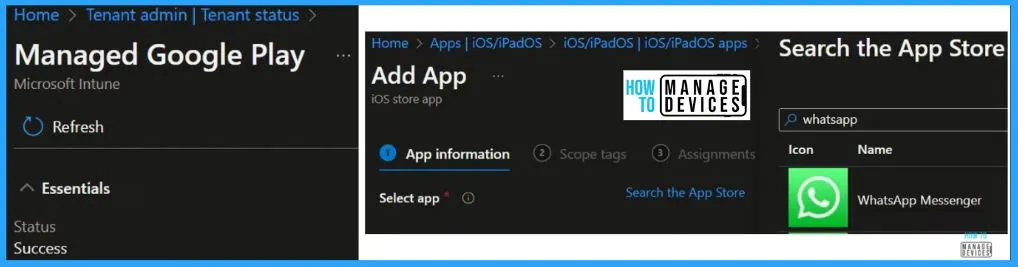
Apple and Google App Store Integration with Intune – 1st Party Experience
The integration of Apple and Google app stores with Microsoft Intune provides a 1st party integration experience, enabling admins to manage and deploy mobile apps across iOS, iPadOS, and Android devices.
Integration with Apple services is simple and works almost like an out-of-box experience. For Android, Managed Google Play needs to be set up from the Intune portal. With recent updates, app management is easier with better app assignment, improved app protection, and secure access using Microsoft Entra ID.
- Intune > Apps > iOS/iPadOS > iOS/iPadOS apps
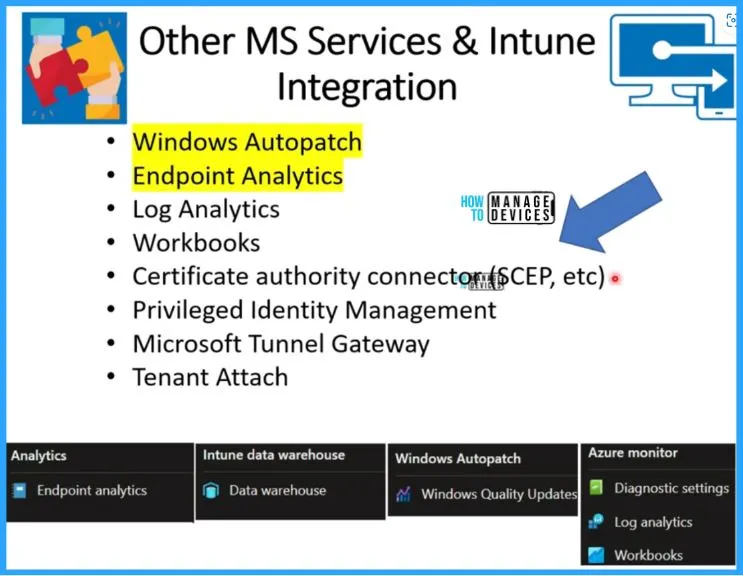
Other Microsoft Services and Intune Integration
Microsoft Intune integrates with several Microsoft services, offering a mix of out-of-box, 1st party, and advanced integrations. Services like Windows Autopatch and Endpoint Analytics are available almost out of the box and help automate updates and provide device insights.
| Other Microsoft Services and Intune Integration | Integration Type |
|---|---|
| Windows Autopatch | Out-of-Box |
| Endpoint Analytics | Out-of-Box |
| Log Analytics | 1st Party |
| Workbooks | 1st Party |
| Certificate authority connector (SCEP, etc) | 3rd Party / Advanced |
| Privileged Identity Management | 1st Party |
| Microsoft Tunnel Gateway | 1st Party |
| Tenant Attach | 3rd Party / Hybrid |
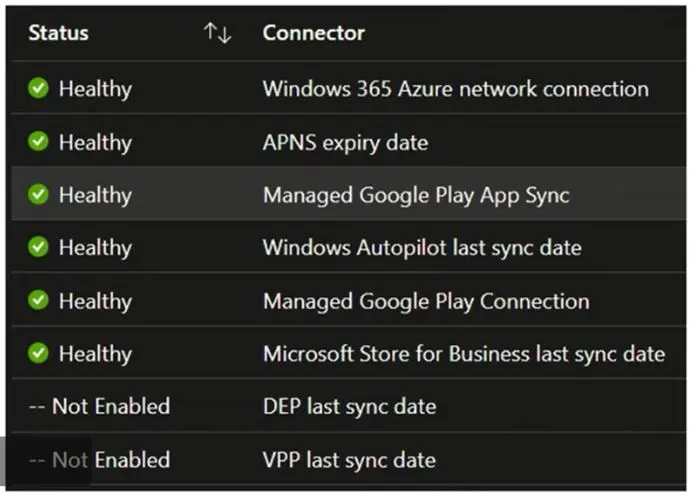
Other 3rd Party Services and Intune Integration
Let’s look into other 3rd party services and Intune integration. It includes APNS, Managed Google play connection, VPP expiry date, DEP expiry date, etc. APNS is required for Apple device management. The below window shows the Connector and the Status.
| Status | Connector |
|---|---|
| Healthy | Windows 365 Azure network connection |
| Healthy | APNS expiry date |
| Healthy | Managed Google paly App Sync |
| Healthy | Windows Autopilot last sync date |
| Healthy | Managed Google play connection |
| Healthy | Microsoft Store for Business last sync date |
| Not Enabled | DEP last sync date |
| Not Enabled | VPP last sync date |
Additional 3rd Party Services and Intune Integration
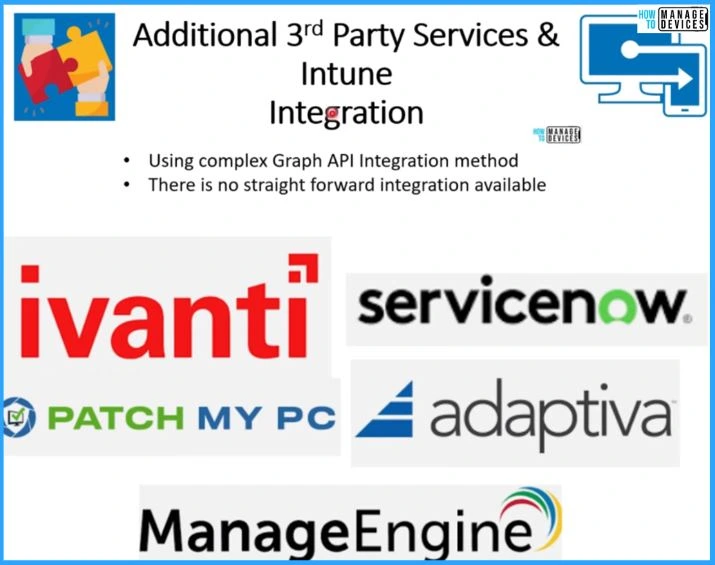
This is a more complex integration 3rd party services that are purely connecting through Graph API or without any direct connectors from Intune portal. This configures the Azure AD Enterprise application and provides Graph API permissions to integrate with all these third-party service providers, ivanti, Servicenow, etc.
- Using complex Graph API Integration method
- There is no straightforward integration available.
Resources
ServiceNow integration with Microsoft Intune – Microsoft Intune | Microsoft Learn
Need Further Assistance or Have Technical Questions?
Join the LinkedIn Page and Telegram group to get the latest step-by-step guides and news updates. Join our Meetup Page to participate in User group meetings. Also, Join the WhatsApp Community to get the latest news on Microsoft Technologies. We are there on Reddit as well.
Author
Vidya. M. A – An experienced Intune Consultant and Technical Content Creator with over 4 years of hands-on experience in Microsoft Endpoint Management. Specializes in designing, deploying, and validating Intune policies, while creating clear, step-by-step technical content for IT professionals. Actively supporting the IT community through consistent knowledge sharing and community-driven contributions.