
Key Takeaways:
- Transition Risks of Moving from Microsoft Defender for Endpoint
- Security baselines and endpoint protection policies in Intune
- Intune provides centralized management for compliance
- Audit existing MDE policies before migration
Let’s discuss How to Avoid Security Gaps When Switching from MDE Policy Management to Intune. Many of the users doubting about when started applying security policies for Defender for Endpoint using MDE to manage them, adding the MDE tag to my Windows 11 machines. And migrating to Intune management, is it necessary to offboard the devices first, before applying the auto-enroll GPO and onboarding device configuration to the machines.
Table of Contents
Table of Contents
How to Avoid Security Gaps When Switching from MDE Policy Management to Intune
Migrating from “Security Management for MDE” (where MDE manages the policies) to full Intune management is designed to be a side-by-side transition. Security gap will create if you Offboarding device where the device is unprotected and invisible to your security team during the transition.
- Microsoft 365 E5 Security Add-on Now Available to Enhanced Cybersecurity for SMBs
- Access Settings Insight in Intune Security Baselines
- Deploy Microsoft Defender for Endpoint Policies using Intune
Transitioning from MDE Policy Management to Intune
The Transitioning from MDE Policy Management to Intune can be donw with different methods which are recommended by Microsoft. The follow table shows these different methods.
| Different Methods |
|---|
| Do Not Run Both Policy Engines at Once |
| Use Intune Security Baselines |
| Compliance Integration with Defender |
| Operational Safeguards |
| Licensing & Prerequisites |
Do Not Run Both Policy Engines at Once
Microsoft did not recommended to overlap MDE policy management with Intune. Because it create conflicts and leave gaps in enforcement. Devices should be offboarded from MDE policy management before onboarding into Intune.

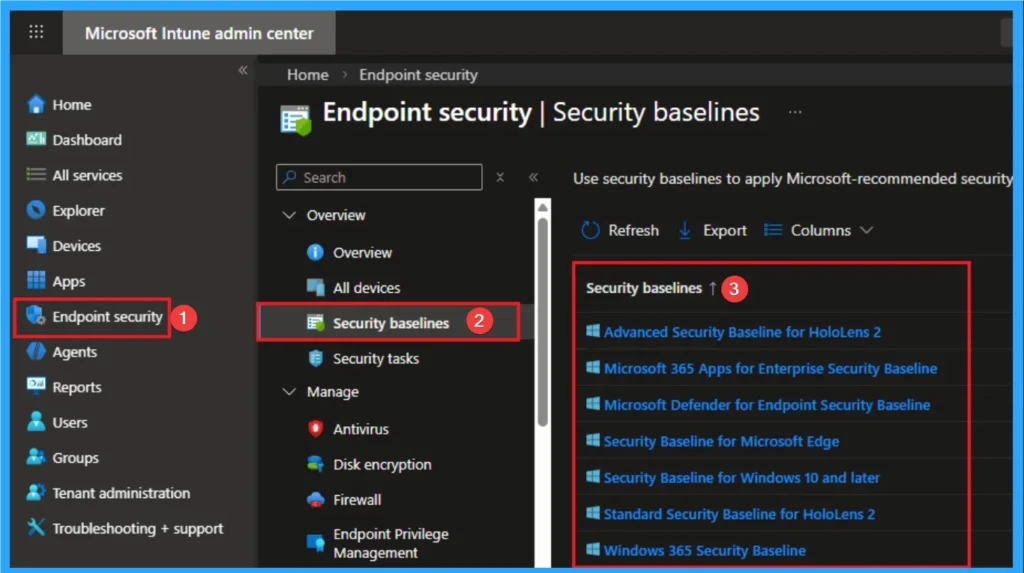
Use Intune Security Baselines
Microsoft recommends adopting Intune’s built-in security baselines (Windows, Edge, Microsoft 365 Apps). These baselines are aligned with CIS benchmarks and provide a consistent starting point for secure configuration.
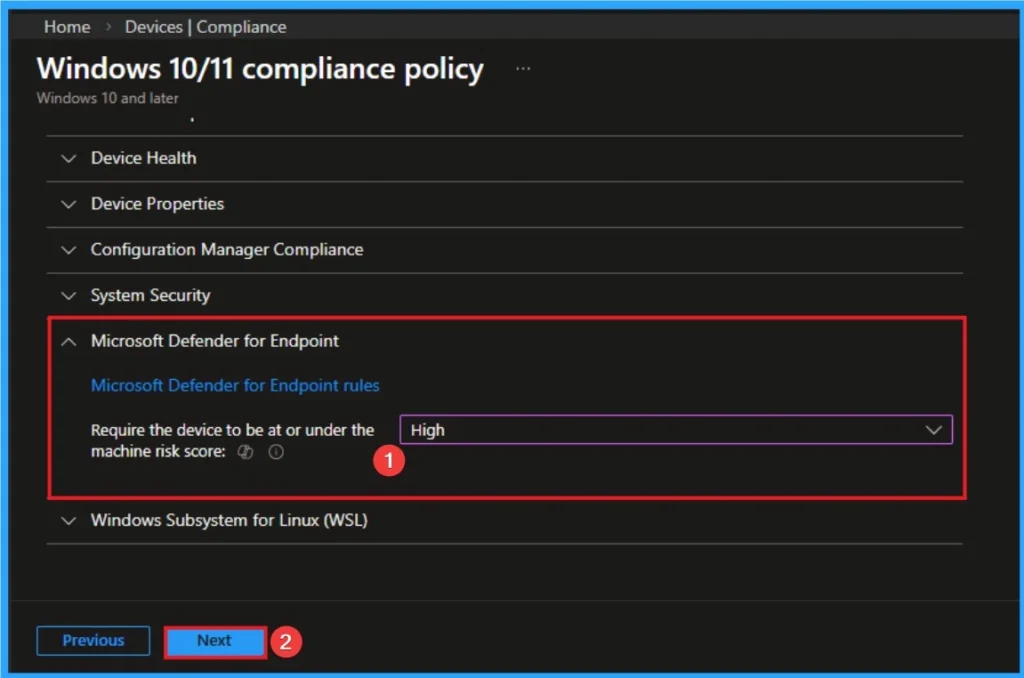
Compliance Integration with Defender
Intune compliance policies should reference Defender for Endpoint’s machine risk score. Ensure risk score sync between Intune and Defender is monitored to avoid false compliance failures.
Operational Safeguards
Microsoft recommends using the Intune portal + Microsoft 365 Defender portal for unified visibility of Application Control and compliance events.
Licensing & Prerequisites
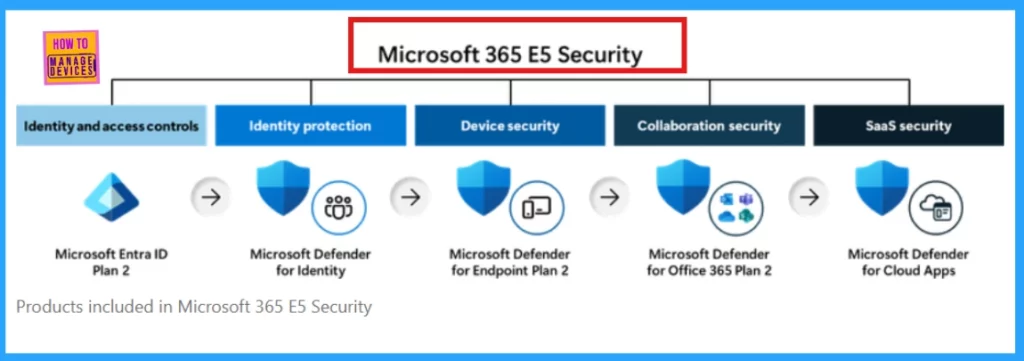
Ensure devices are licensed with Microsoft 365 E5 (or equivalent) for full Defender + Intune integration. And Devices must be Entra ID joined, Defender onboarding package applied, Intune enrollment completed before migration.
Need Further Assistance or Have Technical Questions?
Join the LinkedIn Page and Telegram group to get the step-by-step guides and news updates. Join our Meetup Page to participate in User group meetings. Also, Join the WhatsApp Community and WhatsApp Channel to get the latest news on Microsoft Technologies. We are there on Reddit as well.
Author
Anoop C Nair has been Microsoft MVP for 10 consecutive years from 2015 onwards. He is a Workplace Solution Architect with more than 22+ years of experience in Workplace technologies. He is a Blogger, Speaker, and Local User Group Community leader. His primary focus is on Device Management technologies like SCCM and Intune. He writes about technologies like Intune, SCCM, Windows, Cloud PC, Windows, Entra, Microsoft Security, Career, etc.