
Key Takeaways
- AI agents are emerging as a new category of digital identity
- Lack of governance can lead to security and compliance risks
- Microsoft Entra Agent ID provides identity-based control for agents
- Microsoft Agent 365 offers centralised visibility and management
In this post, we are discussing What’s New in Microsoft Entra Agent ID for Managing and Governing AI Agents at Scale. Microsoft has recently introduced a new approach to managing the rapid rise of AI agents across organizations with the new Microsoft Entra Agent ID. Another important update is Microsoft Agent 365, which helps organizations see and manage all their AI agents in one place. It provides a clear view of both Microsoft and third-party agents, making it easier to track and control them without confusion.
Table of Contents
Table of Contents
What’s New in Microsoft Entra Agent ID for Managing and Governing AI Agents at Scale
Features like agent blueprints, automatic lifecycle management, and Conditional Access for agents help organisations create agents in a consistent way, manage them properly, and keep them secure. These updates make it easier to handle growing numbers of agents while reducing risks.
- AI Agent Tool that Brings the Power of Microsoft Graph and MS Entra
- Best Guide to Invite B2B Guest Users to Entra ID using Intune
- Key Scenarios of MS Entra External Identity Deployment Architectures
What’s New
Microsoft has introduced Microsoft Entra Agent ID, which helps organisations manage AI agents more clearly and securely. AI agents are now treated like individual identities, so companies can easily know which agent is working, what it can access, and what actions it is taking. Another update is Microsoft Agent 365, a central place where all AI agents can be seen and managed together. It gives a complete view of both Microsoft and other agents, making control much easier.
| Feature | What’s New |
|---|---|
| Agent Identity | AI agents are now treated as independent identities with unique access and actions |
| Entra Agent ID | New solution to manage, govern, and secure AI agents |
| Microsoft Agent 365 | Centralized platform to view and manage all agents in one place |
| Conditional Access | Security policies and risk-based access control for agents |
| Cross-Platform Support | Works with both Microsoft and third-party AI agents |
Managing AI Agents at Scale
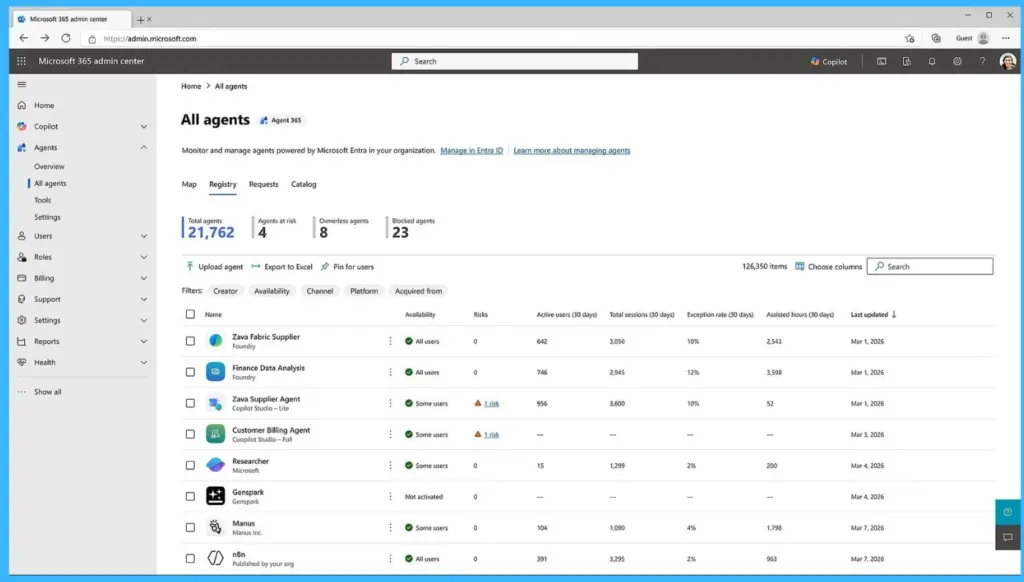
Many organisations find it difficult to keep track of all the AI agents they are using. As more agents are added, managing them manually becomes confusing and time-consuming. Without a clear view, it is hard to control access and follow security rules. Microsoft Agent 365 helps solve this problem by giving one central place to see and manage all agents. It shows a complete list of agents, including both Microsoft and third-party ones, so organisations can easily monitor and control them.

Governing Agent Lifecycle and Ownership
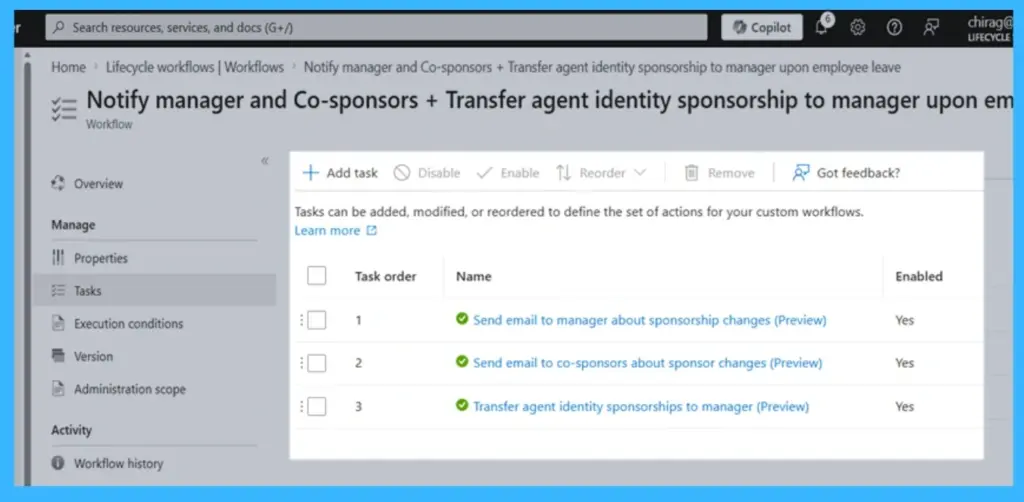
As the number of AI agents grows, it becomes important to manage them properly. Many organisations struggle to assign ownership, review agents regularly, and remove them when they are no longer needed. Without this, unused agents may still have access, which can be risky.
Securing Agent Access
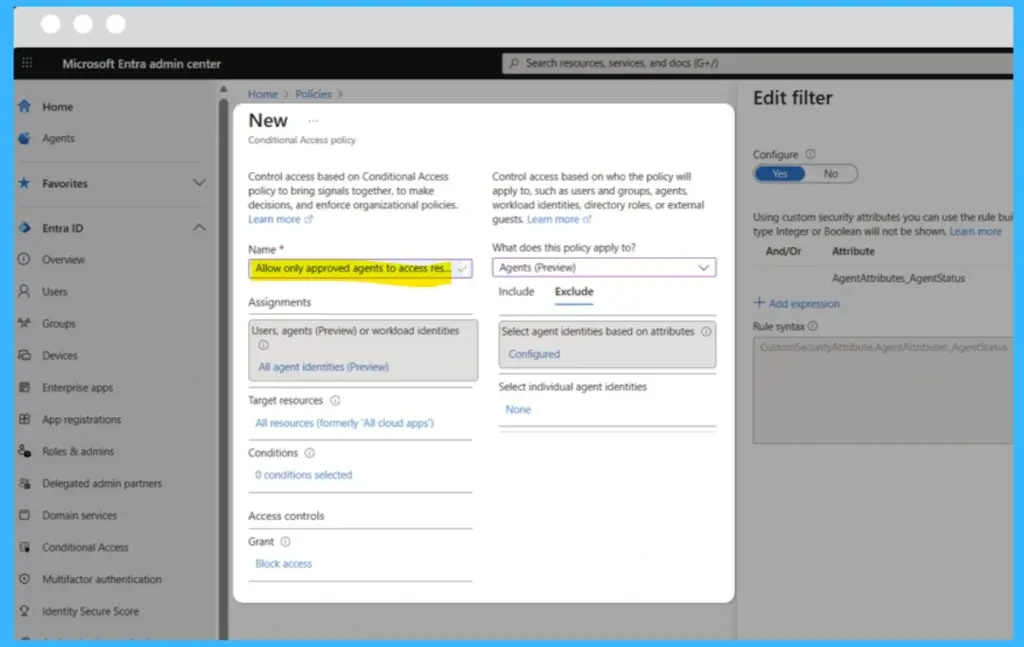
AI agents often work with important data, so keeping them secure is very important. As agents become more advanced, they may try to access new systems or behave in unusual ways, which can increase security risks. With Entra Agent ID, organisations can apply security rules to agents. It can detect unusual activities, like unexpected sign-ins, and block access if something looks risky.
Need Further Assistance or Have Technical Questions?
Join the LinkedIn Page and Telegram group to get the latest step-by-step guides and news updates. Join our Meetup Page to participate in User group meetings. Also, join the WhatsApp Community and the Whatsapp channel to get the latest news on Microsoft Technologies. We are there on Reddit as well.
Author
Anoop C Nair is a Workplace Technology solution architect with 25+ years of experience. Microsoft Certified Trainer. Microsoft MVP from 2015 onwards for consecutive 11+ years! He is a blogger, Speaker, and Founder of HTMD Community and HTMD Conference. His main focus is on Device Management technologies like Intune, Windows, and Cloud PC. He writes about technologies like Intune, SCCM, Windows, Cloud PC, Entra, and Microsoft Security.