
Key Takeaways
- KB5124010 is an optional September 2026 preview update, allowing users to test new features before the October Patch Tuesday release.
- It updates Windows 11 25H2 to Build 26200.9550 and 24H2 to Build 26100.9550.
- File Explorer receives improvements, including better handling and previewing of files downloaded from the internet.
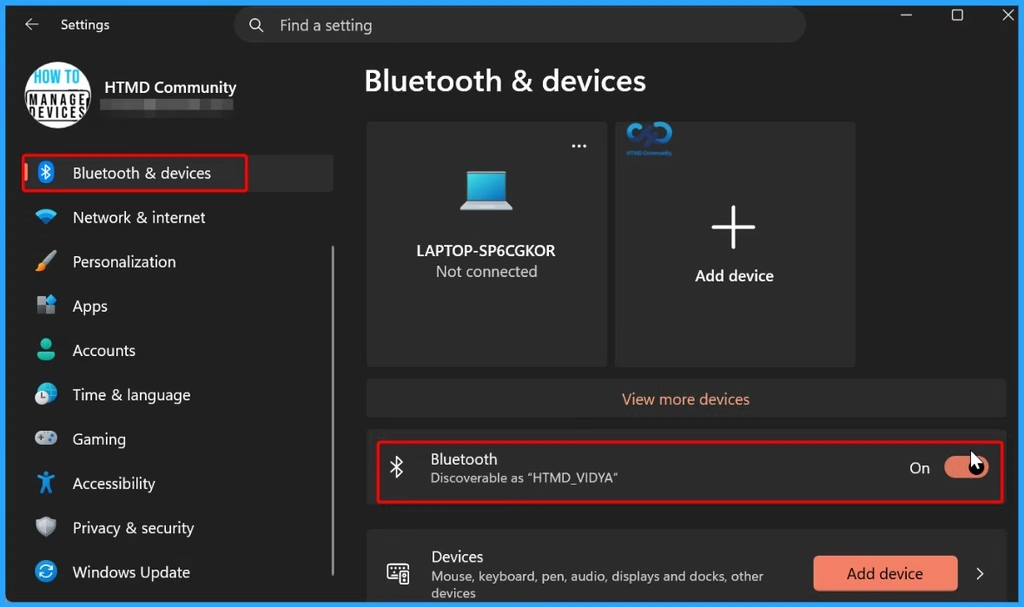
- The update introduces significant Bluetooth enhancements and allows users to remap the Copilot key.
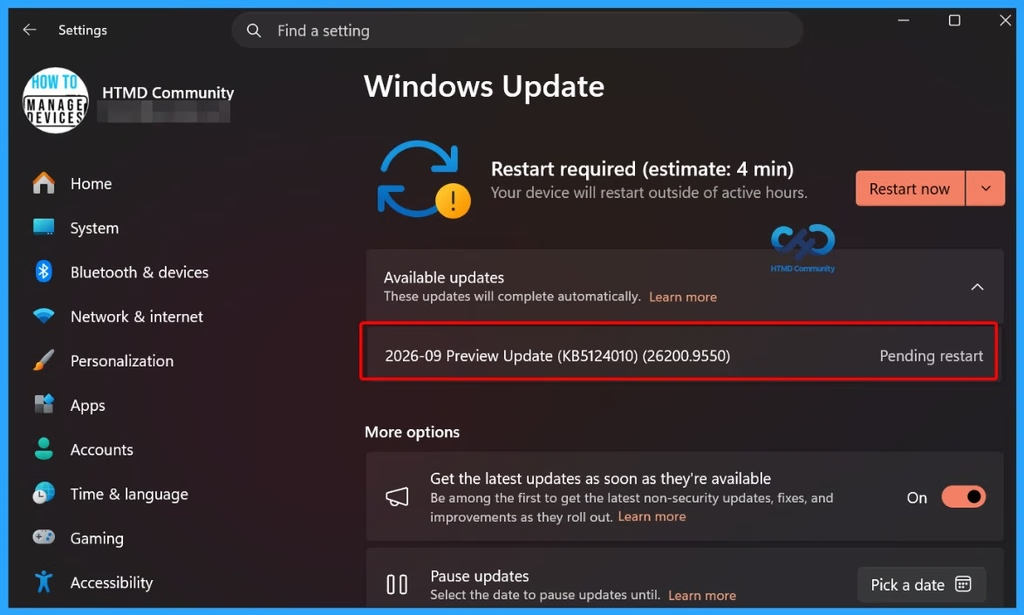
- The update can be installed through Windows Update or the Microsoft Update Catalog.
Windows 11 KB5124010 is an optional September 2026 Preview Update that allows users to try new features and improvements before the next Patch Tuesday release. It brings enhancements to Bluetooth and File Explorer, along with the ability to remap the Copilot key. The update advances Windows 11 25H2 to Build 26200.9550 and Windows 11 24H2 to Build 26100.9550. Users can install it through Windows Update or download the offline .msu installer from the Microsoft Update Catalog.
Table of Content
Table of Contents
Windows 11 KB5124010 New Bluetooth File Explorer and Copilot Key Enhancements
If you turn on the “Get the latest updates as soon as they’re available” option in Windows Update, optional updates may download automatically in the background. This setting is useful if you want to receive new Windows 11 features early. However, you can also skip the optional update because the same changes will be included in the regular October 13 Patch Tuesday update.
- Microsoft Fixes 973 Security Vulnerabilities and 2 Zero-Day Vulnerabilities in September 2026 Patch Tuesday
- Microsoft Intune Control BitLocker Encryption for Removable USB Drives for Better Security and Business Operations
- BitLocker Prompt Issue After June Patch KB5094126 Secure Boot UEFI 2023 Certificate Update
- Fix Critical Windows BitLocker Zero Day Vulnerability Allows Attackers to Bypass Encryption
- How to use Intune Inventory to Check BitLocker Encryption Status of Windows Devices
KB5124010: Windows Update vs. Offline .MSU Installation
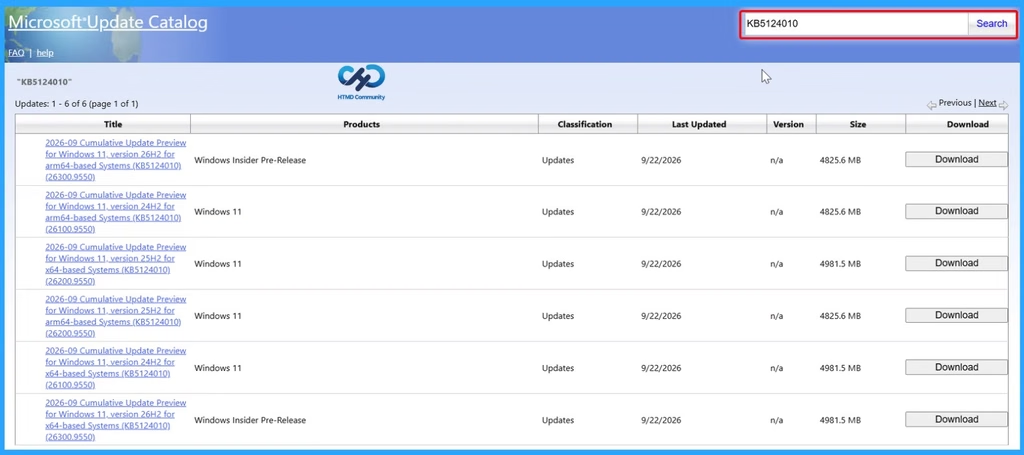
Windows 11 KB5124010 can be downloaded through the Microsoft Update Catalog as an offline .msu installer for 64-bit and ARM64 devices. Microsoft recommends using Windows Update for normal installations, while the Update Catalog can be useful when Windows Update encounters errors.
| Products | Classification | Last Updated | Version | Size | Download | |
|---|---|---|---|---|---|---|
| 2026-09 Cumulative Update Preview for Windows 11, version 26H2 for arm64-based Systems (KB5124010) (26300.9550) | Windows Insider Pre-Release | Updates | 9/22/2026 | n/a | 4825.6 MB | |
| 2026-09 Cumulative Update Preview for Windows 11, version 24H2 for arm64-based Systems (KB5124010) (26100.9550) | Windows 11 | Updates | 9/22/2026 | n/a | 4825.6 MB | |
| 2026-09 Cumulative Update Preview for Windows 11, version 25H2 for x64-based Systems (KB5124010) (26200.9550) | Windows 11 | Updates | 9/22/2026 | n/a | 4981.5 MB | |
| 2026-09 Cumulative Update Preview for Windows 11, version 25H2 for arm64-based Systems (KB5124010) (26200.9550) | Windows 11 | Updates | 9/22/2026 | n/a | 4825.6 MB | |
| 2026-09 Cumulative Update Preview for Windows 11, version 24H2 for x64-based Systems (KB5124010) (26100.9550) | Windows 11 | Updates | 9/22/2026 | n/a | 4981.5 MB | |
| 2026-09 Cumulative Update Preview for Windows 11, version 26H2 for x64-based Systems (KB5124010) (26300.9550) | Windows Insider Pre-Release | Updates | 9/22/2026 | n/a | 4981.5 MB |
What’s New in Windows 11 Build 26200.9550 (25H2) and Build 26100.9550 (24H2)
Windows 11 Build 26200.9550 (25H2) and Build 26100.9550 (24H2) introduce several improvements across File Explorer, personalization, Bluetooth, accessibility, and system usability. The below table helps you to show more details.

| What’s New | Details |
|---|---|
| File Explorer | Downloaded files can now be previewed more easily. HTML files get a “Preview anyway” option, while restrictions on previewing other downloaded files such as PDFs have been reduced. |
| File Explorer – Home | File Explorer can now remember the collapsed/expanded state of sections such as Recent. |
| File Explorer – Details | Improved cloud-file thumbnails and a reorganized Details pane make file information easier to view. |
| Emoji 17.0 | Windows 11 adds Emoji 17.0 support, including new emojis and improvements to existing emoji designs. |
| DIB Wallpapers | DIB image files can now be used as desktop backgrounds. |
| Multiple Desktops | Slideshow wallpapers now work more consistently across multiple virtual desktops. |
| Bluetooth Calling | Improvements are made to Bluetooth calling experiences in apps such as Teams, WhatsApp, and Google Meet. |
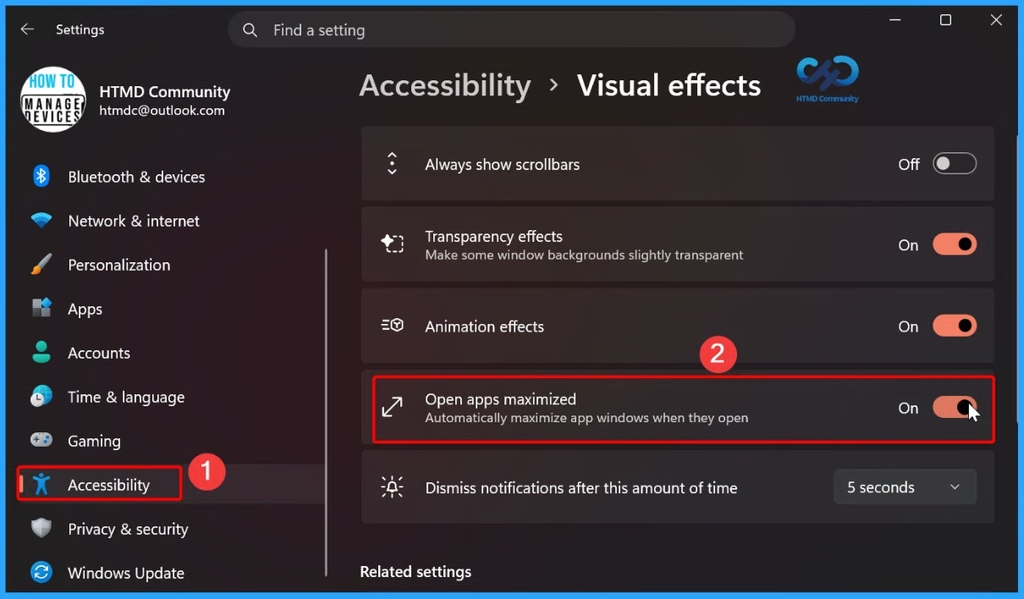
| Open Apps Maximized | New setting: Settings > Accessibility > Visual effects > Open apps maximized, allowing apps to open maximized automatically. |
| Copilot Key | The Copilot key can be remapped to actions such as Right Ctrl or Context Menu. |
| PC-to-PC Migration | The built-in PC-to-PC migration tool is being removed, with Microsoft promoting OneDrive-based backup and restore instead. |
Key Issues and Fixes in Windows 11 Build 26200.9550 and 26100.9550
The update also addresses several existing issues in Windows 11, particularly around personalization, Bluetooth connectivity, and audio. Microsoft has improved wallpaper reliability and Bluetooth performance, while also investigating a known USB audio issue that may affect some devices after installing the update.
| Issues | Details |
|---|---|
| Personalization | Fixes issues with wallpapers, including black wallpaper problems and delayed wallpaper changes. |
| Bluetooth | Fixes unreliable Bluetooth connections, incorrect connection status, microphone issues, and Bluetooth volume synchronization problems. |
| Audio Issue | Microsoft is investigating an issue that may cause USB audio problems on some PCs after the update. |
Need Further Assistance or Have Technical Questions?
Join the LinkedIn Page and Telegram group to get the latest step-by-step guides and news updates. Join our Meetup Page to participate in User group meetings. Also, join the WhatsApp Community and the Whatsapp channel to get the latest news on Microsoft Technologies. We are there on Reddit as well.
Author
Anoop C Nair is Workplace Technology solution architect with 25+ years of experience in global enterprise organizations such as JP Morgan, Capgemini, etc. He is Microsoft Certified Trainer. Microsoft MVP from 2015 onwards for consecutive 11 years! He also conducts Intune and modern workplace tech training for enterprise organizations. He is Blogger, Speaker, and Founder of HTMD Community and HTMD Conference. His focus is on Device Management technologies such as Intune, Windows, Cloud PC. He writes about technologies like Intune, SCCM, Windows, Cloud PC, Windows, Entra, Microsoft Security.