

How do I create and Upload an Apple Push Notification Service APN Certificate Using SCCM CB? We need an APN cert to manage iOS and Mac OS devices via Intune and Hybrid SCCM CB.
In this video tutorial, we can see how to get the certs from Apple and How to upload them to SCCM CB for a hybrid solution. How to Create an Apple Push Notification Service (APN) Certificate to Manage iOS and Mac OS X devices via Intune.
You must have an Apple ID/user name and password to upload and download the SCCM CB hybrid certificates. I’m adding more detailed Videos to my YouTube Channel; subscribe here.
The following is the location and file where I saved the downloaded cert from the SCCM CB hybrid environment: C: UsersanoopDocumentsApple CertApple_Cert_4_How_2_Manage.CSR.

Table of Contents

- Reset SCCM CB Critical Site Component Status Summarizer Counter ConfigMgr
- Latest SCCM CB Intune Microsoft Certification Exam 70-703 Configuration Manager ConfigMgr
- FIX SCCM CB Redist Files Download Issue
- Subscribe to the YouTube Channel to get access to more video tutorials
- SCCM CB Release has Changed 2 Versions per Year | March and September
- SCCM CB 1803 Review of Upgrade and Features Configuration Manager ConfigMgr
- Video Review of SCCM CB 1802 New Features
- Reset SCCM CB Critical Site Component Status Summarizer Counter ConfigMgr
How to Create Upload Apple Push Notification Service APNs Certificate Using SCCM CB
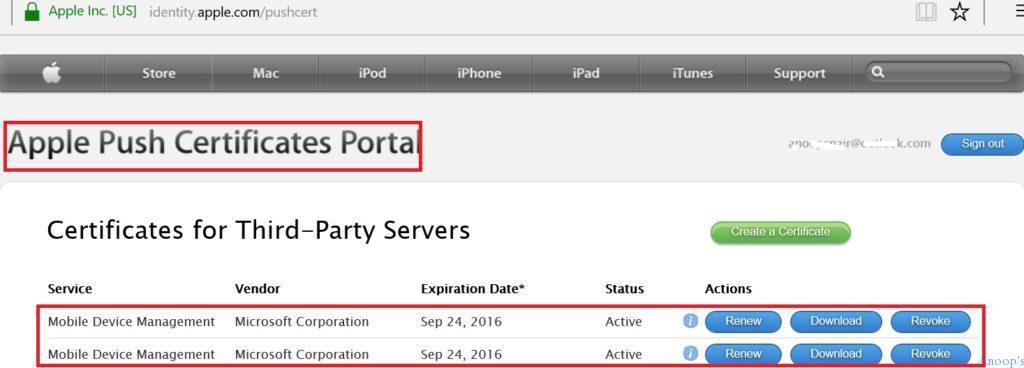
The screenshot below helps you show the Apple push certificates portal and the certificate for third-party servers. The table below enables you to show more details.
| Sep 24, 2016 | Vendor | Expiration Date | Status |
|---|---|---|---|
| Mobile Device Management | Microsoft Corporation | Sep 24, 2016 | Active |
| Mobile Device Management | Microsoft Corporation | Sep 24 2016 | Active |
How to Create Upload Apple Push Notification Service APNs Certificate Using SCCM CB
Go to the following website !! Apple Website:- https://identity.apple.com/pushcert/.
You can manage iOS and Mac OS devices via Microsoft Intune and SCCM CB hybrid environments at the end of this process!
We are on WhatsApp now. To get the latest step-by-step guides, news, and updates, Join our Channel. Click here. HTMD WhatsApp.
Author
Anoop C Nair is Microsoft MVP! He is a Device Management Admin with more than 20 years of experience (calculation done in 2021) in IT. He is a Blogger, Speaker, and Local User Group HTMD Community leader. His main focus is on Device Management technologies like SCCM 2012, Current Branch, and Intune. He writes about ConfigMgr, Windows 11, Windows 10, Azure AD, Microsoft Intune, Windows 365, AVD, etc.
Anoop C Nair is Workplace Technology solution architect with 25+ years of experience in global enterprise organizations such as JP Morgan, Capgemini, etc. He is Microsoft Certified Trainer. Microsoft MVP from 2015 onwards for consecutive 11 years! He also conducts Intune and modern workplace tech training for enterprise organizations. He is Blogger, Speaker, and Founder of HTMD Community and HTMD Conference. His focus is on Device Management technologies such as Intune, Windows, Cloud PC. He writes about technologies like Intune, SCCM, Windows, Cloud PC, Windows, Entra, Microsoft Security.