
Key Takeaways
- Windows Backup for Organizations helps restore user settings on new devices.
- It supports both Windows 10 and Windows 11 devices.
- User settings like personalization, accessibility, and Start menu layout can be backed up.
- Backups are encrypted and stored securely in the user’s Entra ID cloud profile.
In this post we are discussing, Microsoft Introduces Windows Backup for Organizations to Speed Up Device Setup. Mr. Bruce Bevilacqua explains about new improvements to help organizations set up Windows devices faster and more easily in the Technical Takeoff. Many IT admins face challenges when preparing new laptops or PCs for employees because device setup, settings configuration, and updates can take time. To solve this problem, Windows 10 and Windows 11 now support a helpful feature called Windows Backup for Organizations.
Table of Contents
Table of Contents
Microsoft Introduces Windows Backup for Organizations with Secure Backup and Quick Restore
This feature helps users move to a new device without losing their important settings. It can back up things like personalization, accessibility options, and the Start menu layout. When users sign in to a new device, these settings can be restored automatically so the device feels familiar and ready to use.
The feature also works with services such as Microsoft Intune, OneDrive, and Microsoft Entra ID to securely store and restore data. This helps organizations reduce device setup time and allows employees to start working faster with Windows experience.
- How to Set Up Multi Admin Approval for Three New Device Actions in Intune
- Best Method to Create Windows 11 System Image Backup
- How to Backup and Restore Windows 365 Cloud PC | Point-in-time Restore Option
- Best Method to Enable and Disable Windows 365 Cloud PCs Redirections using Intune
Backup Scope in Windows Backup for Organizations
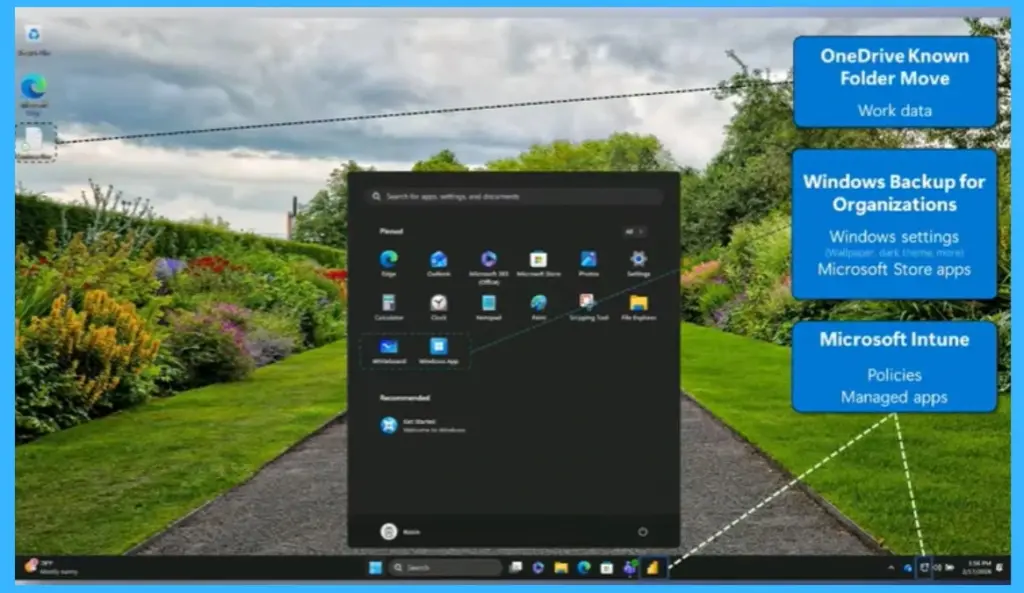
Windows Backup for Organizations helps organizations protect important user settings and quickly restore them when users move to a new device. The backup mainly focuses on user-level Windows settings. This includes personalization settings, accessibility options, and the Start menu layout. It also backs up the user’s Microsoft Store app list so users can easily reinstall their apps on a new device.

- The backup scope in Windows Backup for Organizations focuses mainly on saving important user settings so they can be restored on a new device.
- OneDrive is used to store user files and folders using the Known Folder Move (KFM) feature. This helps protect important documents, desktop files, and pictures.
- At the same time, Microsoft Intune manages device policies and business applications.
| Backup scope | Managed elsewhere |
|---|---|
| User-level Windows settings (personalization, accessibility, Start Menu layout etc.) | OneDrive: user files/folders (KFM) |
| Microsoft Store app list | Intune: policies + managed apps |
| Available on Windows 10 and Windows 11 |
How Backup Works
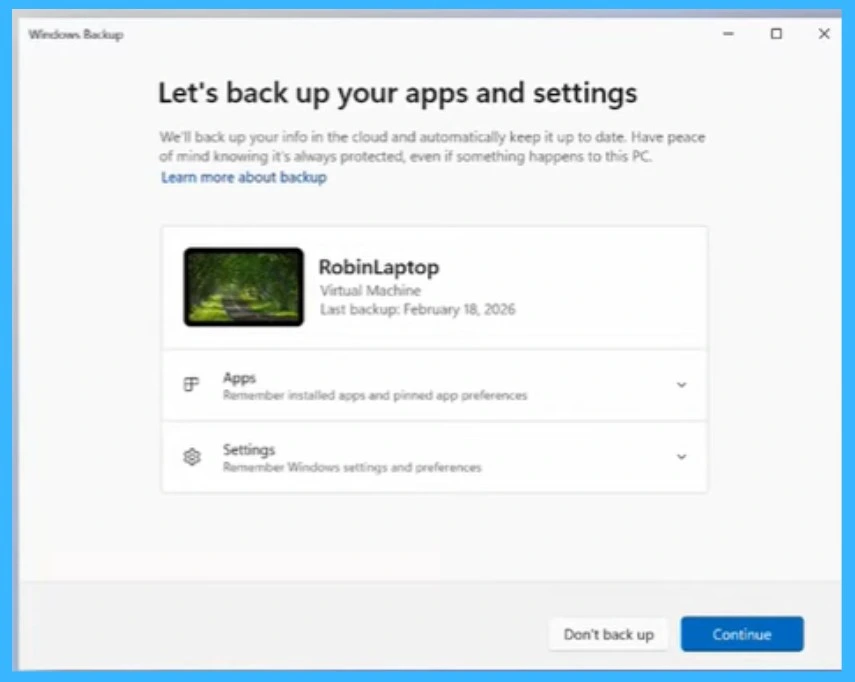
The backup is controlled by administrators and is turned off by default. IT admins can enable it through device management tools. Once enabled, the backup process runs automatically through the Windows Task Scheduler every 8 days. If users want to create a backup at a specific time, they can also run it manually using the Windows Backup app. This gives both admins and users flexibility in managing backups.
How Cloud Storage Layers Protect Windows Backup Data
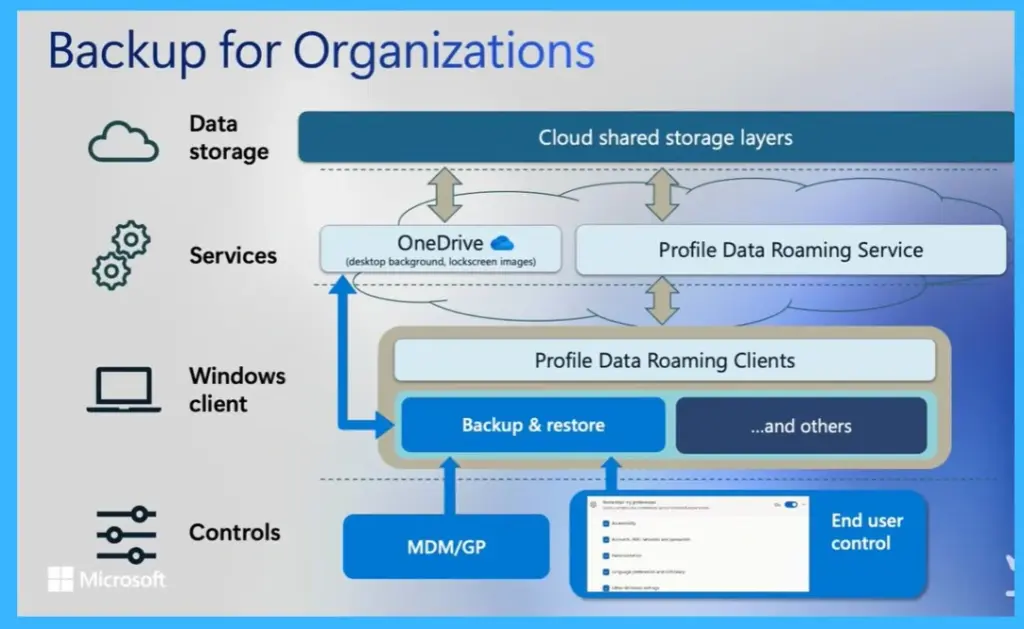
backup data is stored securely when using Windows Backup for Organizations. Different types of user data are saved in separate Microsoft cloud services to ensure better security and easier restoration. For example, desktop background images and lock screen pictures are stored in Microsoft OneDrive, while other user settings, such as the Microsoft Store app list and Windows preferences, are stored in the Profile Data Roaming service connected to Microsoft Entra ID.
- This layered storage helps protect the data and allows users to quickly restore their settings when they sign in to another device running Windows 10 or Windows 11.
Need Further Assistance or Have Technical Questions?
Join the LinkedIn Page and Telegram group to get the latest step-by-step guides and news updates. Join our Meetup Page to participate in User group meetings. Also, join the WhatsApp Community and the Whatsapp channel to get the latest news on Microsoft Technologies. We are there on Reddit as well.
Author
Anoop C Nair is a Workplace Technology solution architect with 25+ years of experience. Microsoft Certified Trainer. Microsoft MVP from 2015 onwards for consecutive 11+ years! He is a blogger, Speaker, and Founder of HTMD Community and HTMD Conference. His main focus is on Device Management technologies like Intune, Windows, and Cloud PC. He writes about technologies like Intune, SCCM, Windows, Cloud PC, Entra, and Microsoft Security