

Key Takeaways
- 90 percent of Intune updates complete within one hour
- Then 8 hour latency applies only to routine maintenance check ins
- Enhanced notification systems improve reliability, especially on Windows
- Optimized scheduling boosts performance for iOS devices
In this post we are discussing Microsoft Intune Introduces Faster Update Delivery with Improved Notifications. Microsoft introduced new improvements to Microsoft Intune aimed at ensuring time updates reach devices faster and more predictably. These enhancements focus on prioritizing critical actions so that important changes are delivered without unnecessary delays, helping organizations maintain security and productivity.
Table of Contents
Table of Contents
Microsoft Intune Introduces Faster Update Delivery with Improved Notifications
Many assume that changes can take up to 8 hours to apply, but Microsoft clarifies that this timing relates only to routine maintenance check ins. In practice, 90 percent of policy updates, app deployments, and device actions are completed in under an hour through a more efficient, notification driven system.
- New Sync Button in Microsoft Intune Brings Visibility and Faster Troubleshooting
- 4 Key Ways Microsoft Intune Helps Reduce Vulnerability Risk and Improve Security Posture
- Updated Guidance for Interpreting Microsoft Intune Compliance Policy Reports
What’s New
Microsoft has introduced improvements to Microsoft Intune focused on speeding up the delivery of critical updates. The platform now uses priority-based processing to ensure high impact actions like security policies and remediation steps are handled faster than routine tasks. It also improves notification delivery, especially on Windows devices, by using additional communication methods to reach devices more reliably.
- Along with this, Intune better manages multiple updates happening at the same time and optimizes maintenance check ins on iOS to reduce delays during high usage.
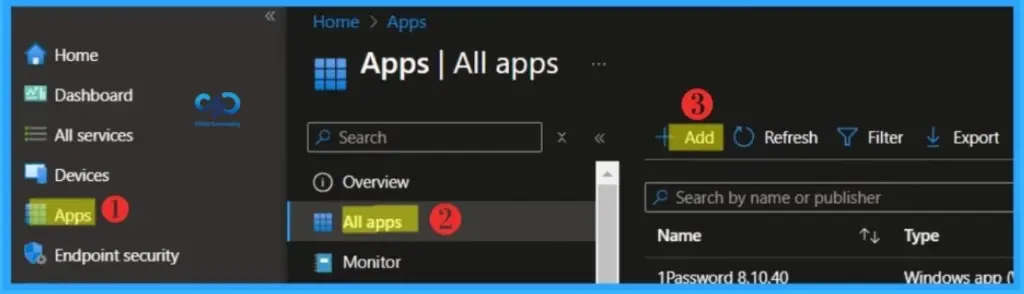
Types of Device Check ins
Microsoft Intune uses different types of device check ins to keep devices updated and functioning properly. Single device check ins happen when a user or administrator performs an action such as installing an app. Change based check ins are triggered through push notifications to deliver urgent updates quickly.

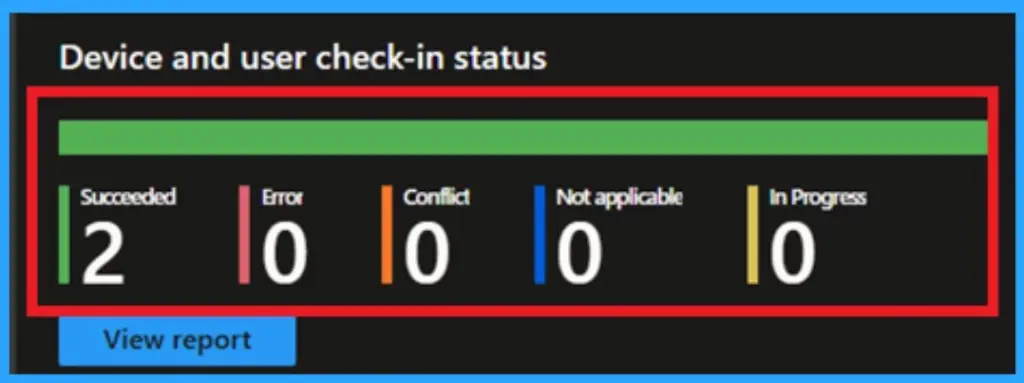
How Microsoft Intune Delivers Updates to Devices
Microsoft Intune is designed for everyday use where devices are not always connected to the internet. It uses an eventual consistency model, allowing devices to gradually receive and apply updates without interrupting users. This ensures a balance between performance and user experience. This approach is especially important in distributed environments where devices operate across different networks and time zones.
- By allowing flexibility in how and when updates are applied, Intune ensures that productivity is not disrupted while still maintaining control over device configurations
| Investment | What It Does | Why It Matters |
|---|---|---|
| Check-in prioritization | High‑impact actions (compliance, remediation, admin configs) are prioritized over routine background check‑ins. | Critical updates move faster, routine tasks wait. |
| Built-in resilience when multiple changes occur in quick succession | Coordinates notifications when multiple changes happen quickly. Extends to IME payloads (scripts, Win32 apps, custom compliance). | Keeps updates consistent and avoids delays during busy periods. |
| Timely Windows notifications | Uses both WNS and Teams protocol via Intune Management Extension. Falls back to scheduled check‑ins if needed. | Increases chances Windows devices get updates promptly. |
| Optimized iOS maintenance check‑ins | Adjusts scheduling during peak times to prioritize urgent updates while keeping regular health checks. | Balances traffic and ensures responsiveness for iOS devices. |
Need Further Assistance or Have Technical Questions?
Join the LinkedIn Page and Telegram group to get the latest step-by-step guides and news updates. Join our Meetup Page to participate in User group meetings. Also, join the WhatsApp Community and the WhatsApp channel to get the latest news on Microsoft Technologies. We are there on Reddit as well.
Author
Anoop C Nair is a Workplace Technology solution architect with 25+ years of experience. Microsoft Certified Trainer. Microsoft MVP from 2015 onwards for consecutive 11+ years! He is a blogger, Speaker, and Founder of HTMD Community and HTMD Conference. His main focus is on Device Management technologies like Intune, Windows, and Cloud PC. He writes about technologies like Intune, SCCM, Windows, Cloud PC, Entra, and Microsoft Security.