
Key Takeaways
- Microsoft launched new agentic features for Copilot in Outlook.
- Copilot can now manage inbox and calendar tasks automatically.
- The AI highlights important emails and drafts follow-up messages.
- Calendar features include meeting conflict management and focus-time scheduling.
In this post, we are discussing Microsoft Introduces AI-Powered Copilot Agent Mode in Outlook. Microsoft has launched a new update for Copilot in Outlook that helps users manage emails and meetings more easily. The new Agent mode allows Copilot to work more actively in the background instead of only helping with simple tasks like writing emails.
Table of Contents
Table of Contents
Microsoft Introduces AI-Powered Copilot Agent Mode in Outlook
With this update, Copilot can organize inboxes, highlight important emails, draft follow-up replies, and even manage calendar conflicts automatically. Microsoft says the feature is designed to save time and reduce workload for enterprise users. According to MS also added smarter calendar features that help users schedule meetings, create agendas, and protect focus time.
- Enhancing Threat Detection and Identity Protection with AI Security Copilot Agents
- Microsoft 365 E7 has Arrived with E5 Security Copilot Agent 365 Entra ID Suite Defender and Intune
- Microsoft 365 Copilot Agent with Copilot Studio to Improve Your Business Need
What’s New
Microsoft’s latest Copilot update introduces autonomous AI features for Outlook that go beyond basic email assistance. The new agent mode can automatically organize inboxes, highlight urgent emails, draft follow-up messages, manage meeting conflicts, and schedule focus time. The update also improves meeting preparation by helping users create agendas and gather important discussion points, making daily workflow management faster and more efficient.
Automated Email Prioritization
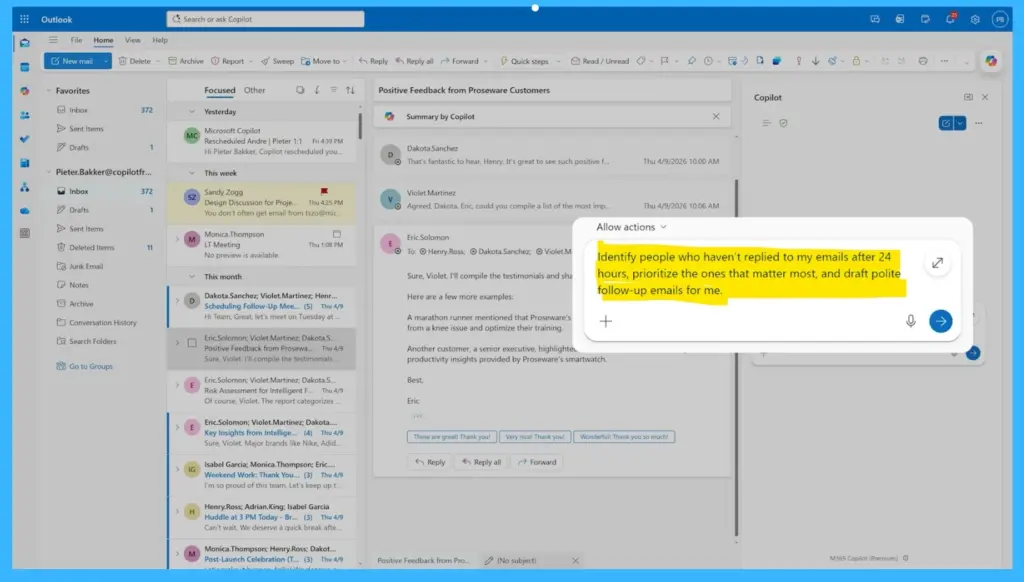
The updated Copilot helps users focus on important emails by automatically identifying urgent messages and unanswered conversations. It can also prepare reminder drafts for pending replies, making inbox management faster and easier.

Intelligent Calendar Management
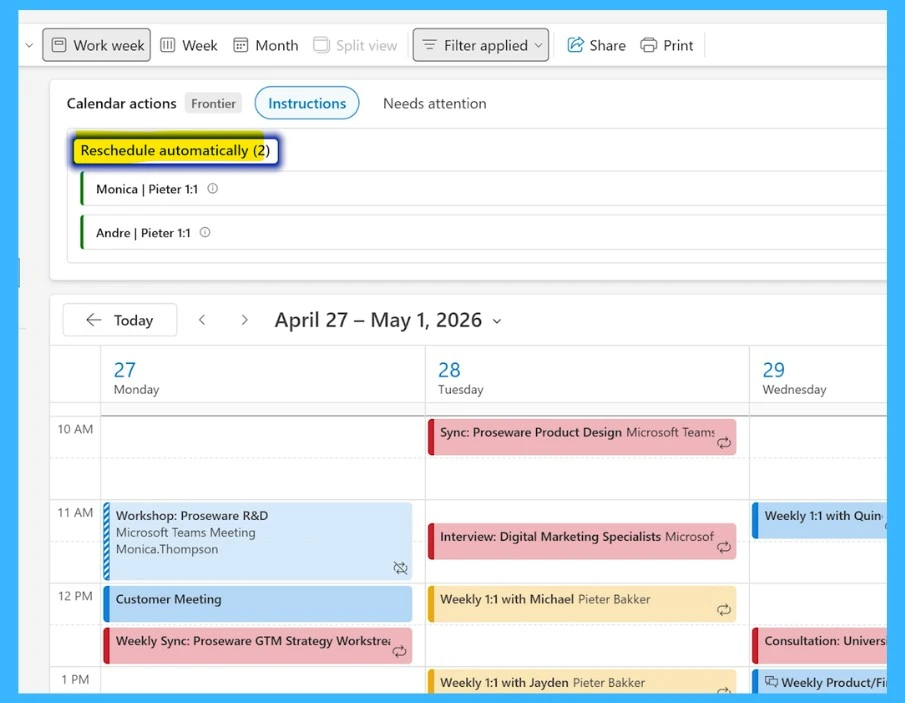
Copilot now helps users manage schedules more efficiently. It can detect overlapping meetings, suggest new timings, reschedule appointments, and block focus time automatically to reduce scheduling stress. It helps to Continuously monitors schedules to keep your day aligned.
- Rebooks conference rooms automatically.
Proactively Monitor and Manage your Schedule
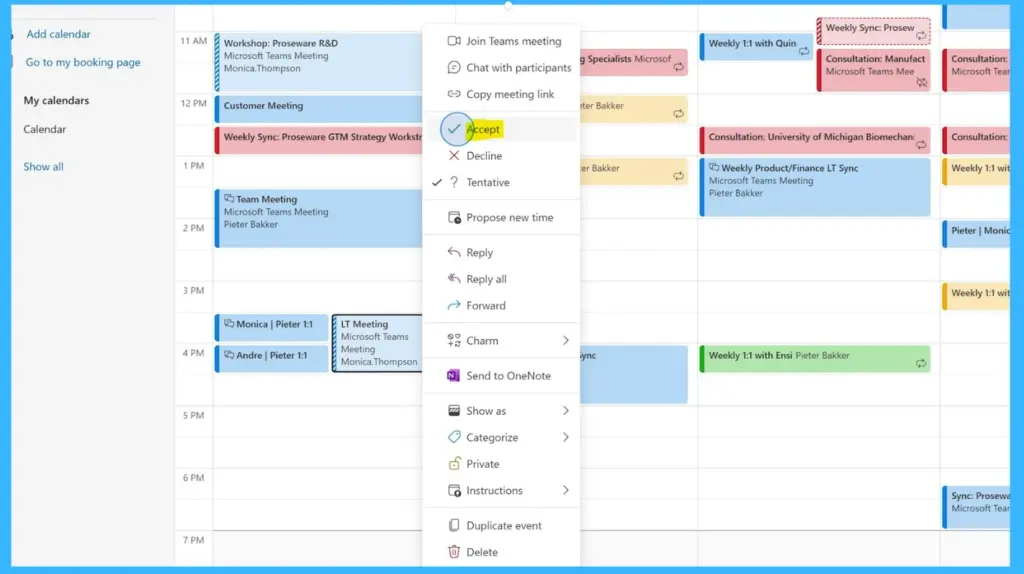
Microsoft is expanding Copilot’s capabilities in Outlook with a new feature that can proactively manage users’ schedules and meetings. The AI assistant can now automatically respond to meeting invites, reschedule conflicting 1:1 meetings, rebook meeting rooms, and even block focus time based on user preferences. Users can also make schedule changes through simple chat prompts.
- Microsoft shared examples such as scheduling recurring 1:1 meetings, protecting personal time outside work hours, and reorganizing meetings.
- The feature is currently available through Microsoft’s Frontier program for Outlook on Windows and the web, starting April 27.
| Prompt | Copilot Action |
|---|---|
| Schedule a Copilot‑managed 1:1 meeting | Sets up a recurring weekly 1:1 with manager on Monday afternoons; automatically reschedules if conflicts occur. |
| Protect my time | Declines large meetings outside working hours, except those sent by leadership team. |
| Adjust my schedule | Moves all direct report 1:1s for next week to Friday afternoon. |
| Draft an agenda | Generates agenda for product launch standup: highlights blockers, assigns owners, frames go/no‑go decision. |
Need Further Assistance or Have Technical Questions?
Join the LinkedIn Page and Telegram group to get the latest step-by-step guides and news updates. Join our Meetup Page to participate in User group meetings. Also, join the WhatsApp Community and the Whatsapp channel to get the latest news on Microsoft Technologies. We are there on Reddit as well.
Author
Anoop C Nair is a Workplace Technology solution architect with 25+ years of experience. Microsoft Certified Trainer. Microsoft MVP from 2015 onwards for consecutive 11+ years! He is a blogger, Speaker, and Founder of HTMD Community and HTMD Conference. His main focus is on Device Management technologies like Intune, Windows, and Cloud PC. He writes about technologies like Intune, SCCM, Windows, Cloud PC, Entra, and Microsoft Security.