
Key Takeaways
- Enable or disable monitoring using the Allow Device Health Monitoring Settings in Intune.
- Deprecated settings work only when monitoring is enabled.
- Do not use the deprecated settings for new Intune policies.
- Existing deprecated configurations continue to work for backward compatibility.
- Use only the supported Allow Device Health Monitoring setting for new deployments.
Deprecated Device Health Monitoring Settings in Intune Settings Catalog! The Allow Device Health Monitoring setting lets you turn device health monitoring on or off for managed Windows devices. Device Health Monitoring creates a connection between the device and Microsoft to collect health information. Enable this setting only if your organization uses a Microsoft device monitoring service that requires it.
Table of Content
Table of Contents
Deprecated Device Health Monitoring Settings in Intune Settings Catalog
The Allow Device Health Monitoring setting is disabled by default. Set the value to 1 to enable Device Health Monitoring, or leave it at 0 to keep it disabled. Enable this setting only if your organization uses a Microsoft device monitoring service that requires it.
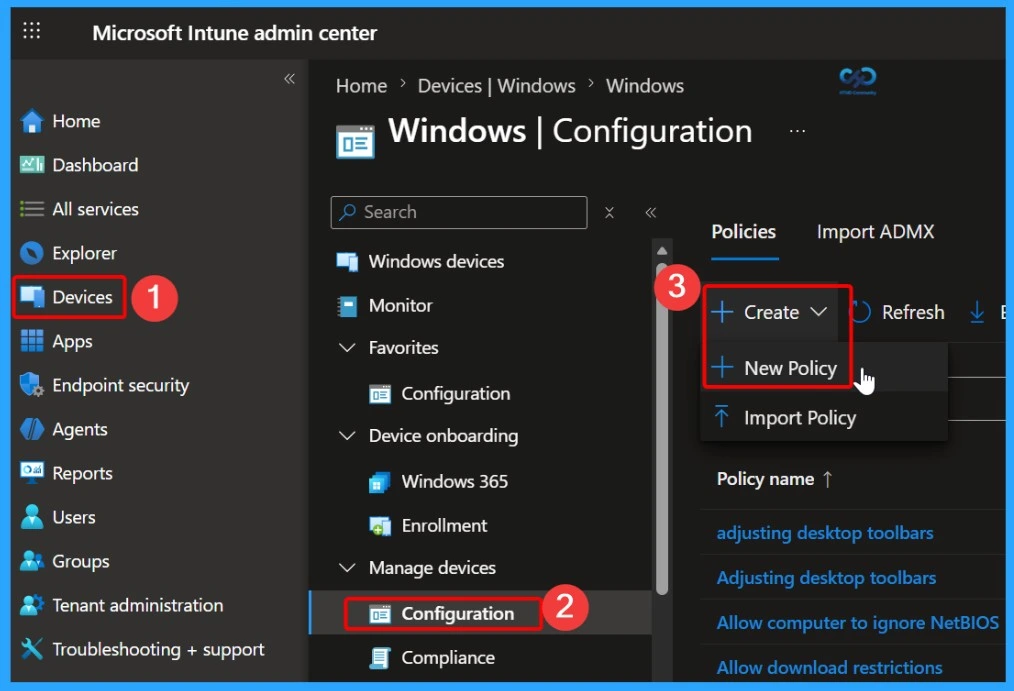
You can view the Deprecated Device Health Monitoring settings in the Intune Settings Catalog when creating a Windows configuration policy. Sign in to the Microsoft Intune admin center, then go to Devices > Windows > Configuration, and select Create > New Policy.
- Cloud PC Monitoring Health Performance Using Endpoint Analytics Intune
- Explore New Intune Troubleshooting Dashboard For Intune Issues
- List of Intune Default Reports Reporting Strategies Advanced Reporting Options
- Intune Report for AAD Joined Vs Hybrid AAD Joined Devices using KQL Query
Platform and Profile Type
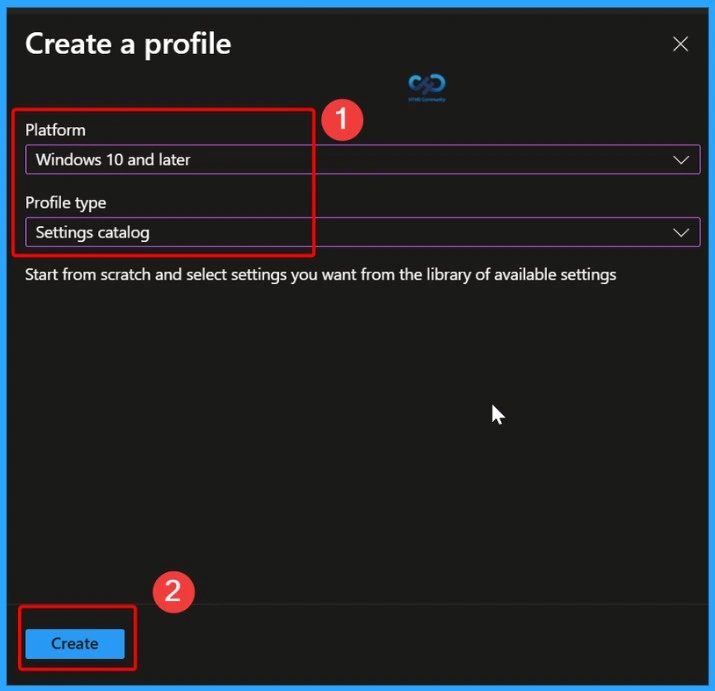
Choose Windows 10 and later as the platform and Settings catalog as the profile type. Search for Device Health Monitoring to view the available settings, including the deprecated options. The screenshots below show more details.

Windows Devices Health Monitoring profile
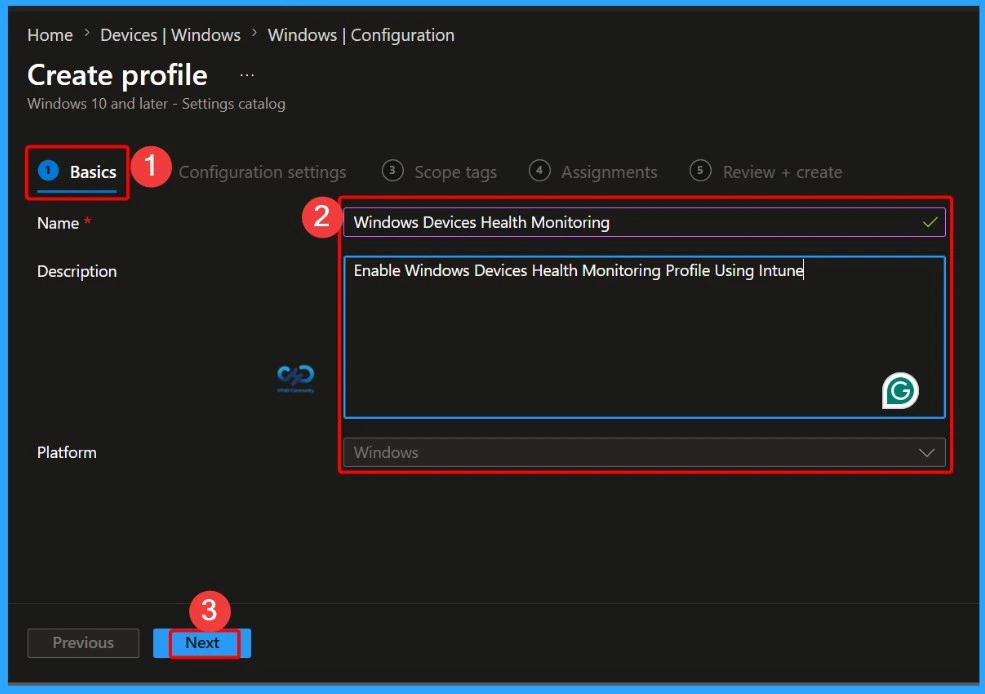
On the Basics tab, enter a Name and Description for the policy. For example, use Windows Devices Health Monitoring as the policy name and Enable Windows Devices Health Monitoring profile using Intune as the description. After entering the details, click Next to continue.
Add Device Health Monitoring Settings
On the Configuration settings page, click + Add settings. The Settings picker opens, allowing you to browse or search the Settings Catalog for the settings you want to configure. Search for Device Health Monitoring, select the required setting, and click Select to add it to the policy.
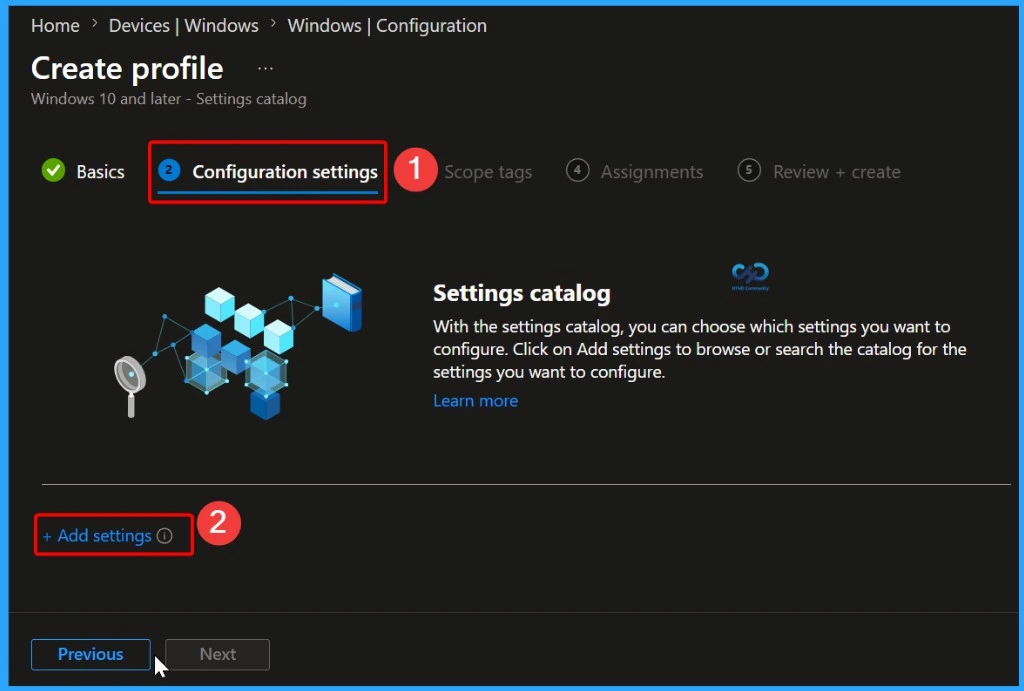
Select the Device Health Monitoring Setting
In the Settings picker, search for Device Health Monitoring. Select the Device Health Monitoring category to view the available settings. You will see four settings, including Allow Device Health Monitoring and three deprecated settings. Select Allow Device Health Monitoring, then click Close to add the setting to the policy.
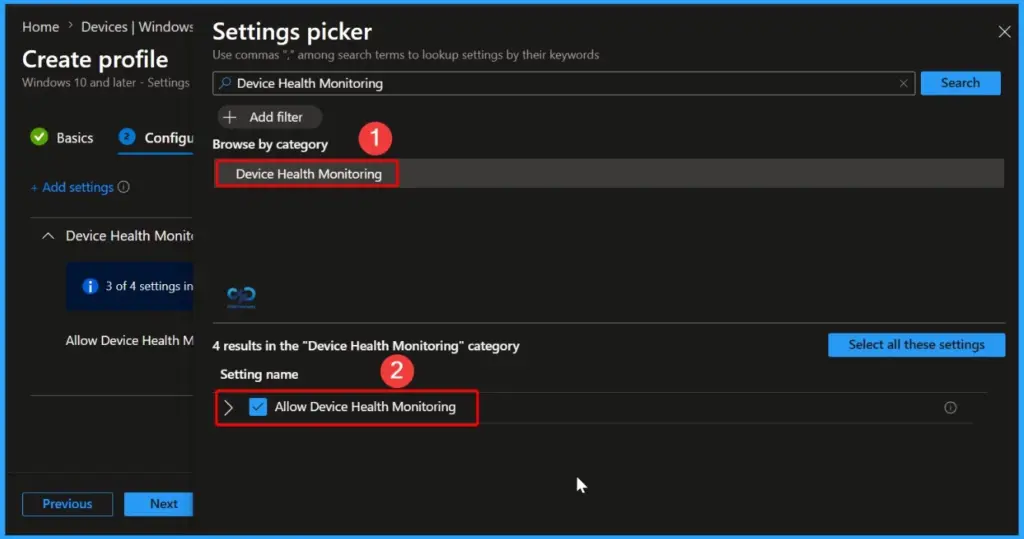
Configure the Allow Device Health Monitoring Setting
After adding the setting, you will see two options under Allow Device Health Monitoring. Select The Device Health Monitoring connection is enabled to turn on device health monitoring, or choose The Device Health Monitoring connection is disabled to keep the feature turned off.
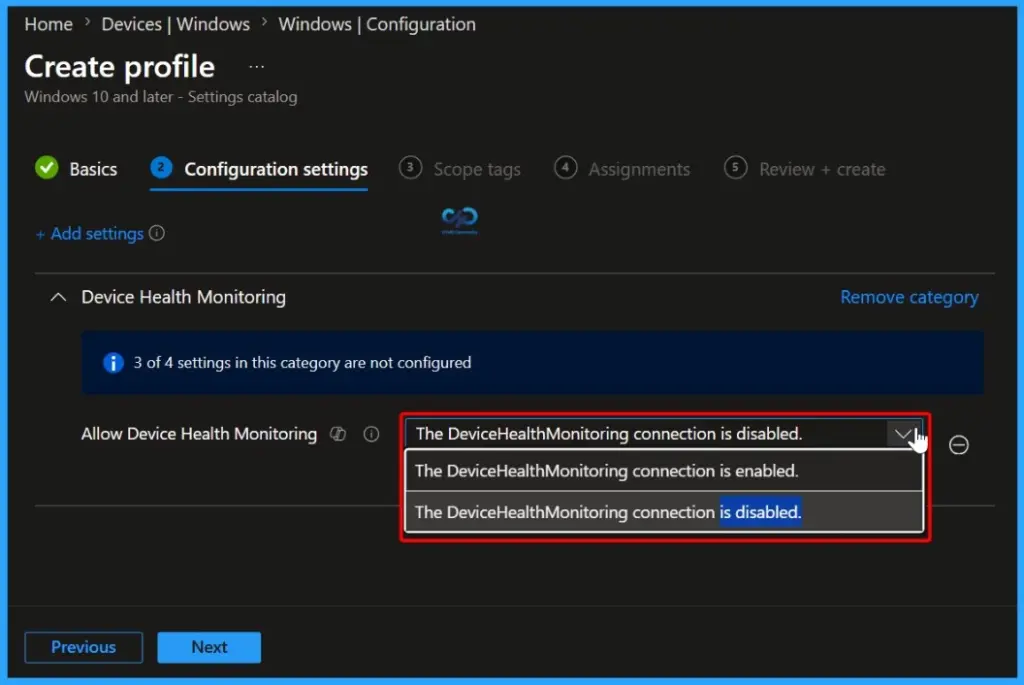
View the Deprecated Device Health Monitoring Settings
After you enable Allow Device Health Monitoring, three additional deprecated settings become available. These settings are retained for backward compatibility and are not recommended for new deployments. Important: These settings are deprecated and should not be used for new Intune policies.
| Deprecated Settings |
|---|
| [Deprecated] Config Device Health Monitoring Scope |
| [Deprecated] Config Device Health Monitoring Service Instance |
| [Deprecated] Config Device Health Monitoring Upload Destination |
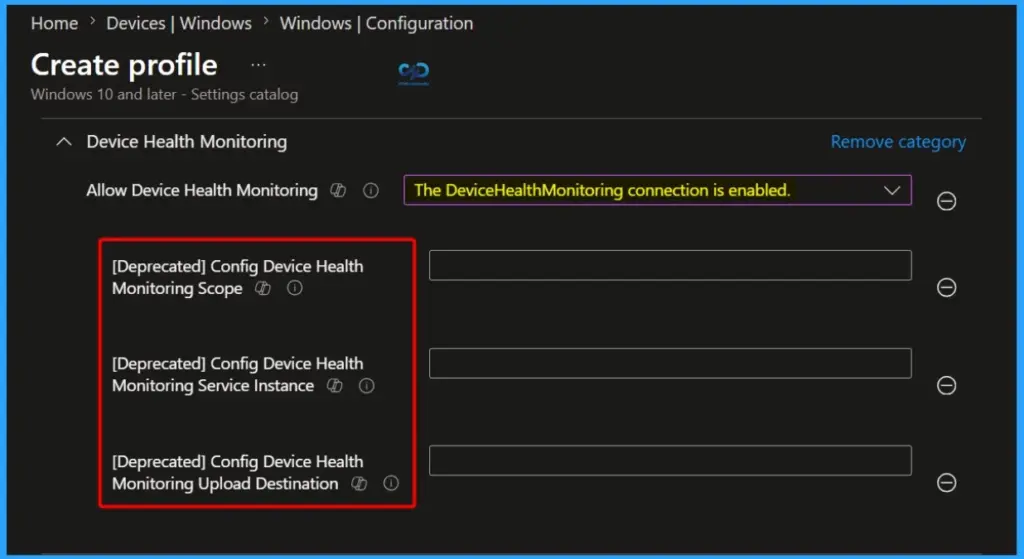
Allow Device Health Monitoring
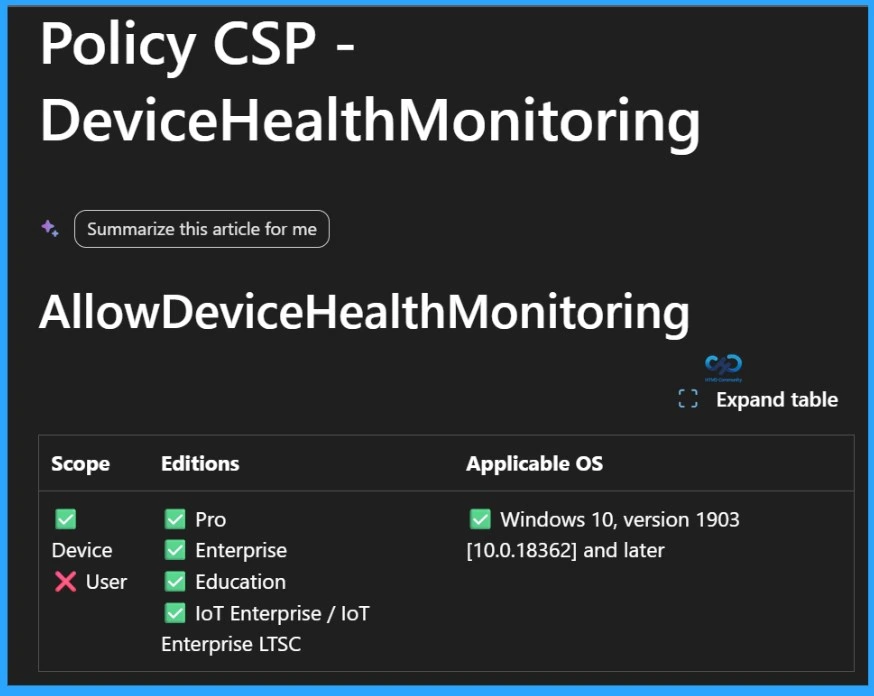
The Allow Device Health Monitoring policy is a device-based setting and is supported on Windows Pro, Enterprise, Education, and IoT Enterprise/IoT Enterprise LTSC editions. It applies to Windows 10 version 1903 and later, including supported versions of Windows 11. Since this is a device setting, it can only be assigned to devices and not to individual users.
| Scope | Editions | Applicable OS |
|---|---|---|
| ✅ Device ❌ User | ✅ Pro ✅ Enterprise ✅ Education ✅ IoT Enterprise / IoT Enterprise LTSC | ✅ Windows 10, version 1903 [10.0.18362] and later |
[Deprecated] Config Device Health Monitoring Scope
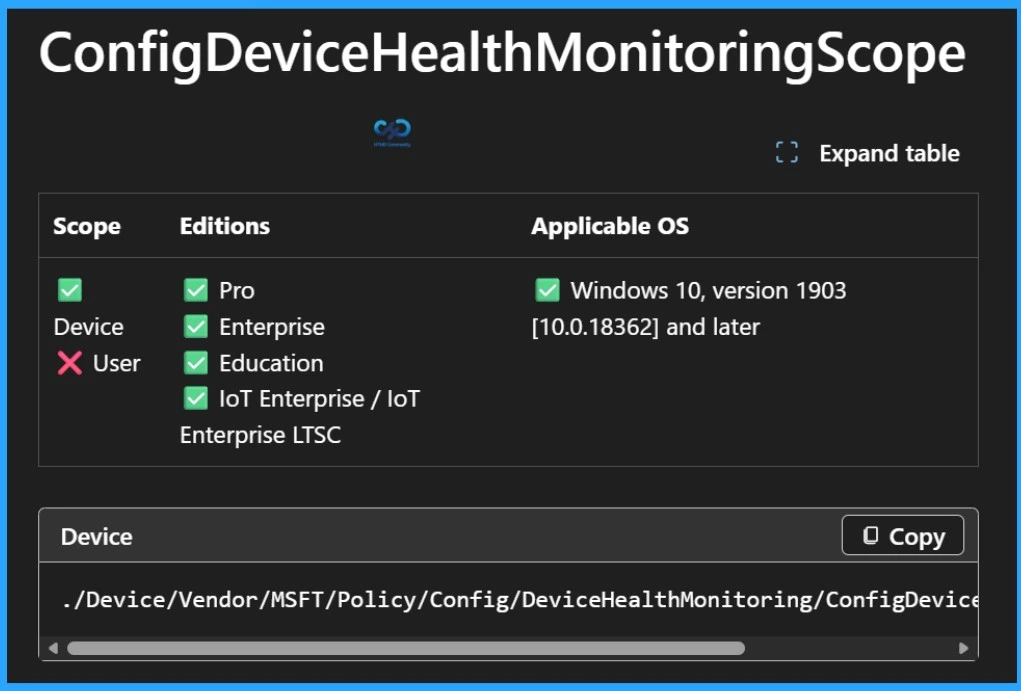
If the device is not opted-in to the DeviceHealthMonitoring service via the AllowDeviceHealthMonitoring then this policy has no meaning. For devices which are opted in, the value of this policy modifies which types of events are monitored.
| Scope | Editions | Applicable OS |
|---|---|---|
| ✅ Device ❌ User | ✅ Pro ✅ Enterprise ✅ Education ✅ IoT Enterprise / IoT Enterprise LTSC | ✅ Windows 10, version 1903 [10.0.18362] and later |
[Deprecated] Config Device Health Monitoring Service Instance
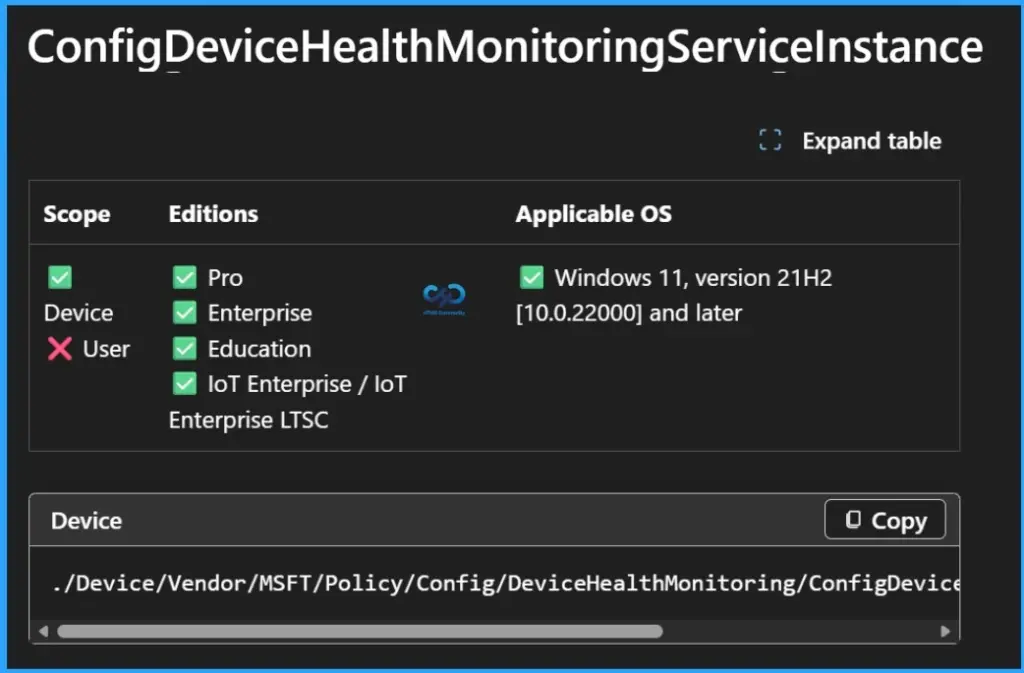
If the device is not opted-in to the DeviceHealthMonitoring service via the AllowDeviceHealthMonitoring then this policy has no meaning. For devices which are opted in, the value of this policy modifies which service instance to which events are to be uploaded.
| Scope | Editions | Applicable OS |
|---|---|---|
| ✅ Device ❌ User | ✅ Pro ✅ Enterprise ✅ Education ✅ IoT Enterprise / IoT Enterprise LTSC | ✅ Windows 11, version 21H2 [10.0.22000] and later |
[Deprecated] Config Device Health Monitoring Upload Destination
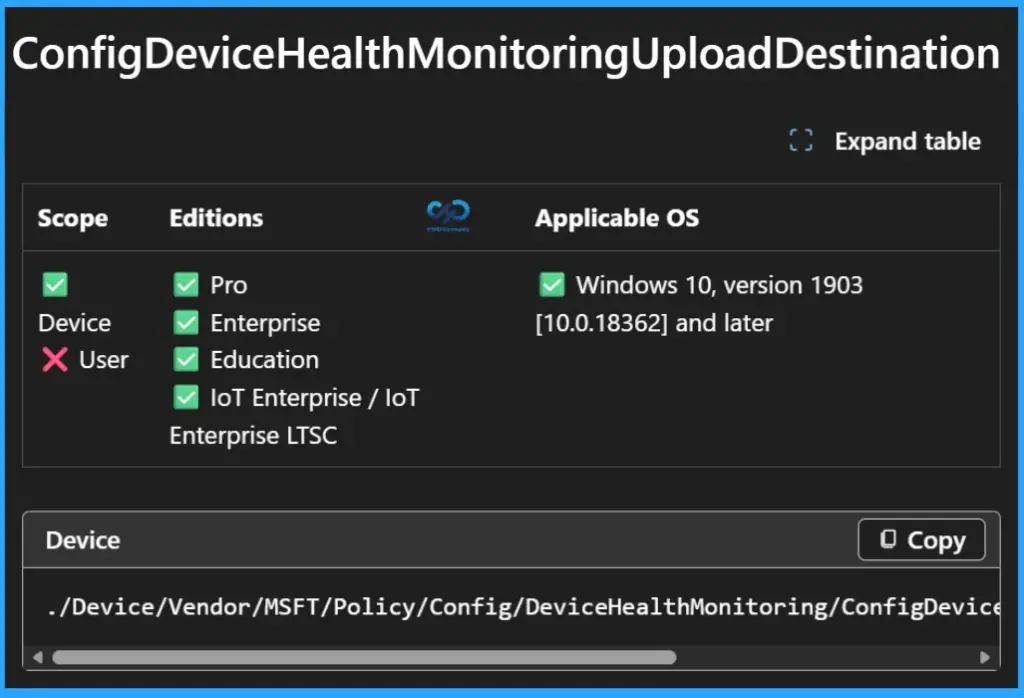
If the device is not opted-in to the DeviceHealthMonitoring service via the AllowDeviceHealthMonitoring then this policy has no meaning. For devices which are opted in, the value of this policy modifies which destinations are in-scope for monitored events to be uploaded.
| Scope | Editions | Applicable OS |
|---|---|---|
| ✅ Device ❌ User | ✅ Pro ✅ Enterprise ✅ Education ✅ IoT Enterprise / IoT Enterprise LTSC | ✅ Windows 10, version 1903 [10.0.18362] and later |
Need Further Assistance or Have Technical Questions?
Join the LinkedIn Page and Telegram group to get the latest step-by-step guides and news updates. Join our Meetup Page to participate in User group meetings. Also, join the WhatsApp Community and the Whatsapp channel to get the latest news on Microsoft Technologies. We are there on Reddit as well.
Author
About Author – Jitesh, Microsoft MVP, has over six years of working experience in the IT Industry. He writes and shares his experiences related to Microsoft device management technologies and IT Infrastructure management. His primary focus is Windows 10/11 Deployment solution with Configuration Manager, Microsoft Deployment Toolkit (MDT), and Microsoft Intune.