
Key Takeaways
- Microsoft will block TLS 1.0 and TLS 1.1 for POP3 and IMAP4 in Exchange Online from July 2026.
- POP and IMAP connections will require TLS 1.2 or later.
- Older email apps and devices may stop connecting after the change.
- Customers should upgrade outdated systems before July 2026.
In this post, we are discussing Microsoft to Block Outdated TLS 1.0 and 1.1 for Email Apps Starting July 2026. Microsoft has announced that it will stop supporting older TLS 1.0 and TLS 1.1 connections for POP3 and IMAP4 in Exchange Online starting in July 2026. The change is to improve email security across Microsoft 365. TLS, or Transport Layer Security, is the technology that protects email connections from hackers and data theft.
Microsoft to Block Outdated TLS 1.0 and 1.1 for Email Apps Starting July 2026
Older versions, such as TLS 1.0 and TLS 1.1, are now considered outdated and less secure. According to Microsoft, most users already use TLS 1.2 or higher, so only customers using older systems will be affected. Customers using legacy email apps, embedded devices, or older services should upgrade before July2026. After the change, POP and IMAP connections using TLS 1.0 or 1.1 will stop working in Exchange Online.
- Enforce Zero-Trust TLS Certificate Enforcement Policies for iOS in Intune
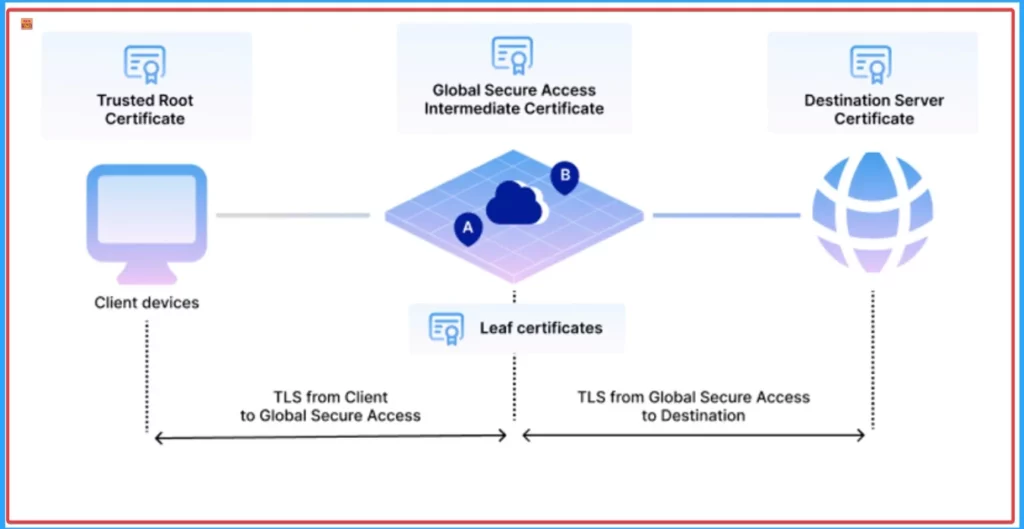
- How Transport Layer Security TLS Inspection Works in Microsoft Entra Internet Access to Empower Security
- Disable Enable TLS 1.0 and 1.1 for Internet Explorer EdgeHTML
What’s Changing
Microsoft will begin blocking TLS 1.0 and TLS 1.1 connections for POP3 and IMAP4 in Exchange Online starting in July 2026. After the change, all POP and IMAP connections must use TLS 1.2 or later to successfully connect to the service. The update mainly affects organisations still using older email applications, legacy devices, or custom systems that rely on outdated TLS versions. According to Microsoft, new email clients already support newer TLS standards, so most users are not expected to face any impact.
| Feature | Current Support | After July 2026 |
|---|---|---|
| TLS 1.0 | Supported only through the legacy option | Not supported |
| TLS 1.1 | Supported only through the legacy option | Not supported |
| TLS 1.2 and later | Supported | Required |
| POP3 Connections | Can use older TLS versions | Must use TLS 1.2+ |
| IMAP4 Connections | Can use older TLS versions | Must use TLS 1.2+ |
| Older Email Apps | May continue working now | May fail if not updated |
What Customers Should Do
Organisations using POP3 or IMAP4 should check whether their email apps, devices, and services support TLS 1.2 or later. Older applications and custom systems may need updates or replacements to continue working after July 2026. Microsoft advised customers to review their current email configurations and contact vendors if they are unsure about TLS support. Updating systems early can help avoid connection issues and service disruptions later.

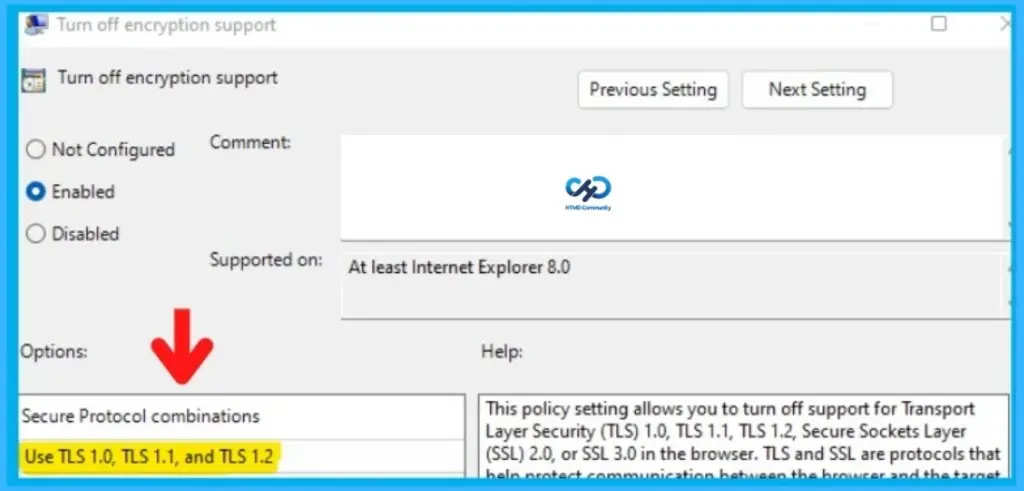
The below image is from our post; Disable Enable TLS 1.0 and 1.1 for Internet Explorer EdgeHTML you can refer to know more details about Enable TLS 1.0 and 1.1 using Group Policy.
Need Further Assistance or Have Technical Questions?
Join the LinkedIn Page and Telegram group to get the latest step-by-step guides and news updates. Join our Meetup Page to participate in User group meetings. Also, join the WhatsApp Community and the Whatsapp channel to get the latest news on Microsoft Technologies. We are there on Reddit as well.
Author
Anoop C Nair is a Workplace Technology solution architect with 25+ years of experience. Microsoft Certified Trainer. Microsoft MVP from 2015 onwards for consecutive 11+ years! He is a blogger, Speaker, and Founder of HTMD Community and HTMD Conference. His main focus is on Device Management technologies like Intune, Windows, and Cloud PC. He writes about technologies like Intune, SCCM, Windows, Cloud PC, Entra, and Microsoft Security.