
Key Takeaways
- Microsoft Intune supports enrollment type profiles for iOS/iPadOS devices.
- Administrators can configure different enrollment methods based on organizational requirements.
- The available options include user enrollment with Company Portal, account-driven user enrollment, and device enrollment with Company Portal.
- Administrators can allow users to select their device enrollment type.
Let’s Configure User and Device Enrollment Options for Apple Devices in Intune. Microsoft Intune provides different enrollment options to help organizations manage Apple devices effectively. Administrators can configure enrollment type profiles to determine how users enroll their personal and corporate-owned iOS/iPadOS devices into Intune. With enrollment type profiles, organizations can control whether users enroll their devices through user enrollment, device enrollment, or a supported Company Portal enrollment method. These options help administrators define an appropriate enrollment experience based on organizational requirements.
Configure User and Device Enrollment Options for Apple Devices in Intune
- Intune Driver Firmware Update Policies | Review Approve Schedule Suspend Options
- Intune Support For Endpoint Privilege Management
App Configuration for Edge
Edge for iOS and Android allows administrators to customize the default configuration for several in-app settings. This capability is currently only offered when Edge for iOS and Android has an Intune App Protection Policy applied to the work or school account signed into the app, and the policy settings are delivered only through a managed apps App Configuration Policy.
Edge supports the following settings for configuration, These settings can be deployed to the app regardless of device enrollment status.
- New Tab Page experiences
- Bookmark experiences
- App behavior experiences
- Kiosk mode experiences
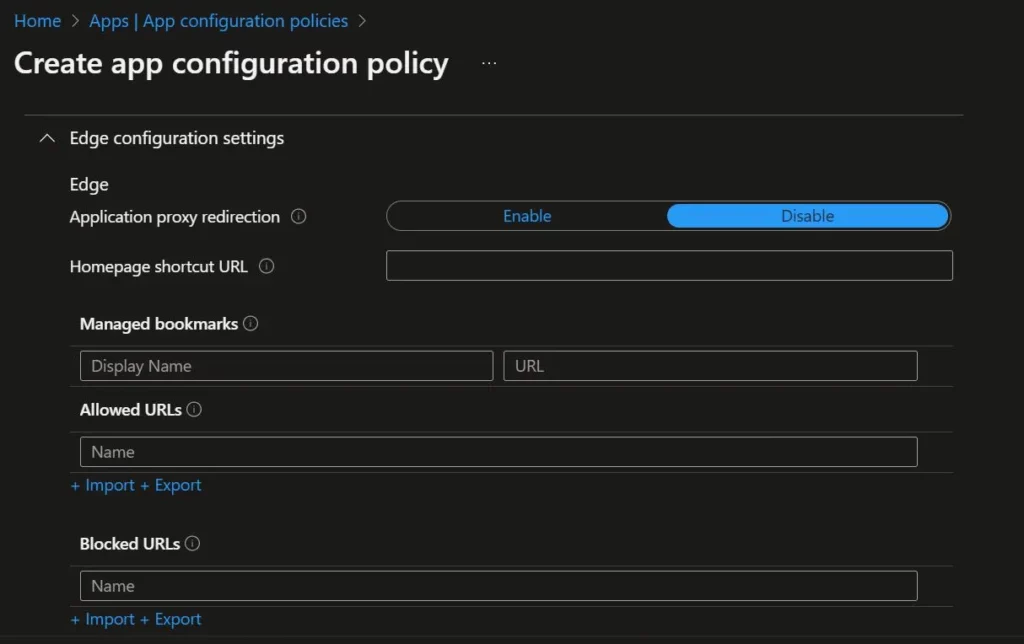
You can perform the basic Microsoft Edge security policy troubleshooting from the Intune admin center portal. One example is given below How To Start Troubleshooting Intune Issues from the server-side. The next level of troubleshooting is with MDM Diagnostics Tool to collect the log and information from the client-side.
Author
About Author – Jitesh, Microsoft MVP, has over five years of working experience in the IT Industry. He writes and shares his experiences related to Microsoft device management technologies and IT Infrastructure management. His primary focus is Windows 10/11 Deployment solution with Configuration Manager, Microsoft Deployment Toolkit (MDT), and Microsoft Intune.