

Key Takeaways
- A recent Edge update broke right-click paste in Teams desktop
- The issue affects Windows and macOS users
- Only the context menu is impacted, and keyboard shortcuts still work
- Caused by WebView2 regression in Edge
- Microsoft is rolling out a fix gradually
In this post, we are discussing Microsoft Confirms Right-Click Paste Issue in Teams and Desktop Apps after Microsoft Edge Update. Recently, Microsoft Teams users started facing an unusual issue where the right-click paste option stopped working in chats. The problem appeared suddenly across both Windows and macOS devices, affecting daily communication workflows.
Table of Contents
Table of Contents
Microsoft Confirms Right-Click Paste Issue in Teams and Desktop Apps after Microsoft Edge Update
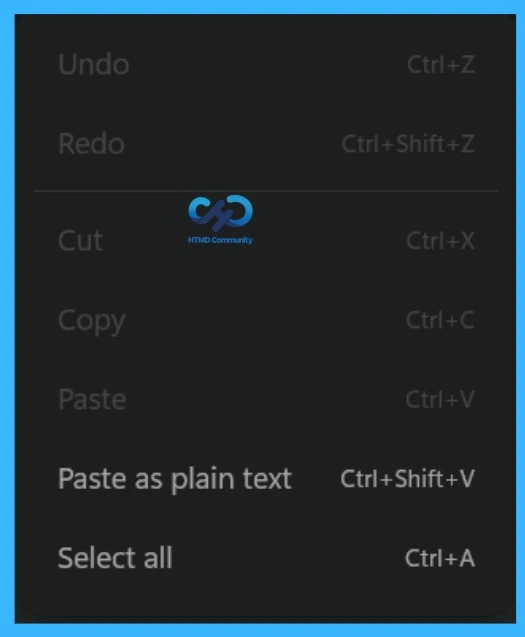
You know the issue was reported around April 2026, with users noticing that the “Paste” option in the right-click menu was greyed out. However, keyboard shortcuts like Ctrl+V (Windows) and Cmd+V (Mac) continued to work normally, making it clear that the problem was limited to the context menu.
- Microsoft Teams Meeting Join Failure After Microsoft Edge Update Disrupts Users
- Microsoft Teams on Android to Support Third-Party Meetings with SIP Integration
- How to Enable Live Captions Translation in Teams Rooms on Windows
- How Organizers and Presenters can Join a Microsoft Teams Town Hall as an Attendee
- How to Enhance your Teams Experience with Snap Resizable Panes and Zoom Controls Features
What Is the Issue
The bug prevents users from pasting content using the right-click context menu in Teams chats. This includes URLs, plain text, and even images copied from tools like Outlook, Word, or Snipping Tool. The paste option appears disabled, even though the clipboard is functioning correctly.
- The Teams desktop app runs on an Electron framework that uses Edge WebView2.
- A recent Edge update introduced a bug in this component, which broke the paste option in the right‑click menu.
| Who Is Affected? | Info |
|---|---|
| Apps | Microsoft Teams and other desktop apps (WhatsApp) |
| Platforms | Windows and macOS |
| Users | All users (enterprise and personal) |
| Issue | Right-click paste not working |
Workaround
Until Microsoft fully rolls out a fix, users facing the paste issue in Microsoft Teams and other desktop apps can use a few simple alternatives to continue their work without major disruption. These workarounds focus on bypassing the broken right-click paste function by using keyboard shortcuts or basic system actions that still interact correctly with the clipboard

Use Keyboard Shortcuts for Paste
The easiest workaround is to use keyboard shortcuts instead of the right-click menu. Users can press Ctrl + V on Windows orCmd + V on macOS to paste content normally. This method continues to work without any issues because the bug only affects the context menu.
Paste as Plain Text
If formatted content causes issues, users can use Ctrl + Shift + V on Windows or Cmd + Shift + V on macOS to paste content as plain text. This removes formatting and can sometimes help avoid inconsistencies when pasting from browsers or other applications.
Update Microsoft Edge
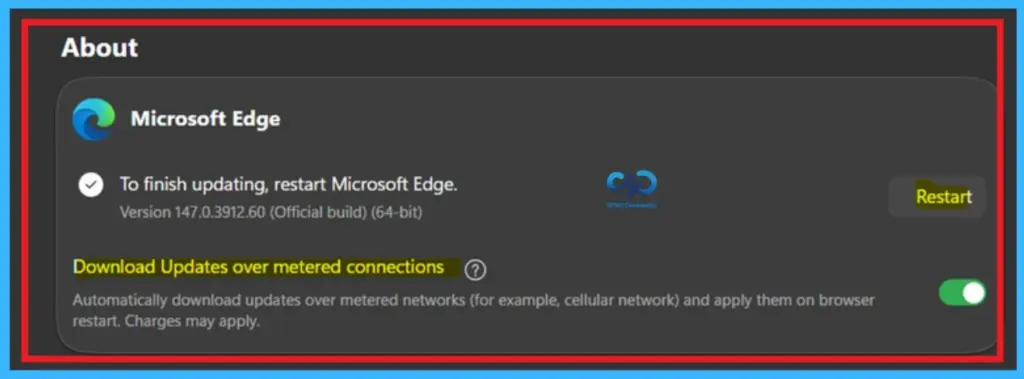
If the issue happens because of an Edge update, keeping Edge and all related applications updated is important. Microsoft is rolling out a fix gradually, so installing the latest updates increases the chances of reducing the issue.
Need Further Assistance or Have Technical Questions?
Join the LinkedIn Page and Telegram group to get the latest step-by-step guides and news updates. Join our Meetup Page to participate in User group meetings. Also, join the WhatsApp Community and the Whatsapp channel to get the latest news on Microsoft Technologies. We are there on Reddit as well
Author
Anoop C Nair is a Workplace Technology solution architect with 25+ years of experience. Microsoft Certified Trainer. Microsoft MVP from 2015 onwards for consecutive 11+ years! He is a blogger, Speaker, and Founder of HTMD Community and HTMD Conference. His main focus is on Device Management technologies like Intune, Windows, and Cloud PC. He writes about technologies like Intune, SCCM, Windows, Cloud PC, Entra, and Microsoft Security.