
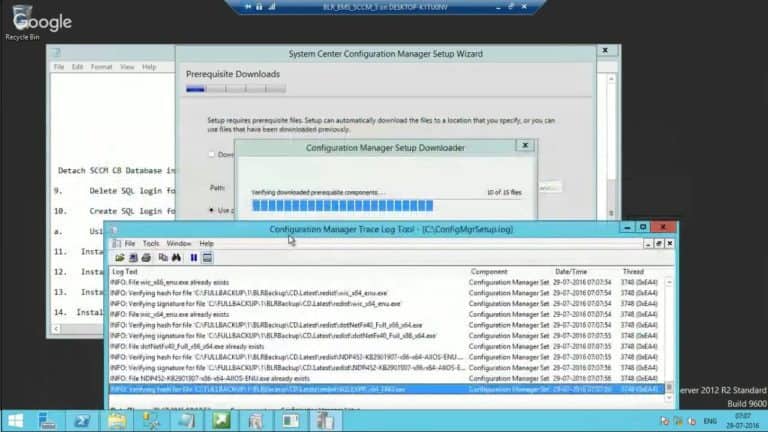
How to Migrate SCCM CB Primary Server to New Hardware Configuration Manager ConfigMgr? How do we Migrate the SCCM CB 1606 primary server to new hardware or a new virtual server?
How can I restore the SCCM CB primary server from the full SCCM backup? I’ll try to answer these two questions in this blog post and the video.
I used SCCM CB full backup to migrate the primary server into a virtual server. In this scenario, the SCCM CB primary site server and Database server are on the same box.
After the migration, Intune/cloud communication was not working, and all the logs (CloudUserSync.log, DMPUploader.log, and DMPDownloader.log) filled with “Certmgr has not installed certificate yet, sleep for 1 minute.”.
The resolution was to remove the Intune subscription and add it back. More details about “Migrate SCCM CB Primary server to New Hardware or new virtual server“. How to Migrate SCCM CB Primary server to New Hardware Configuration Manager ConfigMgr.
Table of Contents
- How to Install SQL Server as part SCCM Migration SQL Server – Installation | Part 1
- New ConfigMgr Primary Server Installation Step by Step Guide | SCCM
- ConfigMgr SCCM Server Hardware Migration Step by Step Guide to Perform
- New Features in SCCM Technical Preview 2401
- List of Issues Fixed with SCCM 2403 KB26186448
- New Key Features of SCCM 2309 | Top Improvements
- Download SCCM 2309 Early Ring Version using PowerShell Script
- SCCM Versions Build Numbers Client Console Site
- End of Support Dates for SCCM CB Current Branch | ConfigMgr | SCCM End of Life
- SCCM Unsupported Deprecated or Removed Features
Prerequisites Migrate SCCM CB Primary server to New Hardware – How to Migrate SCCM CB Primary Server to New Hardware Configuration Manager ConfigMgr Best Guide
The prerequisites we must follow while migrating the SCCM CB primary server to new hardware are: How to SCCM CB Primary server to New Hardware Configuration Manager ConfigMgr.
- FQDN Hostname Should be the same
- Drive Letters should be the same
- The installation path should be the same
- Should have the same patch level
- Better to have the same IP
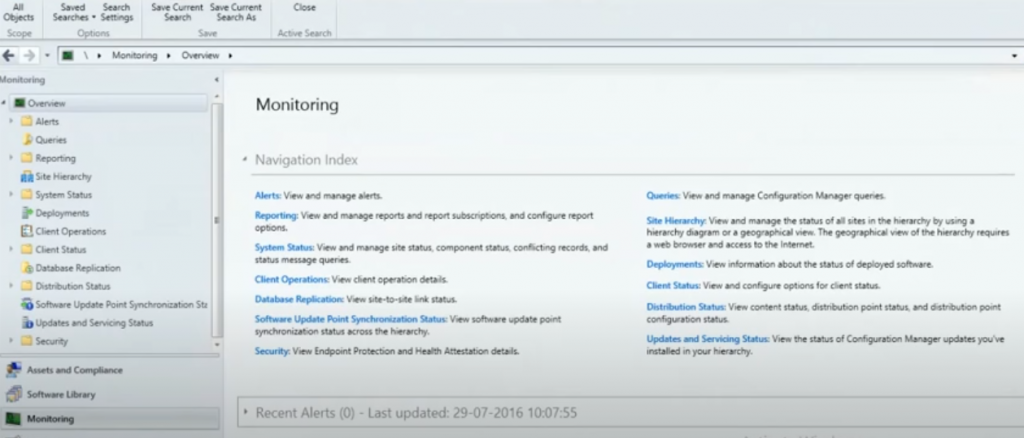
Tips – Migrate the SCCM CB Primary server to New Hardware
Let’s discuss the following steps to help you complete the migration steps efficiently.
| Migrate the SCCM CB Primary server to New Hardware |
|---|
| 1. Document local SMS group memberships of existing server |
| 2. Perform differential Robocopy of the backup folders to the new server (Package Source\DP files\WSUS) |
| 3. Shutdown Current SCCM CB Server |
| 4. Delete the AD object of the existing SCCM Server from Active Directory Users and Computers |
| 5. Rename the new server to the old SCCM CB server name |
| 6. Give the New Server an OLD IP address (Optional) |
| 7. Perform Domain Join of the new SCCM CB server. Provide FULL ACCESS to new SCCM CB computer object in the System Management container and also add to respective AD groups wherever required. |
| 8. Install all the prerequisites – ADK, WSUS, SQL, etc… |
| 9. Run the setup from CD.Latest folder to get the latest binaries of the existing CB site. |
Video
(1) How to Migrate ConfigMgr SCCM CB Primary Server to New Hardware – YouTube
Resources
SCCM Related Posts Real World Experiences Of SCCM Admins (anoopcnair.com)
We are on WhatsApp now. To get the latest step-by-step guides, news, and updates, Join our Channel. Click here. HTMD WhatsApp.
Author
Anoop C Nair is Workplace Technology solution architect with 25+ years of experience in global enterprise organizations such as JP Morgan, Capgemini, etc. He is Microsoft Certified Trainer. Microsoft MVP from 2015 onwards for consecutive 11 years! He also conducts Intune and modern workplace tech training for enterprise organizations. He is Blogger, Speaker, and Founder of HTMD Community and HTMD Conference. His focus is on Device Management technologies such as Intune, Windows, Cloud PC, He writes about technologies like Intune, SCCM, Windows, Cloud PC, Windows, Entra, Microsoft Security.
Anoop C Nair is Workplace Technology solution architect with 25+ years of experience in global enterprise organizations such as JP Morgan, Capgemini, etc. He is Microsoft Certified Trainer. Microsoft MVP from 2015 onwards for consecutive 11 years! He also conducts Intune and modern workplace tech training for enterprise organizations. He is Blogger, Speaker, and Founder of HTMD Community and HTMD Conference. His focus is on Device Management technologies such as Intune, Windows, Cloud PC. He writes about technologies like Intune, SCCM, Windows, Cloud PC, Windows, Entra, Microsoft Security.