

Key Takeaways
- Provides a centralized dashboard to monitor all managed devices.
- Eliminates the need to check devices individually.
- Helps track device compliance with company security policies.
- Identifies non-compliant devices quickly for faster action.
- Displays device health details such as check-in status and errors.
Microsoft Intune reports help IT teams understand what is happening with devices in their organization. Instead of checking each device manually, administrators can use reports to quickly see the overall status of laptops, desktops, and mobile devices from one central dashboard.
List of Intune Default Reports Reporting Strategies Advanced Reporting options
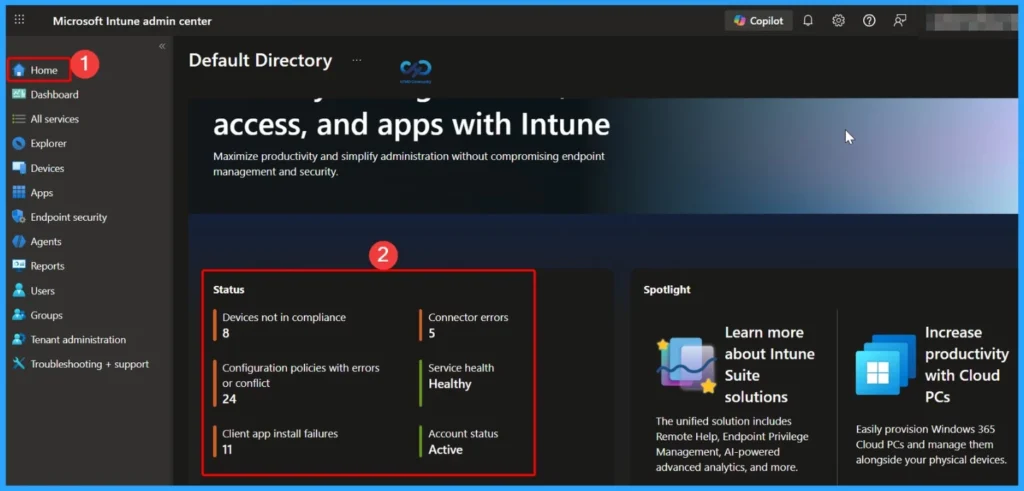
The Microsoft Intune Home page provides a centralized overview of important reporting details in one place. Here, you can quickly view device compliance status, including devices that are not compliant. It also highlights connector errors, service health status, account status information, and client app installation failures. This dashboard helps administrators easily identify issues and take timely action to maintain a healthy and secure device environment.
- Sign in to the Microsoft Intune admin center.
- Select Home
- Intune Device Encryption Status Report
- Track Who Modified Intune App Deployment From Audit Logs
- How to Get Application Version Details From Intune
- Windows Feature Update Device Readiness Intune Report
Monitor Enrollment Compliance, and App Status from the Intune Dashboard
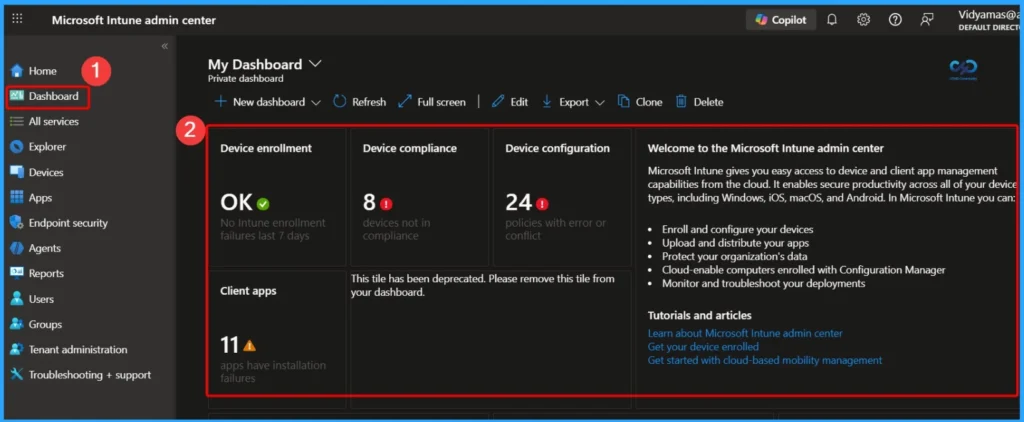
The Microsoft Intune Dashboard is the second option in the settings menu and provides a quick summary of key device management areas. From here, you can view the status of device enrollment, device compliance, device configuration profiles, and client app deployments.
Intune Report Settings Tab Overview
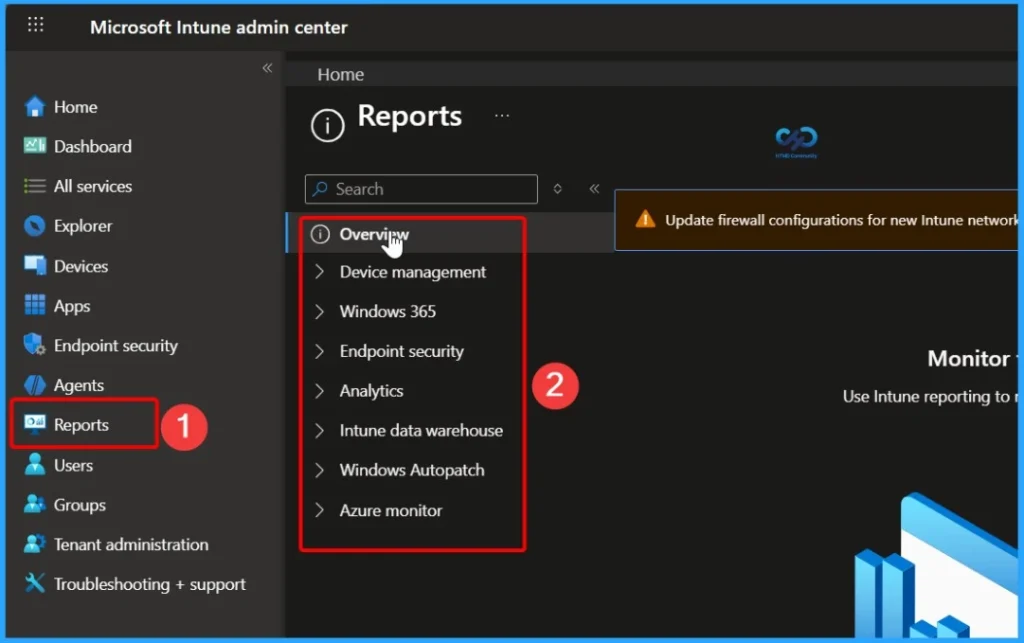
In the Reports section of Microsoft Intune, the Settings tab provides access to multiple reporting categories that help administrators monitor and analyse their environment. From here, you can view detailed insights related to Device management, Windows 365, Endpoint security, Analytics, Intune Data Warehouse, Windows Autopatch, and Azure Monitor.

These sections allow IT teams to track device compliance, security posture, cloud PC status, update management, and overall performance, giving a centralised reporting experience within the Intune portal.
Device Attestation Status Report in Intune
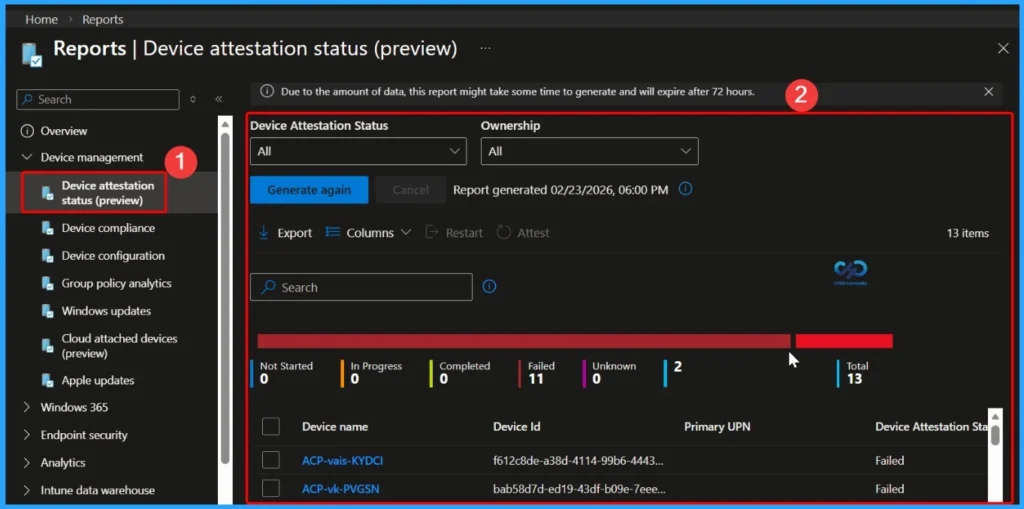
The Device Attestation Status report in Microsoft Intune shows a summary of devices based on their enrollment attestation status. It helps administrators quickly identify whether devices have Completed, Failed, or Not started the enrollment attestation process.
- First, sign in to the Microsoft Intune admin center.
- Then go to Reports > Device management > Device attestation status.
- You can use the available drop-down filters to narrow down the results by attestation status or device ownership.
- After selecting the required filters, click Generate report (or Generate again) to refresh and display the latest data.
- This report helps IT teams monitor Windows enrollment attestation and quickly identify devices that may require attention.
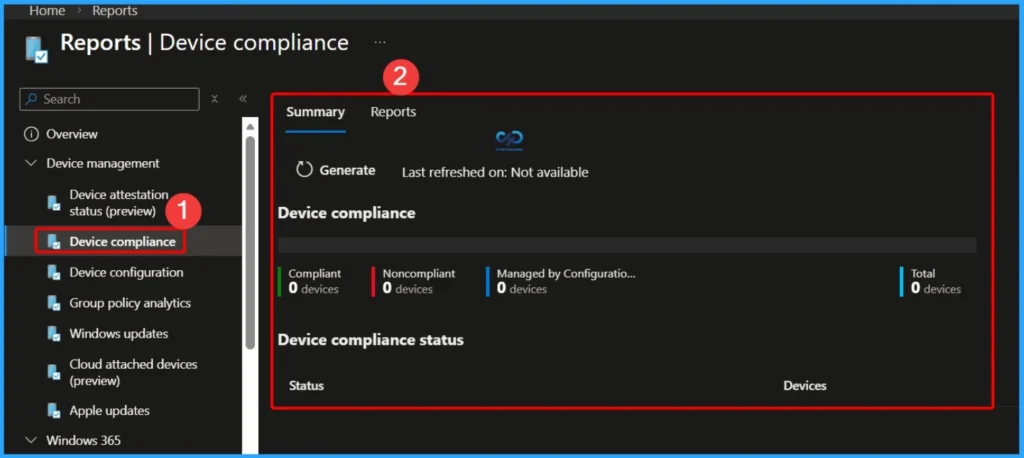
Device Compliance Report Overview in Intune
This report helps you to display all compliance states, such as Compliant, Non-compliant, In Grace Period, and Not evaluated, giving administrators a complete compliance picture regardless of the environment size. In addition to visual summaries, it also allows you to view, sort, and search individual records that contribute to the overall metrics. You can apply filters and click Generate report to refresh and retrieve the latest compliance data.
- Steps to Generate the Device Compliance Report
- Sign in to the Microsoft Intune admin center
- Navigate to Reports > Device compliance > Reports tab > Device compliance
- Apply filters such as Compliance status, Operating System, and Ownership
- Click Generate report (or Generate again) to load the latest data
| Key Features of Device Compliance Report |
|---|
| Shows overall compliance statistics across all devices Displays detailed device-level compliance information Filter by Compliance status, OS, and Ownership Allows sorting and searching within the report Designed to work efficiently even in large environments Generate report button retrieves the latest device state |
Device Configuration Reports in Intune
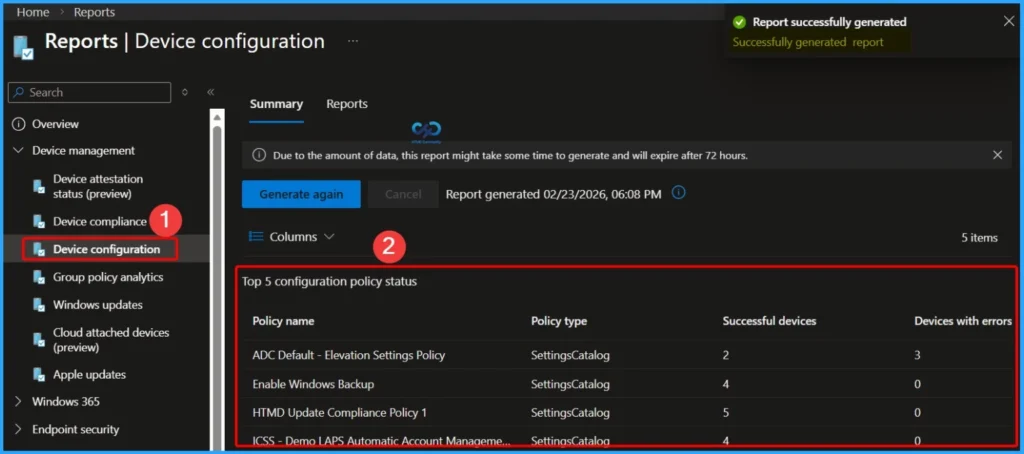
Device Configuration Reports in Microsoft Intune help administrators monitor how configuration policies are applied to devices. These reports are useful for identifying policy deployment issues and ensuring that all devices follow the required configuration standards.
- To view the Certificates report:
- Sign in to the Microsoft Intune admin center
- Navigate to Devices > Monitor > Certificates
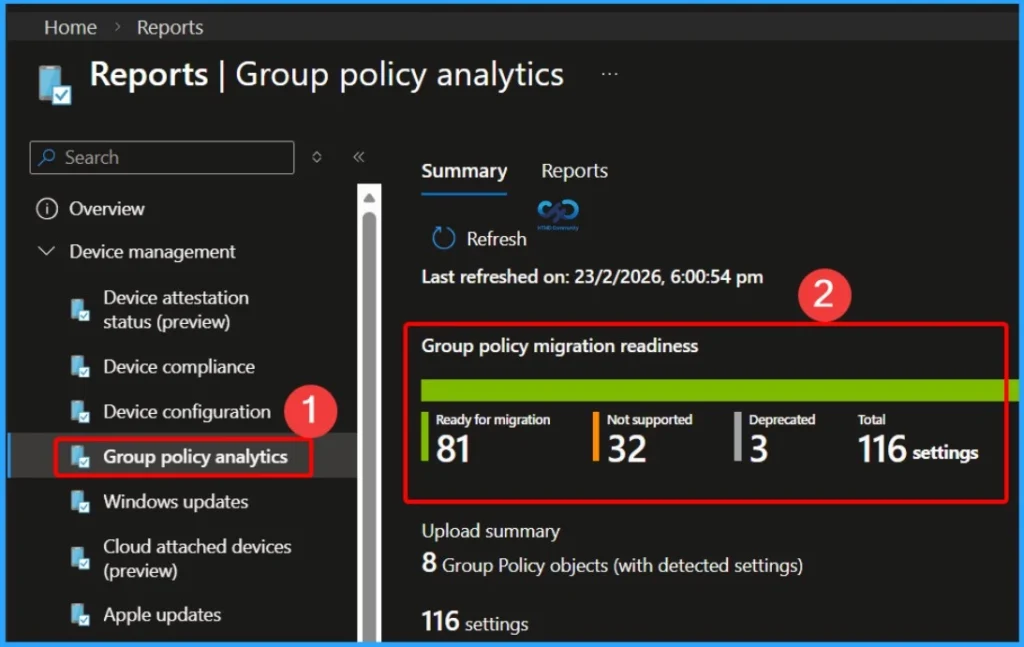
Group Policy Migration Readiness Report
The Group Policy Migration Readiness Report in Microsoft Intune is a helpful tool when planning or tracking your move from on-premises Group Policy to cloud-based management. It provides a clear overview of how ready your existing Group Policy Objects (GPOs) are for migration to MDM-based policies.
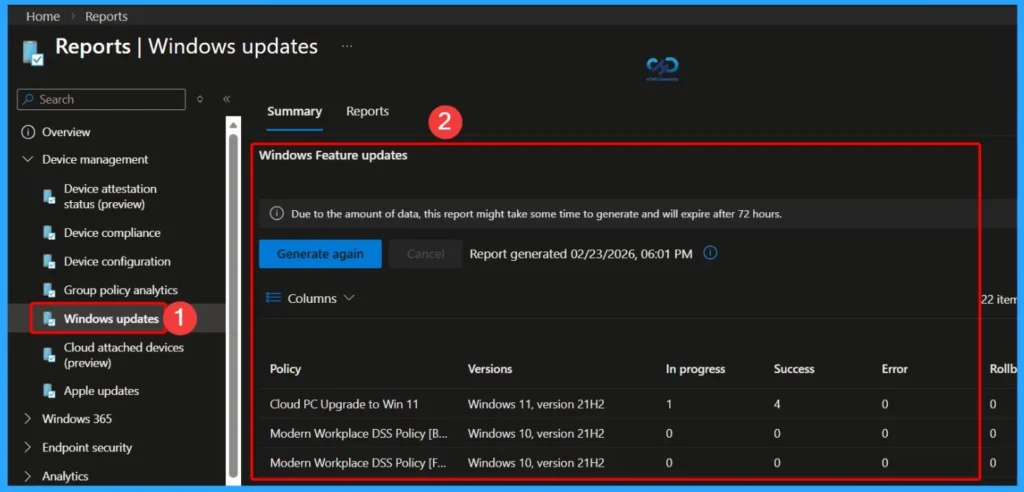
Windows Update Reports in Microsoft Intune
Windows Update Reports in Intune provide detailed insights into the update status of managed Windows devices. These reports help administrators monitor update compliance, feature updates, and quality updates across the organization.
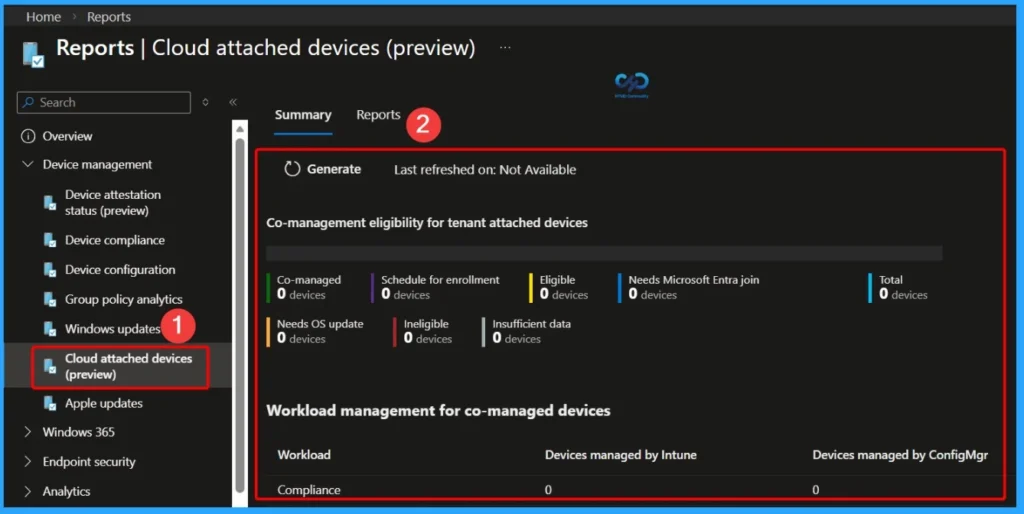
Cloud Attached Devices Reports
The Co-Management Eligibility Report evaluates devices within the organisation to determine whether they are eligible for co-management. This report helps administrators understand which Windows devices can be managed simultaneously by both SCCM and Microsoft Intune.
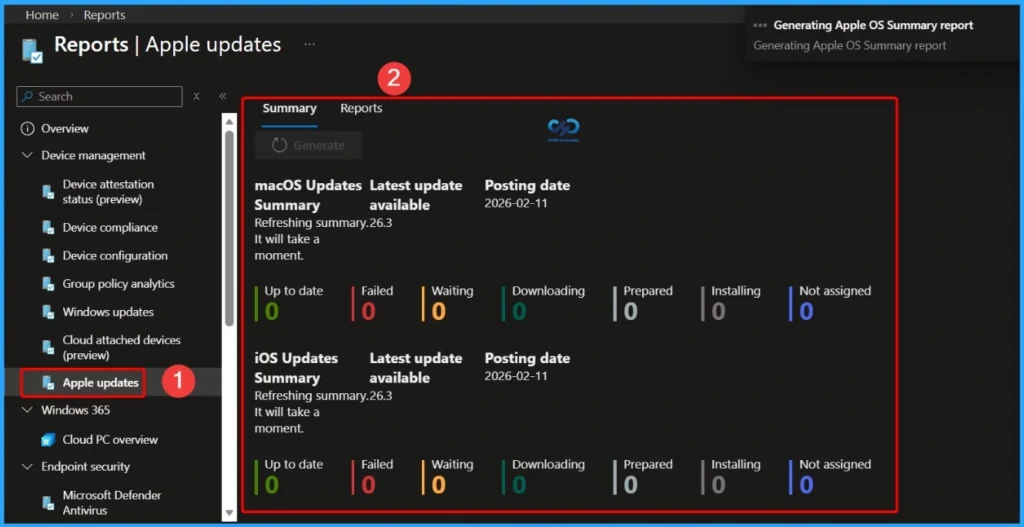
Apple Updates Report
Apple Updates Reports in Intune provide visibility into software update status for managed iOS, iPadOS, and macOS devices across the organization. This report helps administrators monitor pending updates, installed updates, and overall update compliance for Apple devices.
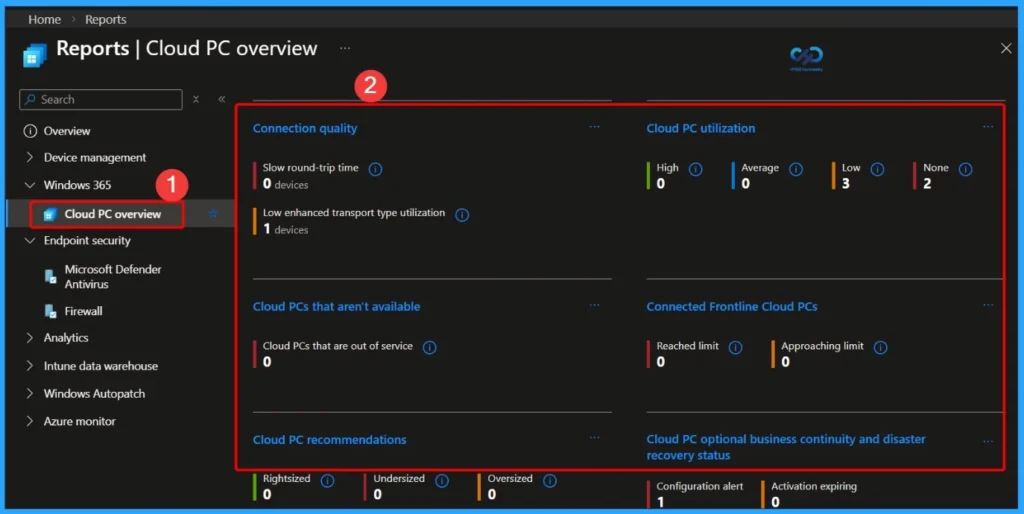
Cloud PC Overview Reports
The Cloud PC Overview Report provides a centralized summary of your Cloud PC environment managed through Windows 365. It gives administrators visibility into connection quality, overall Cloud PC utilization, and the operational health of deployed Cloud PCs across the organization.
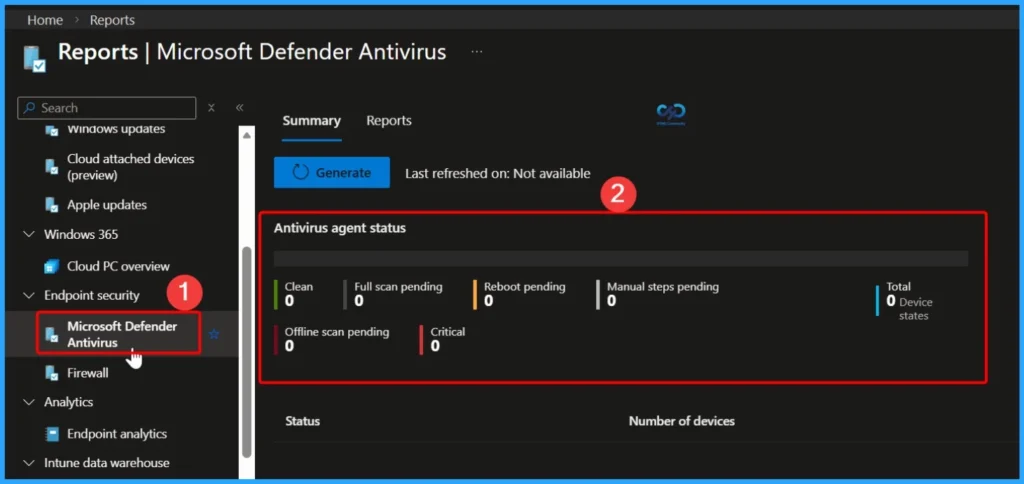
Microsoft Defender Antivirus Reports
The Microsoft Defender Antivirus Report provides visibility into the health and protection status of devices that are protected by Microsoft Defender Antivirus and managed through Intune. It helps administrators monitor antivirus agent status, scan results, and potential security risks across the organization.
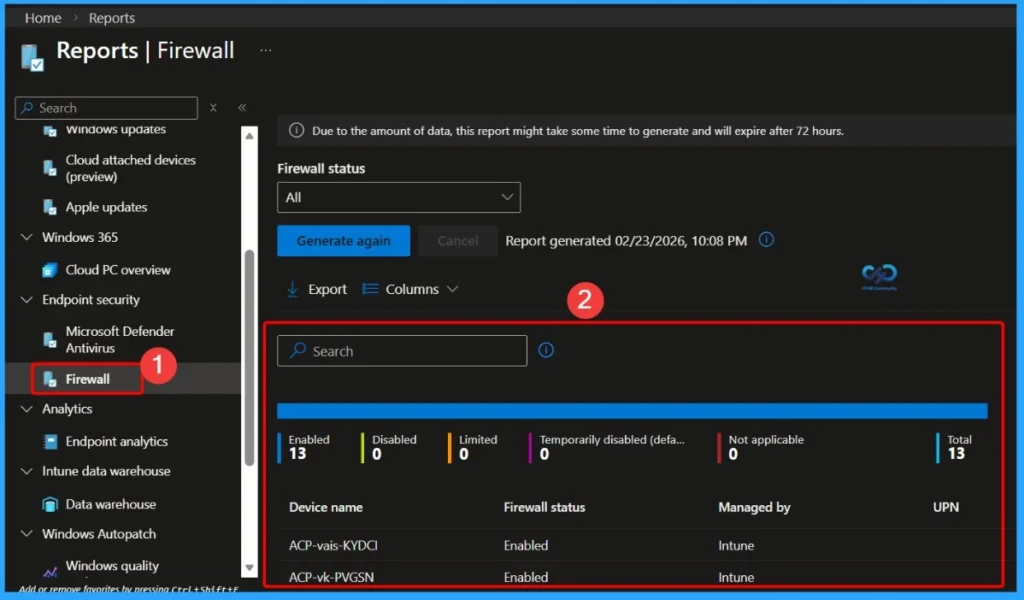
Overview of Firewall Report
The Firewall report tells you if your devices are protected by Windows Firewall or not. A Firewall Report in Intune shows the status of Windows Firewall on managed devices. It helps administrators check whether the firewall is turned on, turned off, or not configured properly.
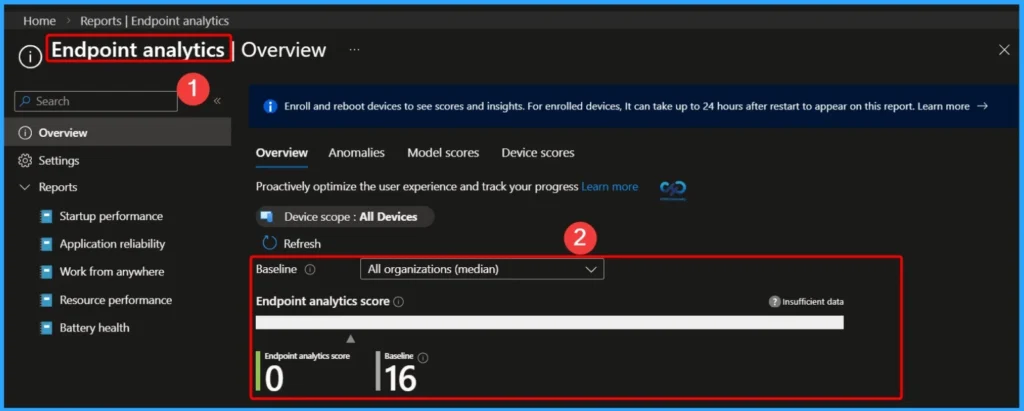
Endpoint Analytics Report
The Endpoint Analytics Report provides detailed insights into device performance and end-user experience across the organization. It helps IT administrators proactively identify performance issues, optimize device health, and improve overall productivity.
- This report includes the following key areas:
- Startup performance – Measures boot time and sign-in experience to identify devices with slow startup issues.
- Application reliability – Tracks app crashes and failures to ensure business-critical applications are stable.
- Work from anywhere – Evaluates device readiness and performance for remote and hybrid work scenarios.
- Resource performance – Monitors CPU, memory, and overall system resource usage.
- Battery health – Provides battery performance insights for portable devices to detect degradation and capacity issues.
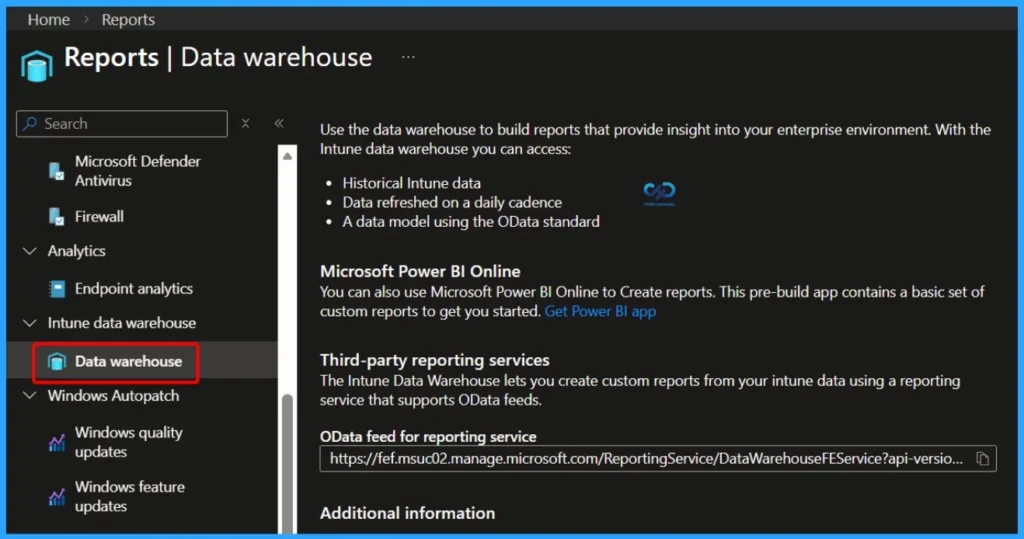
Intune Data Warehouse Reports in Microsoft Intune
The Intune Data Warehouse allows organizations to build custom reports that provide deeper insights into their enterprise environment. It gives access to structured and historical data collected from Intune managed devices and policies, helping IT teams analyze trends and make informed decisions.
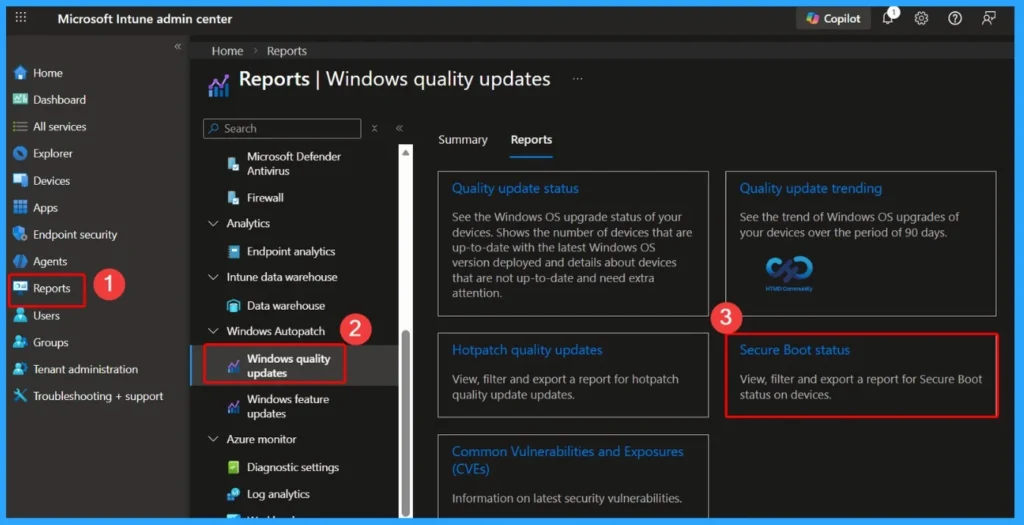
Overview of Windows Quality Updates Reports
The Windows Quality Updates Reports in Intune help administrators monitor the status of monthly Windows quality updates across managed devices. These reports provide visibility into whether devices have successfully installed the latest security patches and cumulative updates.
Overview of Windows Feature Updates Reports
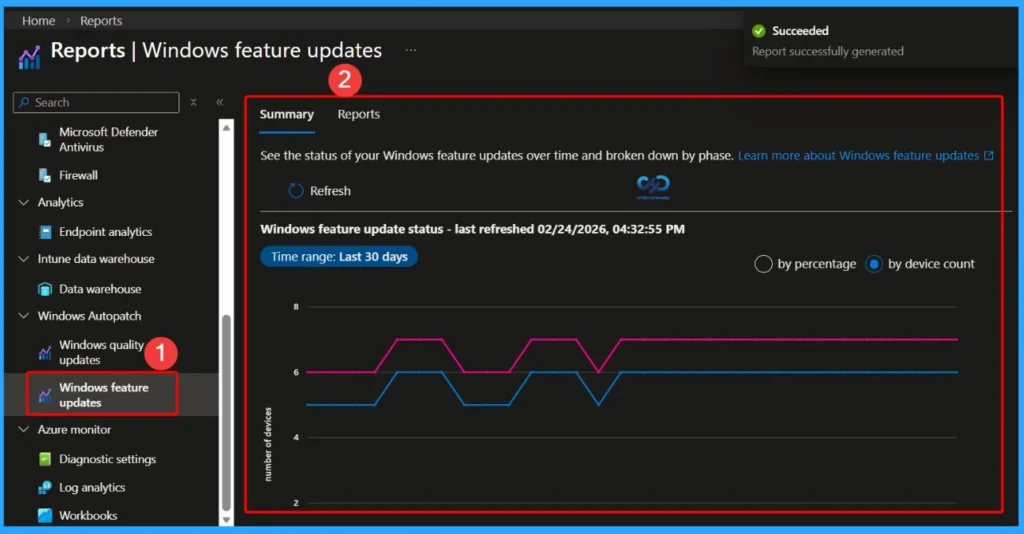
Windows Feature Updates Reports in Intune help administrators monitor the upgrade status of Windows devices to specific OS versions. These reports provide visibility into whether devices have successfully upgraded, are in progress, or have failed.
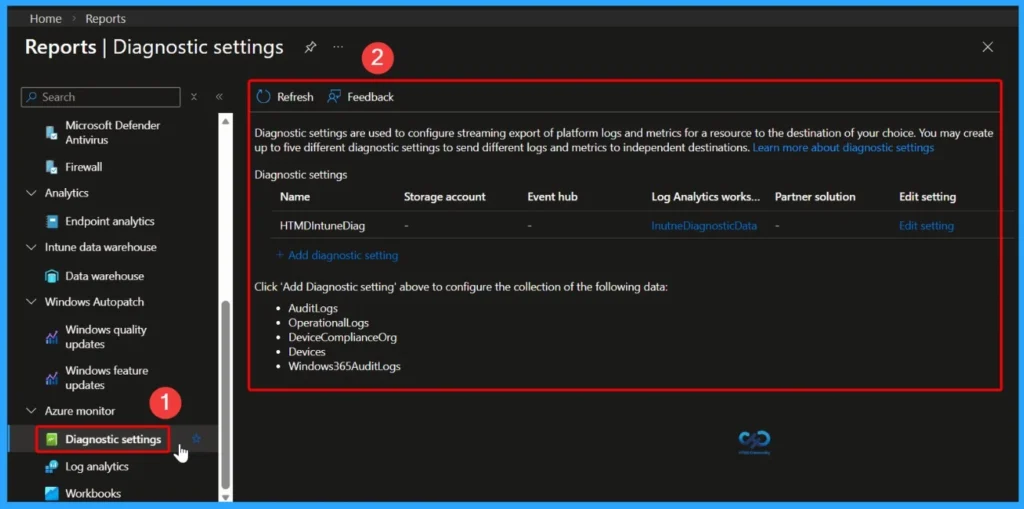
Diagnostic Settings Report in Microsoft Intune
Diagnostic Settings are used to configure the streaming export of platform logs and metrics from Intune to a destination of your choice. This helps organizations collect, store, and analyze activity data for monitoring, auditing, and troubleshooting purposes.
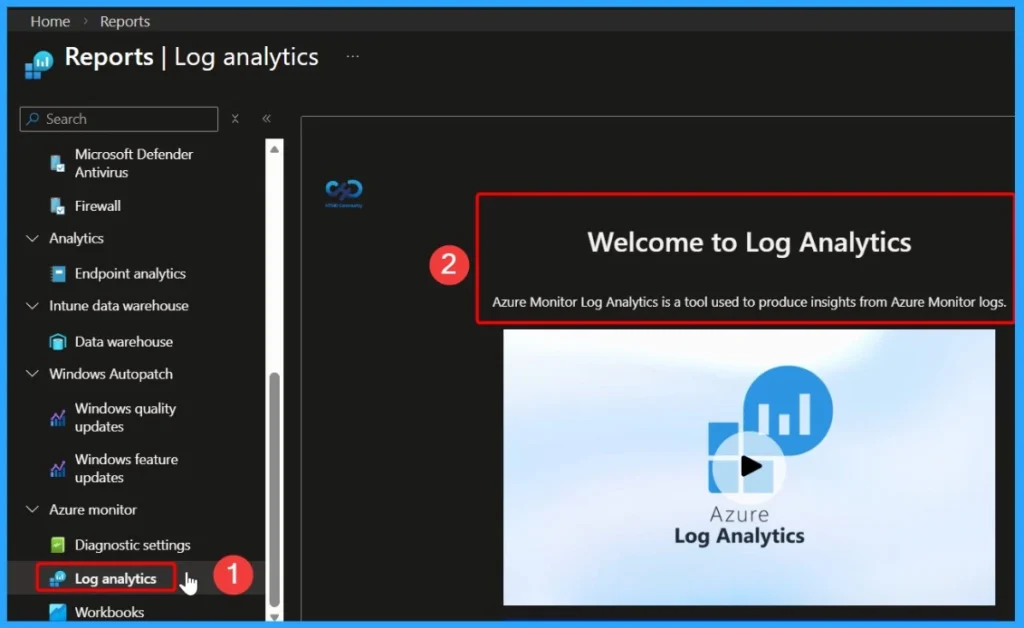
Log Analytics Reports
Using Log Analytics, administrators can run queries to investigate issues, monitor performance, track activities, and create custom reports or dashboards. It provides deeper visibility into the environment, helping teams make informed decisions based on real-time and historical log data.
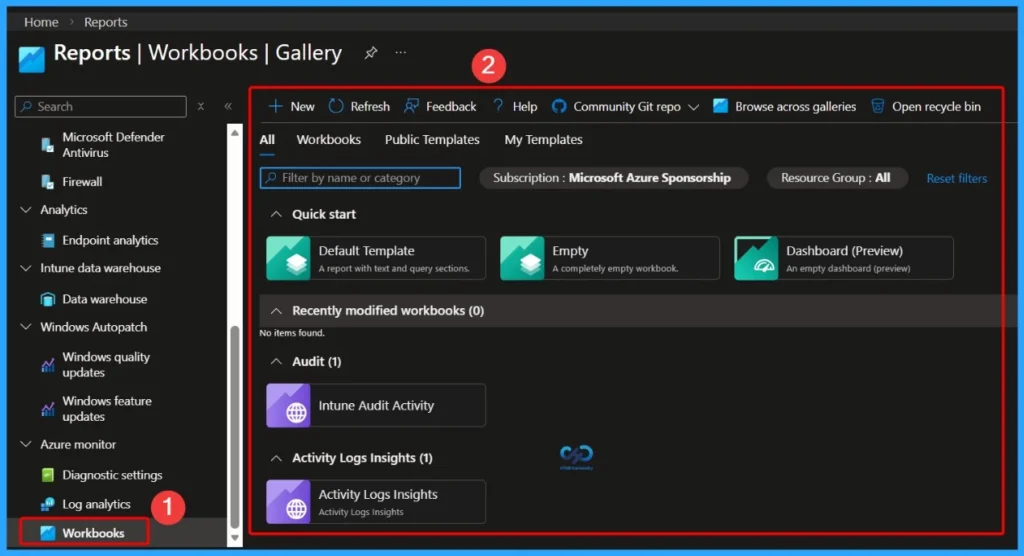
Workbooks
Workbooks are interactive reporting tools that combine text, Analytics queries, Azure metrics, and parameters into rich, visual reports. They allow administrators to create dynamic dashboards that present data in a meaningful and structured way.
Intune Reports | Strategic Options | Types of Reports | Custom Reports | Workbooks
In the following video, let’s discuss Intune Reports and Strategic Options, Types of Reports, Custom Reports, and Workbooks.
- Antivirus Agent Status Intune Report | Endpoint Manager
- Intune Co-Management Workloads Report | Endpoint Manager
- Windows 10 Feature Update Intune Report | Endpoint Manager
- How to Use Group Policy Analytics in Intune Portal | Endpoint Manager
- Sign-in Activity Reports in Intune portal | Endpoint Manager
- Intune Device Compliance Reports | Endpoint Manager
- Azure Active Directory sign-in activity reports – preview
Resources
- Ignite 2019 Coverage
- Microsoft Endpoint Management SCCM Intune Windows Updates
- Microsoft Endpoint Manager is the future of SCCM Intune MEMMI MEMCM
- iOS Android macOS Mobile Enrollment Options with Intune
- Basics of Windows Dynamic Update Explained Update Management
- WVD End User Experience Availability Updates
- MSIX Updates from Ignite Reliability Network Disk-space
- Microsoft Learning Certification Exams Updates
- On-Prem WVD Options Azure Quantum Qualys Scan Integration
- Intune Reporting Strategies Advanced Reporting (this post)
Need Further Assistance or Have Technical Questions?
Join the LinkedIn Page and Telegram group to get the latest step-by-step guides and news updates. Join our Meetup Page to participate in User group meetings. Also, join the WhatsApp Community and the Whatsapp channel to get the latest news on Microsoft Technologies. We are there on Reddit as well.
Author
Anoop C Nair has been Microsoft MVP for 10 consecutive years from 2015 onwards. He is a Workplace Solution Architect with more than 22+ years of experience in Workplace technologies. He is a Blogger, Speaker, and Local User Group Community leader. His primary focus is on Device Management technologies like SCCM and Intune. He writes about technologies like Intune, SCCM, Windows, Cloud PC, Windows, Entra, Microsoft Security, Career, etc.