
Top 10 Best Features of Intune Released in 2025. Microsoft Intune is growing quickly in 2025 with many new features that make device management easier and more secure.
These updates help IT teams do their work faster by improving app permissions, adding more automation, and connecting better with other Microsoft tools. Overall, the changes make it simpler for organisations to manage all kinds of devices and give users a smoother experience.
Ignite 2025 brought powerful new AI features to Intune through Copilot and dedicated management agents. These tools make it easier for admins to create and review policies, identify risks, and manage devices throughout their lifecycle. With a single view for both physical devices and Cloud PCs, IT teams can now manage all endpoints more effectively, supported by smarter insights and helpful, guided actions.
Security and backend upgrades continue to be a big priority in 2025. Intune is moving to Azure Front Door, which makes the service more reliable and supports Microsoft’s security goals. New features like trusted app installations, better backup options, and closer integration with Security Copilot help improve protection and make device management smoother for organisations.


Table of Contents
Top 10 Best Features of Intune Released in 2025
These Intune 2025 updates make life much easier for IT admins by reducing manual work, improving visibility, and strengthening security. AI tools like Copilot and new Intune agents speed up troubleshooting and automate policy reviews, while the new EPM “Elevation as current user” feature offers safer and smoother privilege management.
Read more – Intune Agentic AI Enablement Roadmap for 2026
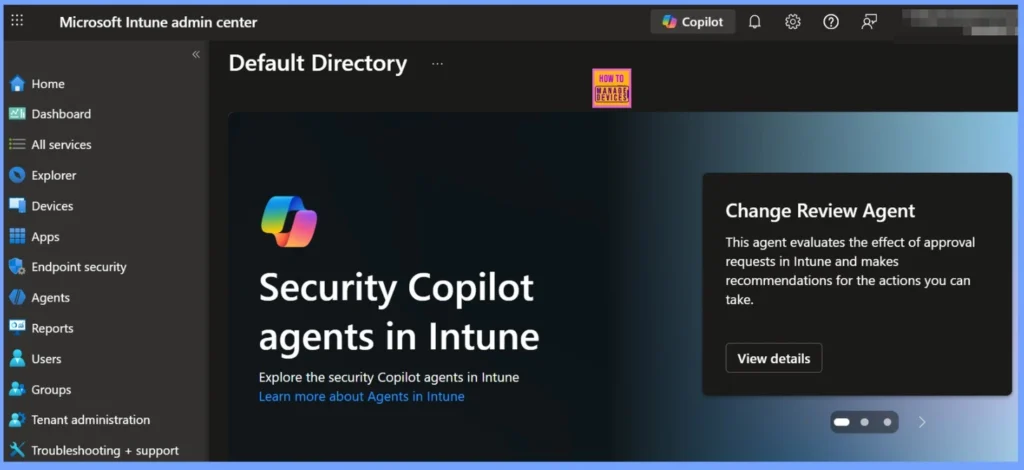
- Intune Device Offboarding Agent Introduces an Agentic Way for Admins to Eliminate Security Risks from Unused or Outdated Endpoints
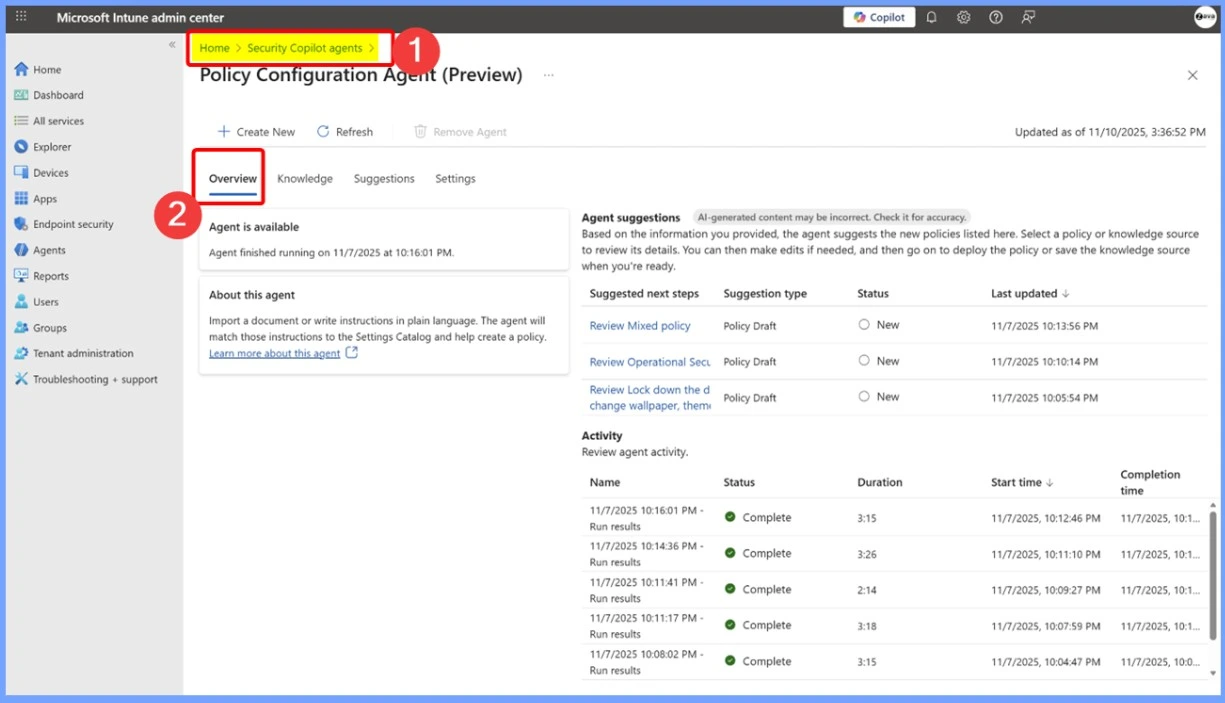
- Intune Policy Configuration Agent Introduces an Agentic Way to Create Policies for Admins
- Intune Change Review Agent a Smarter Way to Review Approve and Secure Every Change
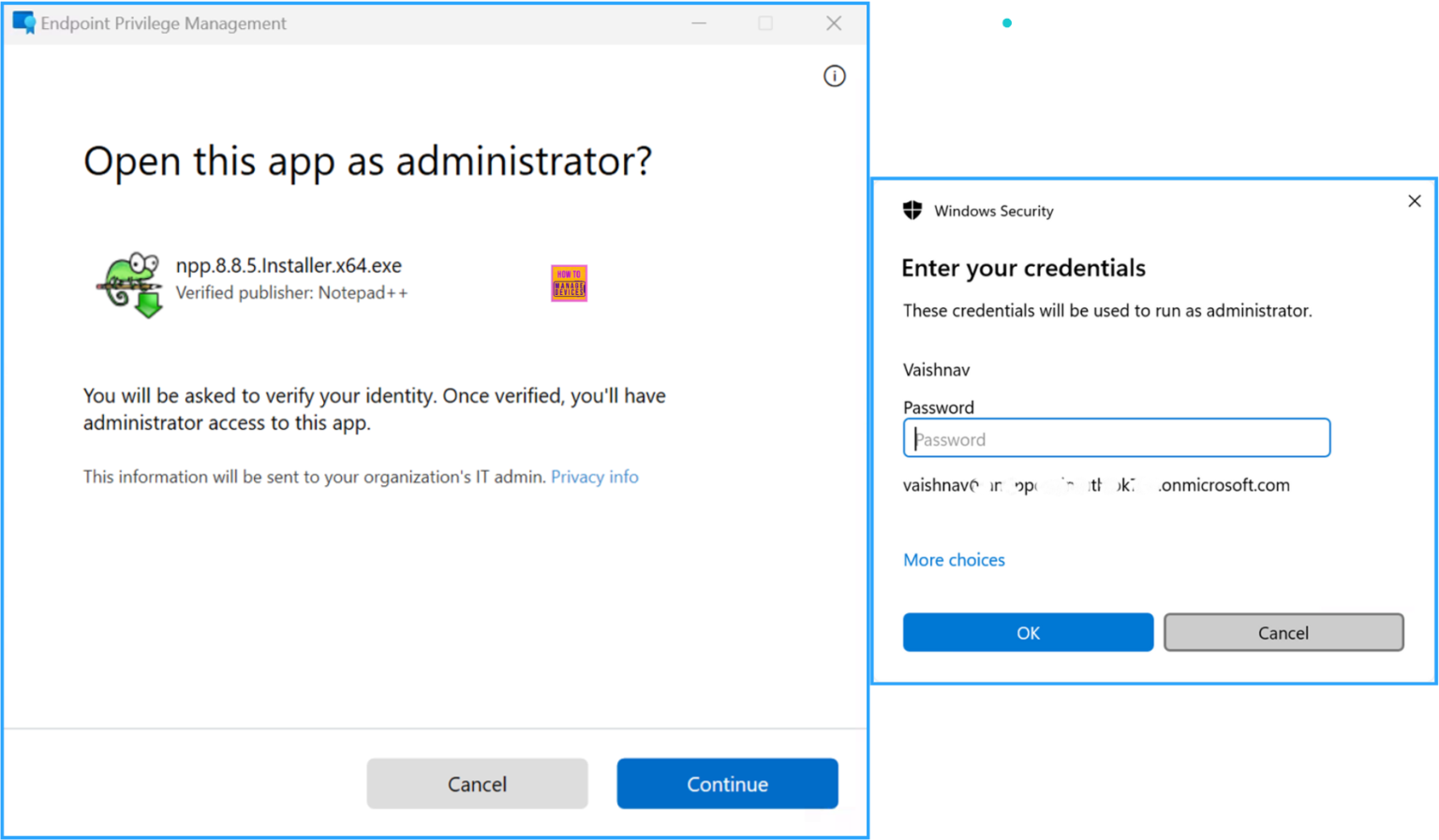
1. Intune EPM Update New “Elevation as Current User” Capability
The new “Elevation as current user” option in Intune’s Endpoint Privilege Management makes the elevation process much smoother for end users. Earlier, when an app needed admin rights, Intune would elevate it using a virtual account, which sometimes caused issues because the app couldn’t access the user’s real profile folders, environment variables, or network drive mappings.
- With this update, Intune can now elevate the app using the actual signed-in user’s account, allowing the application to run with full awareness of the user’s own settings and paths.
Read More – How to Create Elevate as Current User EPM Rules Policy using Intune
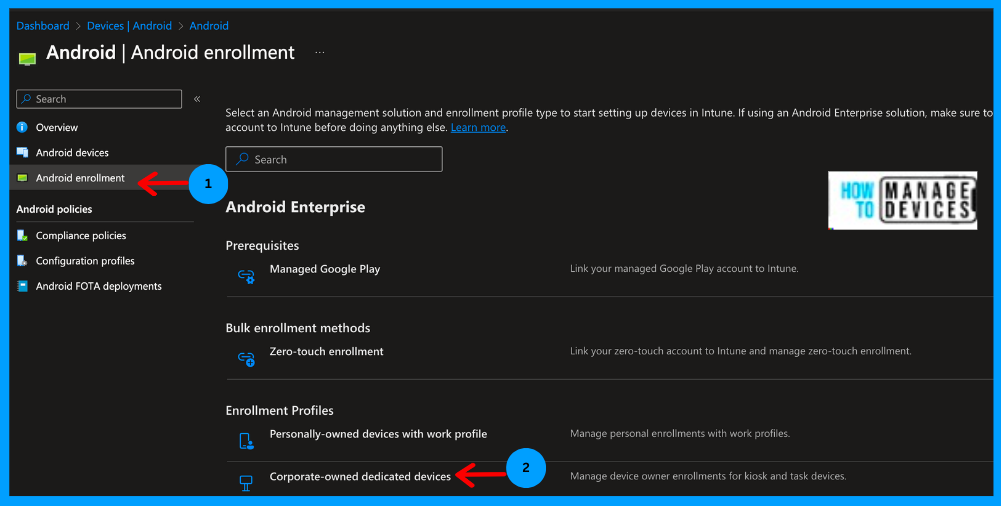
2. Intune Offline Mode and Quick-Launch Enhancements for Android Dedicated Devices
For Android Enterprise dedicated devices such as kiosks, staff store tablets, or devices in warehouses, Intune has added two useful features to Managed Home Screen (MHS). Devices like kiosks or staff tablets are now more reliable and easier to use, and IT admins don’t need to manage complicated workarounds.
- Offline Mode – Apps that are allowed on the device can still be used even without internet. This means workers can keep doing their tasks without interruptions, even in places with weak or no network.
- Quick Launch from Top Bar – Some apps can now be opened directly from the top bar of the device without signing in again. This is useful for apps that people need to access quickly, saving time and making devices easier to use.
Read More – Configure Android Shared Devices using Intune
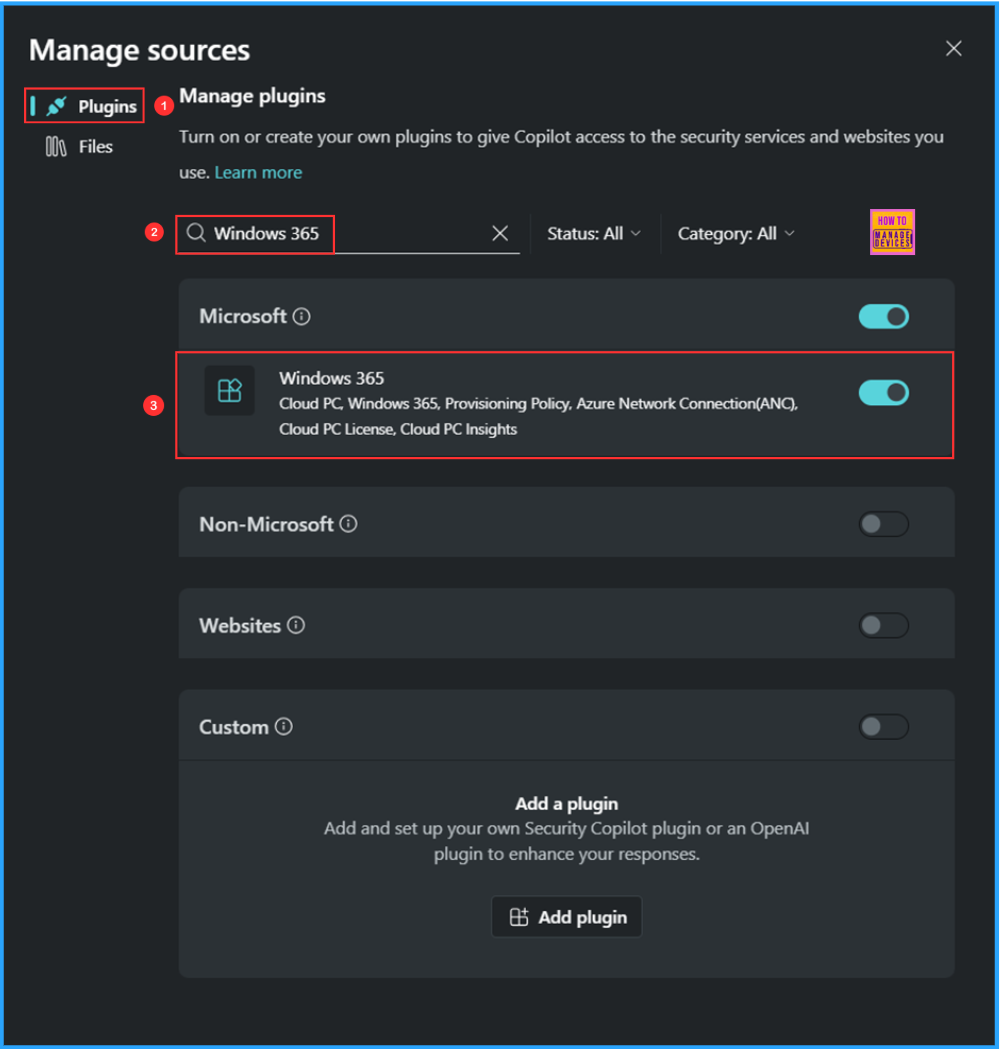
3. Intune Expands to Unified Management for Physical and Cloud Devices
Intune is now more cross-platform and cloud-ready, allowing IT admins to manage both physical devices and cloud-based virtual endpoints, such as Windows 365 Cloud PCs, from a single, unified console. This unified view simplifies monitoring and management by showing device details, compliance status, connectivity, and license usage for all endpoints in one place.
Read more – How to Enhance Windows365 AI-Enabled Endpoint Management using Copilot in Intune
4. Intune Enhances App Deployment with Script Support and Win32 Installer Options
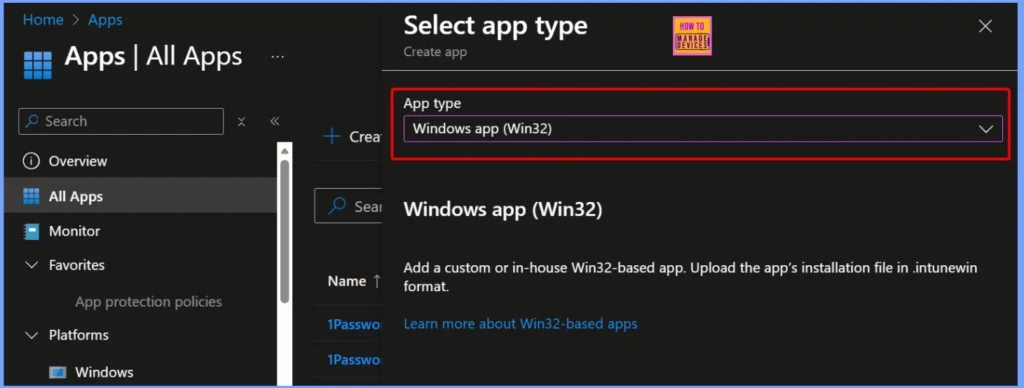
Intune has improved app deployment capabilities in the Enterprise App Catalog by adding installer-script support. This allows IT admins to include PowerShell scripts for tasks such as pre-requisites, custom installation parameters, and post-install actions, giving greater flexibility and control over how apps are deployed.
- Additionally, Intune plans to introduce the ability to select the installer type for Win32 apps, making it easier to deploy a wide range of applications consistently and reliably across managed devices.
Read More – How to Customize Win32 App Installations with PowerShell Scripts in Microsoft Intune
Read More – Best Guide to use PowerShell Scripts in Intune Enterprise Catalog App
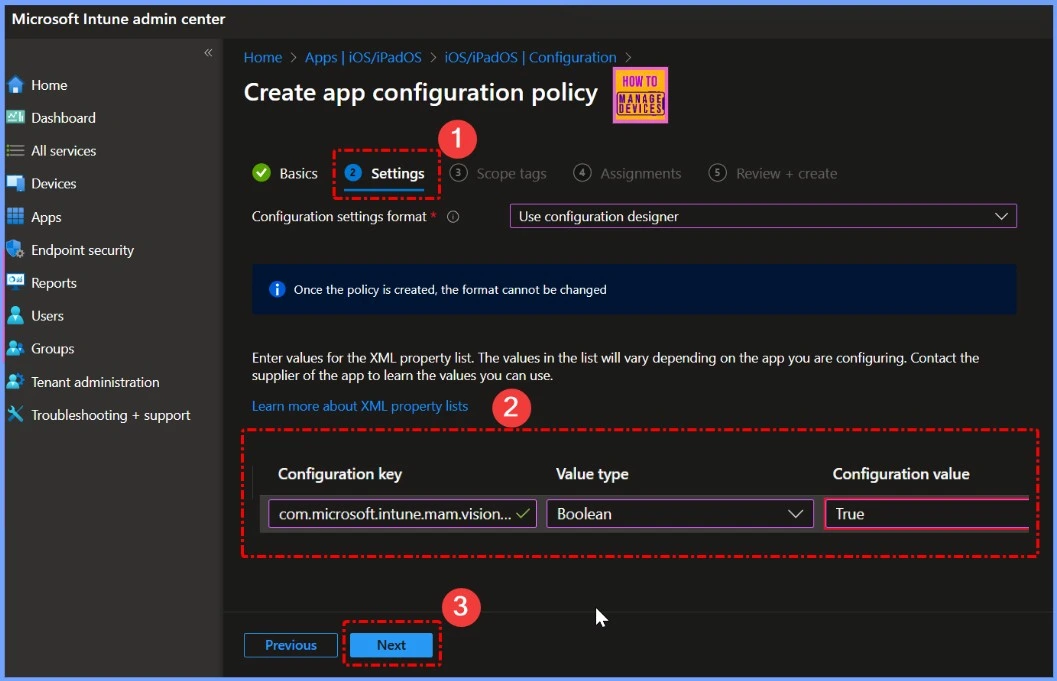
5. Intune MAM Support for Apple VisionOS New App-Protection Capabilities
Microsoft Intune now extends its Mobile Application Management (MAM/App Protection Policies) support to Apple’s specialty devices, including visionOS devices like Apple Vision Pro. This update ensures that organizations can apply data-protection controls, conditional access, and app-level security policies to supported apps running on visionOS.
Read More – Microsoft Intune App Protection Policies now Support MS Edge Browser OneDrive and Outlook on VisionOS
6. Intune’s New Icon & Branding Refresh
Microsoft Intune has introduced a new icon and branding update across the Intune admin center and the Company Portal apps. Even though it’s a small visual change, it gives Intune a more modern and consistent look that matches Microsoft’s latest design style. This refresh helps keep the interface updated and provides a cleaner, more unified experience for both IT admins and end users.
Read More – New Icon for Microsoft Intune Along with Hotpatch EPM Autopatch and macOS Highlights

7. Intune Network Endpoint Update Azure Front Door IPs
From December 2, 2025, Microsoft Intune will start using Azure Front Door network IPs. If your company has a firewall that allows only specific IP addresses, you must add the new Azure Front Door IPs to the allow-list. Otherwise, your devices may not be able to connect to Intune. This update helps Intune work faster and more reliably, but IT teams must update their firewall rules to avoid any connection issues.
Read More – Microsoft Intune Service Release 2210 October Update New Features
Read More – Azure Networking Services Training | Azure Tips
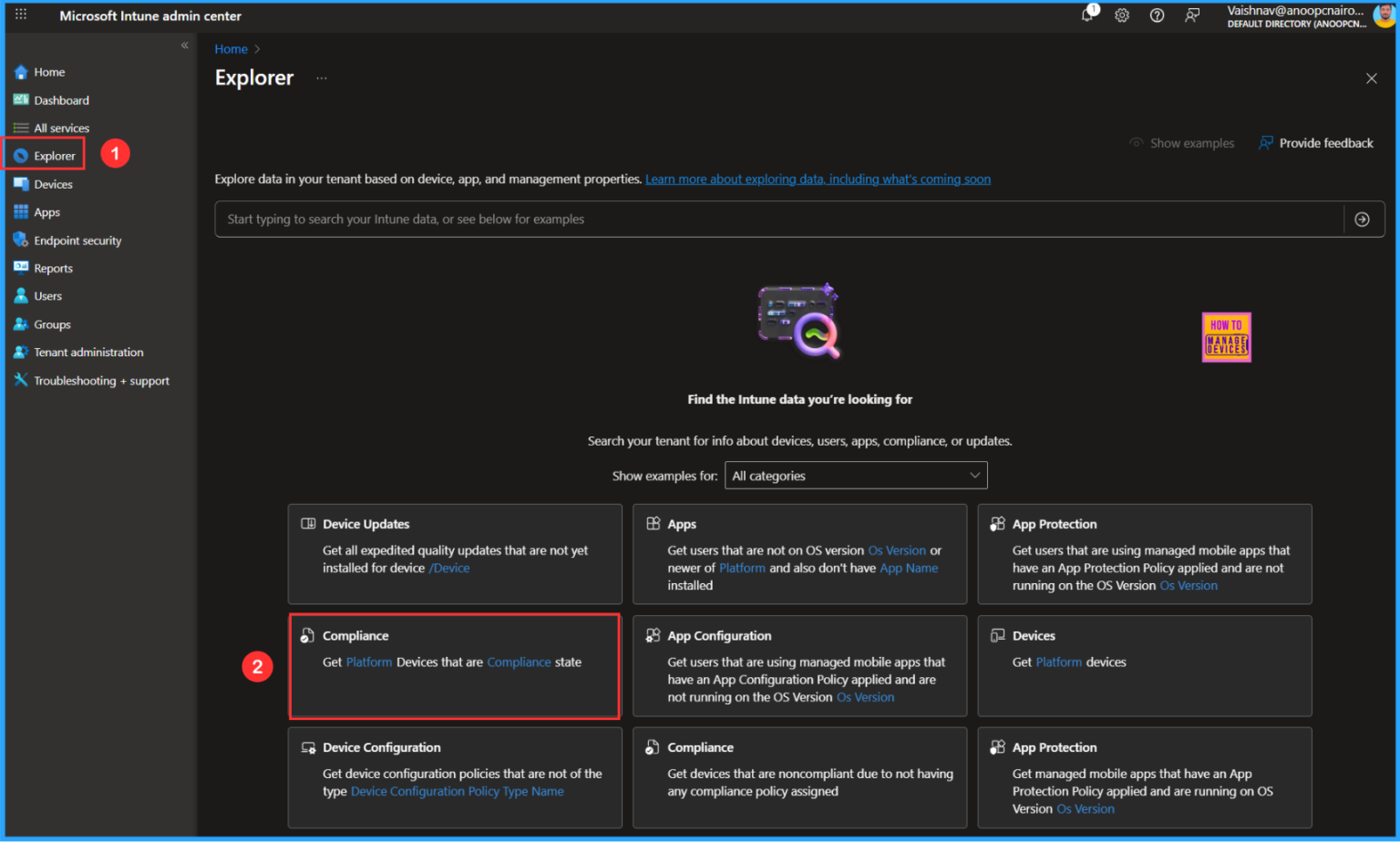
8. Copilot Integration in Intune – Intune Explorer
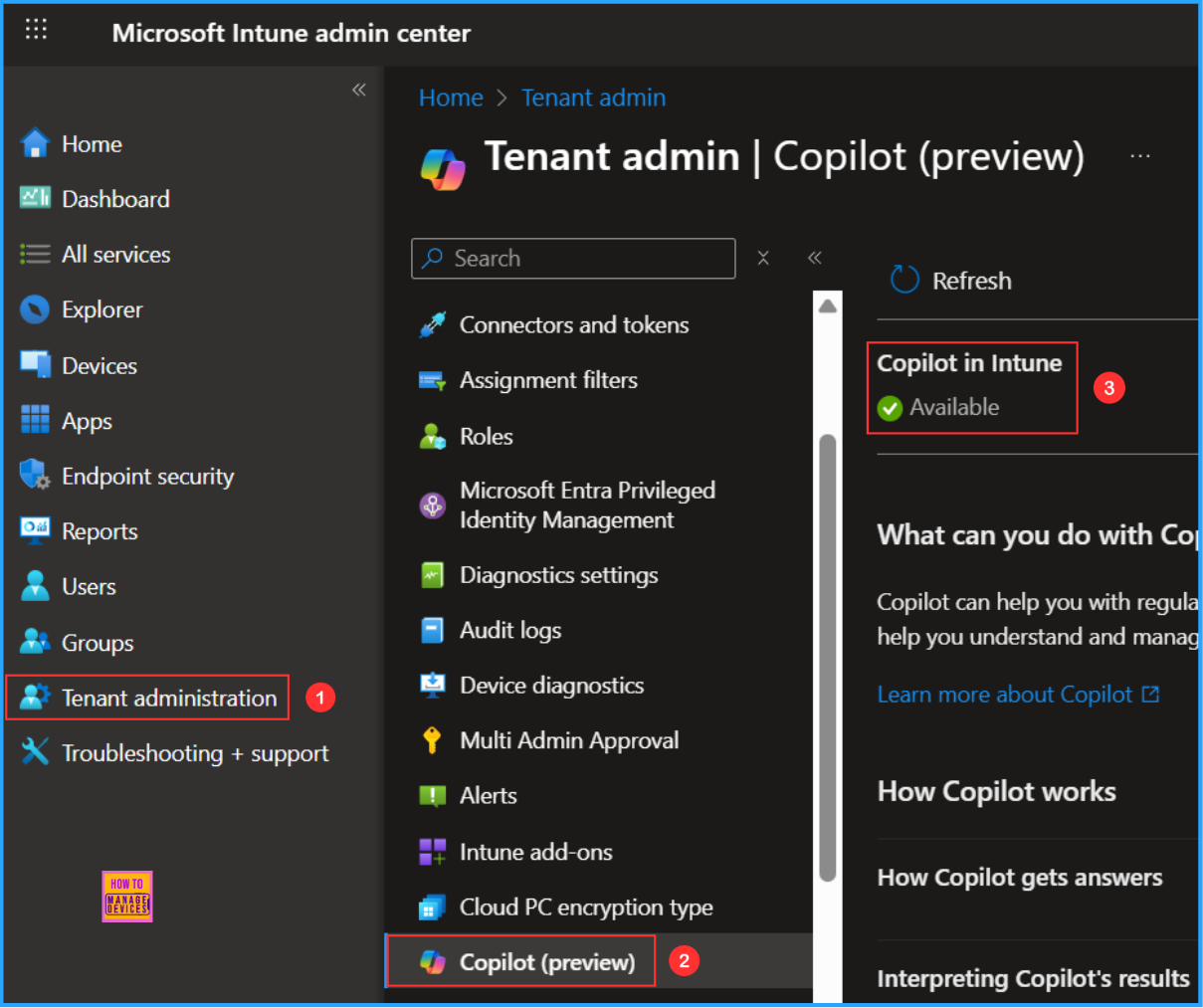
Microsoft Intune now includes AI-powered Copilot and specialised management agents that help IT admins handle devices, policies, compliance, and user lifecycle tasks more efficiently. With natural-language commands like “show me devices not on the latest Windows version” or “identify users with failing compliance checks”, admins can get quick insights, automate routine actions, and troubleshoot issues faster.
Read More
How Microsoft Security Copilot Improves Intune Admin Center Efficiency
How to use Intune Explorer with Security Copilot to Access Devices Users Apps Compliance and Update Details
How to Get Latest Windows Quality Updates using Intune Security Copilot
How to Get Device Enrollment Details by User in Intune Explorer with Security Copilot
How to View Managed App Types Details with Intune Explorer and Security Copilot
How to Get All Managed App Installation Results for User using Intune Explorer with Security Copilot
How to use Intune Explorer with Security Copilot to Find Windows and MacOS Device Data across your Tenant
How to use Intune Explorer with Security Copilot to Access Devices Users Apps Compliance and Update Details
How Microsoft Security Copilot Improves Intune Admin Center Efficiency
9. AI-Powered Agents and Copilot in Intune
Microsoft Intune now integrates Copilot and specialized AI-driven agents to streamline device, policy, and user-lifecycle management. Admins can use natural-language queries like “show me devices not on the latest Windows update” to quickly get insights, identify issues, and take action. These AI agents help automate routine tasks such as compliance checks, off-boarding, and policy reviews, reducing manual effort and improving overall operational efficiency within the Intune environment.
Read more
Intune Agentic AI Enablement Roadmap for 2026
Intune Policy Configuration Agent Introduces an Agentic Way to Create Policies for Admins
Intune Change Review Agent a Smarter Way to Review Approve and Secure Every Change
Intune Device Offboarding Agent Introduces an Agentic Way for Admins to Eliminate Security Risks from Unused or Outdated Endpoints
- Effective Vulnerability Remediation Agent Strategies and Best Practices with Microsoft Intune
- How to Fix Intune Agent Crash Access Violation Error 0xc0000005
10. Remote Windows Device Recovery at Scale Preview Feature for Endpoint Resilience
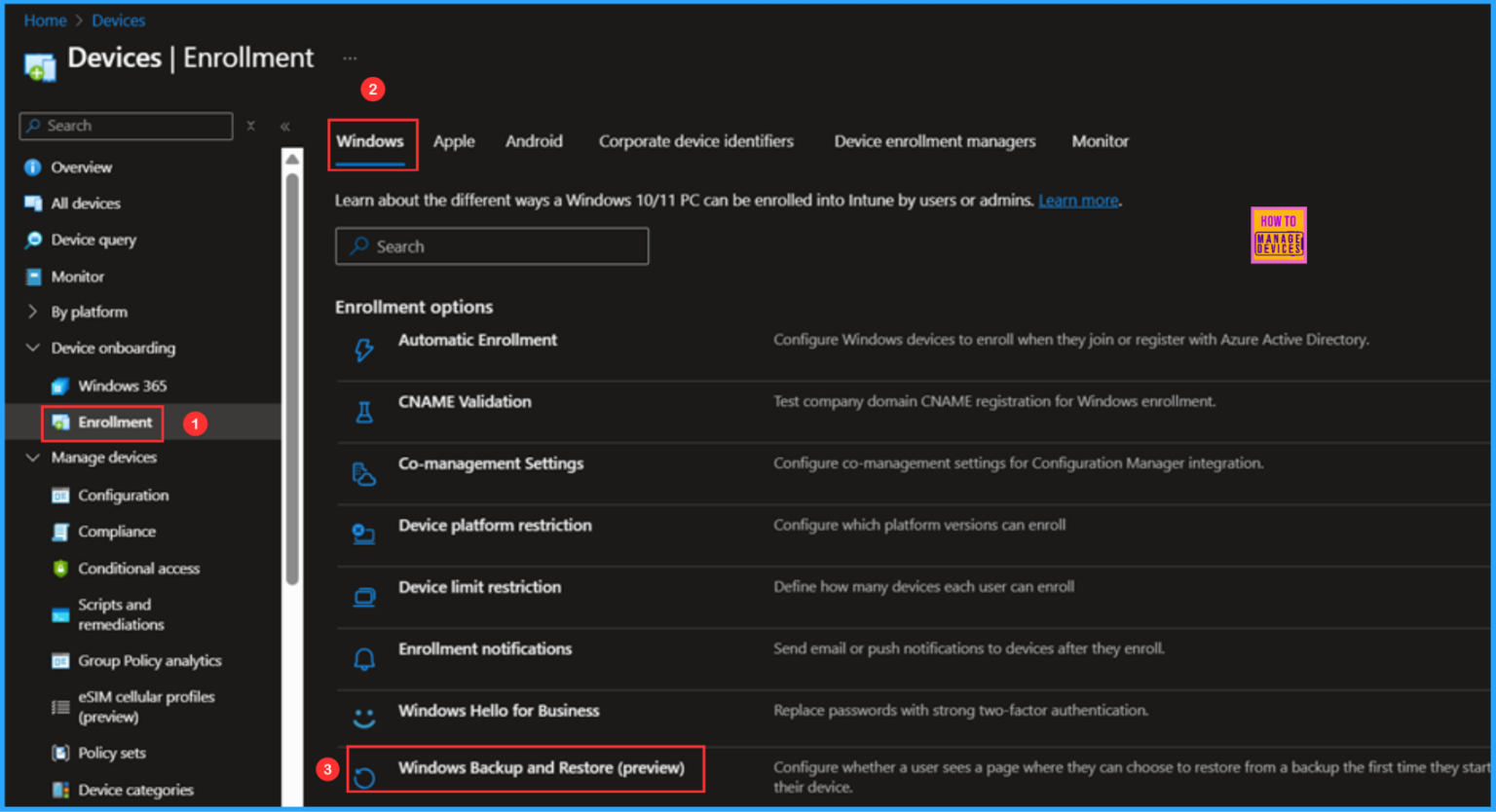
Microsoft Intune now offers a preview feature that allows IT admins to perform remote recovery for Windows devices that cannot boot locally. This capability enables organizations to restore devices quickly without requiring physical access, significantly improving disaster-recovery processes and endpoint resilience.
Read More – How to Configure Windows Backup and Restore in Microsoft Intune
11. Enhanced Visibility & Analytics Across Physical and Virtual Endpoints in Intune
Microsoft Intune now provides better visibility and analytics through the Copilot “Explorer” within the admin center. This feature offers a unified view of devices, applications, users, policies, and compliance status across both physical and virtual endpoints, including Cloud PCs. By consolidating critical information in a single interface, IT admins can quickly identify issues, monitor compliance, and make informed decisions, improving overall endpoint management efficiency and operational insights.
- Copilot with Endpoint Privilege Manager to Identify Potential Elevation Risks using Intune
- Best Copilot Assistance for Querying Device Inventory Data using KQL in Intune
- Easy way to Disable GitHub Copilot in Visual Studio using Intune
12. Intune Integration with Third-Party Patching & Vulnerability Management
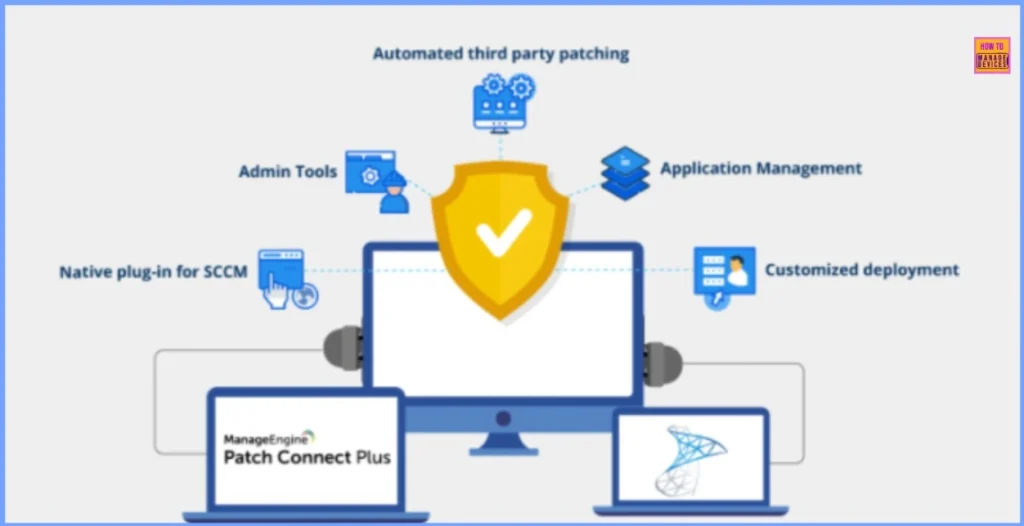
At Microsoft Ignite 2025, Action1 announced its integration with Microsoft Intune to provide comprehensive third-party patch management and risk-based vulnerability prioritization. This integration allows IT teams to manage both Microsoft and third-party application updates from a single interface, with real-time patch dashboards for better visibility.
Read More – Patch Connect Plus Now Includes Intune Update Management
Need Further Assistance or Have Technical Questions?
Join the LinkedIn Page and Telegram group to get the latest step-by-step guides and news updates. Join our Meetup Page to participate in User group meetings. Also, join the WhatsApp Community to get the latest news on Microsoft Technologies. We are there on Reddit as well.
Author
Anoop C Nair has been Microsoft MVP for 10 consecutive years from 2015 onwards. He is a Workplace Solution Architect with more than 22+ years of experience in Workplace technologies. He is a Blogger, Speaker, and Local User Group Community leader. His primary focus is on Device Management technologies like SCCM and Intune. He writes about technologies like Intune, SCCM, Windows, Cloud PC, Windows, Entra, Microsoft Security, Career, etc.
Hello Anoop, hope you are good, I would like to know do you have any solution to manage the Windows certificate on prem to the intune? Please let me know any solution for it