

Key Takeaways
- Microsoft has updated the Intune portal UI for Windows Autopilot management in 2026.
- The latest portal includes Refresh, Export, Columns, Sync, Import, and Add filters options.
- Administrators can directly export Windows Autopilot devices without applying filters.
- Microsoft continues to promote Windows Autopilot Device Preparation for simplified modern deployments.
In this post we are discussing Windows Autopilot Device Export Guide for Microsoft Intune Admins. Windows Autopilot helps organizations simplify Windows device deployment and provisioning using cloud-based management. Administrators can configure devices with required settings, applications, security policies, and user experiences before the device reaches the end user. This reduces manual configuration efforts and improves deployment efficiency across organizations.
Table of Contents
Table of Contents
Windows Autopilot Device Export Guide for Microsoft Intune Admins
The Windows Autopilot devices page in Intune also provides useful management capabilities such as Search, Add filters, Columns, Sync, Import, and Export options. These features help administrators quickly locate specific devices, organize deployment information, and export device details into CSV reports for reporting, auditing, migration planning, and operational management purposes
- AAD Groups based on Intune Device Categories
- Latest Intune Admin Portal Walkthrough Guide | MEM Admin Center
- Migrate Group Policies GPOs to Intune Settings Catalog policy
Export Windows Autopilot Device in Intune
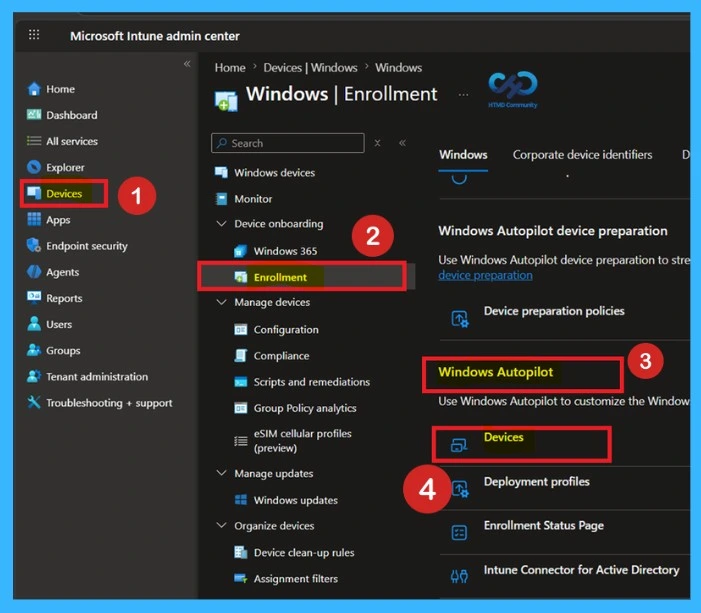
To export Windows Autopilot devices, sign in to the Microsoft Intune admin center and navigate to Devices Onboarding > Enrollment. Scroll down on the Enrollment page and select Windows Autopilot and select devices to view all registered Autopilot devices in your environment.
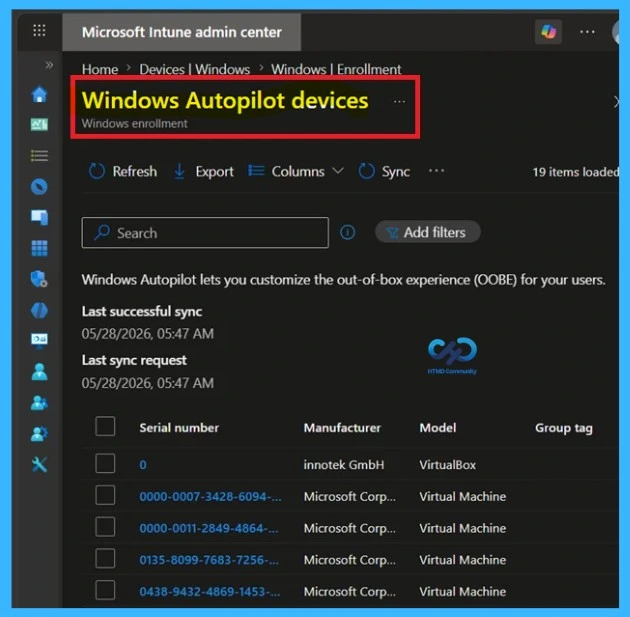
The Windows Autopilot devices page provides management options such as Refresh, Export, Columns, Sync, Import, Search, and Add filters, helping administrators efficiently manage and export device inventory information from Intune. Here you can see the lists of Windows Autopilot devices. Windows Autopilot lets you customize the out-of-box experience (OOBE) for your users.

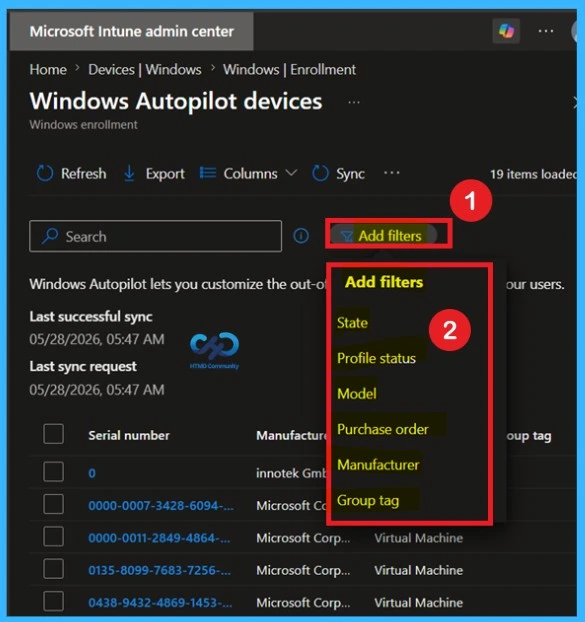
Add Filters for Windows Autopilot Devices
The Windows Autopilot devices page in Microsoft Intune includes an Add filters option that helps administrators quickly narrow down the device inventory based on specific properties. This feature makes it easier to locate and manage particular Windows Autopilot devices in large environments. Let’s use the Add Filter for your report. Clicking on Add filter prompts you to select the options you want to include/exclude. Select Apply to update.
| Add Filter Options |
|---|
| State |
| Profile Status |
| Model |
| Purchase order |
| Manufacturer |
| Manufacturer |
| Group tag |
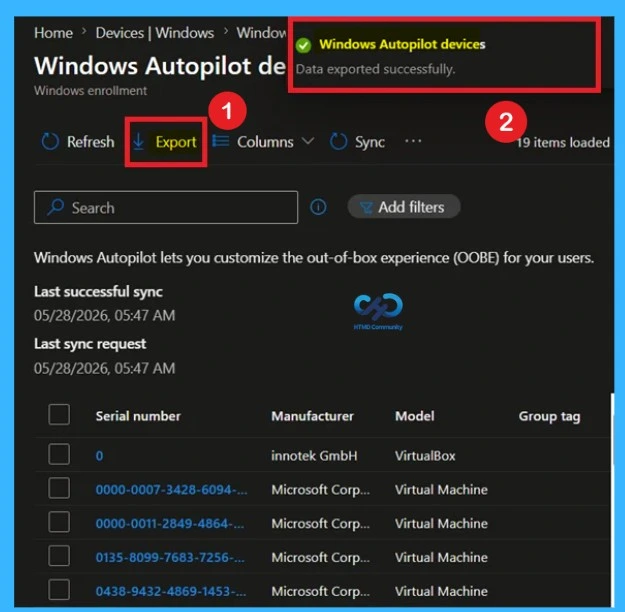
The Windows Autopilot devices page in Microsoft Intune includes an Export option that allows administrators to download Windows Autopilot device inventory information as a CSV report. This feature helps administrators maintain device records, review deployment information, perform auditing tasks, and manage Autopilot device inventory more efficiently.
Need Further Assistance or Have Technical Questions?
Join the LinkedIn Page and Telegram group to get the latest step-by-step guides and news updates. Join our Meetup Page to participate in User group meetings. Also, join the WhatsApp Community and the WhatsApp channel to get the latest news on Microsoft Technologies. We are there on Reddit as well
Author
About Author – Jitesh, Microsoft MVP, has over six years of working experience in the IT Industry. He writes and shares his experiences related to Microsoft device management technologies and IT Infrastructure management. His primary focus is Windows 10/11 Deployment solution with Configuration Manager, Microsoft Deployment Toolkit (MDT), and Microsoft Intune.