
Key Takeaways
- Cloud-based IAM solution that manages identities and access for users, devices, and applications.
- Central security layer for the organization by protecting identities and controlling access to resources.
- Secures access to everything from apps and AI to data and resources across cloud and on-premises environments.
- Unified identity platform for the entire organization, supporting modern and hybrid workloads.
- Prevents identity-based attacks using built-in security and risk detection capabilities.
Microsoft Entra ID provides cloud-based identity and access management for users, devices, and applications. it Secure access to everything from apps to AI, data to resources in clouds or on-premises across your organisation. It prevents identity attacks and secures access to apps and resources.
Table of Content
Table of Contents
What is Microsoft Entra ID?
Microsoft Entra ID is the new name for Azure Active Directory (Azure AD) and is Microsoft’s cloud-based identity and access management (IAM) service.
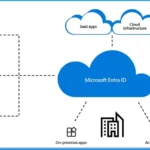
It provides authentication and authorization for users, devices, and applications, enabling secure access to Microsoft services such as Microsoft 365, Azure, and Dynamics 365, as well as thousands of cloud and on-premises applications.
As a core part of the Microsoft Entra product family, Entra ID helps organizations protect identities, prevent identity-based attacks, and securely manage access across cloud and hybrid environments.

What is Microsoft Entra ID Protection?
Microsoft Entra ID Protection helps organizations detect and respond to identity-related risks by identifying risky sign-ins and unusual user behavior.
It uses built-in intelligence to spot potential threats and automatically take actions such as blocking access, requiring additional verification, or allowing access based on risk level.
1. Prevents identity compromise by detecting risky sign-ins early
2. Protects against credential theft using risk-based analysis
3. Improves visibility into your organization’s identity security posture
What Actions Are Required from Users or Organizations Responding to the Name Change from Azure AD to Microsoft Entra ID?
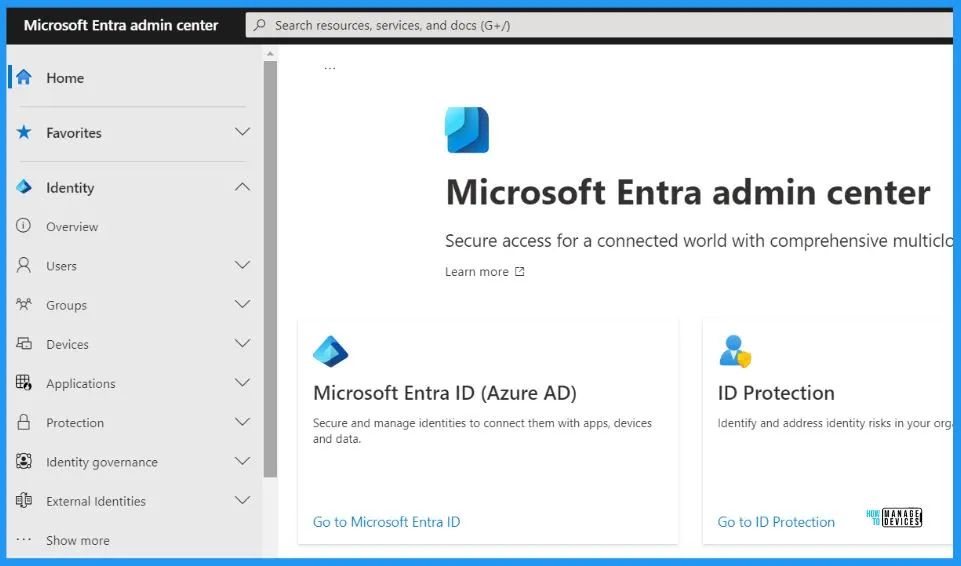
No additional action is required. You can continue relying on the familiar and trusted Azure AD capabilities, conveniently accessed through the Azure portal, Microsoft 365 admin center, and the dedicated Microsoft Entra admin center.
Is only the Name Changing?
The transition from Azure AD to Microsoft Entra ID is designed to be seamless for you and your organization. No changes will be made to Azure AD capabilities, APIs, login URLs, PowerShell cmdlets, Microsoft Authentication Library (MSAL), developer experiences, or tooling.
1. The licensing plans and pricing for Azure AD and Microsoft 365 plans that include Azure AD will remain unchanged. Only the display names for the licensing plans change.
2. To simplify microsoft product naming and unify the microsoft product family, microsoft changed the name of Azure AD to Microsoft Entra ID.
What is Microsoft Entra Private Access?
Microsoft Entra Private Access is a Zero Trust Network Access solution that enables secure access to private applications without traditional VPNs, supporting hybrid and multi-cloud environments.
What is Microsoft Entra Internet Access?
Microsoft Entra Internet Access is an identity-driven Secure Web Gateway that places identity at the center of access control, helping protect users from web-based threats while accessing internet and cloud resources.
How Do these Solutions Fit into Microsoft’s Security Strategy?
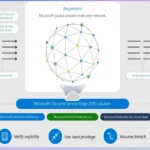
Microsoft Entra Internet Access and Private Access together form Microsoft’s Security Service Edge (SSE) solution, combining identity and network access security into a flexible and integrated platform.
What is Microsoft Entra ID? – Video Explained
In the video, you have gained comprehensive insights into Microsoft Entra and Entra ID and the distinction between Azure Active Directory (Azure AD) and Entra ID. Prevent identity attacks and protect access to apps and resources by using strong sign-in security and risk-based access rules. These controls work together with your existing security tools and follow a Zero Trust approach, where every access request is verified.
- EntraOps V0.7.0 Released With Improved Microsoft Entra Tenant Governance And Role Visibility
- What is Microsoft Entra ID?
- Security Enhancement with Named Locations in Entra ID
- Enterprise Applications Security Settings in Entra ID
- Modernize MFA Authentication Policies in Entra ID
- List of Entra ID Ignite 2023 Sessions
- Free Entra Training Videos | Start Learning Entra ID Azure AD
Azure AD is becoming Microsoft Entra ID
In May of 2022, Microsoft made a significant introduction with the unveiling of Microsoft Entra, an inclusive product family comprising three key offerings: Microsoft Azure Active Directory (Azure AD), Microsoft Entra Permissions Management, and Microsoft Entra Verified ID. These solutions were designed to empower organizations with enhanced identity and access management capabilities.
- Microsoft later expanded the Microsoft Entra family with Microsoft Entra ID Governance and Microsoft Entra Workload ID.
- Today, Microsoft Entra is a powerful force in protecting identities and securing access across various environments.
- This product family brings together multicloud identity and network access solutions.
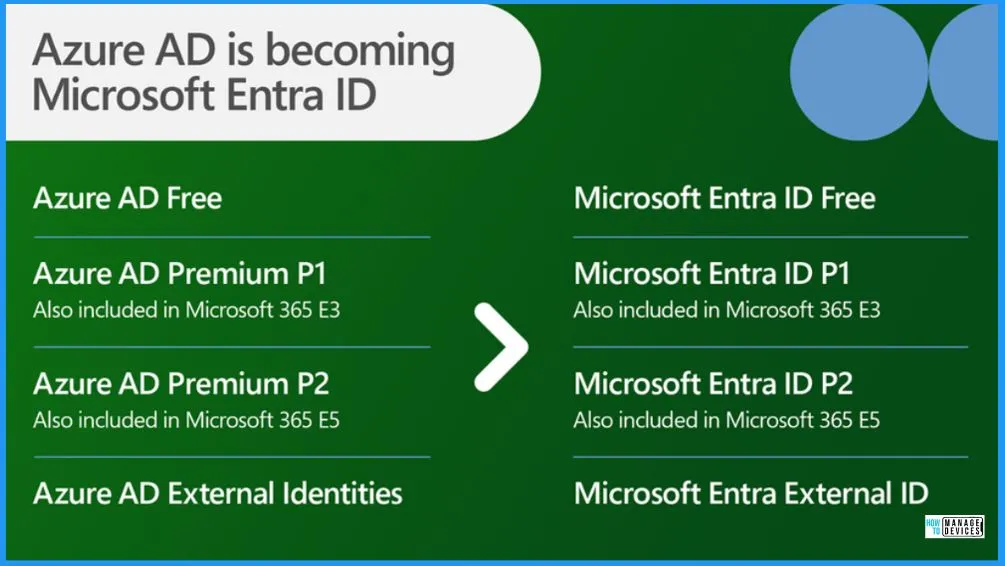
- The below window shows the current Azure AD SKU names to the new SKU names under Microsoft Entra ID. Service plan display names will change on October 1, 2023.
| Microsoft Entra – Capabilities Overview | Details |
|---|---|
| Secure Adaptive Access | Risk-based authentication and Zero Trust Conditional Access |
| User Experience | Fast sign-in with MFA, SSO, passwordless, and self-service |
| Centralized Management | Single platform for cloud and on-premises identity access |
| AI-Powered Security | Threat detection and investigation with Security Copilot |
Note! – Once the new name rolls out, all the existing features and functionalities of Azure AD will be seamlessly integrated under the new name. For instance, Azure AD Conditional Access will be rebranded as Microsoft Entra Conditional Access, Azure AD MFA will become Microsoft Entra MFA and Azure AD single sign-on will be transformed into Microsoft Entra single sign-on.
- Microsoft Cloud LAPS Password Management Solution
- Get Microsoft Defender for Endpoint Product Comparison and License Assignment Options
- Create Microsoft Entra ID Users with PowerShell Script
Central Security Layer for the Organization
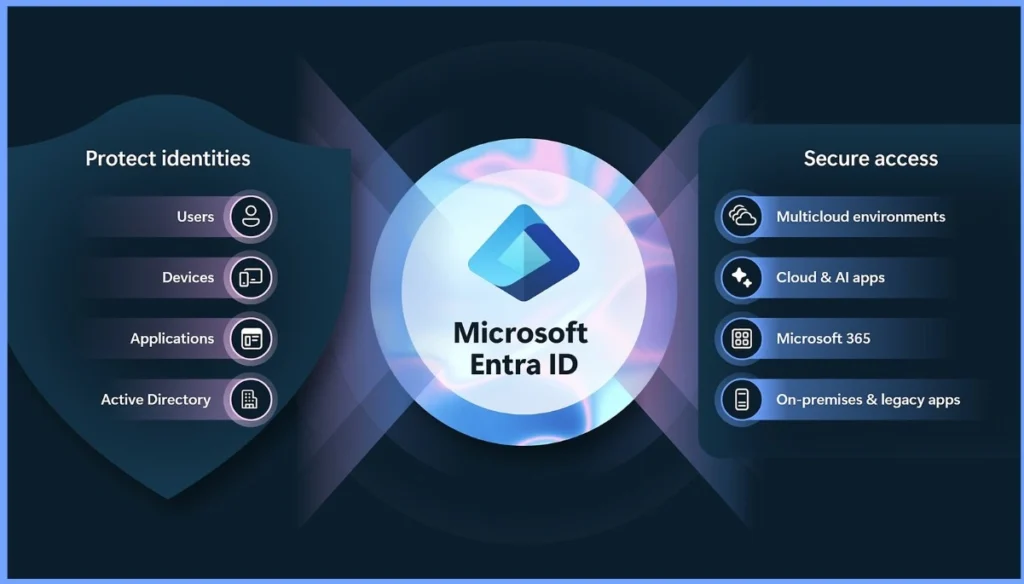
Microsoft Entra ID acts as a central security layer for the organization by protecting identities and controlling access to resources. It secures users, devices, applications, and on-premises Active Directory identities, while also managing secure access to Microsoft 365, cloud and AI apps, multicloud environments, and on-premises or legacy applications.
- By sitting at the center of identity and access, Microsoft Entra ID ensures that only trusted identities can access the right resources, following a Zero Trust, identity-first approach.
| Protect Identities | Secure Access |
|---|---|
| Users | Multicloud environments |
| Devices | Cloud & Al apps |
| Applications | Microsoft 365 |
| Active Directory | On-premises & legacy apps |
Entra ID from an Admin Perspective
From an administrative perspective, Entra ID serves as a robust identity and access management solution. The admin can control access to applications and resources using Entra IDs. Entra ID allows administrators to set granular access controls, ensuring only authorised individuals can access specific applications and resources.
- Administrators can utilise Entra ID to enforce security policies, define user roles and permissions, and implement multi-factor authentication for added security.
Entra ID from a User Perspective
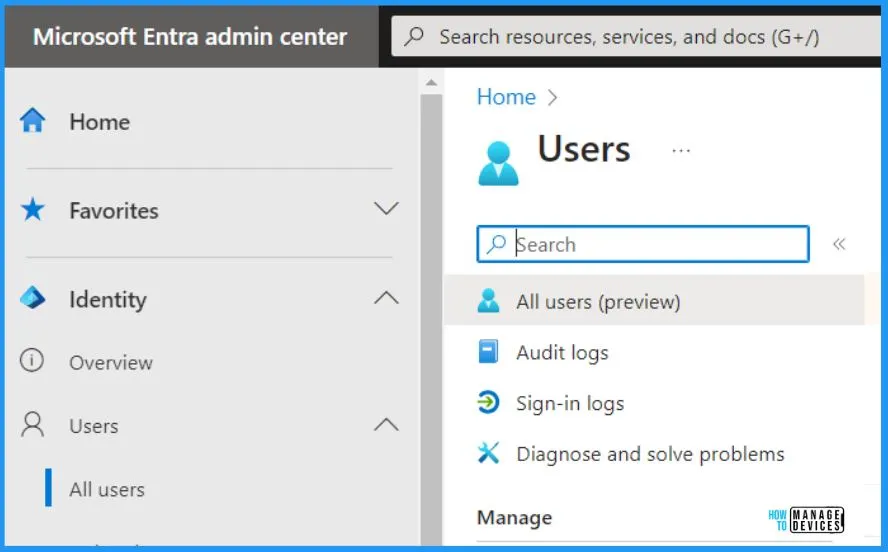
Entra ID, from the user perspective, is nothing but just a login ID for accessing applications and resources. Users use Entra ID to log in to their physical and Virtual (Cloud PCs) endpoint devices. Entra ID simplifies the user experience by providing a unified login credential for users across different devices and platforms.
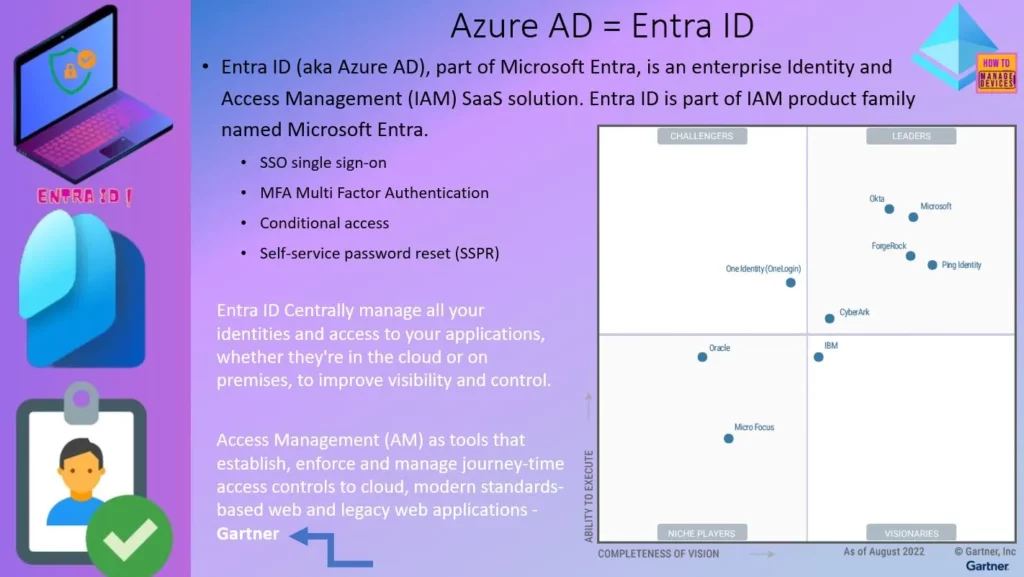
Azure AD = Entra ID
Entra ID (aka Azure AD), part of Microsoft Entra, is an enterprise Identity and Access Management (IAM) SaaS solution. Entra ID is part of the IAM product family named Microsoft Entra. Entra ID Centrally manages all your identities and access to your applications, whether in the cloud or on-premises, to improve visibility and control.
Access Management (AM) is a tool that establishes, enforces, and manages journey-time access controls to the cloud, modern standards-based web, and legacy web applications.
- SSO single sign-on
- MFA Multi-Factor Authentication
- Conditional access
- Self-service password reset (SSPR)
New Innovations in Microsoft Entra
Microsoft also highlights other innovations in the Microsoft Entra portfolio that help you to strengthen defenses against attackers who are becoming more adept at exploiting identity-related vulnerabilities such as weak credentials, misconfigurations, and excessive access permissions.
- Prevent identity takeover in real-time.
- Automate access governance
- Personalize and secure access to any application for customers and partners
- Simplify identity verification with Microsoft Entra Verified ID
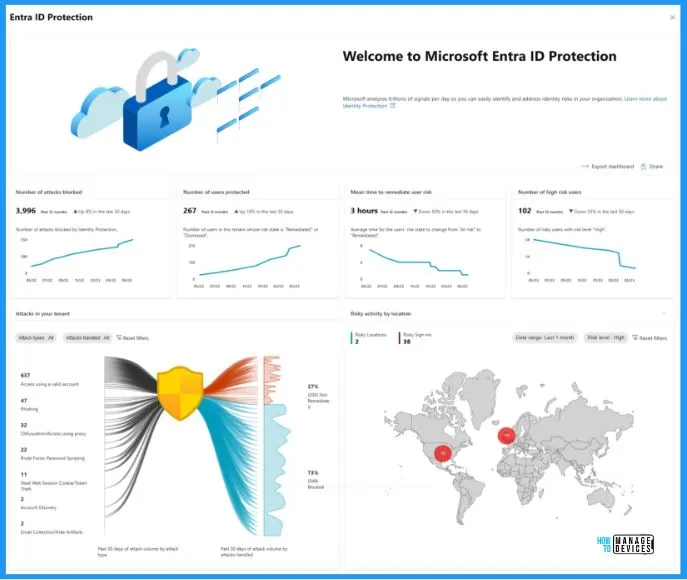
Prevent Identity Takeover in Real Time – New Microsoft Entra ID Protection Dashboard
Microsoft Entra ID Protection, formerly Azure AD Identity Protection, introduces thrilling enhancements that empower IT professionals and identity practitioners to prevent account compromise. Microsoft Entra ID Protection helps you to detect abnormal sign-in patterns and aberrant user behavior; this intelligent solution promptly intervenes, offering real-time options such as blocking, challenging, or limiting access.
The benefits of the new dashboard in Microsoft Entra ID Protection are that it offers a comprehensive snapshot of prevented identity attacks, presents metric cards and attack graphs for visual analysis, identifies current attack types, provides recommendations based on risk exposure, highlights the business impact of controls, facilitates enhanced investigations, and seamlessly integrates with other tools and applications for a more comprehensive security assessment.
| New Dashboard Features in Microsoft Entra ID Protection | Description |
|---|---|
| Comprehensive Snapshot | It helps to provide a holistic view of prevented identity attacks |
| Metric Cards | It offers simple and easily understandable metrics |
| Attack Graphs | It helps to Illustrate risk origins and security posture over time |
| Current Attack Types | It helps to Identify the types of ongoing attacks |
| Risk Exposure Recommendations | It Provides recommendations based on risk exposure |
| Business Impact Highlight | Highlights the impact of enforced controls on the business |
| Enhanced Investigations | Enables further exploration of security posture |
| Integration with Tools | Seamlessly integrates with additional tools and applications |
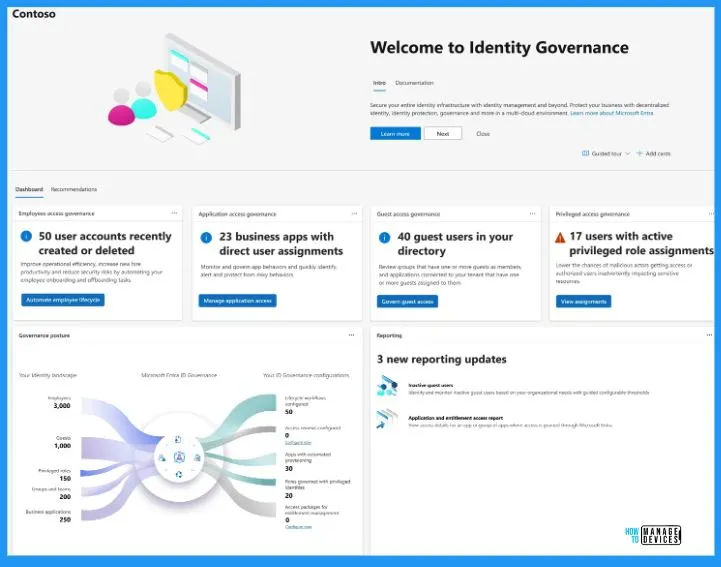
Automate Access Governance
It is introducing Microsoft Entra ID Governance, an all-encompassing identity governance solution now widely accessible. It helps you comply with organisational and regulatory security requirements while increasing employee productivity through real-time, self-service, and workflow-based app entitlements.
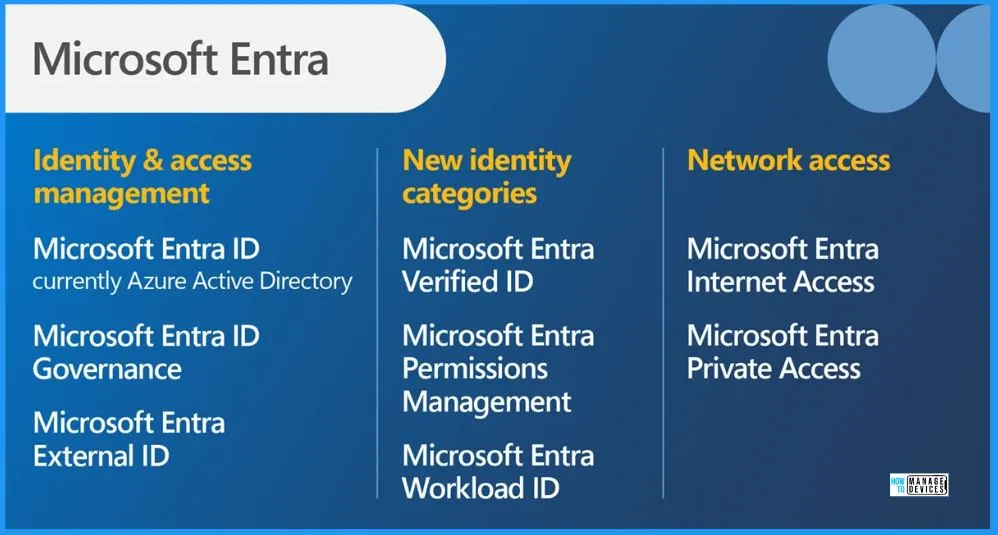
Microsoft Entra as a Product
There are 3 main categories under Microsoft Entra: Product Identity and Access Management, New Identity Categories, and Network Access. The identity and access management includes Microsoft Entra ID, Microsoft Entra ID Governance, and Microsoft Entra Extra External ID.
The New and identity categories include Microsoft Entra verified ID, Microsoft Entra permissions management, and Microsoft Entra workload ID. The Network access includes Microsoft Entra Internet access and Microsoft Entra Private access.
Video – Entra Global Secure Access
Microsoft Entra uses an identity-centric, Zero Trust approach to protect network access, ensuring users can connect safely to applications and services from anywhere without relying on traditional network security models.
Resources
Need Further Assistance or Have Technical Questions?
Join the LinkedIn Page and Telegram group to get the latest step-by-step guides and news updates. Join our Meetup Page to participate in User group meetings. Also, join the WhatsApp Community to get the latest news on Microsoft Technologies. We are there on Reddit as well.
Author
Vidya. M. A – Experienced Intune Consultant and Technical Content Creator with 5+ years of hands-on experience in Microsoft Intune and community-driven technical blogging. Proven expertise in designing, deploying, and validating Intune policies, along with creating clear, step-by-step technical content for IT professionals. Recognised for contributing high-quality technical content, improving security compliance, and supporting community growth through consistent knowledge sharing.