
Key Takeaways
- Choosing the right Intune app type affects deployment reliability and user experience.
- Intune supports App Store, Web, and Line-of-Business (LOB) apps.
- App Store apps are Microsoft-recommended for easy deployment and automatic updates.
- LOB apps offer more control but need manual packaging and ongoing maintenance.
- Web apps suit SaaS and internal portals with limited management features.
Let’s check the List of Supported Intune Application Types. This post will explore the various application types and deployment methods Intune supports. This post will share valuable tips, best practices, and considerations to help you navigate the design decision-making process.
Design decisions are crucial and can have a significant impact on the success of your project. This post will help you in making a design decision. We will explore the options available, including web links, line-of-business (LOB) applications, and app store applications, while highlighting the respective limitations for each type of application.
Let’s look into supported Intune application types. The supported Intune application type includes the App Store integrations; Device platforms support and apps deployment, and complex App deployment scenarios.
This post shows the 6th part of the Intune Design Decision video series. In the previous five parts, we cover the Intune design decision information such as Supported Device Platform and Baselines, Enrollment Methods, Intune Integration options, Security policies, Supported application types, etc.

Table of Content
Table of Contents
What are the Supported Intune Application Types?
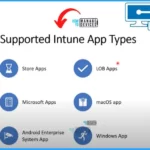
Let’s see the supported Intune App Types. Intune offers a diverse range of supported application types, catering to various platforms and requirements. It includes the applications such as Store apps, Microsoft apps, Android enterprise system apps, LOB apps, macOS apps, Windows apps, etc.
What are the Intune Apps Types
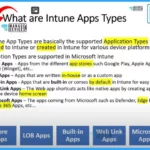
The Intune App Types are the supported Application Types that can be added to Intune or created in Intune for various device platforms. 5 Application Types are supported in Microsoft Intune.
1. Store Apps – Store Apps are apps from different app stores such as Google Play, Apple App Store, WPM (Winget), etc
2. LOB Apps – Apps that are written in-house or as a custom app
3. Built-in Apps – Apps that are built-in or come by default in Intune for easy curation
4. Web Link Apps – The Web app shortcuts act like native apps by creating app shortcuts on the device’s home screen
5. Microsoft Apps – The apps coming from Microsoft, such as Defender, Edge Browser, Office 365 Apps, etc.
Supported Intune Application Types and Deployment Methods – Video
Thank you for joining us on this Intune Design Decision video series journey. Welcome to the sixth instalment of our highly informative Intune Design Decision video series. In the previous five parts, we covered important design decision information related to Intune.
- MDE Network Protection Policy Deployment using Intune
- Deploy Microsoft Defender for Endpoint Policies using Intune
Intune Protected Apps
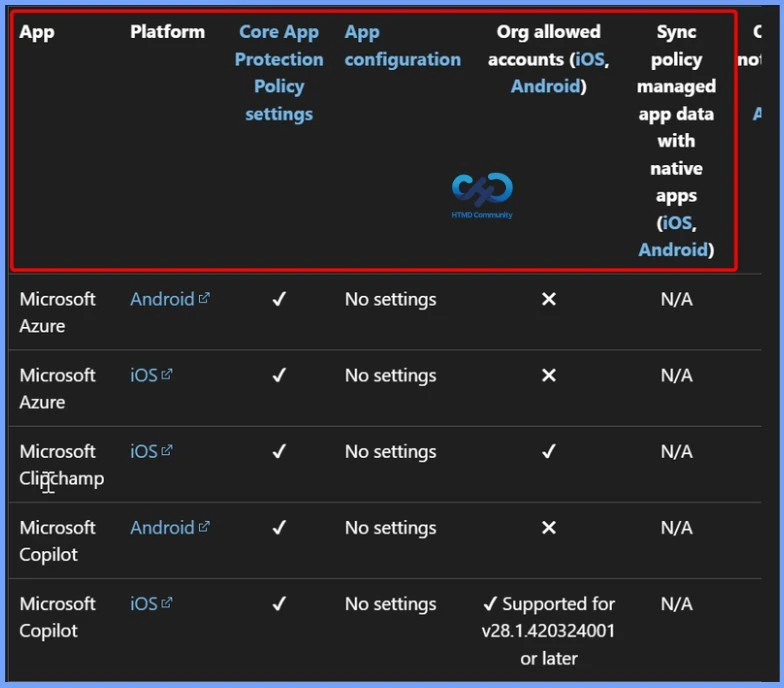
Intune Protection Apps are the Apps that are incorporated with Intune App protection policies code using Intune SDK for Windows devices platform and App wrapping tools for iOS and Android devices. Intune App Protection Policies for Android iOS Devices.
You can have more control features if an application is enabled with Intune app protection. For example, there are different segregation of that one is Protection of Core app settings, and the other one is Protection of Advanced App Configuration Settings.
- All the Intune-protected apps will support core app settings such as Copy & Paste, Encryption, DLP, and CA without managing the Device.
- The advantage of Intune protected app is you don’t need to manage the device, but you can manage the application if it is enabled with Intune-protected apps.
- Protection of Advanced App Configuration Settings – It helps you to customize app behavior, Save as Location Control, turn off multi-identity, etc.
- Partner productivity apps allow you to zoom for Intune, ServiceNow Agent – Intune, etc.
- Partner UEM apps – It helps you to coexist between apps that support Intune App Protection Policies and partner unified endpoint management (UEM) solutions—examples: Workspace ONE Send and Citrix ShareFile for Intune.
App Store Application Type in Intune
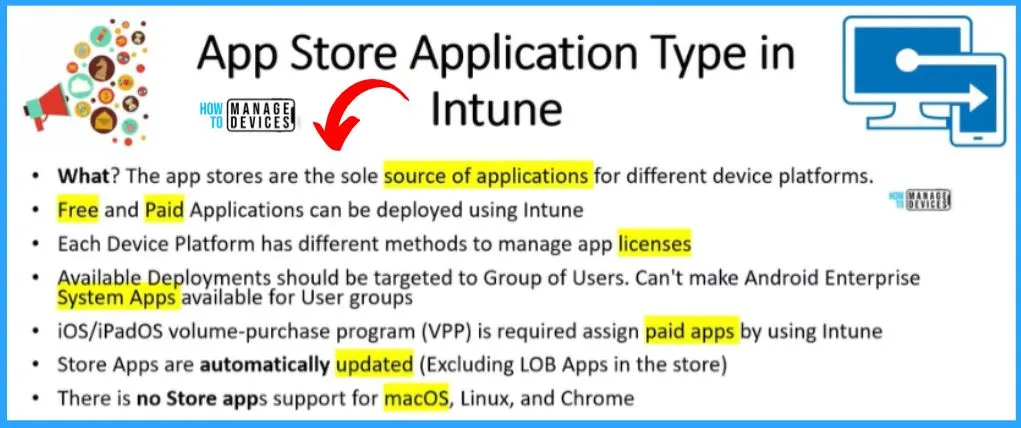
The app stores are the sole source of applications for different device platforms. App stores are available for iOS, Android, and Windows devices. There are Free and Paid Applications can be deployed using Intune. How to Deploy iOS Store Apps using Intune.
- Each Device Platform has different methods for managing app licenses
- Available Deployments should be targeted to a Group of Users. Can’t make Android Enterprise System Apps available for User groups
- iOS/iPadOS volume-purchase program (VPP) is required to assign paid apps by using Intune
- Store Apps are automatically updated (Excluding LOB Apps in the store)
- There is no Store apps support for macOS, Linux, and Chrome
| App Stores | Supported Scenarios | Deployment | Platform |
|---|---|---|---|
| Android Store apps | BYO/CYO Work profile, Dedicated, Fully Managed | Device/User | Android |
| Managed Google play apps | BYO/CYO Work profile, Dedicated, Fully Managed | Device/User | Android |
| Android Enterprise apps | BYO/CYO Work profile, Dedicated, Fully Managed | Device/User | Android |
| Android Enterprise system apps | BYO/CYO Work profile, Dedicated, Fully Managed | Device/User | Android |
| iOS/iPadOS store apps | Personal and Supervised | Device/User | iOS/iPadOS |
| Microsoft Store apps (new) | BYO and CYO | Device/User | Windows |
| Line-of-Business (LOB) apps | Corporate and BYOD scenarios | Device / User | Android, iOS/iPadOS, Windows, macOS |
| Win32 apps | Corporate and Personal devices | Device / User | Windows |
| Microsoft 365 apps | Corporate and Personal | Device / User | Windows, macOS |
| macOS apps (PKG / DMG) | Corporate and Personal | Device / User | macOS |
| Built-in apps | Core system apps | Device / User | All platforms |
| Web link (Web apps) | Shortcut-based access | User | All platforms |
Built-In Apps Application Type in Intune
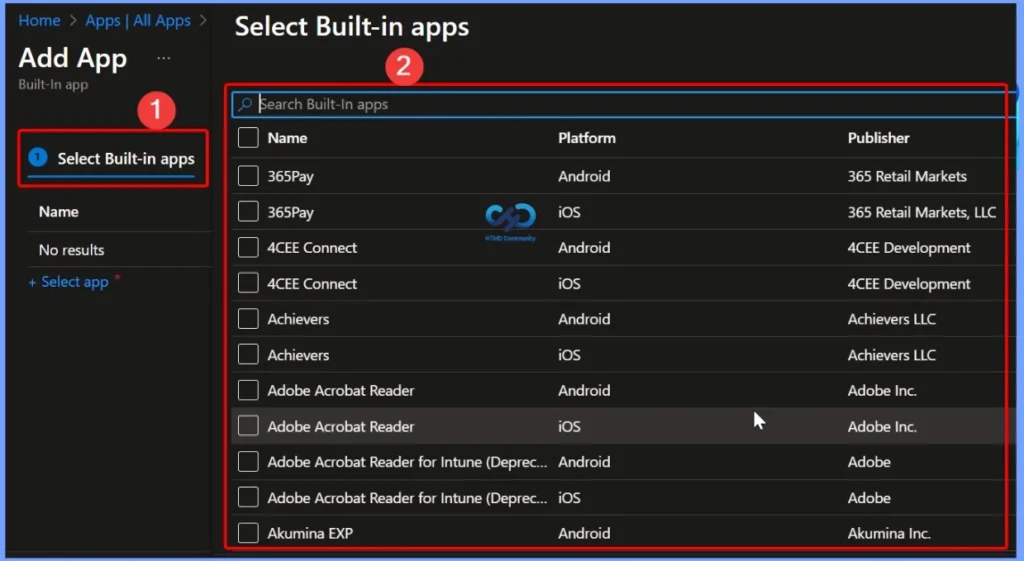
The built-in app type makes it easy for the admin to manage the most common applications. These applications are available in Intune by default. This application type is supported only for iOS/iPadOS and Android devices. There are different types of built-in apps for Windows, such as Microsoft 365 and Third-Party apps. The Managed iOS Store App or Managed Android App is deprecated.
- Log in to Intune Admin portal.
- Home > Apps > All apps
- Select the Built-in app
- Click on the Select App hyperlink
- From the below Built-in app window, search for applications
Intune LOB Apps
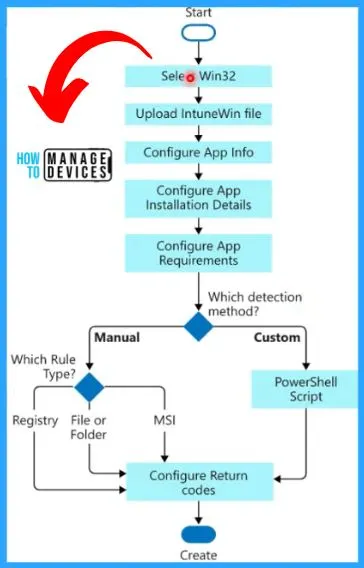
Intune LOB apps are a very important application deployment type in Intune, and most organizations use this type for many in-house applications. These are Line-Of-Business (LOB) apps typically written and managed by in-house developers for organizations. Deploy Private LOB Apps to Android Devices using Intune.
- 100 MB is the size limit for Managed Google Play apps for Android Enterprise devices, but you can use the External Hosting option
- For Windows IntuneWin Apps, the size limit is 8 GB, but that can be increased by raising a service request
- IntuneWin – Maximum of 100 dependencies, 10 Updated or Replaced apps, 10 nodes in a Supersedence relationship
| LOB Apps | Packaging Standards | Update | Size Limit |
|---|---|---|---|
| Android line of business (LOB) apps | .APK | Manual | 100 MB |
| iOS/iPadOS apps | .IPA | Manual | 2 GB |
| Windows LOB apps | .MSI, .APPX, .APPXBUNDLE, and .MSIXBUNDLE | Manual | |
| Windows app (Win32) | .INTUNEWIN | Manual | 8 GB |
| macOS LOB apps | .PKG | Manual | |
| macOS apps(DMG) | .DMG | Manual |
Intune Web Link Apps
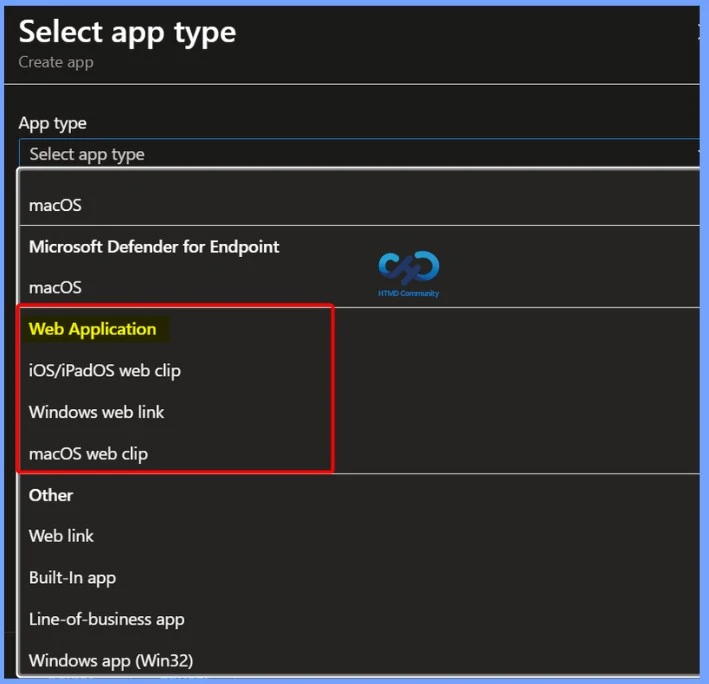
This is another Intune app type that Intune fully supports. The Web app shortcuts act like native apps by creating app shortcuts on the device home screen/Start menu. This is similar to PWA apps. Windows Weblink, a shortcut to the website, is added to the Start menu.
- Web apps aren’t supported on Android Enterprise devices with work profiles.
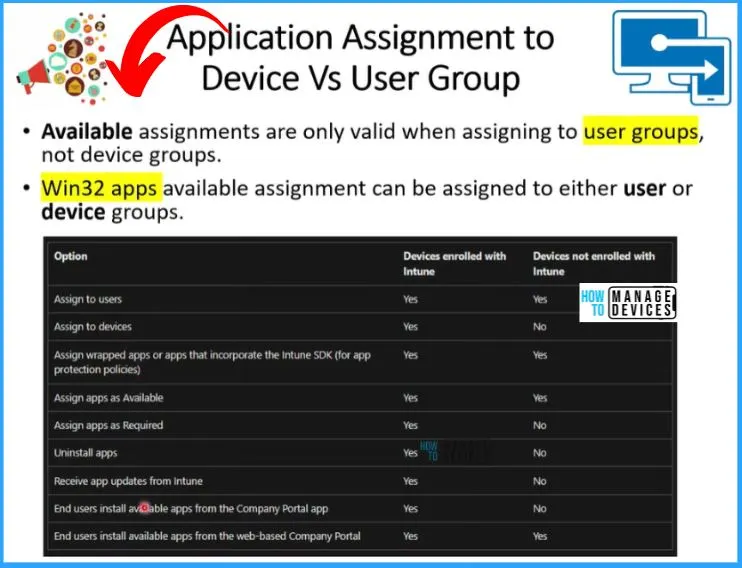
Application Assignment to Device Vs. User Group
Let’s check the Application assignment to device Vs. User group if your devices are not enrolled in Intune but are only used for managing the applications using the Intune app production policy. How to Exclude Devices or Users from Intune App Assignments.
- Available assignments are only valid for user groups, not device groups.
- Win32 apps available assignment can be assigned to either user or device groups.
| Option | The Device enrolled with Intune | The Device is not enrolled with Intune |
|---|---|---|
| Assign to users | Yes | Yes |
| Assign to devices | Yes | No |
| Assign wrapped apps / Intune SDK apps (MAM) | Yes | Yes |
| Apply App Protection Policies (MAM) | Yes | Yes (MAM without enrollment) |
| Assign apps as Available | Yes | Yes |
| Assign apps as Required | Yes | No |
| Automatic app installation | Yes | No |
| Uninstall apps | Yes | No |
| Receive app updates from Intune | Yes | No |
| End users install available apps from the company portal app | Yes | No |
| End users install the available app from the web-based company portal | Yes | Yes |
| Deploy Win32 / LOB apps | Yes | No |
| App dependencies & supersedence | Yes | No |
| App detection rules & retry logic | Yes | No |
| Device-based compliance impact on apps | Yes | No |
| Support for shared / kiosk devices | Yes | No |
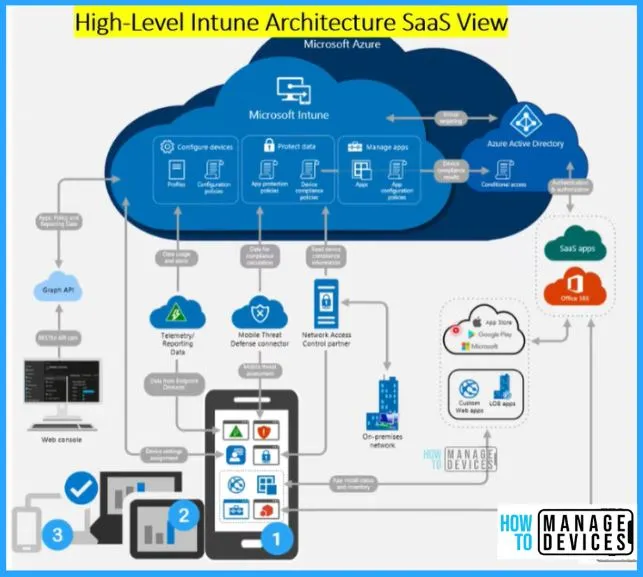
High-Level Intune Architecture SaaS View
This is the generic architecture view of Intune. Applications are important; you can see the application app store integration in the architecture. Getting the details from the App Store and deploying the applications to the devices are also shown in the below Architecture window.
Resources
Supported Microsoft Intune apps | Microsoft Learn
Need Further Assistance or Have Technical Questions?
Join the LinkedIn Page and Telegram group to get the latest step-by-step guides and news updates. Join our Meetup Page to participate in User group meetings. Also, join the WhatsApp Community to get the latest news on Microsoft Technologies. We are there on Reddit as well.
Vidya. M. A – Experienced Intune Consultant and Technical Content Creator with 5+ years of hands-on experience in Microsoft Intune and community-driven technical blogging. Proven expertise in designing, deploying, and validating Intune policies, along with creating clear, step-by-step technical content for IT professionals.