Monitor Meltdown Spectre Vulnerabilities with SCCM Configuration Manager ConfigMgr 1

Monitor Meltdown Spectre Vulnerabilities with SCCM Configuration Manager ConfigMgr

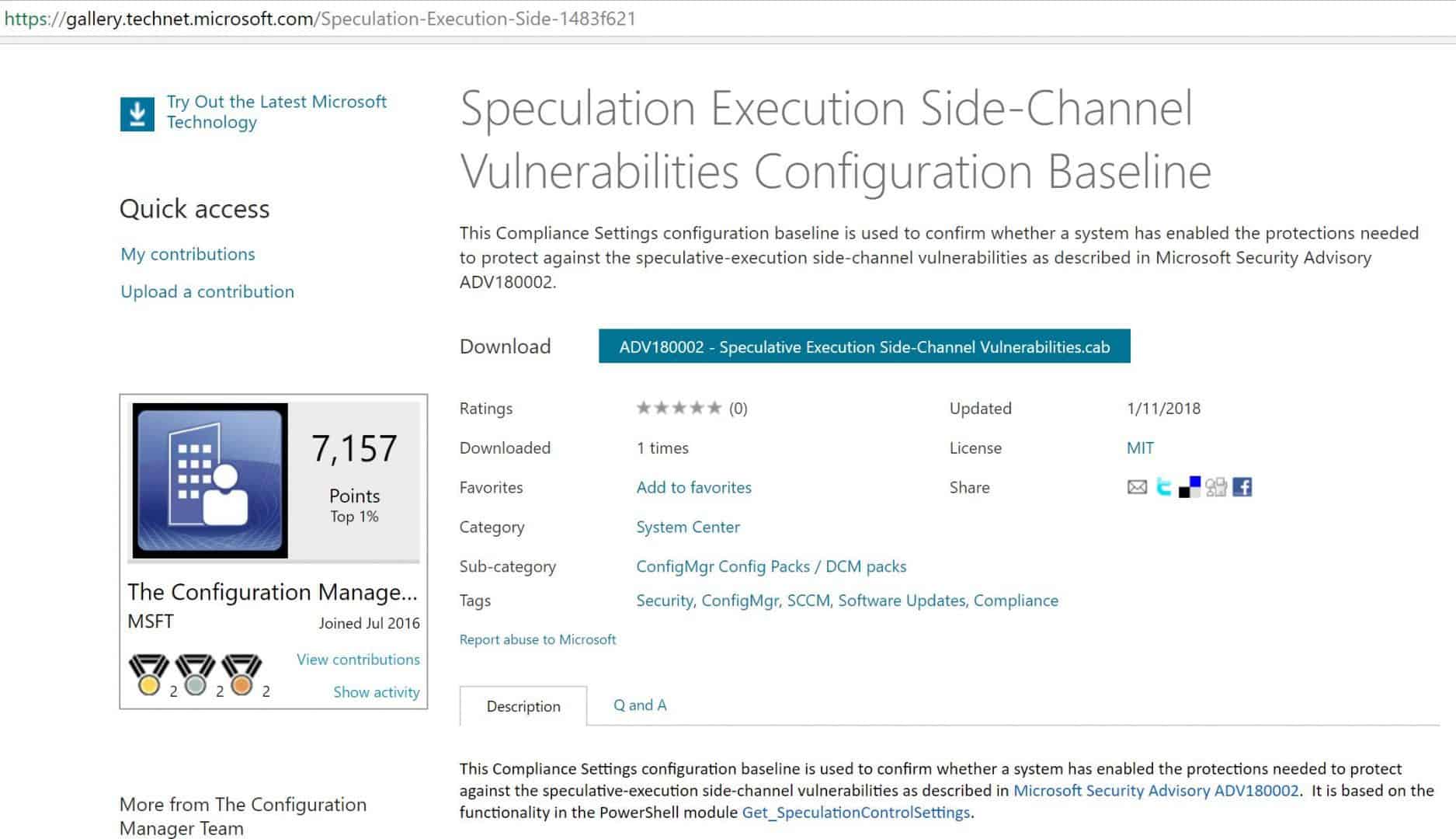
Monitor Meltdown Spectre Vulnerabilities with SCCM Configuration Manager ConfigMgr. Microsoft has released a Microsoft-signed CAB file here to check and monitor Meltdown Spectre Vulnerabilities.

In this post, we will see a video tutorial that explains how to download, Import, and deploy the configuration baseline for Microsoft Security Advisory ADV180002.

I tested the CAB file import process on the SCCM CB 1710 production version. However, I’m not sure whether this will work for the previous version of the SCCM (SCCM 2012 R2) environment.

It may not work as it has the latest OS versions selected as Supported platforms (Server 2016 etc..)

Monitor Meltdown Spectre Vulnerabilities with SCCM Configuration Manager ConfigMgr – Video 1

Monitor Meltdown Spectre Vulnerabilities with SCCM Configuration Manager ConfigMgr

This Compliance Settings configuration baseline confirms whether Windows 10, Windows 7, Server 2008, Server 2012, and Server 2016 have enabled the protections needed to protect against the Meltdown Spectre Vulnerabilities.

Download the Microsoft signed CAB file

Subscribe YouTube Channel

Monitor Meltdown Spectre Vulnerabilities with SCCM Configuration Manager ConfigMgr - Fig.1
Monitor Meltdown Spectre Vulnerabilities with SCCM Configuration Manager ConfigMgr – Fig.1

Following are the High-Level Steps

Download the Microsoft Signed CAB file from the TechNet Gallery. Import a configuration Data CAB file to check whether SCCM-managed machines are safe from Meltdown and Spectre.

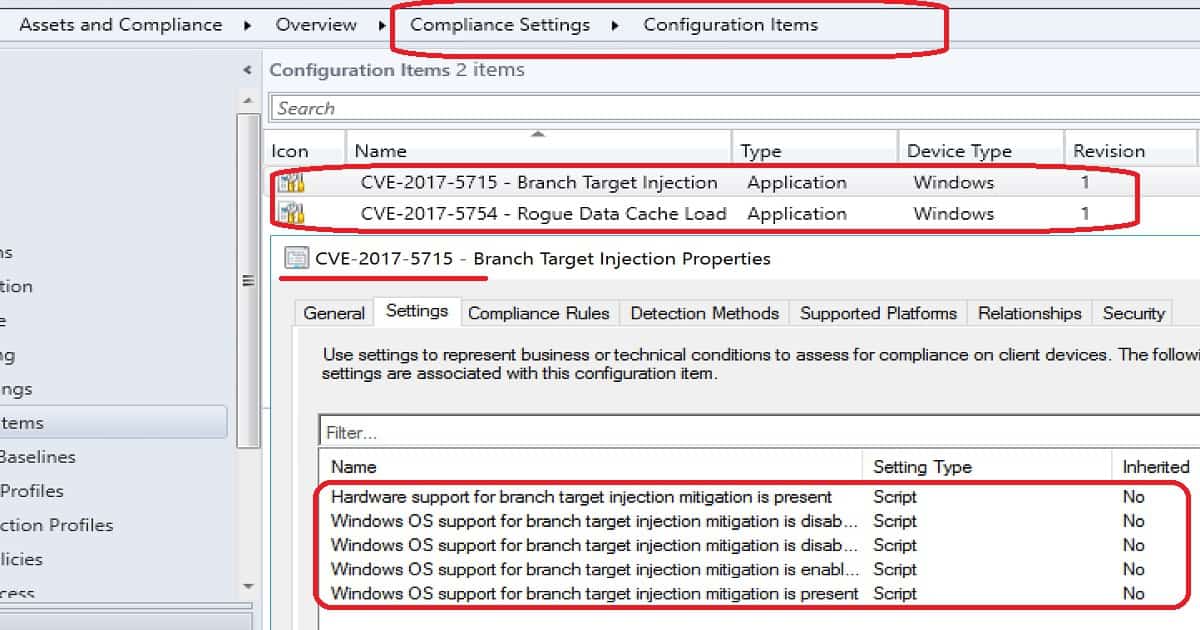
  1. Check Meltdown CI properties. The PowerShell script is used to confirm whether the systems are vulnerable or not.
  2. Check Spectre CI properties. The PowerShell script is used to confirm whether the system is vulnerable or not.
  3. Check and confirm the baseline properties before deploying it to devices.
  4. Monitor compliance report for Meltdown Spectre Vulnerabilities
NameTypeDevice TypeRevision
CVE-2017-5715-Branch Target InjectionApplicationWindows1
CVE-2017-5754-Rogue Data Cache LoadApplicationWindows1
Monitor Meltdown Spectre Vulnerabilities with SCCM Configuration Manager ConfigMgr – Table 1
Monitor Meltdown Spectre Vulnerabilities with SCCM Configuration Manager ConfigMgr - Fig.2
Monitor Meltdown Spectre Vulnerabilities with SCCM Configuration Manager ConfigMgr – Fig.2

Resources

Microsoft has released a Microsoft-signed CAB file here to check and monitor Meltdown Spectre Vulnerabilities. In this post, we will see a video tutorial that explains how to download, Import, and deploy the configuration baseline for Microsoft Security Advisory ADV180002.

Monitor Meltdown Spectre Vulnerabilities with SCCM Configuration Manager ConfigMgr – Video 2

We are on WhatsApp now. To get the latest step-by-step guides, news, and updates, Join our Channel. Click here. HTMD WhatsApp.

Author

Anoop C Nair is Microsoft MVP from 2015 onwards for consecutive 10 years! He is a Workplace Solution Architect with more than 22+ years of experience in Workplace technologies. He is a Blogger, Speaker, and Local User Group Community leader. His main focus is on Device Management technologies like SCCM and Intune. He writes about technologies like Intune, SCCM, Windows, Cloud PC, Windows, Entra, Microsoft Security, Career etc…
Intune-SCCM-Free-Virtual-Labs-to-Get-Hands-On-Experience

Intune SCCM Free Virtual Labs to Get Hands On Experience

Let’s discuss the Intune SCCM Free Virtual Labs to Get Hands-On Experience. Acquire the SCCM, Intune, Windows 10, and Azure cloud skills at your own pace. As I mentioned in the “Future of SCCM Admin Jobs” post, these new skills are essential for our job security.

In this post, you will see Free SCCM Virtual Labs by Microsoft. Setup – Free Azure Lab And Azure For Students Lab Setup HTMD Blog (anoopcnair.com).

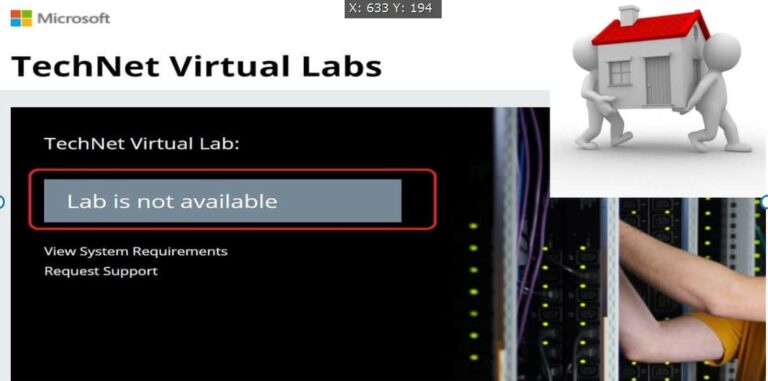
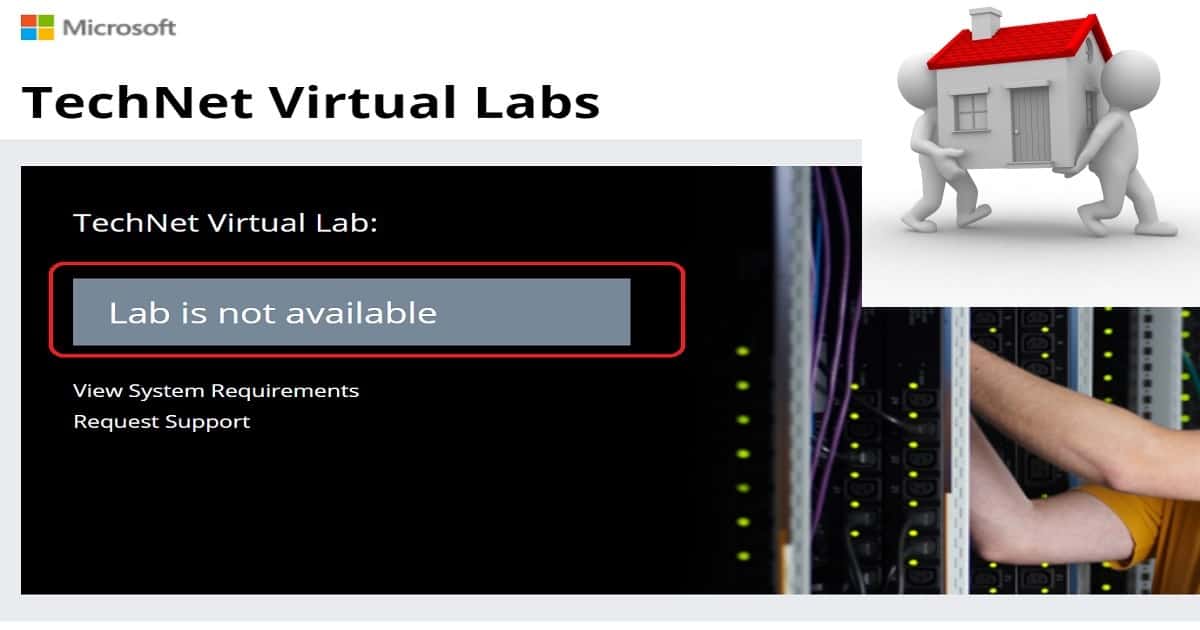
Microsoft provides free SCCM Virtual Labs to help IT Admins and Developers learn new technologies. The old links to SCCM and Intune TechNet Virtual Labs are NOT working.

This post provides more details about SCCM Intune Windows 10 hands-on lab training. NO LABS are available now. Intune SCCM Certification Learning Exams HTMD Blog (anoopcnair.com)

VideoHow to Use New Microsoft Virtual Labs

Intune SCCM Free Virtual Labs to Get Hands On Experience – Have TechNet Virtual Labs been migrated to the Azure platform?

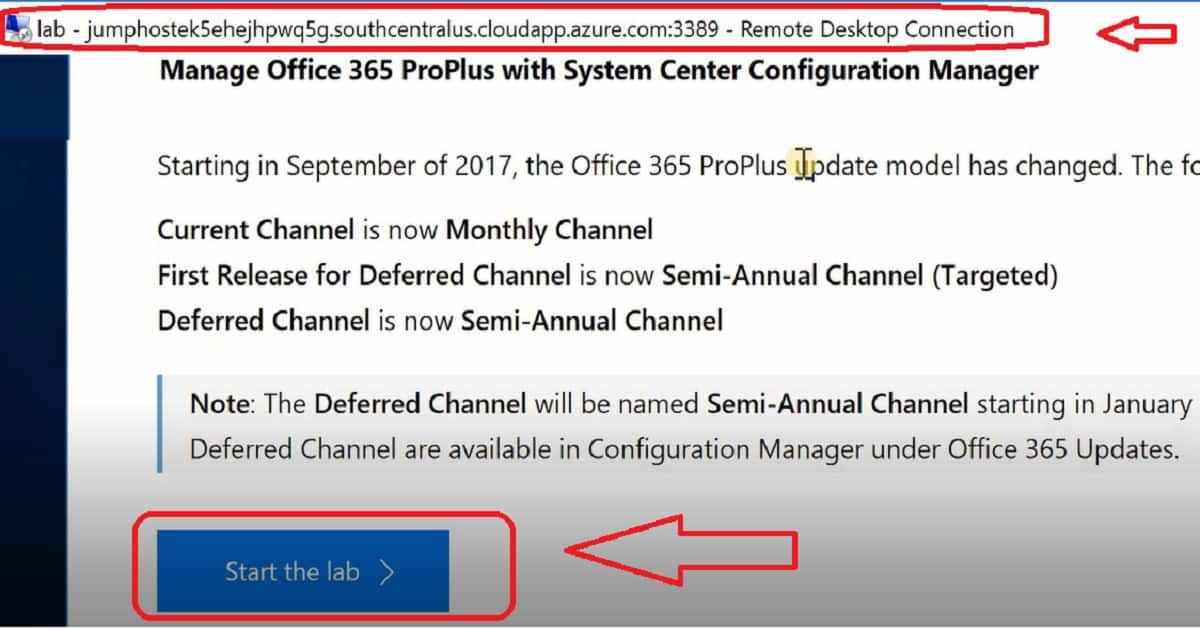
It seems that the TechNet virtual labs have been migrated to the Azure platform. From the jump host server detail, virtual labs have been migrated to Azure Cloud Apps.

The new virtual LABs platform requires a Remote Desktop Protocol (RDP) client. This will work when you have an RDP client on MacOS machines.

  • jumphostek5ehejhpwq5g.southcentralus.cloudapp.azure.com:3389

However, I couldn’t find any communication or announcement from Microsoft. Two previous posts contain information about SCCM and Intune TechNet virtual labs.

There were 36 hands-on labs available for SCCM and Intune. However, none of these hands-on labs are accessible at the moment. I only saw a Microsoft Excel hands-on lab in the TechNet virtual lab portal.

Intune SCCM Free Virtual Labs to Get Hands On Experience - Fig.1
Intune SCCM Free Virtual Labs to Get Hands On Experience – Fig.1

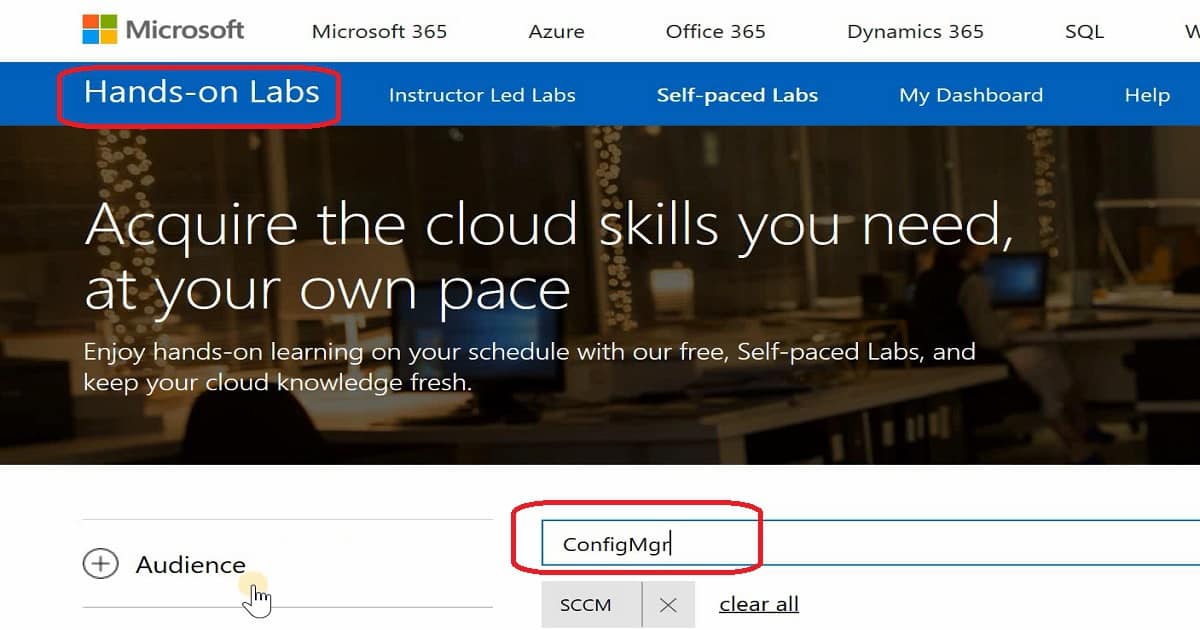
Microsoft moved TechNet Labs http://technet.microsoft.com/en-us/virtuallabs to a new hosting solution or Azure called Microsoft Self-Paced Labs. More details about Self-paced labs are here –  https://www.microsoft.com/handsonlabs/SelfPacedLabs.

Advantages of Microsoft Self-Paced Hands-on labs

Microsoft technologies are getting changed frequently. The IT pros struggle to get their private labs updated at the same pace as Microsoft is releasing new features.

Microsoft self-paced labs ( Free SCCM Virtual Labs) can help IT Pros get hands-on experience with new technology features. As of 08-Jan-2017, only 289 Self-paced Labs were available.

The migration to Azure CloudApps suits IT admins who want to learn new technologies using an agile method. The new platform does not depend on browsers or OSs.

These SCCM Intune Windows 10 Hands-On Labs training will run on Chrome, Firefox, Safari, Mac-OS, etc. Microsoft Azure, Intune, SCCM, etc., and hands-on labs (Free SCCM Virtual Labs) are readily available for IT pros to get the experience.

Microsoft self-paced hands-on labs enable IT Pros to experience a software product or technology using a cloud-based private virtual environment.

IT Pros or SCCM admins will be given instructions and access to one or more SCCM SQL virtual servers. No additional software or setup is required. We need to complete these instructions within 120 minutes or less.

Enjoy hands-on learning according to your schedule with Microsoft’s free, Self-paced Labs. This will surely help keep your cloud knowledge fresh.

Intune SCCM Free Virtual Labs to Get Hands On Experience - Fig.2

Intune SCCM Free Virtual Labs to Get Hands On Experience – Fig.2

SCCM Intune and Windows 10 Virtual Labs

Following are the links to get access to Hands-on virtual labs. There are only 5 Self-paced Labs for SCCM. As I explained in the video tutorial here, you need to download the RDP file into your machine.

Once the RDP file is downloaded, launch the file to connect to the Jump host server in the Azure cloud. This jump host server will have all the instructions and details to complete the hands-on training activities. These guidelines could vary depending on technology like Intune, SCCM, Azure, or Windows 10.

SCCM Hands-On Labs Training

NOTE—As of 14 May 2019, only two labs are available for SCCM. Start searching with the keyword “Configuration Manager.”

SCCM CO-Management Lab

Getting Started with Co-Management and System Center Configuration Manager and Intune SC00116.

SCCM Windows 10 In-place Upgrade Task Sequence

Microsoft 365 Deployment Workshop – OS00203

https://www.microsoft.com/handsonlabs/SelfPacedLabs#keywords=Configuration%20Manager&page=1&sort=Newest https://www.microsoft.com/handsonlabs/SelfPacedLabs#keywords=ConfigMgr&page=1&sort=Newest

Microsoft Intune – Free Virtual Labs

Secure your enterprise data on mobile devices with Microsoft 365 and Microsoft Intune… OS00198

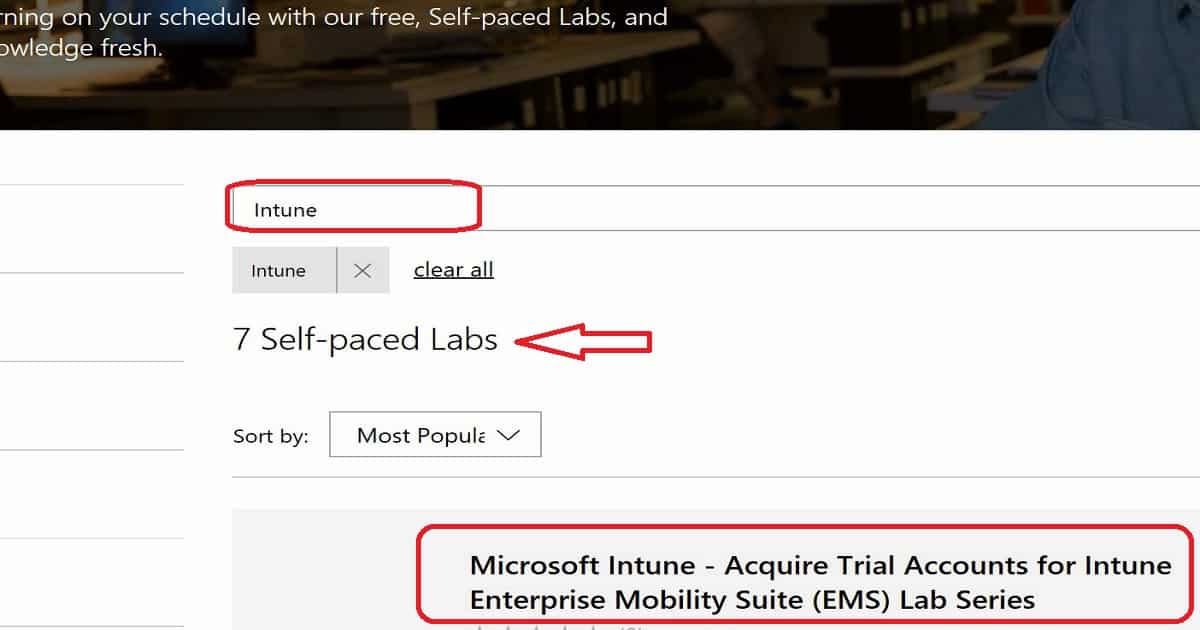
https://www.microsoft.com/handsonlabs/SelfPacedLabs#keywords=Intune&page=1&sort=Newest

Windows 10 – Self-paced Labs – Hands-On Labs Training

Let’s discuss the Windows 10 self-paced Labs hands-on labs training.

https://www.microsoft.com/handsonlabs/SelfPacedLabs#keywords=Windows%2010&page=1&sort=Newest
Intune SCCM Free Virtual Labs to Get Hands On Experience - Fig.3

Intune SCCM Free Virtual Labs to Get Hands On Experience – Fig.3

List of SCCM Intune Windows 10 Hands-On Labs Training

Free SCCM Virtual Labs – Most labs are unavailable, but Microsoft promised to work on this topic to provide more virtual labs.

Intune Hands-On Labs Training

Let’s discuss the Intune Hands-On Labs Training. The list below helps you to show it.

Intune Hands-On Labs Training
Acquire Trial Accounts for Intune Enterprise Mobility Suite (EMS) Lab Series
Configure Conditional Access to Exchange Online
Configure ActiveSync Email Profiles
Configure Mobile Application Management (MAM) Without Enrolling Devices
Configure Mobile Application Management (MAM)
Deploy MSI Applications to Windows 10 Using Intune and Mobile Device Management (MDM)
Configure Multi-Factor Authentication for Mobile Device Management (MDM)
Intune SCCM Free Virtual Labs to Get Hands On Experience – Table 1
  • Microsoft Intune – Acquire Trial Accounts for Intune Enterprise Mobility Suite (EMS) Lab Series
  • Microsoft Intune – Configure Conditional Access to Exchange Online
  • Microsoft Intune – Configure ActiveSync Email Profiles
  • Microsoft Intune – Configure Mobile Application Management (MAM) Without Enrolling Devices
  • Microsoft Intune – Configure Mobile Application Management (MAM)
  • Microsoft Intune – Deploy MSI Applications to Windows 10 Using Intune and Mobile Device Management (MDM)
  • Microsoft Intune – Configure Multi-Factor Authentication for Mobile Device Management (MDM)

Windows 10 Hands-On Labs Training

Let’s discuss the Windows 10 Hands-On Labs Training. The section below helps you to demonstrate it.

Upgrade to Windows 10 with System Center Configuration Manager Microsoft Intune – Deploy MSI Applications to Windows 10 Using Intune and Mobile Device Management (MDM). Upgrade to Windows 10 using the Microsoft Deployment Toolkit or System Center Configuration Manager. Customize the Windows 10 start menu and taskbar during deployment. Troubleshoot device management in Windows 10. Simplify Windows 10 deployment by using provisioning packages Exploring Virtualization on Windows 10 and Windows Server 2016, Upgrade to Windows 10 by using the Microsoft Deployment Toolkit or System Center Configuration Manager Enable and secure a remote workforce by joining Windows 10 to Azure Active Directory Windows 10 and Enterprise Mobility Windows 10 and Enterprise Mobility – Move between Servicing Rings using a Group Policy Object Windows 10 and Enterprise Mobility – Deploying Windows 10 using Microsoft Deployment Toolkit.

SCCM Hands-On Labs Training

Let’s discuss the SCCM Hands-On Labs Training. The screenshot below helps you provide it.

Intune SCCM Free Virtual Labs to Get Hands On Experience - Fig.4
Intune SCCM Free Virtual Labs to Get Hands On Experience – Fig.4
  • Upgrade to Windows 10 with System Center Configuration Manager
  • Manage Office 365 ProPlus with System Center Configuration Manager
  • Upgrade to Windows 10 using the Microsoft Deployment Toolkit or System Center Configuration Manager
  • Upgrade to Windows 10 by using the Microsoft Deployment Toolkit or System Center Configuration Manager
  • Deploying Windows 8.1 with ConfigMgr 2012 R2 and MDT 2013

We are on WhatsApp now. To get the latest step-by-step guides, news, and updates, Join our Channel. Click here. HTMD WhatsApp.

Author

Anoop C Nair is Microsoft MVP from 2015 onwards for consecutive 10 years! He is a Workplace Solution Architect with more than 22+ years of experience in Workplace technologies. He is Blogger, Speaker, and Local User Group Community leader. His main focus is on Device Management technologies like SCCM and Intune. He writes about technologies like Intune, SCCM, Windows, Cloud PC, Windows, Entra, Microsoft Security, Career etc…
FIX SCCM CB Redist Files Download Issue 3

FIX SCCM CB Redist Files Download Issue

Let’s FIX the SCCM CB Redist Files Download Issue. In this post, you will see how to Fix the SCCM CB Download Issue. In this post, we will see the Fix to SCCM CB Redist Download Issue and the walkthrough of the new features.

In my scenario, REDIST prerequisite files were not downloading. The ConfigMgrSetup.log showed errors related to the REDIST file download. If you have problems downloading redist files, the ConfigMgrSetup.log is the best place to find the issue’s root.

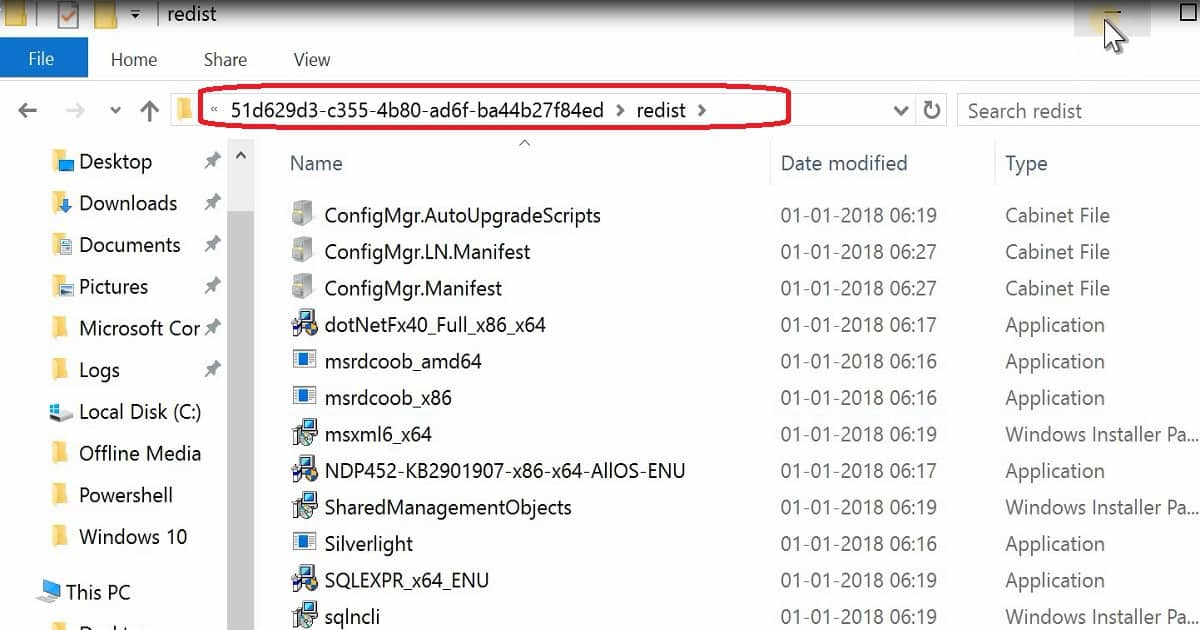
Once the prerequisite files are downloaded, then copy those files to D:\Program Files \Microsoft Configuration Manager\EasySetupPayload\<Update PackageGUID >\Redist folder.

I don’t recommend doing this in your production environment. Robert Marshall’s tip helped me resolve the issue, and I mentioned this in the tweet.

SCCM CB Download Stuck at Redist Step – FIX SCCM CB Redist Files Download Issue

I am having trouble downloading the SCCM CB version in my test lab. I have gone through my previous posts to fix the download issue.

The following post, “CMUpdateReset.exe Tool Fixes SCCM CB Update Download Issue,” provides more details. However, it didn’t work for me this time. I got the following error in the DMPDownloader.log.

I downloaded the prerequisite files separately using SETUPDL.EXE as I explained in my previous post “Learn How to Download SCCM ConfigMgr CB Prerequisite Files“.

FIX SCCM CB Redist Files Download Issue - Fig.1
FIX SCCM CB Redist Files Download Issue – Fig.1

SCCM Download Issues

I could see that the SCCM 1712 update had been downloaded on the following path: “D: Program FilesMicrosoft Configuration ManagerEasySetupPayload.”

But the status does not change from Downloading to Ready to Install. The fix for the SCCM CB preview 1712 Redist download issue has been explained below.

ERROR: Failed to download redist for 51d629d3-c355-4b80-ad6f-ba44b27f84ed with command /RedistUrl http://go.microsoft.com/fwlink/?LinkID=860262 /LnManifestUrl http://go.microsoft.com/fwlink/?LinkID=860266 /RedistVersion 201712 /NoUI “\\SCCMTP1.INTUNE.COM\EasySetupPayload\51d629d3-c355-4b80-ad6f-ba44b27f84ed\redist” Failed to download redist for 51d629d3-c355-4b80-ad6f-ba44b27f84ed.

FIX SCCM CB Redist Files Download Issue - Fig.2
FIX SCCM CB Redist Files Download Issue – Fig.2

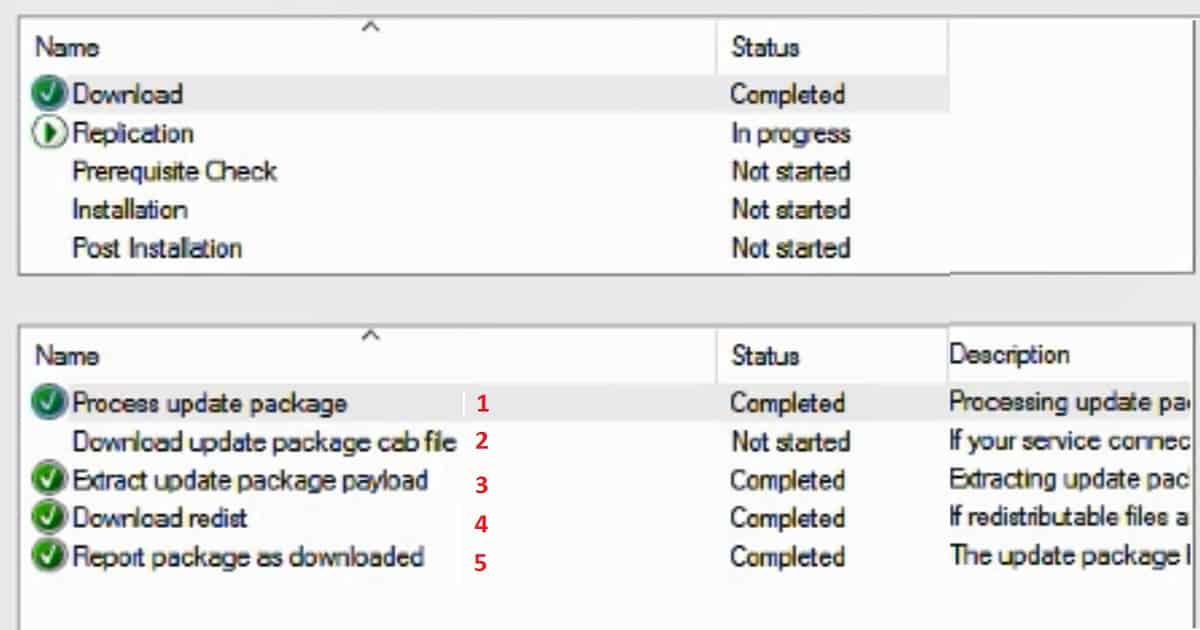
The following are the 5 high-level processes that happen in the background when the SCCM CB updates are downloaded to your server.

5 High-Level Processes that Happen in the Background when the SCCM CB Updates
Process update package
Download the updated package cab file
Extract update package payload
Download redist
Report package as downloaded
FIX SCCM CB Redist Files Download Issue – Table 1

We are on WhatsApp now. To get the latest step-by-step guides, news, and updates, Join our Channel. Click here. HTMD WhatsApp.

Author

Anoop C Nair is Microsoft MVP from 2015 onwards for consecutive 10 years! He is a Workplace Solution Architect with more than 22+ years of experience in Workplace technologies. He is a Blogger, Speaker, and Local User Group Community leader. His main focus is on Device Management technologies like SCCM and Intune. He writes about technologies like Intune, SCCM, Windows, Cloud PC, Windows, Entra, Microsoft Security, Career etc…

SCCM Intune Community Around Me 4

SCCM Intune Community Around Me

As David James mentioned in his tweet, SCCM’s summary of 2017 includes three production releases (SCCM CB 1702, 1706, and 1710).

There have been 12 Tech Preview releases of SCCM CB, hundreds of new features, 14k code check-ins, and bug fixes, and now managing more than 100 million endpoints. In this post, we will learn more about the 2017 SCCM ConfigMgr Intune community around me.

I can see that Microsoft Intune releases new features every week. More details are available in “What’s new in Microsoft Intune.” Also, the Intune community is growing strong worldwide and in India.

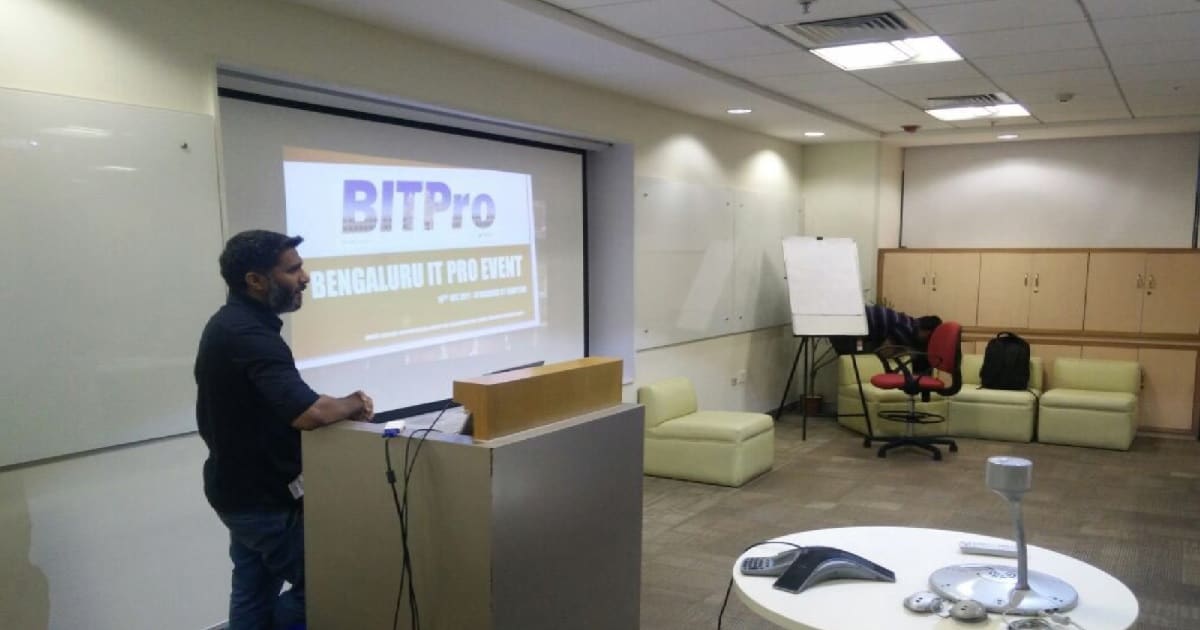
During the Bangalore IT Pro event, I learned that 99% of SCCM admins (who attended the event) realized they had to learn Intune, and they started to learn Intune.

Bangalore IT Pro SCCM Community

We recently conducted an in-person event for SCCM/Intune professionals all around India. This event was conducted at the Microsoft office in Bangalore. We had more than 80 SCCM professionals from different parts of India, like Chennai, Hyderabad, Delhi, and Bangalore.

Follow #BITPro Twitter Handler to Join the next events.

Roadmap of a Successful Blog

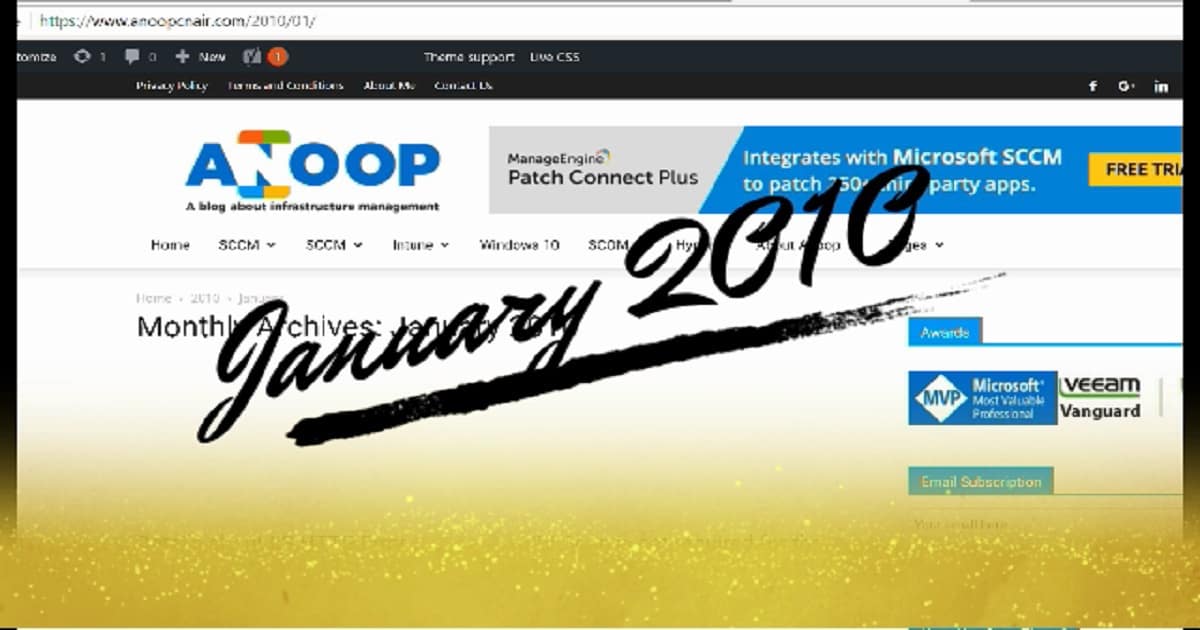
I started blogging in 2010, and I have more than 900 posts. 2017 was a very successful year for me in sharing my knowledge through my blog.

SCCM Intune Community Around Me - Fig.1
SCCM Intune Community Around Me – Fig.1

I started working on video tutorials for almost all the technical posts. How-to video guides are included for Intune, SCCM, and Windows 10. Thank you all for your great support over the years.

I’m working with other IT Pro colleagues to improve the blog experience and provide more valuable content to the SCCM/Intune community. More news about this will be available in 2018. I’m excited about next year for the SCCM/Intune community.

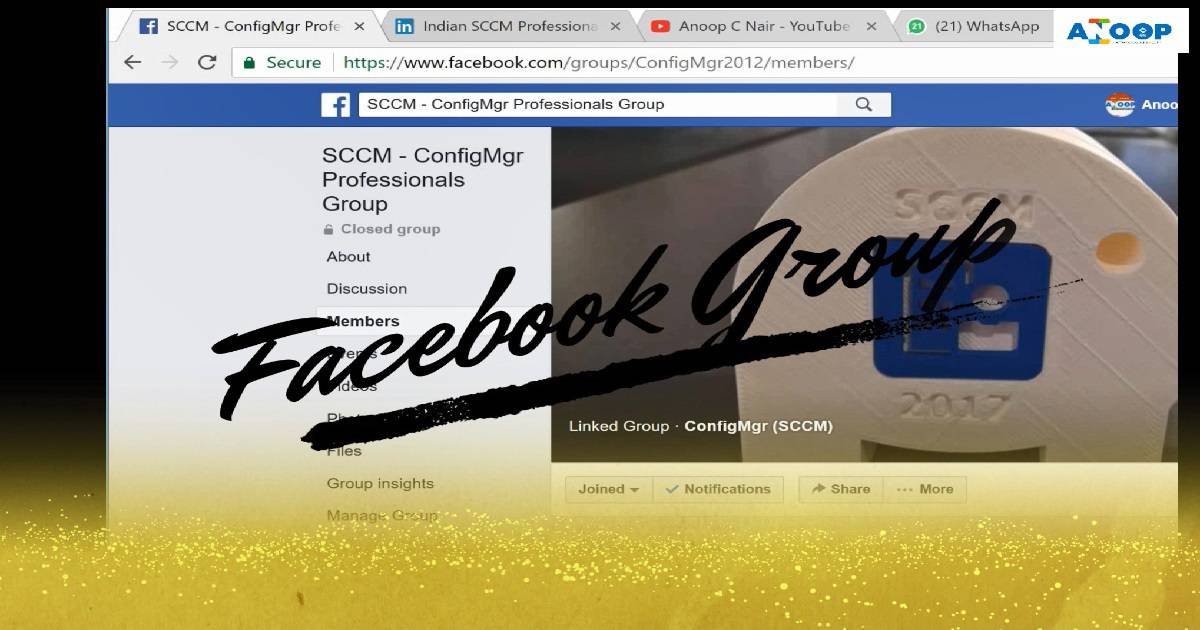
Subscribe to Anoop’s newsletter through the SUBSCRIBE button on the blog. Like the Facebook page to get updated on new posts of AnoopCNair.com. We have loads of SCCM Intune-related videos on the Facebook page below.

SCCM Facebook Groups – Community

We have a great SCCM professional community available on Facebook. We have more than 11,200 members in this SCCM professional Facebook group. If you want to join the SCCM, Intune, and Desktop Facebook community, please enter them with the following links.

SCCM Intune Community Around Me - Fig.2
SCCM Intune Community Around Me – Fig.2

Subscribe SCCM Intune YouTube Channel

I have a YouTube channel with more than 830 subscribers, 156,360 views, and 160 video tutorials. I started concentrating on my YouTube channel in 2017, and 90% of my subscribers are from 2017. Most of the videos are on SCCM, Intune, and Windows 10.

ConfigMgr SCCM LinkedIn Group

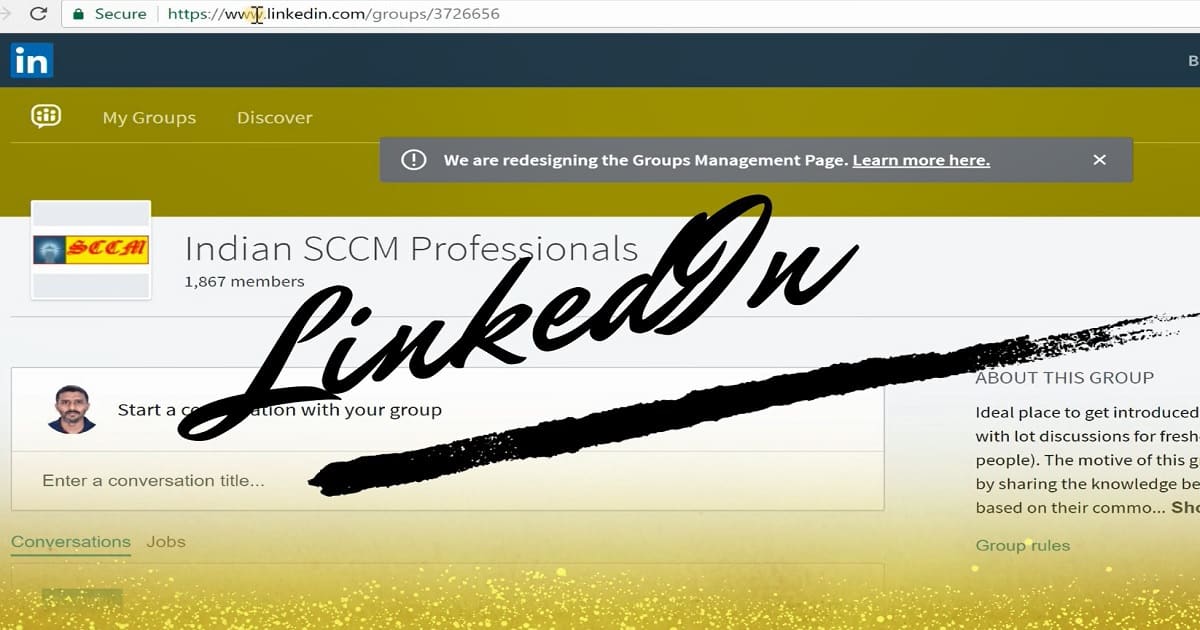
This is one of my old SCCM LinkedIn groups that started in 2010. At that time, Facebook groups were not there and were famous. Several different SCCM groups on LinkedIn, so I created this one for the Indian SCCM community.

We have more than 1900 members in this group. Some of them are still active. We announce Bangalore IT Pro events in this Indian SCCM Professionals LinkedIn group. This is for the people who don’t like Facebook or consider Facebook as a personal social media site.

SCCM Intune Community Around Me - Fig.3
SCCM Intune Community Around Me – Fig.3

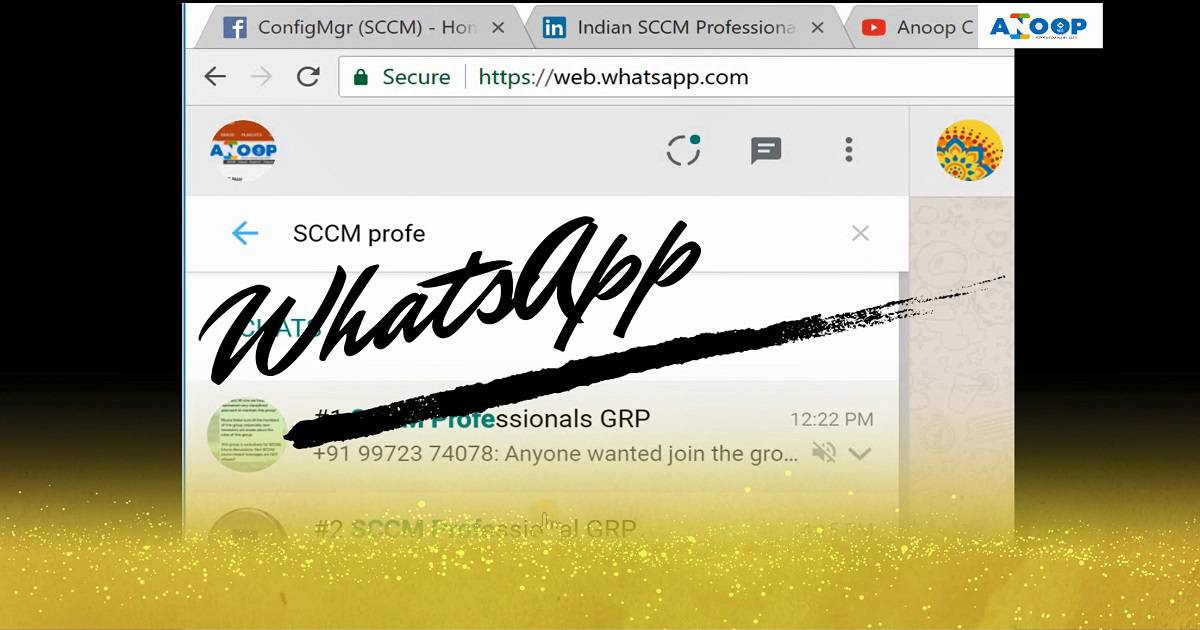
WhatsApp SCCM Professional Group

I created a WhatsApp group for SCCM/Intune Professionals back in 2015. This is mainly to avoid people creating different WhatsApp groups in our Facebook SCCM group. I have created an official WhatsApp group for SCCM professionals after many discussions.

We have several admins in that WhatsApp group, and we don’t allow any spam/forwarded messages in that group apart from the Job/Opening of SCCM/Intune professionals. This is to help others get a better opportunity in their SCCM career.

  • Join #2 SCCM Professional GRP HERE

Happy New Year and Best Wishes for 2018

We already crossed the maximum limit of a WhatsApp group (#1 SCCM Professional GRP – 256 members). After many thoughts, discussions, and market analysis, we decided to create another WhatsApp group (#2 SCCM Professional GRP ), and we already have more than 100 members.

SCCM Intune Community Around Me - Fig.4
SCCM Intune Community Around Me – Fig.4

We are on WhatsApp now. To get the latest step-by-step guides, news, and updates, Join our Channel. Click here. HTMD WhatsApp.

Author

Anoop C Nair is Microsoft MVP! He is a Device Management Admin with more than 20 years of experience (calculation done in 2021) in IT. He is a Blogger, Speaker, and Local User Group HTMD Community leader. His main focus is on Device Management technologies like SCCM 2012, Current Branch, and Intune. He writes about ConfigMgr, Windows 11, Windows 10, Azure AD, Microsoft Intune, Windows 365, AVD, etc.

Download Install Configure MDT 8450 SCCM Configuration Manager ConfigMgr 5

Download Install Configure MDT 8450 SCCM Configuration Manager ConfigMgr

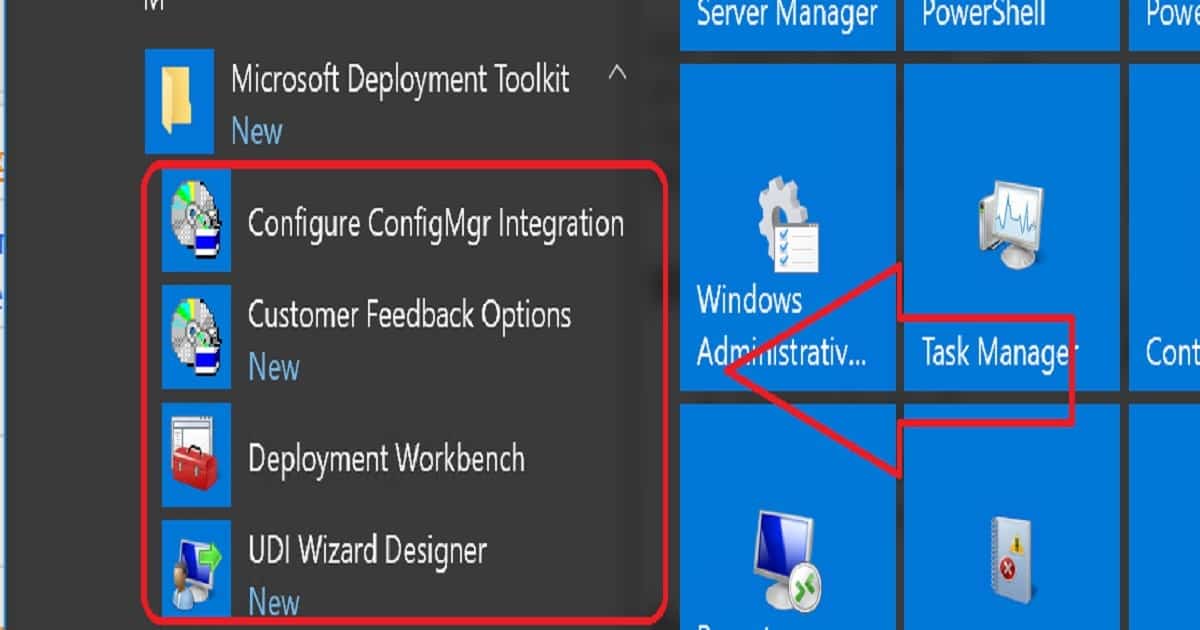
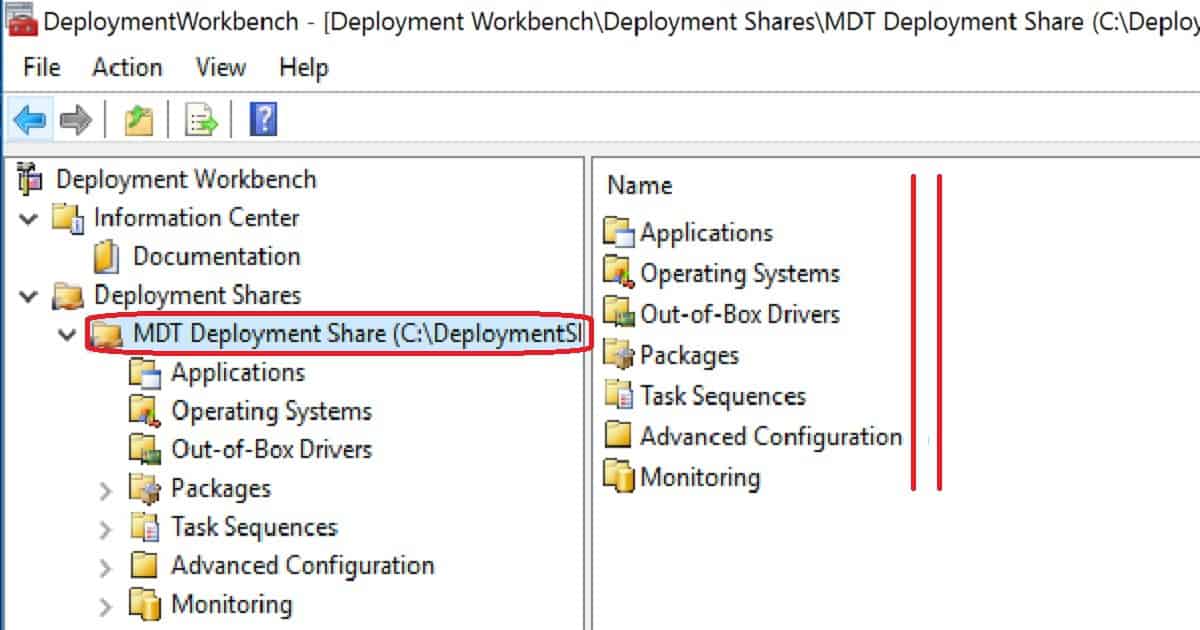
Let’s discuss how to Download, Install, and Configure MDT 8450 SCCM Configuration Manager ConfigMgr. I downloaded Microsoft DeploymentToolkit_x64.MSI and installed it on the SCCM CB lab environment. MDT 8450 is available in 32—and 64-bit versions. 

This version (build 6.3.8450.1000) of the Microsoft Deployment Toolkit requires a Windows 10 ADK build. This post will show you how to Download, Install, and Configure MDT 8450.

Microsoft Deployment Toolkit (MDT) is formerly Business Desktop Deployment (BDD). MDT is an application that provides network deployment capabilities for Microsoft Windows operating systems.

In this post, you will find all the details on how to Download and Install and Configure MDT 8450 SCCM Configuration Manager ConfigMgr. MDT is a free tool for automating Windows and Windows Server operating system deployment.

If you have an SCCM environment, you can integrate SCCM with MDT to provide enhanced features (UDI and ZTI) to your OS deployment process.

More Videos – Subscribe to the YouTube channel

Download Install Configure MDT 8450 SCCM Configuration Manager ConfigMgr

You can download the latest version of Microsoft Deployment Toolkit (MDT). This version (build 6.3.8450.1000) requires the Windows 10 1709 ADK build.

Download Install Configure MDT 8450 SCCM Configuration Manager ConfigMgr - Fig.1
Download Install Configure MDT 8450 SCCM Configuration Manager ConfigMgr – Fig.1

What is Microsoft Deployment Toolkit (MDT)?

The Microsoft Deployment Toolkit (MDT) is a free tool for automating Windows and Windows Server operating system deployment, leveraging the Windows Assessment and Deployment Kit (ADK) for Windows 10.

Download Install Configure MDT 8450 SCCM Configuration Manager ConfigMgr - Fig.2
Download Install Configure MDT 8450 SCCM Configuration Manager ConfigMgr – Fig.2

The following information is copied from the MDT deployment Workbench. The Microsoft Deployment Toolkit (MDT) provides a unified collection of tools, processes, and guidance for automating desktop and server deployments.

In addition to reducing deployment time and standardizing desktop and server images, MDT offers improved security and ongoing configuration management.

MDT supports deploying Windows 10 through Windows 7 and the associated server and embedded operating systems.

Features such as Windows 10 in-place upgrade, flexible driver management, optimized user interface workflow, and Windows PowerShell scripting can simplify deployment and simplify your job. Deploy faster and easier with MDT.

For example, if your organization doesn’t have an SCCM infra to perform OS deployments, you can use MDT.

Download Install Configure MDT 8450 SCCM Configuration Manager ConfigMgr - Fig.3
Download Install Configure MDT 8450 SCCM Configuration Manager ConfigMgr – Fig.3

MDT Requirements and Prerequisites

Following are the supported OS to install the latest version of MDT. It can be installed on the client’s OS versions of Windows. Other Requirements of MDT are Windows ADK for Windows 10, version 1709 or later, which is required for all deployment scenarios.

MDT Requirements and Prerequisites
Windows 10
Windows 7
Windows 8
Windows 8.1
Windows Server 2008 R2
Windows Server 2012
Windows Server 2012 R2
Windows Server 2016
Download Install Configure MDT 8450 SCCM Configuration Manager ConfigMgr – Table 1

SCCM version 1710 or later is required for zero-touch installation (ZTI) and user-driven installation (UDI) scenarios. 

When using ZTI and/or UDI, you can add the MDT SQL database to any version of SCCM with SQL Technology; if you are using LTI, you must use a separately licensed SQL Server product to host your MDT SQL database.

Download Install Configure MDT 8450 SCCM Configuration Manager ConfigMgr - Fig.4
Download Install Configure MDT 8450 SCCM Configuration Manager ConfigMgr – Fig.4

Installation, Configuration, and Integration of the Latest Version of MDT 8450

More details are available in the video guide below.

Download Install Configure MDT 8450 SCCM Configuration Manager ConfigMgr – Video 1

Resources

We are on WhatsApp now. To get the latest step-by-step guides, news, and updates, Join our Channel. Click here. HTMD WhatsApp.

Author

Anoop C Nair is Microsoft MVP! He is a Device Management Admin with more than 20 years of experience (calculation done in 2021) in IT. He is a Blogger, Speaker, and Local User Group HTMD Community leader. His main focus is on Device Management technologies like SCCM 2012, Current Branch, and Intune. He writes about ConfigMgr, Windows 11, Windows 10, Azure AD, Microsoft Intune, Windows 365, AVD, etc.

Video Tutorial SCCM 1710 New Features Overview Plus Upgrade Guide 6

Video Tutorial SCCM 1710 New Features Overview Plus Upgrade Guide

Microsoft SCCM team released the latest production version 1710 of SCCM/ConfigMgr. The version is published as an opt-in option. This SCCM 1710 production version release won’t show automatically in your SCCM console.

This release is called the Fast Ring production release of SCCM 1710. This post will see “SCCM 1710 New Features Overview Plus Upgrade Guide.”

Before upgrading, it would be interesting to check out the differences between the 1706 and 1710 versions. I have a video post titled “Differences Between SCCM ConfigMgr CB 1710 and 1706.”

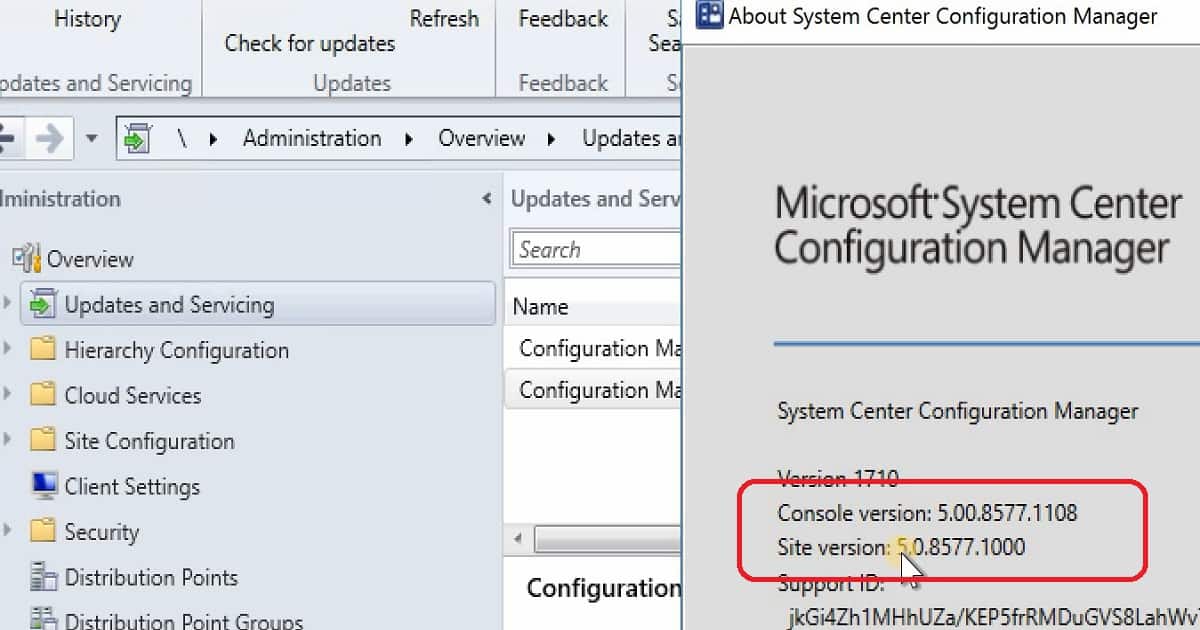
SCCM/ConfigMgr CB 1710 production update is applicable only for the SCCM CB 1610 and later. For example, if your SCCM environment is running with the SCCM CB 1606 version, this 1710 version won’t be visible to your environment.

More Videos Tutorials Subscribe to the YouTube channel

Upgrade Path – SCCM 1710 Production

To access the SCCM CB 1710 production version, you need to upgrade from 1606 to 1610. Once you have completed that upgrade and are in the 1610 version of SCCM CB, you can update it to the 1710 version.

Video Tutorial SCCM 1710 New Features Overview Plus Upgrade Guide - Fig.1
Video Tutorial SCCM 1710 New Features Overview Plus Upgrade Guide – Fig.1

How to Get the Opt-in Version of SCCM 1710?

The SCCM 1710 update will be rolled out globally in the coming weeks and will be automatically downloaded. Once this update is rolled out globally, you don’t need to run the PowerShell script. Moreover, when it is ready to install, SCCM admins will be notified from the “Updates and Servicing” node.

Do you want to be an early adaptor of SCCM CB 1710? If so, run the PowerShell script: SCCM ConfigMgr 1710: Enable Early Update Ring.

Video Tutorial SCCM 1710 New Features Overview Plus Upgrade Guide - Fig.2
Video Tutorial SCCM 1710 New Features Overview Plus Upgrade Guide – Fig.2

New Features of SCCM 1710 Production Version

The SCCM CB 1710 Production version has 7 pre-release features and 20 Release Features. The video tutorial provides more details about the upgrade and new features.

Video Tutorial SCCM 1710 New Features Overview Plus Upgrade Guide – Fig.3

SCCM CB 1710 Software center can have your organization logo and other branding options without an Intune subscription, which is very useful for organizations. To configure these branding options, navigate to client settings, open custom client Policy settings, and click on the software center.

  • Peer cache is not pre-release feature
  • Cloud DP supports Azure Govt Cloud
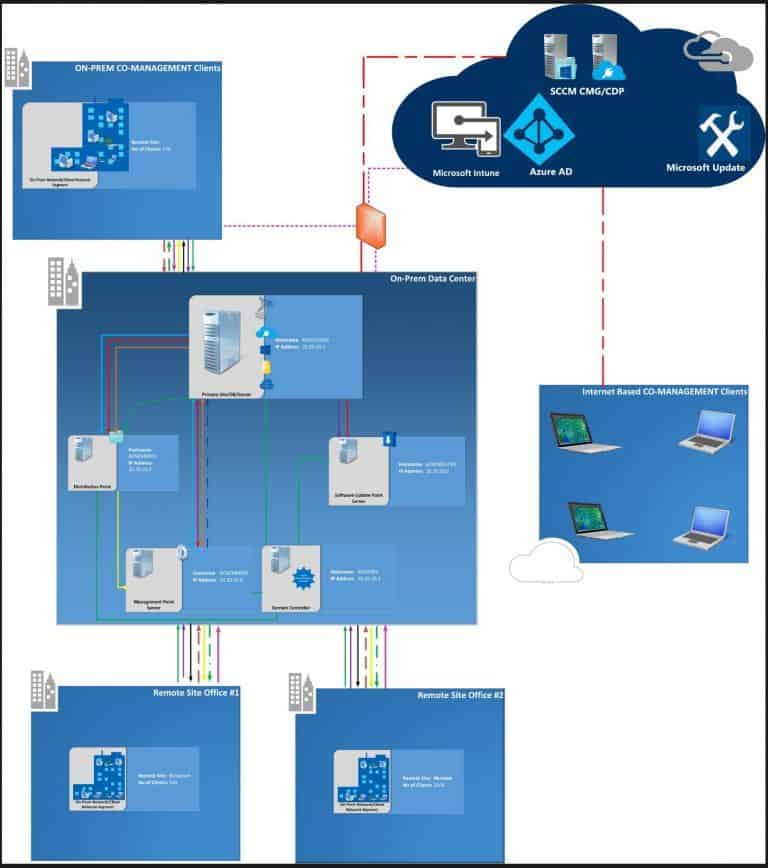
  • Co-Management
  • Identify the devices that require a restart and restart using the client notification channel.
  • Improvements in Run Script option – Security Scope, Real-time monitoring, and parameter
  • Software Center 250×250 icon
  • OSD – Parent-Child nested Task Sequence
  • Software Center – Enterprise Branding
  • Software Update – Surface Driver Update is no longer a pre-release feature
  • Telemetry level setting in Client settings
  • Limited support for Cryptography: Next Generation (CNG) certificates
  • Exploit Guard policies
  • Windows Defender Application Guard policy
  • Device Guard policy changes
Video Tutorial SCCM 1710 New Features Overview Plus Upgrade Guide - Fig.4
Video Tutorial SCCM 1710 New Features Overview Plus Upgrade Guide – Fig.4

SCCM Software Center Branding without Intune subscription

The software center has many more granular options to collect the Windows 10 telemetry data from SCCM client machines. This option is available under the Windows Analytics tab in the SCCM software center.

Video Tutorial SCCM 1710 New Features Overview Plus Upgrade Guide - Fig.5
Video Tutorial SCCM 1710 New Features Overview Plus Upgrade Guide – Fig.5

What is New in SCCM 1710 Scripts Options?

The above two points are improvements in SCCM 1710 script options. You can scope the scripts in and out depending on your requirements.

  • Security scope option for Run Script
  • Graphical Representation of Run Script Results

Another exciting feature released in the 1710 production version is real-time graphical output for the Run Script option. I have a post and video tutorial on “Real-Time Graphical Representation SCCM Run Script Results.”

Video Tutorial SCCM 1710 New Features Overview Plus Upgrade Guide - Fig.6
Video Tutorial SCCM 1710 New Features Overview Plus Upgrade Guide – Fig.6

Resources

We are on WhatsApp now. To get the latest step-by-step guides, news, and updates, Join our Channel. Click here. HTMD WhatsApp.

Author

Anoop C Nair is Microsoft MVP! He is a Device Management Admin with more than 20 years of experience (calculation done in 2021) in IT. He is a Blogger, Speaker, and Local User Group HTMD Community leader. His main focus is on Device Management technologies like SCCM 2012, Current Branch, and Intune. He writes about ConfigMgr, Windows 11, Windows 10, Azure AD, Microsoft Intune, Windows 365, AVD, etc.